⚡ Key Takeaways
- How PSU Wattage Actually Works
- Estimating Your System’s Power Draw
- Recommended Wattage by GPU Class
- Efficiency Ratings and the 80 PLUS Standard
- Modularity, Cables, and Future-Proofing
- Understanding Transient Power Spikes
- Single-Rail vs. Multi-Rail and Build Quality
- Building the Rest of Your Setup
- Top-Rated Picks
- Related Guides
- Frequently Asked Questions
- Conclusion
- Related Articles
- Related Guides
As an Amazon Associate we earn from qualifying purchases at no extra cost to you. Product prices and availability are accurate as of the date shown and are subject to change.




Get instant results in seconds — no signup.
- A power supply's wattage rating is its maximum continuous output, not what it constantly draws.
- The most reliable approach is to add the rated power of your GPU and CPU, then add a fixed amount for everything else.
- Step up a tier if you pair a high-end overclocked CPU with your GPU.
- Wattage isn't the only number that matters.
If you’ve ever stared at a power supply listing wondering “what PSU wattage do I need,” you’re asking exactly the right question at exactly the right time. The power supply is the unsung hero of any build: it quietly feeds clean, stable power to every component, and getting its wattage right protects your entire investment. Too little, and your system crashes under load or fails to boot; far too much, and you’ve wasted money. This sizing guide gives you a clear, repeatable method to choose the correct wattage and quality for your gaming PC.
Related: best gaming PC upgrade kits.
Related: fixing RGB not detected.
Related: gaming PC power consumption.
🛒 Best Price Today on Amazon
Prime members get fast, free shipping on everything above, plus member-only deals. New members get a 30-day free trial — cancel anytime.
Quick answer: Our top pick in 2026 is the Entry (RTX 5060 / RX 9060) — our #1 rated choice. See the full ranked comparison, alternatives and buying advice below.
How PSU Wattage Actually Works
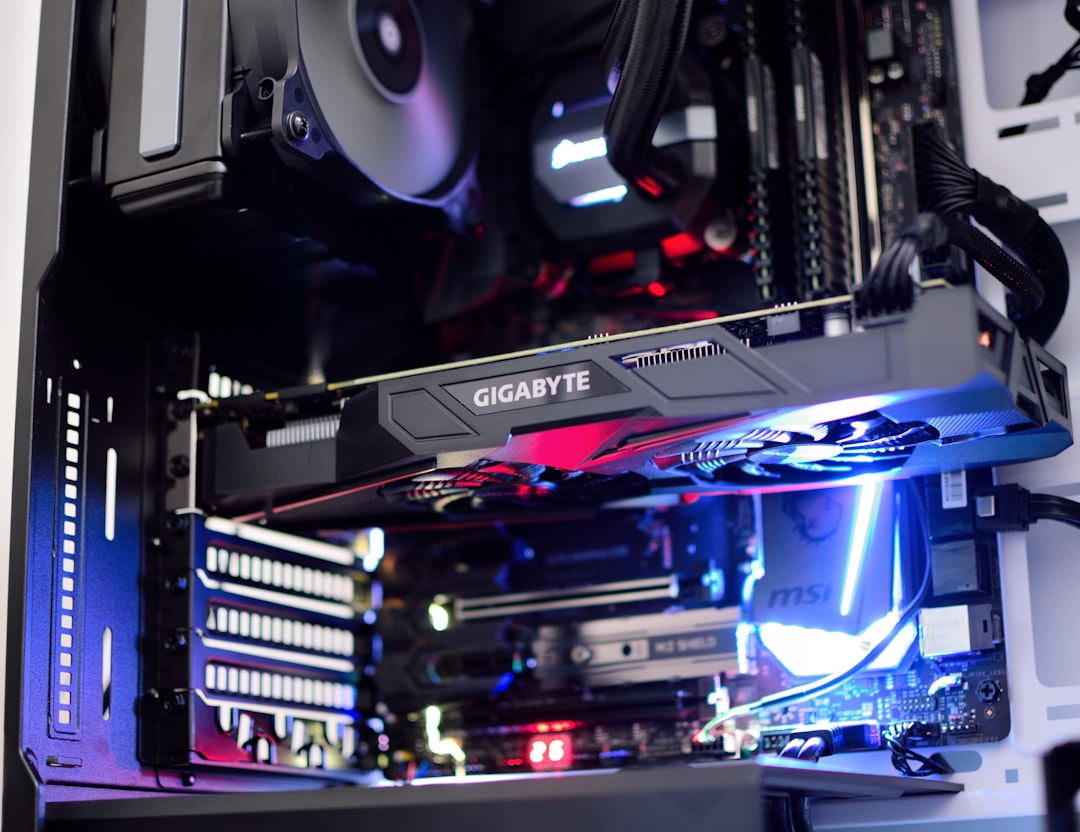
A power supply’s wattage rating is its maximum continuous output, not what it constantly draws. Your system pulls only as much as it needs at any moment, so a 750W unit in a system that peaks at 450W simply runs at part load. The goal is to choose a unit whose rating comfortably exceeds your system’s peak draw, leaving headroom for efficiency, transient spikes, and future upgrades. The two components that matter most are the graphics card and CPU, which together account for the vast majority of power consumption.
Estimating Your System’s Power Draw
The most reliable approach is to add the rated power of your GPU and CPU, then add a fixed amount for everything else. Use this simple framework:
- GPU: Use the card’s total board power (TBP), listed in its specs.
- CPU: Use the maximum turbo power, which can be well above the base TDP.
- Everything else: Add roughly 100W to cover the motherboard, RAM, drives, and fans.
- Headroom: Multiply the total by 1.4 to 1.5 for transient spikes and efficiency.
That final multiplier matters more than beginners expect. Modern GPUs produce brief power spikes well above their rated draw, sometimes for only milliseconds, and an undersized PSU can trip its protection and shut down. Headroom also keeps the unit operating in its most efficient and quietest load range.
Recommended Wattage by GPU Class
This table gives sensible 2026 targets assuming a mainstream CPU. Step up a tier if you pair a high-end overclocked CPU with your GPU.
| GPU Class | Typical System Peak | Recommended PSU |
|---|---|---|
| Entry (RTX 5060 / RX 9060) | ~300W | 550W–600W |
| Mainstream (RTX 5070 / RX 9070) | ~400W | 650W–750W |
| High-End (RTX 5070 Ti / 9070 XT) | ~500W | 750W–850W |
| Enthusiast (RTX 5080) | ~600W | 850W–1000W |
| Flagship (RTX 5090) | ~700W+ | 1000W–1200W |
Efficiency Ratings and the 80 PLUS Standard
Wattage isn’t the only number that matters. The 80 PLUS certification tells you how efficiently a PSU converts wall power to DC power, which affects heat, noise, and your electricity bill. The tiers run Bronze, Silver, Gold, Platinum, and Titanium. For a gaming build, an 80 PLUS Gold unit hits the sweet spot of efficiency and price. Cheaper Bronze units are acceptable on a tight budget, while Platinum and Titanium offer marginal gains for a premium. More important than the badge is buying from a reputable manufacturer, since a quality Bronze unit beats a no-name Gold one.
The New 12V-2×6 Connector
Current high-end GPUs use the 12V-2×6 power connector (the refined successor to the earlier 12VHPWR). If you’re building around a high-end card, choose an ATX 3.1 power supply that includes this native cable. These newer units are specifically designed to handle the aggressive transient spikes of modern graphics cards, making them a safer and cleaner choice than an older unit with an adapter.
Modularity, Cables, and Future-Proofing
A fully modular PSU lets you connect only the cables you need, which makes cable management and airflow far easier, especially for first-time builders. Semi-modular units are a fine budget compromise. When in doubt about future upgrades, buy one tier higher in wattage than you currently need. A 750W unit costs only a little more than a 650W one but leaves room to drop in a more powerful GPU in a couple of years without replacing the PSU. Just avoid wildly oversizing, since a 1200W unit in a 350W system is pure waste.
Understanding Transient Power Spikes
One concept that catches new builders off guard is the transient power spike. Modern graphics cards don’t draw a smooth, steady amount of power; they produce sudden, very brief spikes that can momentarily exceed their rated draw by a large margin, sometimes lasting only a fraction of a millisecond. A power supply that’s sized only for the card’s average draw may trip its over-current protection during these spikes, causing an abrupt shutdown that looks mysterious because monitoring software never shows the system reaching full load.
This is the real reason behind the recommendation to leave 40 to 50 percent headroom rather than a token margin. It’s also why the newer ATX 3.1 specification matters: those units are specifically designed and tested to ride out aggressive transient spikes without faulting. If you experience random shutdowns under gaming load with a PSU that seems to have enough average wattage, transient spikes are a prime suspect, and a higher-quality or higher-wattage unit usually resolves it.
Single-Rail vs. Multi-Rail and Build Quality
Beyond wattage and efficiency, the internal design of a power supply affects its reliability, though the details matter less than overall build quality. You may see units described as single-rail or multi-rail, referring to how the 12V output is distributed. For the vast majority of gaming builds, a quality single-rail design from a reputable manufacturer is simple and excellent. Rather than agonizing over rail topology, focus on the maker’s reputation and the warranty length, since a long warranty signals the manufacturer’s confidence in the components inside.
The capacitors, transformers, and protection circuitry inside a power supply vary enormously between a budget unit and a quality one, even at the same wattage and efficiency rating. This hidden quality is why two 650W Gold units can differ sharply in price. A trustworthy unit delivers clean, stable voltage that protects everything connected to it, while a poorly built one can deliver ripple and noise that stresses your other components over time. This is the one part where brand reputation should outweigh saving a few dollars.
Building the Rest of Your Setup
Once your core power delivery is sorted, the rest of the experience comes down to peripherals and ambiance. A reliable PSU keeps your frames steady so you can enjoy a high-refresh gaming monitor or a competitive 240Hz 1440p display without crashes during intense moments. Many builders also like to dress up the rig with an RGB light strip behind the desk for ambient bias lighting that reduces eye strain.
Top-Rated Picks


Editor's Pick
Seagate Portable 2TB External Hard Drive HDD — USB 3.0 for PC, Mac, PlayStation, & Xbox -1-Year Rescue Service (STGX2000400)

Prime
Limited Time
Amazon Echo Dot (newest model) – Vibrant sounding speaker, Designed for Alexa+, Great for bedrooms, dining rooms and offices, Charcoal


| Product | Brand | Rating | Reviews | Price |
|---|---|---|---|---|
| Amazon Smart Plug, Works with Alexa, Simple Setup, En… | Amazon | ★ 4.7 | 570.4k | $24.99 |
| Seagate Portable 2TB External Hard Drive HDD — USB 3.… | — | ★ 4.6 | 271.1k | $127.26 |
| Amazon Echo Dot (newest model) – Vibrant sounding spe… | Amazon | ★ 4.7 | 192.8k | $49.99 |
| Soundcore by Anker P20i True Wireless Earbuds, 10mm D… | — | ★ 4.4 | 106.5k | $19.99 |
| BENGOO G9000 Stereo Gaming Headset for PS4 PC Xbox On… | BENGOO | ★ 4.3 | 121.8k | $19.97 |
Frequently Asked Questions
Is it bad to have a PSU that’s too powerful?
Not harmful, just wasteful. An oversized PSU runs at a lower load percentage, which can be slightly less efficient and costs more upfront. A modest amount of overhead is good; doubling your needs is unnecessary.
Can a weak power supply damage my components?
A quality undersized unit will usually just shut down under load to protect itself. A cheap, poorly built PSU, however, can deliver unstable voltage that genuinely risks your other parts, which is why brand reputation matters most.
What happens if my PSU wattage is too low?
The system may fail to boot, crash during gaming, or shut down abruptly under heavy load when the GPU and CPU draw peaks. These random shutdowns are a classic sign of insufficient wattage.
Do I need an ATX 3.1 power supply?
It’s strongly recommended for high-end modern GPUs because it natively handles their power spikes and includes the 12V-2×6 connector. For midrange and budget cards, a quality older ATX unit is still perfectly fine.
How long does a power supply last?
A good unit easily lasts seven to ten years and often outlives multiple builds. This longevity is why it’s worth buying a quality model with a long warranty rather than the cheapest option.
Conclusion
Sizing a PSU comes down to a simple recipe: add your GPU and CPU power, tack on about 100W for the rest, and multiply by 1.4 to 1.5 for headroom. Match that figure to a reputable 80 PLUS Gold, fully modular unit, and choose ATX 3.1 if you run a high-end GPU. Get this foundational component right and it will quietly power your gaming through several builds, protecting everything connected to it.
Ready to decide? Our #1 pick for 2026 is the Entry (RTX 5060 / RX 9060).
Live price & availability on Amazon.
Top picks from this guide
 AmazonAmazon Echo Dot (newest model) - Vibrant sounding speaker, Designed…$55 \xc2\xb7 98/100
 SoundcoreSoundcore by Anker P20i True Wireless Earbuds, with Big Bass,…$40 \xc2\xb7 98/100
 SeagateSeagate 2TB Portable Hard Drive | USB 3.0 (STGX2000400)$130 \xc2\xb7 96/100
 BENGOOBENGOO G9000 Stereo Gaming Headset for PS4 PC Xbox One…$20 \xc2\xb7 94/100