⚡ Key Takeaways
- How SSDs and HDDs Actually Work
- Speed: The Difference You’ll Feel Most
- SSD vs HDD: Side-by-Side Comparison
- Capacity and Cost: Where HDDs Still Win
- SATA SSD vs NVMe SSD: Not All SSDs Are Equal
- Durability, Noise, and Power Draw
- Installation and Migration Made Simple
- The Best Setup for Most Gamers
- Related Guides
- Frequently Asked Questions
- Conclusion
- Related Articles



As an Amazon Associate we earn from qualifying purchases at no extra cost to you. Product prices and availability are accurate as of the date shown and are subject to change.


- An HDD stores data on physical platters that spin at 5,400 or 7,200 RPM.
- A typical 7,200 RPM hard drive reads data at roughly 80 to 160 MB/s.
- If there's one area where hard drives remain relevant, it's price per terabyte.
- A SATA SSD uses the same connector as a hard drive and tops out around 550 MB/s.
When you’re choosing storage for a new build or upgrading an aging machine, the SSD vs HDD for gaming debate is one of the first decisions you’ll face. Both technologies store your games, but they work in fundamentally different ways and deliver very different experiences. Solid-state drives (SSDs) use flash memory with no moving parts, while hard disk drives (HDDs) rely on spinning magnetic platters and a mechanical read head. That single difference cascades into massive gaps in speed, noise, durability, and price. This guide breaks down exactly what separates the two so you can decide where your money is best spent.
🛒 Best Price Today on Amazon
Prime members get fast, free shipping on everything above, plus member-only deals. New members get a 30-day free trial — cancel anytime.
Quick answer: Our top pick in 2026 is the Read/write speed — our #1 rated choice. See the full ranked comparison, alternatives and buying advice below.
How SSDs and HDDs Actually Work
An HDD stores data on physical platters that spin at 5,400 or 7,200 RPM. A mechanical arm moves across the surface to read and write data, much like a record player. Because it relies on physical movement, an HDD has inherent latency every time it needs to access data scattered across the platter.
An SSD has no moving parts at all. It stores data in flash memory cells and accesses any location almost instantly. There’s no waiting for a platter to spin into position or an arm to swing across. This is why SSDs feel so much snappier in everyday use and why they’ve become the default boot drive for nearly every modern PC.
Speed: The Difference You’ll Feel Most
Speed is where SSDs dominate. A typical 7,200 RPM hard drive reads data at roughly 80 to 160 MB/s. A SATA SSD reads at around 550 MB/s, and a modern NVMe SSD can hit 3,500 MB/s to over 7,000 MB/s depending on the generation. In practical terms, that means an operating system that boots in 10 seconds instead of 45, and games that load levels in a fraction of the time.
For gaming specifically, the SSD advantage shows up in loading screens, fast travel, and texture streaming in open-world titles. Some recent games are even built assuming SSD-class storage and will stutter badly on a mechanical drive. If you’ve ever stared at a long loading bar, an SSD is the single most noticeable upgrade you can make.
SSD vs HDD: Side-by-Side Comparison
| Feature | SSD | HDD |
|---|---|---|
| Read/write speed | 550–7,000+ MB/s | 80–160 MB/s |
| Game load times | Very fast | Slow |
| Moving parts | None | Yes (platters, arm) |
| Noise | Silent | Audible spin/click |
| Durability (shock) | High | Lower |
| Cost per terabyte | Higher | Lower |
| Typical capacity | 500GB–4TB | 1TB–20TB |
| Best use | OS + active games | Bulk storage / archives |
Capacity and Cost: Where HDDs Still Win
If there’s one area where hard drives remain relevant, it’s price per terabyte. HDDs are dramatically cheaper for raw capacity. You can buy a multi-terabyte hard drive for the price of a much smaller SSD. For gamers with enormous libraries who don’t want to constantly uninstall and reinstall titles, an HDD makes an affordable bulk storage vault.
That said, SSD prices have fallen sharply over the years. A 1TB or 2TB SSD is now affordable enough that many gamers skip mechanical drives entirely. The sweet spot for most builders has shifted toward an all-SSD setup unless they specifically need tens of terabytes of cheap space.
SATA SSD vs NVMe SSD: Not All SSDs Are Equal
It’s worth noting that “SSD” covers two main types. A SATA SSD uses the same connector as a hard drive and tops out around 550 MB/s. An NVMe SSD plugs directly into the motherboard’s M.2 slot and uses the PCIe bus, reaching multiple gigabytes per second. For gaming, both feel dramatically faster than an HDD, but NVMe is the premium choice for the fastest possible load times and future-proofing.
For most gamers, a SATA SSD is more than enough for a great experience. If your motherboard has an M.2 slot and your budget allows, NVMe is the better long-term pick, especially as more games assume high-speed storage.
Durability, Noise, and Power Draw
Because SSDs have no moving parts, they’re more resistant to physical shock, which matters for laptops and PCs that get moved around. They also run completely silent, while HDDs produce an audible hum and occasional clicking. SSDs draw less power too, which contributes to cooler, quieter systems. For a gaming desktop that you want to be as quiet as possible, every SSD you add removes a potential source of noise.
Installation and Migration Made Simple
Adding an SSD to an existing system is easier than many people expect. A SATA SSD connects with the same power and data cables as a hard drive and mounts in a 2.5-inch bay or bracket. An NVMe drive slots directly into the motherboard’s M.2 connector and is held in place with a single screw, requiring no cables at all. Either way, the physical installation takes just a few minutes.
The bigger decision is whether to start fresh or migrate your existing setup. Many gamers do a clean installation of their operating system on the new SSD for the best performance and a tidy system. Alternatively, cloning software can copy your current drive to the SSD so everything carries over exactly as it was. If you’re moving from an HDD to an SSD as your boot drive, the clean install route avoids dragging along years of accumulated clutter and gives you the snappiest possible result.
The Best Setup for Most Gamers
The popular middle-ground strategy is a hybrid setup: a fast SSD for your operating system and the games you actively play, paired with a large HDD for archives, recordings, and titles you rarely touch. This gives you snappy load times where it counts and cheap capacity where it doesn’t. If your budget allows, going all-SSD is the cleanest, quietest, and fastest option.
Storage is just one piece of a great gaming experience. Once load times are sorted, your attention naturally shifts to what you see and hear. Pairing fast storage with a high-quality gaming monitor ensures the frames your system loads quickly are also displayed beautifully. Competitive players who want every advantage often pair their SSD-equipped rigs with a 240Hz 1440p monitor for buttery-smooth motion. And immersive single-player titles come alive with a good set of gaming speakers to match the fast-loading worlds you’re exploring.
Frequently Asked Questions
Will an SSD make my games run at a higher frame rate?
No. Frame rate is determined mainly by your GPU and CPU. An SSD improves load times, level streaming, and fast travel, but it won’t increase your in-game FPS. It does help eliminate texture pop-in and stutter in storage-heavy games, though.
Can I use both an SSD and an HDD in the same PC?
Absolutely, and it’s a popular setup. Install your OS and most-played games on the SSD, and use the HDD for bulk storage. Windows lets you choose the install location for each game.
Is an HDD still worth buying in 2026?
Mainly for cheap, high-capacity storage of files you don’t access often. For your operating system and active games, an SSD is strongly recommended. Many gamers now skip HDDs entirely.
Do SSDs wear out faster than HDDs?
Modern SSDs have a finite number of write cycles, but for normal gaming use they’ll typically outlast the rest of your PC. The durability advantage from having no moving parts usually outweighs the write-cycle concern.
Should I choose SATA or NVMe?
If your motherboard supports NVMe (an M.2 slot), it’s the faster and more future-proof choice. A SATA SSD is still a huge upgrade over an HDD and a perfectly good option on a budget.
Conclusion
The SSD vs HDD decision for gaming comes down to priorities. SSDs win on speed, silence, and durability, making them the clear choice for your operating system and active game library. HDDs hold on thanks to cheap bulk capacity. For most gamers, an SSD is the upgrade that delivers the most noticeable improvement to everyday use, while an optional large HDD handles the overflow.
Ready to decide? Our #1 pick for 2026 is the Read/write speed.
Live price & availability on Amazon.
Top picks from this guide
 HyperXHyperX Alloy Origins 60 - Mechanical Gaming Keyboard, Ultra Compact…$80 \xc2\xb7 97/100
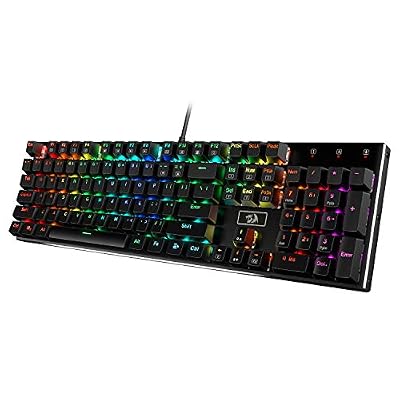 RedragonRedragon K556 Wired RGB Mechanical Gaming Keyboard, 104-Key Aluminum Board$47 \xc2\xb7 95/100
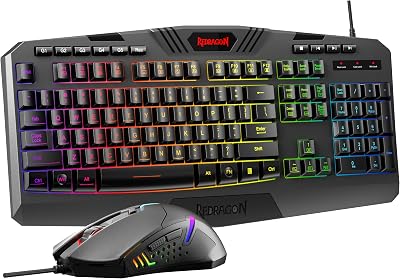
 RedragonRedragon S101-3 PRO Gaming Keyboard and Mouse, RGB Backlit Programmable…$40 \xc2\xb7 95/100
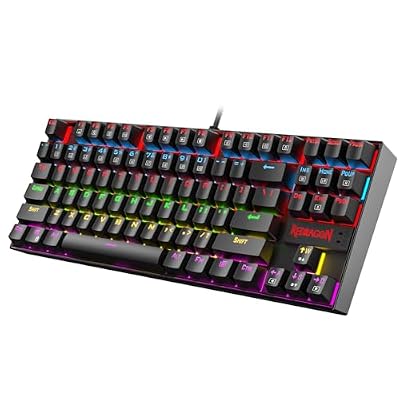 RedragonRedragon K552 Mechanical Keyboard, LED Gaming Keyboard with Red Switches$37 \xc2\xb7 95/100