⚡ Key Takeaways
- The Two Kinds of Lifespan
- Typical Gaming PC Lifespan by Tier
- What Determines How Long Your PC Lasts
- Signs It’s Time to Upgrade
- Upgrade Instead of Replace
- How to Maximize Your PC’s Lifespan
- How Consoles and New Game Demands Affect Lifespan
- Is It Worth Buying a Higher-End PC for Longevity?
- Top-Rated Picks
- Related Guides
- Frequently Asked Questions
- Conclusion
- Related Articles
- When we talk about how long a gaming PC lasts, we're really talking about two different things.
- Several factors shape your PC's useful life.
- How do you know when your PC is reaching the end of its useful life?
- Targeted upgrades can breathe years of new life into an aging machine.
Buying or building a gaming PC is a significant investment, so it’s natural to ask how long does a gaming PC last before it needs replacing. The reassuring answer is that a well-built machine can deliver a great experience for many years, often longer than people expect. With sensible maintenance and the occasional targeted upgrade, a quality gaming PC can stay relevant for five to eight years or more. This guide explains what determines your PC’s lifespan, how to recognize when it’s time to upgrade, and how to stretch your investment as far as possible.
As an Amazon Associate we earn from qualifying purchases at no extra cost to you. Product prices and availability are accurate as of the date shown and are subject to change.






🛒 Best Price Today on Amazon
Prime members get fast, free shipping on everything above, plus member-only deals. New members get a 30-day free trial — cancel anytime.
Quick answer: Our top pick in 2026 is the Budget build — our #1 rated choice. See the full ranked comparison, alternatives and buying advice below.
The Two Kinds of Lifespan
When we talk about how long a gaming PC lasts, we’re really talking about two different things. The first is the physical lifespan: how long the hardware keeps working before parts fail. The second is the relevant lifespan: how long the PC can run modern games at settings you find acceptable. These two numbers are often very different.
Physically, a well-cared-for PC can run for a decade or more, since most components have no moving parts that wear out quickly. The relevant lifespan is usually shorter, driven by ever-more-demanding games and rising visual standards. Most people replace or upgrade their PC because it can no longer keep up with new titles, not because something broke.
Typical Gaming PC Lifespan by Tier
| Build Tier | Strong Performance | Playable With Upgrades |
|---|---|---|
| Budget build | 2–3 years | 4–5 years |
| Mid-range build | 4–5 years | 6–7 years |
| High-end build | 5–7 years | 8–10 years |
| Enthusiast build | 6–8 years | 10+ years |
What Determines How Long Your PC Lasts
Several factors shape your PC’s useful life. The biggest is the initial quality of the build. A higher-end machine has more performance headroom, so it stays capable of running new games well for longer before it starts to struggle. A budget build, by contrast, is closer to the minimum from day one, so it falls behind sooner.
Maintenance plays a major role too. A PC that’s kept clean, cool, and dust-free runs more reliably and avoids the heat-related stress that shortens component life. Finally, upgradability matters. A build with a standard motherboard, room for more RAM, and a good power supply can be improved over time, dramatically extending how long it remains useful.
Signs It’s Time to Upgrade
How do you know when your PC is reaching the end of its useful life? The clearest sign is being unable to run the games you want at frame rates and settings you find acceptable, even after lowering quality. If you’re constantly fighting stutters and low frame rates in new titles, your hardware is falling behind.
Other signs include running out of storage space repeatedly, components failing or behaving erratically, and finding that new games simply won’t run because your hardware no longer meets their requirements. When these problems pile up, it’s usually more satisfying to upgrade than to keep struggling.
Upgrade Instead of Replace
One of the best things about a desktop gaming PC is that you don’t have to replace the whole thing at once. Targeted upgrades can breathe years of new life into an aging machine. The graphics card is usually the single most impactful upgrade for gaming, since it does most of the heavy lifting for frame rates and visual quality. Swapping in a newer GPU can transform performance without touching the rest of the system.
Adding more RAM or moving from a hard drive to a fast SSD also delivers noticeable improvements at modest cost. This modular upgrade path is exactly why a thoughtfully built PC lasts so much longer than a console or laptop; you can keep the parts that are still good and replace only what’s holding you back.
How to Maximize Your PC’s Lifespan
A few habits keep your PC performing well for as long as possible. Clean it regularly to prevent dust from raising temperatures, since heat is the enemy of longevity. Keep your drivers and operating system updated for performance and stability. And when you do upgrade, target the bottleneck rather than replacing everything, which saves money and extends the platform’s life.
It’s also worth investing in quality peripherals that outlast multiple PC generations. A great gaming monitor can serve you through several builds, and a high-refresh 240Hz 1440p monitor remains excellent long after the PC driving it has been upgraded. The same goes for durable gaming speakers and accessories like a RGB light strip, which stay relevant regardless of what’s inside the tower.
How Consoles and New Game Demands Affect Lifespan
One factor that quietly shapes how long your PC stays relevant is the console generation. Most major games are designed with the current consoles as a performance baseline, so a PC that comfortably exceeds console-level hardware tends to run new releases well for years. When a new console generation arrives, the baseline jumps, and games gradually become more demanding. A PC built to outpace the consoles of its era therefore enjoys a longer window of strong performance before games start asking for more.
This is useful to keep in mind when buying. If your build clearly surpasses the current console standard, you can expect it to handle new titles at good settings for a long stretch. As games begin targeting the next generation’s capabilities, you’ll start to feel the pressure, and that’s typically the natural point to consider a GPU upgrade. Thinking about your hardware relative to the console baseline gives you a practical sense of how many comfortable years you can expect before an upgrade becomes worthwhile.
Is It Worth Buying a Higher-End PC for Longevity?
For many gamers, spending a bit more upfront on a higher-end build is a smart long-term play. The extra performance headroom means the machine stays capable for more years before it needs upgrades, often making it cheaper over its full lifespan than repeatedly replacing a budget rig. That said, the sweet spot for most people is a solid mid-range build with room to upgrade, which balances upfront cost against future flexibility. The right choice depends on your budget and how often you’re willing to tinker.
Top-Rated Picks



| Product | Brand | Rating | Reviews | Price |
|---|---|---|---|---|
| Redragon K552 Mechanical Gaming Keyboard, 87-Key Comp… | REDRAGON | ★ 4.5 | 51.6k | $36.99 |
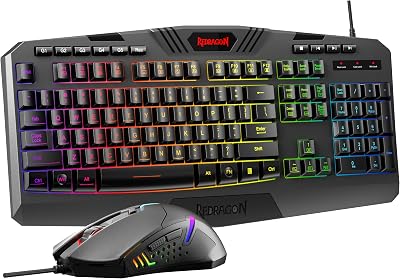
| Redragon S101-3 PRO Gaming Keyboard and Mouse, RGB Ba… | REDRAGON | ★ 4.5 | 51.3k | $39.99 |
| HyperX Alloy Origins 60 – Mechanical Gaming Keyboard,… | HyperX | ★ 4.7 | 15.1k | $59.99 |
| Redragon K556 RGB LED Backlit Wired Mechanical Gaming… | REDRAGON | ★ 4.6 | 8.1k | $49.99 |
| RK ROYAL KLUDGE S108 Typewriter Keyboard, Retro Mecha… | RKROYALKLUDGE | ★ 4.6 | 7.7k | $59.99 |
Frequently Asked Questions
How long does a gaming PC last on average?
A well-built gaming PC typically delivers strong performance for four to seven years, and can remain playable for even longer with upgrades. Physically the hardware can last a decade or more; the limiting factor is usually how demanding new games become.
What part of a gaming PC needs upgrading first?
The graphics card is usually the first and most impactful upgrade for gaming, since it drives frame rates and visual quality. Adding RAM or switching to an SSD are also worthwhile, lower-cost improvements that extend a system’s useful life.
Can I make my old gaming PC last longer?
Yes. Keep it clean and cool, update your drivers, and perform targeted upgrades like a newer GPU or more RAM. Replacing only the bottleneck component, rather than the whole system, can add several years of strong performance.
Is it better to upgrade or buy a new PC?
It depends on how outdated your system is. If only one or two components are holding you back, upgrading is cheaper and effective. If your motherboard, CPU, and platform are all aging, a fresh build may make more sense.
Does a more expensive PC last longer?
Generally yes, because higher-end components have more performance headroom and stay capable of running new games for more years. A premium build often costs less over its full lifespan than repeatedly replacing budget hardware.
Conclusion
A gaming PC can last far longer than many people assume, with strong performance for four to seven years and playable life beyond that through smart upgrades. The keys are starting with a quality build, maintaining it well, and upgrading the bottleneck rather than the whole machine. Treat your PC right, target your upgrades, and your investment will keep delivering great gaming for many years to come.
Ready to decide? Our #1 pick for 2026 is the Budget build.
Live price & availability on Amazon.
Top picks from this guide
 CyberpowerPCCyberPowerPC Gaming PC, AMD Ryzen 7 8700F, GeForce RTX 5060…$1,350 \xc2\xb7 97/100
 KOTINKOTIN Prebuilt Gaming PC RTX 5070 12GB, Ryzen 7 9700X,…$2,000 \xc2\xb7 97/100
 HyperXHyperX Alloy Origins 60 - Mechanical Gaming Keyboard, Ultra Compact…$80 \xc2\xb7 97/100
 STGAubronSTGAubron Gaming PC Desktop,Core I7,RX 580 8G,16G RAM,512G SSD$500 \xc2\xb7 96/100