- Top Pick: acer Nitro V 15.6” FHD IPS 165Hz Gaming Laptop, Intel Core i5-13420H, NVIDIA GeForce RTX 5050 with 8GB GDDR7 VRAM, Win11H, w/Mouse pad (16GB RAM, 512GB PCIe SSD)
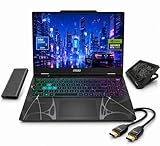
- Best Value: msi Cyborg 15 Gaming Laptop, Intel Core 7 240H, AI Powered NVIDIA RTX 5060, 15.6" 144Hz FHD, 16GB DDR5, 1TB SSD+1TB External HDD, Win 11 Pro, Cooling Pad & HDMI, Laptop for Student Worker
- Premium Choice: Lenovo LOQ-E 15.6" FHD 144Hz AMD Ryzen 7 7735HS NVIDIA GeForce RTX 4050 Gaming Laptop 16GB DDR5 512GB SSD Luna Gray
NVIDIA’s RTX 50-series has reshaped the mobile gaming landscape, and the sweet spot isn’t always the flagship. Across the range, from the entry RTX 5050 to the mainstream 5060, RTX 50-series gaming laptop deals deliver Blackwell architecture, DLSS 4, and genuinely strong frame rates at prices that suit real budgets. The trick is matching the right GPU tier to how and where you play.
This review focuses on the value end of the 50-series, the affordable 5050 and 5060 machines that anchor most shopping carts. Here’s what to look for and which models earn their price.


As an Amazon Associate we earn from qualifying purchases at no extra cost to you.





🎮 Get More From Your Setup — Free
Prime Gaming gives you free PC games every month, in-game loot, and a free Twitch channel sub — plus fast free shipping on all the gear above. New members get a 30-day free trial.
Watch: RTX 50 Series Gaming Laptop Deals — Video Review
Design & Build
Value-tier RTX 50 laptops keep things practical. The Acer Nitro V series (both 15.6-inch and 16-inch WUXGA models) offers sturdy plastic chassis with capable dual-fan cooling, while the GIGABYTE Gaming A16 and MSI Cyborg 15 add larger screens and thin-and-light aspirations respectively. The Alienware 16 Aurora brings a more premium build to the 5050 tier. These aren’t the tank-like flagships, but they’re well-suited to students and everyday gamers, with backlit keyboards and reasonable port selections across the board.
Performance
The GPU tier sets expectations. RTX 5050 machines like the Nitro V and Alienware Aurora handle 1080p gaming smoothly with DLSS help, ideal for esports and mainstream titles at high refresh. RTX 5060 models like the MSI Cyborg 15 and GIGABYTE A16 step up to comfortable 1080p ultra and entry 1440p. High-refresh displays (144Hz to 180Hz) are common, and CPU pairings range from Intel Core i5/Core 7 to Ryzen 7, all capable of feeding these GPUs without major bottlenecks. Note the lone RTX 4050 Lenovo LOQ-E on this list is a last-gen holdover; the 50-series cards offer better efficiency and DLSS 4 support.
Pros & Cons
- Affordable entry to Blackwell architecture and DLSS 4.
- High-refresh displays standard, great for fast-paced games.
- Solid 1080p performance across the 5050 and 5060 tiers.
- Student-friendly builds balance portability and cooling.
- 8GB VRAM on entry cards limits maxed textures at higher resolutions.
- Plastic chassis feel less premium than flagship models.
- The 4050 model is a generation behind its 50-series siblings.
Alternatives to Consider
If your budget stretches, an RTX 5070 laptop unlocks smoother 1440p and light 4K gaming. On the flip side, if you mostly play esports titles, even a 5050 machine will max out competitive games at high frame rates, so there’s no need to overspend. Match the tier to your target resolution and games.
Frequently Asked Questions
Is the RTX 5050 good enough for gaming?
For 1080p and esports, absolutely. With DLSS 4, it handles mainstream titles at high refresh rates comfortably.
5050 or 5060, which should I choose?
The 5060 offers more headroom for 1080p ultra and entry 1440p. If you play more demanding single-player games, it’s worth the step up.
Should I avoid the RTX 4050 laptop?
The 50-series cards are more efficient and support DLSS 4’s newest features. Given similar pricing, a 5050 is the better long-term buy.
Are these laptops good for schoolwork too?
Yes. Models like the Nitro V and Cyborg 15 double as capable productivity machines with modern CPUs and plenty of RAM.
Verdict
The value end of the RTX 50-series is where most gamers should shop, and these deals deliver real performance for the money. The Acer Nitro V 16 stands out for its 180Hz display and cooling, the MSI Cyborg 15 balances portability with 5060 power, and the GIGABYTE A16 offers a big screen at a friendly price. Pick your GPU tier by resolution, and you’ll get modern gaming without overpaying.