🛒 Best Price Today on Amazon
Prime members get fast, free shipping on everything above, plus member-only deals. New members get a 30-day free trial — cancel anytime.
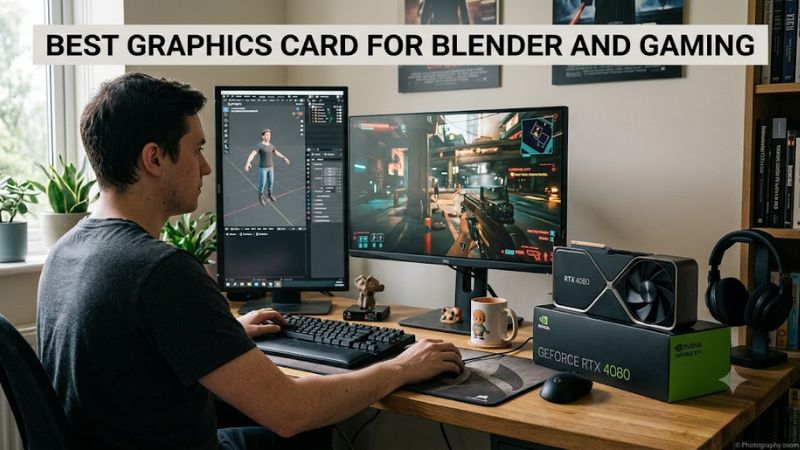
For creators who also game, best graphics card for blender and gaming depends on Blender rendering performance, VRAM capacity, ray tracing, gaming resolution, and system power. Current RTX 50-series cards lead Blender-focused rendering, while AMD’s RX 9070 XT remains a relevant gaming alternative with 16GB of VRAM.
How to Choose a Blender and Gaming GPU
For a dual-purpose PC, the key checks are Blender renderer support, VRAM, gaming workload, and platform compatibility. NVIDIA’s current RTX 50-series supports CUDA and OptiX workflows alongside modern gaming features, while the RX 9070 XT offers 16GB and strong raster performance but a different software ecosystem.
Blender Rendering Support
For Blender GPU rendering, the NVIDIA GeForce RTX 5090 is the clearest choice when rendering speed and large scenes matter most. Puget Systems’ 2026 Blender benchmark lists 15,872 for the RTX 5090, compared with 9,035 for the RTX 5080 and 7,882 for the RTX 5070 Ti. These are Blender Benchmark scores, not game FPS.
The best graphics card for blender and gaming therefore depends heavily on how much rendering occupies your workload. The RTX 5090 combines 32GB of memory with NVIDIA’s Blackwell architecture, making it useful for demanding GPU-rendered scenes. Its weakness is the very high power requirement, so it belongs in a system designed around the card rather than a casual upgrade.
VRAM Capacity
VRAM becomes important when Blender scenes contain large textures, complex geometry, or other assets that exceed available GPU memory. The RTX 5090 provides 32GB, while the RTX 5080 and RTX 5070 Ti each provide 16GB. AMD’s RX 9070 XT also has 16GB, giving it a reasonable memory capacity for gaming and less demanding Blender projects.
For buyers who regularly work with large Blender scenes, the RTX 5090’s 32GB capacity creates more headroom than 16GB cards. For gaming-focused users, 16GB remains a useful target at higher resolutions, particularly where texture quality and ray tracing increase memory demand. The best graphics card for blender and gaming should therefore match scene size as well as display resolution.
Gaming Resolution and Ray Tracing
Gaming performance changes substantially with resolution and rendering features. Tom’s Hardware’s June 2026 hierarchy reports RTX 5090 results of 167.3 FPS at 1440p Ultra and 110.8 FPS at 4K Ultra in its rasterization suite, while the RTX 5080 records 128.3 and 77.4 FPS respectively. These figures are geometric-mean results across its game suite.
Ray tracing changes the comparison further. In the same 2026 hierarchy, the RTX 5090 reaches 100.8 FPS at 1440p Ultra and 64.1 FPS at 4K Ultra, while the RTX 5070 Ti reaches 66.2 and 36.7 FPS. Those results use Tom’s Hardware’s RT test suite, so they should not be mixed with Blender scores or raster-only gaming figures.
Platform and Power Compatibility
Compatibility is more than checking whether a motherboard has a PCIe slot. The RTX 5090 requires a system power recommendation of 1,000W and supports a 600W PCIe Gen 5 cable or its adapter arrangement. The RTX 5080 specifies 850W, while the RTX 5070 Ti specifies 750W. Board-partner dimensions can differ, so case clearance must be checked against the exact model.
The best graphics card for blender and gaming is not useful if the existing PSU, case, or power cabling cannot support it. All four cards use PCIe connectivity, but the physical dimensions and power connectors vary by model. AMD’s RX 9070 XT uses PCIe 5.0 x16, has 16GB of GDDR6, and carries a 750W minimum PSU recommendation with two 8-pin connectors.
Top Picks for Blender and Gaming
The table combines Blender rendering evidence with gaming performance and manufacturer compatibility data. Blender scores come from Puget Systems’ Blender Benchmark results, where resolution is determined by the benchmark scenes rather than a gaming resolution setting; gaming figures use Tom’s Hardware’s 2026 1440p Ultra and 4K Ultra rasterization suite.
| Product | Best For | Key Spec | Compatibility | Watch Out For |
| NVIDIA GeForce RTX 5090 | Best Overall | 32GB GDDR7; Blender Benchmark 15,872 | PCIe Gen 5; 1,000W recommended PSU; 600W Gen 5 cable option | 575W GPU power |
| NVIDIA GeForce RTX 5070 Ti | Best Value | 16GB GDDR7; Blender Benchmark 7,882 | PCIe Gen 5; 750W recommended PSU; 300W Gen 5 cable option | Less Blender performance than 5080/5090 |
| NVIDIA GeForce RTX 5080 | Best For 4K Gaming | 16GB GDDR7; Blender Benchmark 9,035 | PCIe Gen 5; 850W recommended PSU; 450W Gen 5 cable option | 16GB can constrain very large scenes |
| AMD Radeon RX 9070 XT | Best For AMD Gaming | 16GB GDDR6; Blender Benchmark 3,722 | PCIe 5.0 x16; 750W PSU; 2×8-pin | Much lower Blender score |
NVIDIA GeForce RTX 5090 — Best Overall
The RTX 5090 is for buyers who want the highest Blender GPU performance among these current options while also targeting high-end gaming. Its 32GB GDDR7 memory and 21,760 CUDA cores provide substantial hardware resources, while NVIDIA specifies 575W total graphics power and a 1,000W system power recommendation for its reference configuration.
Its real weakness is system demand rather than capability. A 575W graphics card requires careful PSU, case, cooling, and connector planning, and NVIDIA lists a 600W PCIe Gen 5 cable option. Buyers with modest power supplies or compact cases should not choose it simply because the Blender score is higher.
NVIDIA GeForce RTX 5070 Ti — Best Value
The RTX 5070 Ti suits users who want a strong middle ground between Blender rendering and high-resolution gaming. It has 16GB of GDDR7, 8,960 CUDA cores, and a 300W total graphics power rating. Puget Systems reports a Blender Benchmark score of 7,882, placing it below the RTX 5080 and RTX 5090 in that workload.
Its limitation is straightforward: 16GB gives less room for unusually large Blender scenes than the 5090’s 32GB, and its rendering score is lower than the 5080. The best graphics card for blender and gaming at this level is therefore not automatically the most expensive card; the 5070 Ti fits users who can work within 16GB and want a strong 1440p or 4K gaming GPU.
NVIDIA GeForce RTX 5080 — Best For 4K Gaming
The RTX 5080 targets users who place especially high demands on 4K gaming but still need substantial Blender GPU performance. NVIDIA lists 16GB GDDR7, 10,752 CUDA cores, PCIe Gen 5 support, and 360W total graphics power. Tom’s Hardware reports 128.3 FPS at 1440p Ultra and 77.4 FPS at 4K Ultra in its 2026 rasterization hierarchy.
Puget Systems records a Blender Benchmark score of 9,035 for the RTX 5080, above the 5070 Ti but below the 5090. Its main weakness is memory capacity: 16GB is substantially below 32GB, so creators with very large scenes may prefer the larger card. It is also unsuitable for systems that cannot provide the specified 850W PSU recommendation.
AMD Radeon RX 9070 XT — Best For AMD Gaming
The RX 9070 XT makes sense for buyers who prioritize AMD’s gaming platform while still wanting enough GPU capability for Blender work. It has 16GB of GDDR6, a 304W typical board power rating, PCIe 5.0 x16 connectivity, and a 750W minimum PSU recommendation. AMD also specifies two 8-pin power connectors for the reference design.
The important weakness is Blender performance relative to the NVIDIA alternatives. Puget Systems records 3,722 in Blender Benchmark for the RX 9070 XT versus 7,882 for the RTX 5070 Ti, while Tom’s Hardware records 116.5 FPS at 1440p Ultra and 65.8 FPS at 4K Ultra for raster gaming. Buyers should prioritize it when AMD gaming features and 16GB memory matter more than Blender rendering speed.
FAQ: Blender and Gaming Graphics Cards
The practical answer to these questions depends on whether Blender rendering, gaming resolution, VRAM, or power limits your build. The best graphics card for blender and gaming is different for a creator rendering large scenes than for someone who mainly plays at 1440p and occasionally opens Blender.
Is RTX 5090 Better for Blender and Gaming?
Yes, the RTX 5090 has the highest Blender Benchmark score among the four GPUs compared here and also leads Tom’s Hardware’s 2026 gaming hierarchy. Puget Systems reports 15,872 for Blender Benchmark, while Tom’s Hardware reports 167.3 FPS at 1440p Ultra and 110.8 FPS at 4K Ultra in its raster suite.
The trade-off is power and system cost. NVIDIA lists 575W total graphics power and a 1,000W recommended system power level for its reference configuration. The card also requires substantial physical clearance, so it is intended for a high-power desktop rather than a small or modestly equipped PC.
Is 16GB VRAM Enough for Blender and Gaming?
Yes, 16GB can be sufficient for many Blender projects and modern gaming workloads, but it is not equivalent to having 32GB available. The RTX 5070 Ti, RTX 5080, and RX 9070 XT all provide 16GB, while the RTX 5090 doubles that capacity to 32GB. Scene complexity, textures, geometry, and rendering requirements determine whether additional memory is useful.
For gaming, 16GB is available across several current high-performance cards, and Tom’s Hardware’s 2026 results include strong 1440p and 4K performance from 16GB models. For Blender, however, users creating unusually large scenes should consider memory capacity separately from raw benchmark speed because a scene that exceeds available VRAM cannot simply be made faster by adding more GPU compute.
Is RTX 5070 Ti Good for Blender and Gaming?
Yes, the RTX 5070 Ti combines 16GB GDDR7 with a Blender Benchmark score of 7,882 and strong 1440p and 4K gaming results. Tom’s Hardware reports 116.8 FPS at 1440p Ultra and 68.6 FPS at 4K Ultra in its rasterization hierarchy, while its ray-tracing figures are 66.2 and 36.7 FPS respectively.
Its 300W total graphics power and 750W system power recommendation make the platform less demanding than the RTX 5080 or RTX 5090. NVIDIA specifies PCIe Gen 5 support and either two PCIe 8-pin cables through the adapter or a 300W-or-greater PCIe Gen 5 cable, although exact board-partner requirements should always be checked.
Should You Buy AMD RX 9070 XT for Blender?
The RX 9070 XT is a reasonable option when gaming is the primary workload and 16GB VRAM is important, but the available Blender benchmark data shows a substantial gap versus the NVIDIA cards in this comparison. Puget Systems reports 3,722 for the RX 9070 XT, compared with 7,882 for the RTX 5070 Ti and 9,035 for the RTX 5080.
For gaming, the RX 9070 XT remains competitive in rasterization. Tom’s Hardware reports 116.5 FPS at 1440p Ultra and 65.8 FPS at 4K Ultra in its June 2026 hierarchy. AMD specifies 304W typical board power, 750W minimum PSU capacity, PCIe 5.0 x16, and two 8-pin connectors, so the exact board model should be checked for physical and electrical requirements.
Final Thoughts
The best graphics card for blender and gaming depends on the balance between rendering speed, VRAM, gaming resolution, and system power. The RTX 5090 offers the largest memory pool and highest Blender score here, while the RTX 5080, RTX 5070 Ti, and RX 9070 XT cover lower power and different gaming priorities. Check the exact card, PSU and case before buying.