🛒 Best Price Today on Amazon
Prime members get fast, free shipping on everything above, plus member-only deals. New members get a 30-day free trial — cancel anytime.
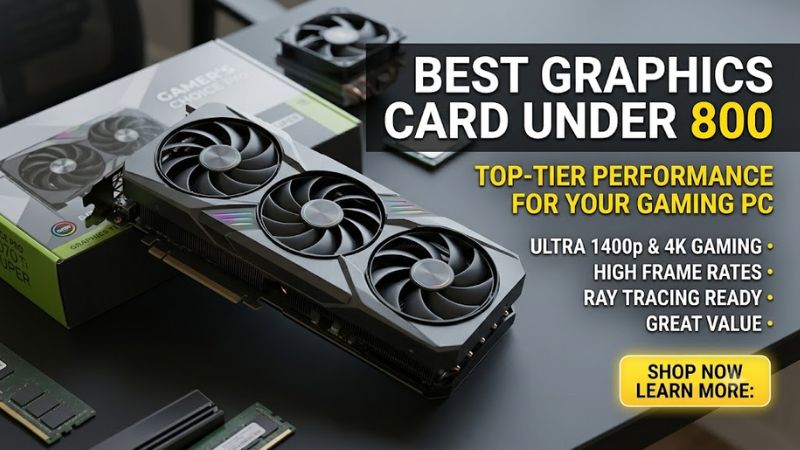
Best graphics card under 800: the RX 9070 XT targets 1440p and 4K, the RX 9070 balances power and cost, the RTX 5070 suits DLSS users, and the RTX 5060 Ti 16GB fits smaller systems. Prices move quickly, so check the exact model, PSU, connector, case clearance, and display target before ordering.
How to Choose a GPU Under $800
For this budget, the choice comes down to resolution, VRAM, power requirements, and physical compatibility rather than the GPU brand alone. The RX 9070 XT offers 16GB and a 750W PSU recommendation, while the RTX 5070 uses 12GB and has a 650W system recommendation. Current retail pricing can also change which card fits the $800 ceiling.
Match the GPU to 1440p or 4K
For the best graphics card under 800, start with the monitor rather than the brand. The RX 9070 XT is positioned for demanding 1440p and 4K gaming, while RX 9070 and RTX 5070 fit a broader 1440p range. The RTX 5060 Ti 16GB is more appropriate for 1440p-focused systems where native 4K is not the main target.
At 4K, GPU memory and rendering throughput become more important as image quality rises. A faster card can also make better use of a high-refresh display at 1440p. Before buying, identify whether your target is native 4K, upscaled 4K, or high-refresh 1440p, because those workloads place different demands on the GPU.
Check VRAM and Rendering Features
VRAM capacity and memory speed address different constraints. RX 9070 XT and RX 9070 provide 16GB of GDDR6, while RTX 5070 uses 12GB of GDDR7. RTX 5060 Ti also has a 16GB configuration using GDDR7. The memory figures are official specifications, not estimates from benchmark results.
NVIDIA’s cards also provide access to DLSS features, while AMD’s current Radeon lineup supports technologies including FSR and frame-generation features. These technologies can change frame rates and image reconstruction behavior, so a benchmark using upscaling should not be treated as directly interchangeable with a native-resolution raster result.
Verify PSU and Power Connectors
The RX 9070 XT has 304W typical board power, with AMD recommending a minimum 750W PSU. RX 9070 is rated at 220W with a 650W minimum recommendation. NVIDIA lists 650W for RTX 5070 and 600W for RTX 5060 Ti, while the required connector arrangement can differ between reference and partner cards.
A PSU rating alone is not enough if the required cables are unavailable. RTX 5070 can use two PCIe 8-pin cables through the supplied arrangement or a suitable PCIe Gen 5 cable, while RTX 5060 Ti can use an 8-pin connection. AMD’s RX 9070 family uses two 8-pin connections on the listed specifications, so check the exact board before purchase.
Confirm Case and Platform Clearance
All four choices are desktop PCIe graphics cards, but partner-board dimensions vary substantially. NVIDIA lists the RTX 5070 Founders Edition at 242mm and two slots, while RTX 5060 Ti board dimensions vary by manufacturer. AMD lists PCIe 5.0 x16 interfaces for RX 9070 and RX 9070 XT.
The motherboard does not need DDR5 specifically for these GPUs; DDR4 systems can use a compatible PCIe graphics slot. The more important checks are CPU balance, slot availability, PSU connectors, case length, cooler thickness, and airflow. For compact builds, a specific manufacturer’s dimensions matter more than the GPU’s reference specification.
Top Picks
| Product | Best For | Key Spec | Compatibility | Watch Out For |
| Radeon RX 9070 XT | Best Overall | 16GB GDDR6, 4096 shaders | PCIe 5.0 x16, 750W PSU | 304W board power |
| Radeon RX 9070 | Best Value | 16GB GDDR6, 3584 shaders | PCIe 5.0 x16, 650W PSU | Less performance than XT |
| GeForce RTX 5070 | Best For DLSS and RT | 12GB GDDR7, 6144 CUDA | PCIe 5.0 x16, 650W system | 12GB VRAM |
| GeForce RTX 5060 Ti 16GB | Best For Compact PCs | 16GB GDDR7, 4608 CUDA | PCIe 5.0 x8, 600W system | Lower raw performance |
Radeon RX 9070 XT: Best Overall
The RX 9070 XT is the strongest fit when the best graphics card under 800 needs to handle both 1440p and 4K. TechSpot’s September 2026 52-game comparison measured it 24% faster than RTX 5070 at 1440p and 25% faster at 4K. The test system used a Ryzen 7 9800X3D, Windows 11 25H2, and current AMD and NVIDIA drivers.
Its 16GB GDDR6 buffer is paired with 4096 stream processors and a 256-bit interface. AMD specifies PCIe 5.0 x16, 304W typical board power, and a 750W minimum PSU recommendation. The reference specifications also list 16GB memory and up to 640GB/s bandwidth, although partner cards can differ in cooler design, dimensions, and power connections.
Radeon RX 9070: Best Value
The RX 9070 makes sense when the best graphics card under 800 needs 16GB without the XT’s higher power target. AMD lists 16GB GDDR6, 3584 stream processors, 220W typical board power, PCIe 5.0 x16, and a 650W minimum PSU recommendation. TechSpot’s price page recorded about $679 on September 10, 2026.
The weakness is the performance gap to the XT. TechSpot’s August 2026 comparison found the RX 9070 XT 10% faster in Spider-Man 2 at 1440p and 14% faster at 4K using the Very High preset. Buyers should therefore compare the actual street prices of both models, because a small price gap changes the practical trade-off.
GeForce RTX 5070: Best For DLSS and Ray Tracing
The RTX 5070 is relevant for buyers who prioritize NVIDIA’s software and ray-tracing ecosystem. It has 6144 CUDA cores, 12GB GDDR7, a 192-bit memory bus, 672GB/s bandwidth, and 250W graphics power. NVIDIA lists a 650W system requirement and support for either two PCIe 8-pin cables or a compatible PCIe Gen 5 power cable.
Its main weakness at this budget is the 12GB memory capacity. TechSpot’s September 2026 52-game update measured the RX 9070 XT 24% faster at 1440p and 25% faster at 4K, while RTX 5070 models started around $800 in that comparison. RTX 5070 remains relevant where its software and rendering features are specifically important.
GeForce RTX 5060 Ti 16GB: Best For Smaller Builds
The RTX 5060 Ti 16GB is the practical choice when the best graphics card under 800 must fit a lower-power system while retaining 16GB. NVIDIA lists 4608 CUDA cores, 16GB GDDR7, a 128-bit interface, 448GB/s bandwidth, 180W graphics power, and a 600W system recommendation. Exact board dimensions vary by manufacturer.
Its weakness is raw gaming performance compared with the higher-tier cards here. TechSpot’s review found the 16GB model averaged 4% faster than RX 7700 XT and 10% slower than RTX 4070 across its 16-game suite. Current U.S. price tracking showed a roughly $780 typical new-retail price through September 2026, making model selection important.
FAQ
The four questions below cover the main buying decisions: whether $800 is enough, whether 16GB matters, whether DDR4 systems are compatible, and which GPU makes sense for 4K. Current pricing and benchmark results can change, so these answers use September 2026 market information and clearly identified test data.
Is $800 Enough for a Modern 1440p GPU?
Yes, but the best graphics card under 800 depends heavily on current retail pricing. TechSpot’s September 2026 comparison recorded RX 9070 XT listings around $730-$750 and RTX 5070 models around $800 at test time. A buyer should compare the actual board price, cooler, warranty, and PSU needs instead of relying only on launch MSRP.
Prices have become unusually volatile across the current GPU market. TechSpot’s database currently lists the RX 9070 around $680 and RX 9070 XT around $800, while separate U.S. tracking placed RTX 5060 Ti 16GB around $780 on average. These are market observations rather than guaranteed prices, so availability can change the result.
Is 16GB VRAM Better Than 12GB for Gaming?
Capacity and memory speed solve different problems. RX 9070 XT and RX 9070 use 16GB GDDR6, while RTX 5070 uses faster GDDR7 with 12GB. More VRAM can help when a game exceeds the available buffer, but capacity alone does not determine frame rate because GPU architecture and rendering throughput also matter.
For the best graphics card under 800, 16GB is particularly relevant if the system is intended for demanding 1440p or 4K textures over several years. That does not mean every game requires 16GB. The appropriate choice depends on resolution, settings, game engine behavior, and whether features such as ray tracing or upscaling are being used.
Can an Existing DDR4 Gaming PC Use These GPUs?
Yes, DDR4 or DDR5 system memory is not the primary compatibility gate for these graphics cards. The important checks are the motherboard’s graphics slot, PSU capacity, power connectors, CPU balance, case clearance, and operating-system support. AMD lists Windows 10 64-bit, Windows 11 64-bit, and Linux x86-64 support for RX 9070.
PCIe generation also should not be confused with DDR memory generation. RX 9070 and RX 9070 XT use PCIe 5.0 x16, RTX 5070 uses PCIe 5.0 x16, and RTX 5060 Ti uses PCIe 5.0 x8. A compatible motherboard slot and adequate platform support matter more than whether the system RAM is DDR4 or DDR5.
Which One Should 4K Gamers Compare First?
The RX 9070 XT is the relevant starting point when the best graphics card under 800 is intended for native or upscaled 4K. TechSpot’s September 2026 52-game dataset measured 25% higher average performance than RTX 5070 at 4K. Individual games can differ, especially when full ray tracing changes the workload.
TechSpot’s earlier 52-game RX 9070 XT versus RTX 5070 Ti comparison also showed how close high-end results can become depending on rendering mode and game selection. The newer comparison should be used for the RTX 5070 matchup, while older datasets remain useful only when their test conditions are kept separate.
Final Thoughts
The best graphics card under 800 is shaped by price as much as silicon. RX 9070 XT offers 16GB and strong 4K results, RX 9070 keeps the same memory with lower power, RTX 5070 brings NVIDIA features, and RTX 5060 Ti 16GB suits lower-power builds. Recheck current listings and exact board specifications before buying.