🛒 Best Price Today on Amazon
Prime members get fast, free shipping on everything above, plus member-only deals. New members get a 30-day free trial — cancel anytime.
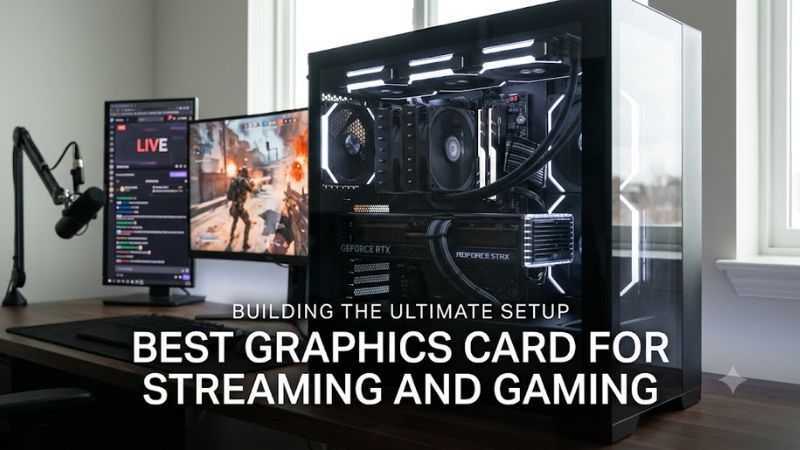
The best graphics card for streaming and gaming depends on encoder support, target resolution, VRAM, and PSU capacity, not gaming FPS alone. Current RTX 50-series cards combine dedicated NVENC hardware with AV1 encoding, while AMD’s RX 9000 cards also support hardware AV1.
How to Choose a Streaming and Gaming GPU
The main choice comes down to four factors: encoder capability, gaming resolution, VRAM, and system compatibility. For single-PC streaming, NVIDIA’s current RTX 50-series cards offer ninth-generation NVENC and AV1 encoding, while the RX 9070 XT provides AV1 encoding with 16GB of memory.
Encoder Support Matters
For a best graphics card for streaming and gaming, start with the hardware encoder because streaming can run alongside the game without relying entirely on CPU encoding. OBS supports hardware AV1 encoders from recent NVIDIA, AMD, and Intel GPUs, while codec availability still depends on the streaming service.
RTX 5070, RTX 5070 Ti, RTX 5080 and RTX 5090 all support AV1 encoding, with the 5070 Ti and 5080 carrying two ninth-generation NVENC engines and the 5090 carrying three. The RTX 5070 has one ninth-generation NVENC engine.
Match the Gaming Resolution
Your streaming workload does not determine the GPU tier by itself; the game resolution usually does more. Tom’s Hardware’s June 2026 hierarchy uses high and ultra settings at 1080p, 1440p and 4K, with native rendering and no upscaling or frame generation in its baseline results.
For a best graphics card for streaming and gaming at 1440p, the RTX 5070 Ti reached 116.8 FPS in Tom’s Hardware’s native 1440p Ultra raster suite, while the RX 9070 XT reached 116.5 FPS. The RTX 5080 reached 128.3 FPS under the same methodology.
Check VRAM and Workload
VRAM becomes more important as game resolution, texture quality and recording workloads increase. The RTX 5070 provides 12GB GDDR7, while the RTX 5070 Ti and RTX 5080 provide 16GB. The RTX 5090 doubles that to 32GB GDDR7.
A best graphics card for streaming and gaming does not automatically require the largest memory pool. For a 1440p gaming-and-streaming PC, 12GB can be a reasonable starting point, while 16GB gives more room for demanding games and higher-resolution workloads. VRAM capacity should be considered alongside GPU performance rather than separately.
Verify Power and Physical Fit
Compatibility includes the motherboard slot, PSU, power connector, operating system and case clearance. RTX 5070 Ti requires a 750W system PSU according to NVIDIA, RTX 5080 requires 850W, and RTX 5090 requires 1000W; individual add-in-board cards can have different dimensions.
The best graphics card for streaming and gaming still has to fit the PC around it. NVIDIA’s reference RTX 5080 is 304mm long and two slots wide, while the reference RTX 5090 has the same listed length and width; partner models can be larger, so check the exact card before purchase.
Top Picks for Streaming and Gaming
These four current-generation choices cover different gaming resolutions and workloads. Gaming figures below come from Tom’s Hardware’s June 2026 hierarchy, using a Ryzen 7 9800X3D platform, high/ultra settings and native rendering without DLSS, FSR or frame generation. Streaming capabilities come from manufacturer specifications.
| Product | Best For | Key Spec | Compatibility | Watch Out For |
| GeForce RTX 5070 Ti | Best Overall | 16GB GDDR7, 2x ninth-gen NVENC | PCIe 5.0, 750W PSU | 300W GPU power |
| GeForce RTX 5070 | Best Value | 12GB GDDR7, 1x ninth-gen NVENC | PCIe 5.0, 650W PSU | 12GB VRAM |
| GeForce RTX 5080 | Best For 4K Streaming | 16GB GDDR7, 2x ninth-gen NVENC | PCIe 5.0, 850W PSU | High power demand |
| GeForce RTX 5090 | Best For Heavy Production | 32GB GDDR7, 3x ninth-gen NVENC | PCIe 5.0, 1000W PSU | Very high power and price |
GeForce RTX 5070 Ti — Best Overall
The RTX 5070 Ti combines 16GB GDDR7, a 256-bit memory interface and two ninth-generation NVENC engines. NVIDIA lists 300W total graphics power and a 750W required system power rating. Its native 1440p Ultra result in Tom’s Hardware’s June 2026 raster suite was 116.8 FPS.
For a best graphics card for streaming and gaming, the 5070 Ti fits a 1440p-focused single-PC setup particularly well because its gaming headroom and encoder hardware are both substantial. Its real weakness is power consumption compared with the RTX 5070, and buyers with a 1080p monitor may not gain much from moving this high.
GeForce RTX 5070 — Best Value
The RTX 5070 uses 12GB GDDR7, a 192-bit memory interface and one ninth-generation NVENC engine with AV1 encoding. NVIDIA specifies 250W total graphics power and a 650W required system power rating. Tom’s Hardware’s hierarchy places it below the 5070 Ti in native gaming performance.
For streamers targeting 1080p or 1440p, the RTX 5070 keeps the same Blackwell-generation NVENC and AV1 foundation while reducing the GPU power requirement. The limitation is its 12GB VRAM capacity, so it is less suitable for buyers prioritizing high-resolution gaming with demanding texture settings.
GeForce RTX 5080 — Best For 4K Streaming
The RTX 5080 has 16GB GDDR7, a 256-bit interface, two ninth-generation NVENC engines and AV1 encoding. NVIDIA lists 360W total graphics power and an 850W required system power rating. In Tom’s Hardware’s native raster suite, it averaged 128.3 FPS at 1440p Ultra and 77.4 FPS at 4K Ultra.
For a best graphics card for streaming and gaming aimed at 4K, the RTX 5080 adds considerably more gaming headroom than the 5070 Ti while retaining two NVENC engines. Its main weakness is system power demand, and a buyer using only a 1080p display should not pay for its 4K-oriented performance.
GeForce RTX 5090 — Best For Heavy Production
The RTX 5090 is the highest-tier current GeForce gaming GPU, with 32GB GDDR7, a 512-bit interface and three ninth-generation NVENC engines. NVIDIA lists 575W total graphics power and a 1000W required system power rating. Tom’s Hardware recorded 167.3 FPS at 1440p Ultra and 110.8 FPS at 4K Ultra in its native raster suite.
The 5090 makes sense for a best graphics card for streaming and gaming when the PC also handles unusually demanding 4K gaming, recording or creator workloads. Its weakness is the substantial power requirement and high market cost; buyers focused on ordinary 1440p streaming should not assume that its extra GPU resources are necessary.
FAQ: Streaming and Gaming GPUs
The practical questions are whether one GPU can handle both jobs, which encoder matters, how much VRAM is needed, and whether AMD remains an option. The answer to each depends on the game resolution, streaming platform, codec support and the rest of the PC rather than the GPU model alone.
Can One GPU Handle Gaming and Streaming?
Yes, one modern GPU can handle gaming and hardware video encoding in the same PC. OBS supports hardware encoding through NVIDIA NVENC and AMD AMF, while current RTX 50-series and Radeon RX 9000 GPUs provide dedicated video-encoding hardware.
For a best graphics card for streaming and gaming, this means a second streaming PC is not inherently required. The CPU, GPU rendering load, game settings, OBS configuration and selected codec still affect the overall workload, so a single-GPU setup should be matched to the actual games and output resolution.
Is AV1 Better for Game Streaming?
AV1 can provide better image quality per bitrate than older H.264 in supported workflows, but platform support matters. OBS describes AV1 as offering improved quality-to-file-size characteristics, while noting that web-streaming support depends on the service.
The RTX 50-series and RX 9000-series both support hardware AV1 encoding, so codec availability alone does not require an NVIDIA card. NVIDIA adds its NVENC ecosystem and Broadcast features, while AMD’s RX 9070 XT also provides AV1 encode support and 16GB of GDDR6.
How Much VRAM Does Streaming Require?
Streaming itself does not establish a fixed VRAM requirement because the game remains the major graphics workload. Current RTX 5070, 5070 Ti and 5080 models provide 12GB, 16GB and 16GB respectively, while the RTX 5090 provides 32GB.
For a best graphics card for streaming and gaming, choose VRAM according to the games and resolution you actually use. A 1440p player may be comfortable with 12GB, while 16GB provides more capacity for demanding titles; 32GB is mainly relevant when the GPU is also serving unusually heavy workloads.
Does AMD Work for Streaming and Gaming?
Yes. AMD’s Radeon RX 9070 XT supports hardware H.264, H.265/HEVC and AV1 encoding, has 16GB of GDDR6 and uses a PCIe 5.0 x16 interface. AMD lists 304W typical board power and a 750W minimum PSU recommendation.
The choice between AMD and NVIDIA therefore involves more than raster gaming performance. Tom’s Hardware measured the RX 9070 XT at 116.5 FPS at native 1440p Ultra and 65.8 FPS at 4K Ultra, while NVIDIA cards add features such as NVENC and DLSS support that may matter to a particular streaming workflow.
Final Thoughts
The best graphics card for streaming and gaming depends on the balance between encoder features, gaming resolution, VRAM and system power. RTX 5070 Ti suits 1440p setups, RTX 5080 targets heavier 4K workloads, RTX 5070 reduces the platform requirement, and RTX 5090 is intended for demanding high-end systems.