🛒 Best Price Today on Amazon
Prime members get fast, free shipping on everything above, plus member-only deals. New members get a 30-day free trial — cancel anytime.

ASUS Prime GeForce RTX 5070 12GB GDDR7 OC Edition Gaming Graphics Card
Included for 'Best graphics card for cyberpunk 2077: Complete Best Guide' as a representative home product in this roundup; selection reflects the product set returned for this topic.
View on Amazon
GIGABYTE GeForce RTX 5080 Gaming OC 16G Graphics Card, WINDFORCE Cooling System, 16GB 256-bit GDDR7, GV-N5080GAMING OC-16GD Video Card
Included for 'Best graphics card for cyberpunk 2077: Complete Best Guide' because the listing adds cooling or gel-infused layers, which is the attribute this article compares.
View on AmazonBest graphics card for cyberpunk 2077 depends mainly on resolution, ray tracing level, VRAM and your power supply. For 1440p, current RTX 50-series cards cover a wide range, while 4K ray tracing demands more GPU headroom. Current benchmark data also shows a clear gap between the RTX 5070 Ti, RTX 5080 and RTX 5090.
Verdict at a Glance
- Best overall: NVIDIA GeForce RTX 5090 – the only card in this guide that handles 4K with heavy ray tracing at high frame rates, and it runs path tracing (RT Overdrive) comfortably with DLSS 4.
- Best value for 1440p ray tracing: NVIDIA GeForce RTX 5070 Ti – 16GB, strong RT performance, and DLSS 4 Multi Frame Generation for path tracing.
- Best AMD: Radeon RX 9070 XT (PowerColor Hellhound) – matches the RTX 5070 Ti at native 1440p without ray tracing and supports FSR 4, but falls behind once ray tracing is on.
- Best budget: RTX 5060 Ti 16GB (ASUS Dual) or RX 9060 XT 16GB (XFX Swift) – high settings at 1080p, playable 1440p with upscaling, and enough VRAM for the game’s texture load.
Short answer: decide how much ray tracing you want first. For path tracing, buy Nvidia. For rasterized Ultra settings with light ray tracing, AMD’s RX 9070 series delivers similar frame rates per unit of budget.
How to Choose a Graphics Card for Cyberpunk 2077
For this game, four factors matter most: target resolution, ray tracing, VRAM and system compatibility. CD Projekt Red lists RTX 3080-class hardware for its 4K Ultra requirement and RTX 4080 for 4K RT Overdrive, while current benchmarks show newer RTX 50-series cards moving substantially beyond those reference points.
Resolution Determines the GPU Tier
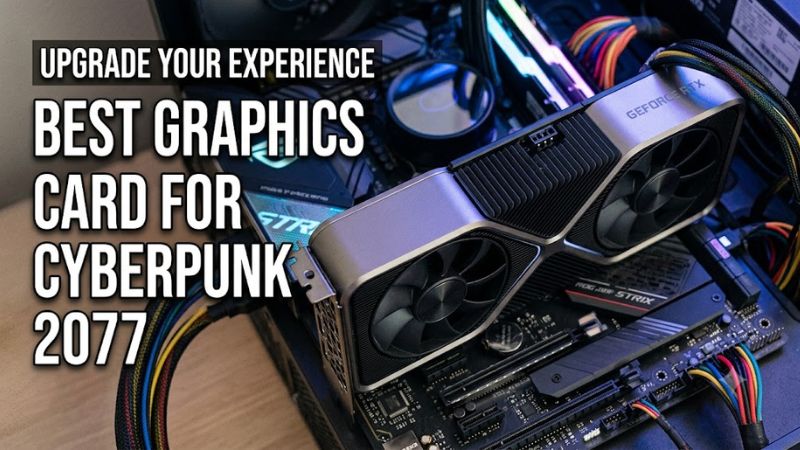
Resolution should be the first filter when choosing the best graphics card for cyberpunk 2077 because 1440p and 4K create very different workloads. ComputerBase measured current GPUs at 2560×1440 and 3840×2160 with DLSS/FSR Quality, showing the RTX 5090 at 140.2 FPS and 89.0 FPS respectively in its ray-tracing results.
For 1440p gaming, an RTX 5070 or RTX 5070 Ti provides considerably more headroom than the game’s official recommended 1080p configuration. ComputerBase recorded 68.1 FPS for the RTX 5070 and 87.5 FPS for the RTX 5070 Ti at 2560×1440 with DLSS/FSR Quality and ray tracing.
Ray Tracing Changes the Choice
Ray tracing makes GPU selection more demanding, particularly if you intend to use Full Raytracing or path-traced lighting. In ComputerBase’s 2560×1440 Full Raytracing test with DLSS/FSR Quality, the RTX 5070 Ti averaged 53.4 FPS, while the RTX 5080 reached 61.3 FPS and the RTX 5090 reached 94.2 FPS.
This makes the best graphics card for cyberpunk 2077 different for a conventional Ultra configuration and a path-tracing configuration. The RTX 5070 Ti can suit 1440p RT, while higher-tier GPUs provide additional margin for heavier ray-tracing modes and higher resolutions. The exact result still depends on CPU, settings and upscaling mode.
VRAM Matters at Higher Settings
VRAM is another important consideration because current RTX 50-series cards range from 12GB on the RTX 5070 to 16GB on the RTX 5070 Ti and RTX 5080, while the RTX 5090 has 32GB. NVIDIA lists these memory configurations using GDDR7, with the RTX 5090 offering the largest memory capacity in the lineup.
CD Projekt Red currently specifies 12GB of VRAM for its 4K Ultra non-ray-tracing requirement and 16GB for 4K RT Overdrive. Those figures do not mean every player needs that amount, but they provide useful reference points when deciding between current GPUs for demanding settings.
Compatibility Goes Beyond PCIe
Compatibility includes PSU capacity, power connectors, physical clearance and the rest of the PC rather than only whether the motherboard has a PCIe slot. NVIDIA specifies 650W system power for the RTX 5070, 750W for the RTX 5070 Ti, 850W for the RTX 5080 and 1000W for the RTX 5090 reference configurations.
The RTX 5070 and RTX 5070 Ti use either two PCIe 8-pin cables through the supplied adapter or a suitable 300W-or-greater PCIe Gen 5 cable. The RTX 5080 uses three PCIe 8-pin cables or a 450W-or-greater PCIe Gen 5 cable, while the RTX 5090 requires substantially more power and case space.
Cyberpunk 2077 FPS by GPU Tier (Sourced)
The table below gathers published Cyberpunk 2077 results from independent outlets. Each cell names its source. Test systems, game versions, scenes and drivers differ between outlets, so compare numbers within the same column and source rather than across columns. “Upscaler Quality” means DLSS Quality on Nvidia and FSR Quality on AMD, without frame generation. “—” means none of our sources published that combination.
| GPU | 1080p Ultra, native (no RT) | 1440p Ultra, native (no RT) | 4K Ultra, native (no RT) | 1440p RT, upscaler Quality | 4K RT, upscaler Quality | 4K RT Ultra, native |
|---|---|---|---|---|---|---|
| RTX 5090 | — | — | — | 140.2 fps (ComputerBase) | 89.0 fps (ComputerBase) | — |
| RTX 5080 | — | — | — | 97.7 fps (ComputerBase) | 55.1 fps (ComputerBase) | — |
| RTX 5070 Ti | — | about 125 fps (TechSpot) | 50 fps (Gamers Nexus) | 87.5 fps (ComputerBase) | 47.5 fps (ComputerBase) | 33.7 fps (Tom’s Guide) |
| RX 9070 XT | — | about 125 fps (TechSpot) | 53 fps (Gamers Nexus) | — | — | 25.7 fps (Tom’s Guide) |
| RTX 5070 | — | — | — | 68.1 fps (ComputerBase) | — | — |
| RTX 5060 Ti 16GB | 122 fps (Engadget) | 79 fps (TechSpot) | — | about 46 fps with upscaling (TechSpot) | — | 15.6 fps (Tom’s Guide) |
A few patterns stand out:
- Without ray tracing, the RX 9070 XT and RTX 5070 Ti are effectively tied. TechSpot recorded the same result at 1440p, and Gamers Nexus put the Radeon slightly ahead at 4K.
- With ray tracing, Nvidia pulls ahead. TechSpot’s later 52-game comparison found the RTX 5070 Ti about 15% faster than the RX 9070 XT in Cyberpunk at 1440p with ray tracing enabled, and Tom’s Guide’s native 4K RT Ultra numbers show a similar gap.
- Path tracing (RT Overdrive) is where DLSS 4 matters most. Ray Reconstruction cleans up the noisy path-traced image, and Multi Frame Generation (RTX 50 series only) raises the displayed frame rate. CD Projekt Red’s own RT Overdrive requirement notes that its 60 fps target assumes frame generation is on.
DLSS 4 vs FSR 4 in Cyberpunk 2077
Cyberpunk 2077 is one of the showcase games for Nvidia’s DLSS 4. That includes the transformer-based Super Resolution model, Ray Reconstruction and Multi Frame Generation, which inserts up to three generated frames per rendered frame on RTX 50-series cards. Nvidia has since added the DLSS 4.5 models through its driver app, so most RTX owners can switch to the newest model without waiting for a game patch. For most Nvidia buyers, DLSS Quality at 1440p or DLSS Balanced/Performance at 4K is the right starting point.
On the AMD side, FSR 4 is AMD’s machine-learning upscaler and only runs on RDNA 4 cards (the RX 9070 and RX 9060 series). In December 2025 AMD folded it into its FSR Redstone package, together with ML frame generation and ray-tracing features. Reviewers generally rank FSR 4 well above FSR 3 and close to, but slightly behind, the latest DLSS in image quality. In practice, check which FSR version the current game patch exposes. If the game offers FSR 3.1, the AMD Adrenalin driver can upgrade it to FSR 4 on RDNA 4 cards in DirectX 12 titles.
Frame generation on either brand raises smoothness but adds some input latency, so it works best when the base frame rate is already around 50-60 fps. Using it to rescue a 25 fps base frame rate gives a smoother-looking but laggy result. For the full list of in-game options, see our separate best-settings guide for Cyberpunk 2077 on this site.
Top Picks for Cyberpunk 2077
Current benchmark results put the RTX 5090, RTX 5080, RTX 5070 Ti and RTX 5070 into distinct performance tiers for this game. The figures below use ComputerBase’s 2560×1440 Cyberpunk 2077 benchmark with DLSS/FSR Quality and ray tracing, so they should not be compared directly with results using native resolution, different presets or another test platform.
| Product | Best For | Key Spec | Compatibility | Watch Out For |
| NVIDIA GeForce RTX 5090 | Best Overall | 32GB GDDR7; 575W TGP | 1000W system power; 600W Gen 5 cable option | Very high power and large-card requirements |
| NVIDIA GeForce RTX 5070 Ti | Best Value | 16GB GDDR7; 300W TGP | 750W system power; 300W Gen 5 cable option | Less 4K RT headroom than higher tiers |
| NVIDIA GeForce RTX 5080 | Best For 4K RT | 16GB GDDR7; 360W TGP | 850W system power; 450W Gen 5 cable option | Requires a stronger PSU |
| NVIDIA GeForce RTX 5070 | Best For 1440p | 12GB GDDR7; 250W TGP | 650W system power; 300W Gen 5 cable option | Smaller VRAM capacity |
NVIDIA GeForce RTX 5090: Best Overall
The RTX 5090 is the highest-performance current option among the four, with 32GB GDDR7 and 575W total graphics power. In ComputerBase’s 2560×1440 ray-tracing benchmark with DLSS/FSR Quality, it averaged 140.2 FPS, compared with 97.7 FPS for the RTX 5080.
The main weakness is system demand rather than game support. NVIDIA specifies 1000W required system power for its reference configuration and lists a 600W PCIe Gen 5 cable option. Its Founders Edition reference dimensions are 304mm long, 137mm wide and three slots, so buyers should verify PSU and case clearance before purchasing.
NVIDIA GeForce RTX 5070 Ti: Best Value
The RTX 5070 Ti offers 16GB GDDR7 and a 300W total graphics power rating, making it a strong fit for players targeting 1440p with demanding ray tracing. ComputerBase recorded 87.5 FPS at 2560×1440 with ray tracing and DLSS/FSR Quality, with a 74.4 FPS 1% percentile result.
Its real limitation appears when moving toward the most demanding 4K ray-tracing workloads. ComputerBase measured 47.5 FPS at 3840×2160 in its ray-tracing test using DLSS/FSR Quality. NVIDIA specifies 750W system power for the reference configuration, so the card should be paired with a suitable PSU and adequate case airflow.
NVIDIA GeForce RTX 5080: Best For 4K RT
The RTX 5080 is a suitable choice for users who want substantial 4K ray-tracing performance without moving to the RTX 5090. It has 16GB GDDR7 and 360W total graphics power, while ComputerBase recorded 55.1 FPS at 3840×2160 with ray tracing and DLSS/FSR Quality.
Its weakness is the additional system requirement compared with the RTX 5070 Ti. NVIDIA specifies an 850W system power requirement and either three PCIe 8-pin cables through the adapter or a 450W-or-greater PCIe Gen 5 cable. The reference card is also 304mm long and 137mm wide, so chassis clearance matters.
NVIDIA GeForce RTX 5070: Best For 1440p
The RTX 5070 is aimed at a lower power tier while retaining the Blackwell architecture and 12GB GDDR7. In ComputerBase’s 2560×1440 ray-tracing benchmark with DLSS/FSR Quality, it averaged 68.1 FPS, with a 60.0 FPS 1% percentile result.
Its main drawback is the smaller VRAM capacity compared with the 16GB RTX 5070 Ti and RTX 5080. NVIDIA specifies 650W system power for the reference configuration, while the Founders Edition is 242mm long and two slots. That makes it easier to fit into some systems, but board-partner dimensions can vary.
More Picks: AMD and Budget Options for Cyberpunk 2077
The four RTX 50-series picks above cover 1440p and 4K ray tracing. These cards fill the gaps for buyers who prefer AMD or who play at 1080p and entry-level 1440p.
PowerColor Hellhound Radeon RX 9070 XT 16GB

PowerColor Hellhound AMD Radeon RX 9070 XT 16GB GDDR6
Included for 'Best graphics card for cyberpunk 2077: Complete Best Guide' as a representative home product in this roundup; selection reflects the product set returned for this topic.
View on AmazonThe RX 9070 XT is AMD’s fastest RDNA 4 card and the main alternative to the RTX 5070 Ti. PowerColor’s Hellhound is one of the better-regarded partner designs. It has a triple-fan cooler, a dual-BIOS switch for a quieter profile, and a power configuration built around standard 8-pin PCIe connectors rather than the 12V-2×6 plug. The GPU has 64 compute units and 16GB of GDDR6 on a 256-bit bus, with a reference board power of 304W. AMD recommends a 750W-class power supply.
Who it is for: 1440p players who run Cyberpunk at Ultra or with ray tracing at a moderate level, and 4K players willing to use FSR 4. Without ray tracing, TechSpot measured it level with the RTX 5070 Ti at native 1440p (about 125 fps).
Strengths: 16GB of VRAM, very strong rasterized performance for its tier, FSR 4 upscaling and Redstone frame generation, and conventional 8-pin power connectors that suit older power supplies.
Drawbacks: ray tracing is clearly behind Nvidia in this particular game, with TechSpot measuring a gap of roughly 15% at 1440p. Path tracing is the weakest case for Radeon, and the card draws more power than the RTX 5070 Ti.
Compared with the existing picks: it sits between the RTX 5070 and RTX 5070 Ti. If you plan to use RT Ultra or path tracing, stick with the 5070 Ti. If you mainly play rasterized Ultra with light ray tracing, the Hellhound is the better-value 16GB option.
XFX Swift Radeon RX 9070 OC 16GB

XFX Swift AMD Radeon RX 9070 OC Triple Fan Gaming Edition with 16GB GDDR6 HDMI 3xDP, AMD RDNA 4 RX-97SWFB3B9
Included for 'Best graphics card for cyberpunk 2077: Complete Best Guide' as a representative home product in this roundup; selection reflects the product set returned for this topic.
View on AmazonThe non-XT RX 9070 uses a cut-down version of the same RDNA 4 chip (56 compute units) with the same 16GB of GDDR6 on a 256-bit bus, but at a much lower 220W reference board power. XFX’s Swift OC adds a triple-fan cooler and a factory overclock. Gamers Nexus called the RX 9070 “incredibly efficient” in its launch coverage, and that efficiency makes it easy to cool in mid-size cases.
Who it is for: 1440p players who want more VRAM than the 12GB RTX 5070 offers, and who will run Cyberpunk at high or Ultra settings with ray tracing at a moderate level or off.
Strengths: 16GB at a mid-range tier, generally faster than the RTX 5070 in rasterized games in outlet roundups, FSR 4 support and modest power requirements.
Drawbacks: like the XT, it falls behind Nvidia once heavy ray tracing or path tracing is enabled. At 4K it needs FSR Performance or lower settings to stay smooth.
Compared with the existing picks: it competes directly with the RTX 5070 pick. Take the RTX 5070 for ray tracing and DLSS 4, or the RX 9070 for extra VRAM and rasterized performance.
ASUS Dual GeForce RTX 5060 Ti 16GB OC

ASUS Dual GeForce RTX 5060 Ti 16GB GDDR7 OC Edition Gaming Graphics Card
Included for 'Best graphics card for cyberpunk 2077: Complete Best Guide' as a representative home product in this roundup; selection reflects the product set returned for this topic.
View on AmazonFor a Cyberpunk 2077 build on a tighter budget, the RTX 5060 Ti 16GB is the lowest Nvidia card we would recommend for this game. ASUS’s Dual OC is a compact dual-fan card with 16GB of GDDR7 on a 128-bit bus and an 8-pin power connector. Nvidia’s reference board power is about 180W.
Who it is for: 1080p players who want Ultra settings, and 1440p players happy to use DLSS. Engadget recorded 122 fps at 1080p Ultra without ray tracing, and TechSpot measured 79 fps at native 1440p.
Strengths: access to DLSS 4, Ray Reconstruction and Multi Frame Generation, which make RT Ultra playable at 1080p and 1440p. The 16GB of VRAM avoids the texture problems that 8GB cards hit in this game at high settings.
Drawbacks: heavy ray tracing at 1440p needs upscaling (TechSpot measured about 46 fps with upscaling), and 4K is out of reach (Tom’s Guide recorded 15.6 fps at 4K RT Ultra native). The x8 PCIe interface costs a little performance on PCIe 3.0 boards.
Compared with the existing picks: it is a full tier below the RTX 5070, but it has more VRAM and costs much less. Avoid the 8GB version of this card for Cyberpunk.
XFX Swift Radeon RX 9060 XT OC 16GB

XFX Swift AMD Radeon RX 9060 XT OC Triple Fan Gaming Edition with 16GB GDDR6 HDMI 2xDP, RDNA 4 RX-96TS316BA, Graphics Card, Compatible with Desktop PCs
Included for 'Best graphics card for cyberpunk 2077: Complete Best Guide' as a representative home product in this roundup; selection reflects the product set returned for this topic.
View on AmazonThe RX 9060 XT 16GB is AMD’s mainstream RDNA 4 card. XFX’s Swift OC triple-fan edition keeps it cool and quiet. The GPU has 32 compute units and 16GB of GDDR6 on a 128-bit bus, and it supports FSR 4.
Who it is for: 1080p players who want high to Ultra settings without ray tracing, or entry-level 1440p with FSR 4 Quality.
Strengths: 16GB of VRAM at a budget-to-mid-range tier, a full PCIe 5.0 x16 interface for older boards, and FSR 4 image quality that is a big step up from older FSR versions.
Drawbacks: in TechSpot’s launch review it averaged about 20% slower than the RTX 5060 Ti with ray tracing on. Cyberpunk is a ray-tracing-heavy game, so this is the card to pick only if you plan to leave RT low or off.
Compared with the existing picks: it is the most affordable card in this guide and a sensible step up from the game’s official 1080p recommended hardware, but it is well below the RTX 5070 tier.
How We Compared
We did not run our own benchmarks for this guide. The picks and the FPS table are based on:
- Cyberpunk 2077 results published by ComputerBase, TechSpot/Hardware Unboxed, Gamers Nexus, Tom’s Guide and Engadget
- CD Projekt Red’s official system requirements
- Nvidia’s and AMD’s reference specifications for power, VRAM and connectors
- board partner listings for card dimensions and cooling
We ranked cards on performance at each resolution with and without ray tracing, upscaler support (DLSS 4 or FSR 4), VRAM capacity for high-resolution textures, power supply and case requirements, and value within each price tier. Results depend on CPU, game patch and driver, so expect some variation on your own system.
FAQ: Graphics Cards for Cyberpunk 2077
The RTX 5070 Ti is a strong 1440p choice because ComputerBase recorded 87.5 FPS at 2560×1440 with ray tracing and DLSS/FSR Quality. The RTX 5080 and RTX 5090 provide more headroom, while the RTX 5070 remains a lower-power option at 68.1 FPS in the same benchmark.
Is 12GB VRAM Enough?
Yes, 12GB can be enough for Cyberpunk 2077, especially at 1440p, but 16GB provides more capacity for demanding settings and higher-resolution use. CD Projekt Red’s current requirements list 12GB for its 4K Ultra non-ray-tracing target and 16GB for 4K RT Overdrive.
The RTX 5070 therefore fits within the game’s published VRAM guidance for some demanding configurations, while the RTX 5070 Ti and RTX 5080 offer 16GB. The RTX 5090 goes further with 32GB, although VRAM capacity alone does not determine game performance because GPU rendering capability also matters.
Can RTX 5070 Run Cyberpunk at 1440p?
Yes, the RTX 5070 can run Cyberpunk 2077 at 1440p, and ComputerBase recorded 68.1 FPS at 2560×1440 with ray tracing and DLSS/FSR Quality. Its 1% percentile result was 60.0 FPS under that specific benchmark configuration.
That result should not be treated as a universal FPS figure for every PC. CPU choice, game version, graphics settings, driver version and upscaling configuration can change performance. Native 1440p, heavier ray tracing and different image-quality settings should therefore be considered separately.
What GPU Is Needed for 4K Ray Tracing?
The RTX 5080 and RTX 5090 provide substantially more 4K ray-tracing headroom than the RTX 5070 and RTX 5070 Ti. ComputerBase measured 55.1 FPS for the RTX 5080 and 89.0 FPS for the RTX 5090 at 3840×2160 with DLSS/FSR Quality and ray tracing.
CD Projekt Red’s own requirements also place demanding hardware at the top of its configuration table: the official RT Overdrive target specifies an RTX 4080 at 4K and notes that its 60 FPS figure was measured with DLSS Frame Generation enabled. This is a requirements reference, not a prediction for newer GPUs.
Does Cyberpunk Need an RTX 5090?
No, Cyberpunk 2077 does not require an RTX 5090, because CD Projekt Red’s official requirements list substantially lower GPUs for its supported presets. The RTX 5090 is relevant when the goal is maximizing performance at high resolutions and demanding ray-tracing settings rather than simply meeting the game’s requirements.
For perspective, ComputerBase recorded 140.2 FPS for the RTX 5090 at 2560×1440 ray tracing with DLSS/FSR Quality, compared with 87.5 FPS for the RTX 5070 Ti. The difference reflects additional performance headroom, not a basic compatibility requirement.
Is the RX 9070 XT good for Cyberpunk 2077?
Yes, for rasterized and light ray-traced settings. TechSpot measured it level with the RTX 5070 Ti at native 1440p Ultra without ray tracing. With ray tracing on, the RTX 5070 Ti was about 15% faster in TechSpot’s 1440p testing, and path tracing widens the gap further. If RT Overdrive is the reason you want a new GPU, buy Nvidia.
Should I use DLSS 4 Multi Frame Generation in Cyberpunk?
It works best when your base frame rate is already around 50-60 fps. Frame generation then makes path tracing look very smooth on high-refresh monitors. It adds some input latency, though, and it cannot fix a low base frame rate. Combine it with DLSS Super Resolution and Nvidia Reflex, which turns on automatically when frame generation is enabled.
Is 8GB of VRAM enough for Cyberpunk 2077?
At 1080p with medium to high settings, usually yes. At Ultra with ray tracing, or at 1440p, 8GB cards can run out of memory and lose performance or texture quality. That is why the budget picks in this guide are the 16GB versions of the RTX 5060 Ti and RX 9060 XT.
Final Thoughts
The best graphics card for cyberpunk 2077 depends on the display and settings you plan to use. The RTX 5070 fits 1440p systems, the RTX 5070 Ti adds 16GB and more RT headroom, the RTX 5080 targets demanding 4K use, and the RTX 5090 provides the highest tier of current performance.