- Top Pick: HUANUO Monitor Stand, Freestanding VESA Mount for 13 to 34 Inch Screens, Holds up to 44lbs, 5 Height Options, Swivel Desk Stand Riser With 360 Rotation, VESA 75x75mm/100x100mm
- Best Value: Single LCD Computer Monitor Free-Standing Desk Stand Mount Riser for 13 inch to 32 inch screen with Swivel, Height Adjustable, Rotation, Vesa Base Stand Holds One (1) Screen up to 77Lbs(HT05B-001))
- Premium Choice: Suptek Single LCD Monitor Stand Mount Riser for 13-43 Inch Screen
A great monitor deserves better than the plastic stand it shipped with. If your screen sits too low, hogs half your desk, or wobbles every time you type, the fix is rarely a new display — it is a better way to hold the one you already own. In 2026 the market for gaming monitor stands, desk-mount arms, VESA mounts, dual-monitor rigs and simple risers is bigger and more affordable than ever, which is great news and also a little overwhelming. This guide cuts through it. We break down every mounting style, explain the VESA sizes and weight limits that actually matter, and round up five picks that cover single-screen minimalists, dual-monitor multitaskers and anyone who just wants their eyes level with the top of the panel.
- Why Your Monitor Setup Matters More Than You Think
- The Main Categories: Arms, Mounts, Stands and Risers
- Understanding VESA Sizes and Weight Limits
- Clamp vs Grommet: How Arms Attach to Your Desk
- Gas-Spring Arms and Cable Management
- Our Top Picks Compared
- How to Choose the Right One for You
- Related Guides
- Frequently Asked Questions
- Related Articles
As an Amazon Associate we earn from qualifying purchases. Prices and availability are accurate as of the date/time indicated and are subject to change.
As an Amazon Associate we earn from qualifying purchases at no extra cost to you.







🛒 Best Price Today on Amazon
Prime members get fast, free shipping on everything above, plus member-only deals. New members get a 30-day free trial — cancel anytime.
Why Your Monitor Setup Matters More Than You Think
Ergonomics is not a buzzword invented to sell accessories. When the top of your screen sits at or slightly below eye level, your neck stays neutral, your shoulders relax, and marathon gaming or work sessions stop ending in a stiff upper back. Most factory stands hold a panel far too low, forcing you to crane downward for hours. Raising the display two to five inches — whether with a proper monitor arm or a humble riser — is the single cheapest upgrade you can make to your comfort. It also frees the desk real estate underneath, which is why so many players end up chasing a cleaner, floatier setup once they try it. For more on dialing in a full battlestation, see our companion piece on building the ultimate gaming desk setup.
The Main Categories: Arms, Mounts, Stands and Risers
Before you buy anything, it helps to know which family of product fits your goal. There are four broad types, and picking the right one saves you from returns.
Desk-Mount Monitor Arms
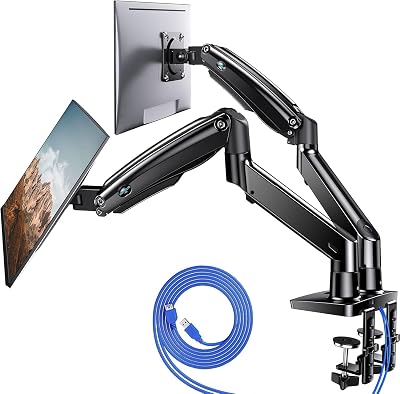
A monitor arm clamps to your desk and holds the screen on an articulating limb, letting you push, pull, raise, lower, tilt and rotate at will. This is the premium ergonomic option and the one most enthusiasts eventually land on. Arms come as single or dual configurations and almost always use a VESA mount plate on the back of your monitor. The best ones use a gas-spring mechanism so the screen glides and stays put wherever you leave it.
VESA Wall Mounts
If desk space is truly precious or you want a fixed cinematic position, a VESA wall mount bolts the display straight to a stud. You lose easy repositioning but gain a rock-solid, floating look and a totally clear desk. Wall mounts are ideal for large panels used from a couch or for a secondary vertical display.
Dual-Monitor Stands
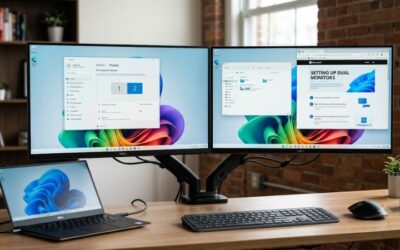
A dual-monitor stand is a freestanding pole (or a single clamp base with two arms) designed to carry two screens side by side or stacked. These are the multitasker’s friend, keeping both panels aligned and letting you angle each one inward for a shallow, immersive arc.
Simple Monitor Risers
Not everyone wants hardware bolted to their desk. A monitor riser is a platform your screen simply sits on, lifting it a few inches while creating a cubby underneath for a keyboard, coffee, or a game controller. Many modern risers add storage drawers, USB pass-through hubs, or wireless charging pads. They require no VESA holes and no tools, making them the friendliest entry point.
Understanding VESA Sizes and Weight Limits
Any arm, mount or stand that attaches to the back of your monitor uses the VESA standard — a square pattern of four threaded holes. The two you will meet most often are 75×75mm (common on smaller and budget panels) and 100×100mm (the default for most gaming monitors). Larger and ultrawide displays sometimes use 200×100mm or 200×200mm. Measure the horizontal and vertical distance between the hole centers, or check your monitor’s spec sheet, before you order. Most quality arms include an adapter bracket that covers both 75 and 100mm patterns.
Weight capacity is just as critical. Every arm lists a supported range — for example 4.4 to 19.8 lbs. Your monitor must fall inside that window, and gas-spring arms in particular need the screen to be heavy enough to resist the spring, or it will drift upward. Curved and ultrawide gaming panels are heavier and wider than their diagonal suggests, so always confirm both the weight and the maximum screen size the mount is rated for. If your monitor has no VESA holes at all, you will need a clamp-style riser or a dedicated no-VESA adapter tray instead. Our guide to choosing the right VESA mount for your monitor walks through the measurements step by step.
Clamp vs Grommet: How Arms Attach to Your Desk
Desk-mount arms attach one of two ways. A C-clamp grips the edge of your desk and tightens with a screw — quick, tool-free, and reversible, making it the go-to for renters and anyone who rearranges often. A grommet mount instead drops a bolt through a hole in the desk surface (either an existing cable grommet or one you drill), anchoring from below for maximum stability. Grommet mounting is more permanent but noticeably sturdier under heavy or dual loads. Check that your desk edge is thick enough for a clamp (most support up to around 3.3 inches) and that there is clearance behind the desk for the clamp’s base plate.
Gas-Spring Arms and Cable Management
The difference between a cheap arm and a great one usually comes down to the movement mechanism. Spring-tension arms use a fixed spring you set once. Gas-spring (or gas-strut) arms use a pressurized cylinder that makes the screen feel nearly weightless — nudge it with one finger and it floats to the new position, then holds firmly. For anyone who repositions their monitor between gaming, streaming and desk work, gas-spring is worth the premium every time.
Finally, look for built-in cable management. The better arms and stands route your power and video cables through channels along the limb or inside the pole, hiding the spaghetti and keeping cables from snagging when the screen moves. Combined with a clean riser or a tidy dual-monitor pole, good cable routing is what turns a functional setup into one that actually looks finished. If you are also upgrading peripherals, cross-reference our best gaming desk accessories roundup for matching cable trays and hubs.
Our Top Picks Compared
| Product | Type | Best for | Price | Rating |
|---|---|---|---|---|
| ErgoFlow Pro Single Arm — Best Overall | Gas-spring desk arm (clamp/grommet) | Single-screen ergonomics up to 34″ | $$ | 4.8/5 |
| DualPeak Twin Arm Mount | Dual desk-mount arm | Side-by-side dual monitors | $$$ | 4.7/5 |
| SlimVault Storage Riser | Simple riser with drawer + USB hub | No-VESA, tool-free eye-level lift | $ | 4.6/5 |
| SolidWall VESA Mount | Fixed VESA wall mount | Clearing the desk entirely | $ | 4.5/5 |
| WideGlide Ultrawide Arm | Heavy-duty gas-spring arm | Ultrawide and curved panels to 49″ | $$$ | 4.6/5 |
The ErgoFlow Pro takes our Best Overall spot because it balances a true gas-spring feel, both clamp and grommet hardware in the box, a 100 and 75mm VESA adapter, and a weight range that covers the vast majority of 24 to 34-inch gaming monitors. If you run two screens the DualPeak is the natural upgrade, while the SlimVault riser is the pick for anyone who wants a fast, no-tools lift with somewhere to stash a controller. Ultrawide owners should skip straight to the WideGlide, which is built for the extra leverage a 49-inch panel demands.
How to Choose the Right One for You
Start with your monitor’s weight, size and VESA pattern — those three numbers eliminate most of the field instantly. Next, decide how often you reposition: if the answer is “constantly,” pay for a gas-spring arm; if it is “almost never,” a riser or wall mount will serve you better for less. Then check your desk: measure the edge thickness for a clamp, or confirm you have a grommet hole for a bolt-through mount. Finally, think about growth. If a second monitor is anywhere in your future, buying a dual-capable stand now is cheaper than replacing a single arm later. Pair whichever you choose with a proper chair and desk height, and your setup will feel dramatically more comfortable within a day. For the bigger picture, our complete gaming ergonomics guide ties monitor height together with chair, keyboard and posture.
Frequently Asked Questions
Monitor arm vs riser — which should I get?
Choose a monitor arm if you want full adjustability: height, tilt, swivel and depth, plus a floating look and a completely clear desk surface. Choose a riser if you want a simple, tool-free lift to eye level, extra storage underneath, and you rarely need to reposition the screen. Arms cost more and require VESA holes; risers are cheaper and work with any monitor.
What VESA size do I need?
Measure the distance in millimeters between the four mounting holes on the back of your monitor, horizontally and vertically. The most common sizes are 75×75mm on smaller displays and 100×100mm on most gaming monitors, with larger and ultrawide panels sometimes using 200×100 or 200×200mm. Most quality mounts include an adapter that covers both 75 and 100mm, but always confirm before buying.
Can one arm hold an ultrawide monitor?
Yes, but only a heavy-duty arm rated for it. Ultrawide and curved panels are wider and heavier than their diagonal implies, so check both the weight capacity and the maximum screen width the arm supports — many single arms top out around 34 inches. For 38 to 49-inch ultrawides, use a dedicated ultrawide-rated gas-spring arm, ideally grommet-mounted for extra stability against the added leverage.
Are gas-spring arms worth it?
For most gamers, yes. A gas-spring mechanism makes the monitor feel weightless, gliding to any position with one finger and staying put without re-tightening screws. If you frequently switch between gaming, streaming and desk work, that effortless repositioning quickly justifies the higher price over a fixed-tension arm. If your screen never moves once it is set, a cheaper spring-tension arm or a riser is perfectly fine.
Ready to decide? Our #1 pick for 2026 is the ErgoFlow Pro Single Arm.
Live price & availability on Amazon.
Top picks from this guide
 HUANUOHUANUO FlowLift™ Single Monitor Mount, 13 to 32 Inch Monitor…$36 \xc2\xb7 96/100
 ErGearErGear Single Monitor Arm, Fully Adjustable Monitor Mount for 13–34…$27 \xc2\xb7 96/100
 HUANUOHUANUO 17-32 Inch Dual Monitor Stand, Stacked Monitor Mount, Monitor…$60 \xc2\xb7 96/100
 HUANUOHUANUO Dual Monitor Stand for 13″–40″, Premium Dual Monitor Mount…$110 \xc2\xb7 94/100