🛒 Best Price Today on Amazon
Prime members get fast, free shipping on everything above, plus member-only deals. New members get a 30-day free trial — cancel anytime.
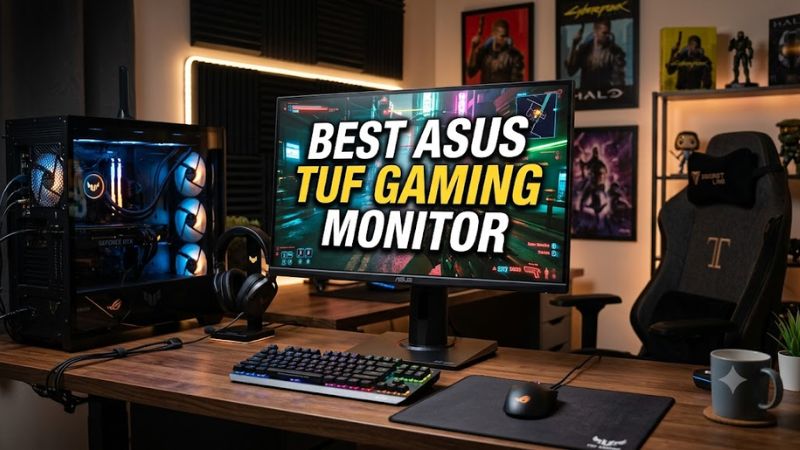
Choosing the best asus tuf gaming monitor depends on your games, graphics card, desk space, and budget. ASUS offers Full HD and QHD displays with different refresh rates and panel types. Comparing resolution, motion handling, connectivity, and stand adjustments helps you choose a monitor that suits your PC without paying for features you rarely use.
How to Choose an ASUS TUF Gaming Monitor
The right choice balances image clarity, motion performance, and the capabilities of your graphics card. Start with resolution and refresh rate, then compare panel characteristics and available connections. The models below use manufacturer-published specifications, not PC Gaming Universe laboratory measurements, so performance claims remain tied to documented features.
Resolution and screen size
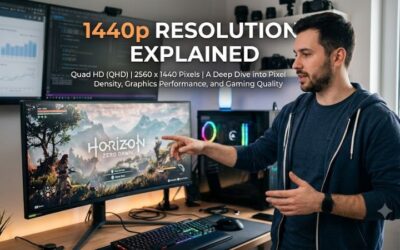
A 27-inch QHD display provides more desktop detail than a similarly sized Full HD screen. The extra pixels benefit strategy games, expansive role-playing worlds, and everyday multitasking. The VG27AQ5F is one option, with a 2560 × 1440 Fast IPS panel and a maximum refresh rate of 220Hz.
A smaller Full HD display makes sense when your priority is high frame rates rather than fine detail. The VG249Q5A has a 23.8-inch panel, 1920 × 1080 resolution, and a maximum 200Hz refresh rate. Its lower resolution also places less rendering demand on your GPU than QHD at comparable settings.
Refresh rate and motion
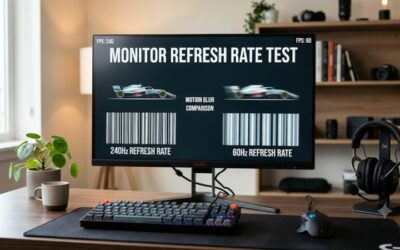
Refresh rate measures how many times per second a display can refresh its image. A 200Hz monitor can refresh more frequently than a 60Hz model, although your game must produce enough frames to take full advantage. Competitive shooters and racing games are particularly suited to higher refresh rates.
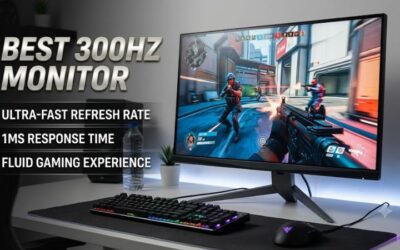
The VG27AQM5A targets players seeking both detailed visuals and fast motion, combining QHD resolution with a maximum 300Hz refresh rate. ASUS also specifies Adaptive-Sync and ELMB Sync support. The advertised minimum response time is not a guarantee that every pixel transition will finish within that interval.
Panel characteristics and compatibility
Fast IPS panels generally offer broad viewing angles and responsive pixel transitions, while VA panels often provide higher native contrast. The VG32VQM5B uses a curved Fast VA panel with a stated typical contrast ratio of 3500:1. Its larger screen and deeper contrast may appeal to immersive single-player gaming, but the Full HD resolution is less sharp at this size.
Compatibility also depends on your graphics output and desk setup. These monitors connect through standard display interfaces such as HDMI or DisplayPort, but the available refresh rate depends on the model, connection, and graphics hardware. Check the manufacturer’s supported timings and use a suitable cable before assuming the maximum refresh rate will be available.
Features that affect daily use
Adaptive-Sync can coordinate the monitor’s refresh rate with compatible graphics output to reduce tearing. ASUS also lists gaming features such as GamePlus and Shadow Boost on several TUF models. These options can help you adjust the presentation to a game’s lighting and interface, but they do not improve the underlying graphics hardware’s rendering speed.
Consider ergonomics before buying. The VG27AQM5A supports tilt and swivel adjustments, but its published specifications do not list height adjustment. If you need precise vertical positioning, factor in a compatible VESA mount or monitor arm. Confirm the mounting pattern and the arm’s supported weight before purchasing an accessory.
Top Picks: Best ASUS TUF Gaming Monitors
The best asus tuf gaming monitor for one player may be unnecessary for another. The following shortlist covers competitive QHD gaming, value-oriented Full HD play, and two specialist needs. It uses official product specifications rather than invented benchmark scores. No measured FPS results or independent comparative laboratory results are claimed here.
| Product | Best For | Key Spec | Compatibility | Watch Out For |
| ASUS TUF Gaming VG27AQM5A | Best Overall | 27-inch QHD, 300Hz | Compatible PC with HDMI or DisplayPort | No listed height adjustment |
| ASUS TUF Gaming VG249Q5A | Best Value | 23.8-inch Full HD, 200Hz | PC with suitable display output | Lower resolution |
| ASUS TUF Gaming VG27AQ5F | Best For QHD Gaming | 27-inch QHD, 220Hz | Compatible PC with DisplayPort or HDMI | Check the desired refresh rate by input |
| ASUS TUF Gaming VG32VQM5B | Best For Curved Immersion | 31.5-inch Full HD, 250Hz maximum | Compatible PC with DisplayPort or HDMI | Full HD is less sharp on a large panel |
Specifications: ASUS product pages. Maximum refresh rates are manufacturer-listed figures and may depend on input and configuration.
Best Overall: ASUS TUF Gaming VG27AQM5A
The VG27AQM5A is a strong all-round candidate for players who want QHD detail without sacrificing a high refresh rate. Its 27-inch Fast IPS panel runs at up to 300Hz, with HDR10 support and a stated 95% DCI-P3 color gamut. These features suit fast-paced games as well as visually rich titles.
Buy it if your PC can render competitive games at high frame rates and you want a versatile QHD screen. Its main drawback is the stand’s lack of listed height adjustment, and its highest refresh rate is most useful when your system can produce sufficiently high frame rates. Skip it if a basic office-oriented Full HD monitor meets your needs.
Best Value: ASUS TUF Gaming VG249Q5A
The VG249Q5A is a sensible choice for players who want a fast display without moving to QHD. Its 23.8-inch Fast IPS panel combines Full HD resolution with a maximum 200Hz refresh rate, making it suitable for competitive shooters and esports games. ASUS also lists Adaptive-Sync and gaming-oriented display features.
Choose it if your graphics card handles Full HD comfortably or your budget favors a smaller screen. The compromise is lower image detail than QHD, especially when viewing fine textures and small interface elements. It is less suitable for buyers who specifically want a large, high-resolution workspace or more detailed visuals in expansive games.
Best For QHD Gaming: ASUS TUF Gaming VG27AQ5F
The VG27AQ5F combines a 27-inch QHD resolution with a Fast IPS panel and a maximum 220Hz refresh rate. ASUS lists 95% DCI-P3 coverage, HDR10 support, and Adaptive-Sync. This combination is attractive for players who want sharp images and responsive motion without prioritizing the highest available refresh rates.
Consider it if you play a mixture of competitive and single-player titles and want a higher-resolution screen. The main limitation is that it does not reach the VG27AQM5A’s 300Hz ceiling. Before buying, verify the maximum supported refresh rate over your intended connection and check the current regional price; availability and pricing can differ by retailer.
Best For Curved Immersion: ASUS TUF Gaming VG32VQM5B
The VG32VQM5B uses a 31.5-inch curved Fast VA panel with a 1500R curvature, Full HD resolution, and a maximum 250Hz refresh rate. ASUS specifies a typical contrast ratio of 3500:1 and HDR10 support. Its larger curved display is aimed at players who prefer an expansive view for racing, action, and atmospheric games.
Buy it if screen size, curvature, and contrast matter more to you than pixel density. Its principal weakness is the 1920 × 1080 resolution spread across a large panel, which makes fine details less crisp than on a 27-inch QHD display. Choose another model if text clarity or desktop productivity is a major priority.
FAQ: Choosing the Right TUF Monitor
Is QHD better than Full HD for gaming?
QHD provides more image detail than Full HD at the same screen size, but it also requires more GPU rendering work at equivalent settings. A 27-inch QHD model suits players who value clarity, while Full HD can be a better fit for budget-conscious competitive gaming.
Do you need a powerful GPU for 200Hz or 300Hz?
You need a GPU capable of producing high frame rates to benefit fully from a high-refresh-rate monitor. The exact requirement depends on the game, resolution, graphics settings, and target frame rate; there is no single GPU requirement for every TUF display.
Does an ASUS TUF monitor work with NVIDIA graphics cards?
Many TUF gaming monitors support Adaptive-Sync and are listed as G-SYNC Compatible, but compatibility varies by model. Check the individual product’s specifications and NVIDIA’s supported configuration information before purchasing if variable refresh rate is essential.
Should you buy a curved 31.5-inch Full HD monitor?
A curved 31.5-inch Full HD monitor can suit immersive gaming if you prefer a large display and strong native contrast. However, its pixel density is lower than that of a 27-inch QHD monitor, so buyers who prioritize crisp text and detailed images should compare both options in person at a retailer.
Final Thoughts
The best asus tuf gaming monitor depends on whether you prioritize QHD detail, competitive refresh rates, value, or a curved screen. The VG27AQM5A offers a compelling QHD and high-refresh combination, while the VG249Q5A suits Full HD budgets. Compare current local pricing, connection limits, and stand ergonomics before deciding.