🛒 Best Price Today on Amazon
Prime members get fast, free shipping on everything above, plus member-only deals. New members get a 30-day free trial — cancel anytime.
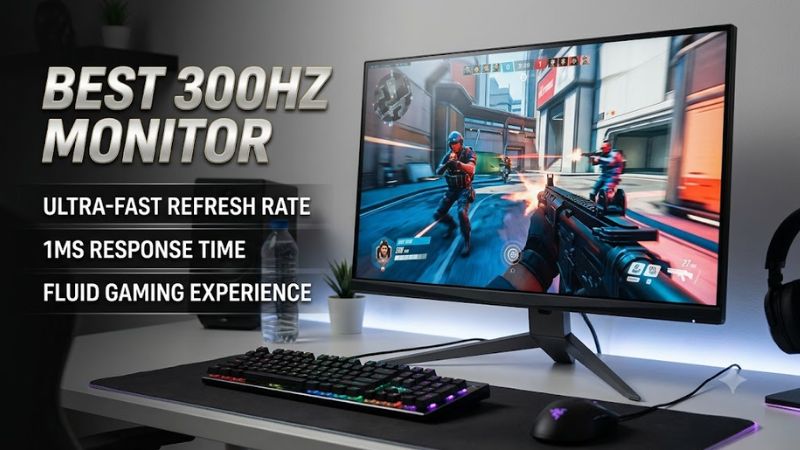
Choosing the best 300hz monitor means balancing motion clarity, resolution, panel quality, and price rather than focusing on refresh rate alone. For competitive PC gaming, a 300Hz display can make fast movement easier to follow, but the benefits depend on your computer’s frame rate, connection, and the games you play.
How to Choose a 300Hz Gaming Monitor
The right display depends on whether you prioritize competitive performance, image detail, or affordability. Compare native resolution, panel response, adaptive sync, and connectivity before buying. A manufacturer’s maximum refresh-rate claim does not mean every input supports it, so confirm the supported resolution and refresh rate for your intended connection.
Resolution and screen size
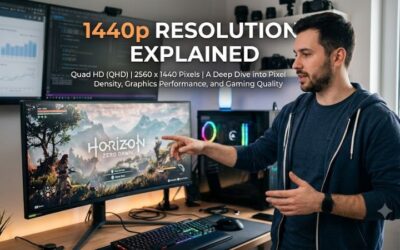
A 1080p monitor suits players who prioritize high frame rates in esports titles and want to reduce GPU demands. A 1440p display provides more detail for mixed gaming and everyday use, but rendering more pixels makes maintaining very high frame rates harder. Match the resolution to your graphics card and preferred screen size.
Panel technology and motion clarity
Fast IPS panels offer broad viewing angles and generally strong color reproduction, making them practical for competitive play and everyday computing. OLED panels can provide exceptionally quick pixel transitions and deeper blacks, although burn-in considerations and higher prices may matter. Look for independent response-time measurements rather than relying solely on advertised response figures.
Adaptive sync and connection compatibility
Adaptive sync helps align the display’s refresh cycle with the GPU’s output, reducing tearing when frame rates fluctuate. Check FreeSync or G-SYNC compatibility, the available DisplayPort and HDMI versions, and the manufacturer’s refresh-rate table. Your graphics card, cable, and selected input must all support the intended mode to reach the advertised maximum.
Ergonomics, warranty, and value
A height-adjustable stand, VESA mounting support, and accessible on-screen controls can improve daily use. Check the manufacturer’s warranty, return policy, dead-pixel terms, and local availability before choosing a lesser-known brand. A cheaper 300Hz panel may offer the headline refresh rate while making compromises in stand adjustment, quality control, or customer support.
Top Picks for Different Gaming Setups
The current market includes displays that meet or exceed 300Hz, but resolution and panel technology can vary substantially. One particularly versatile option is the MSI MAG 274QPF X30MV, which combines QHD resolution with a 300Hz refresh rate and Mini-LED backlighting. The following comparison prioritizes manufacturer specifications and clearly identified trade-offs, not claims of independent laboratory performance.
| Product | Best For | Key Spec | Compatibility | Watch Out For |
| MSI MAG 274QPF X30MV | Best Overall | 27-inch QHD, 300Hz, Rapid VA Mini-LED | PC via DisplayPort 1.4a or HDMI 2.1; verify GPU output support | Requires substantial GPU performance at QHD |
| Alienware AW2524HF | Higher-refresh alternative | 500Hz-class Full HD display | Compatible PC with a supported DisplayPort connection | Exceeds the target refresh rate and may cost more |
| NexiGo NG17FGQ | Portable gaming | 17.3-inch Full HD, up to 300Hz | Compatible PC using USB-C with DisplayPort Alt Mode | HDMI is limited to a lower refresh rate |
| MSI MPG 271QRX QD-OLED | OLED alternative | QHD, 360Hz QD-OLED | Compatible PC and supported high-bandwidth connection | OLED price and potential burn-in |
The MSI MAG 274QPF X30MV is the clearest match for buyers who want a desktop monitor at exactly 300Hz without sacrificing QHD detail. MSI lists Adaptive-Sync, 1,152 Mini-LED local-dimming zones, and DisplayHDR 1000 certification. Its Rapid VA panel offers higher native contrast than typical IPS displays, though motion behavior should be judged using independent measurements rather than the advertised minimum response time. Official MSI specifications. Tom’s Hardware gaming monitor guide.
Best overall: MSI MAG 274QPF X30MV
Buy this monitor if you want a 300Hz display for competitive games alongside detailed single-player visuals. Its 2560 × 1440 resolution, Mini-LED backlight, and high refresh rate make it suitable for a mixed gaming library. It is also worth considering if you want one screen for gaming and general desktop use rather than a dedicated esports display.
Its main drawback is the demand that QHD gaming places on your GPU when chasing frame rates close to 300 FPS. VA pixel transitions can also vary by transition and overdrive setting, so advertised response times alone cannot establish motion clarity. Skip this model if you mainly play at lower frame rates or would rather prioritize a lighter GPU workload.
Best value: a budget-focused 300Hz display
A less expensive 300Hz monitor may make sense if competitive gaming is your priority and you can accept compromises in stand adjustment, HDR, or additional connectivity. Before buying, compare the full model number, native resolution, input-specific refresh limits, warranty coverage, and return conditions. These details are particularly important when considering brands with less established support in your region.
The trade-off is that a low purchase price does not establish good pixel response, uniformity, or long-term support. Do not assume that a budget monitor’s quoted response time matches its actual performance across all transitions. Choose this route only when the exact model’s specifications and seller protections are clear; otherwise, a better-documented alternative may be a safer purchase.
Best portable option: NexiGo NG17FGQ
Consider this portable monitor if you need a high-refresh display that can travel between locations or fit into a compact gaming setup. Its 17.3-inch Full HD format is smaller than a conventional desktop monitor, and its advertised 300Hz ceiling is unusual for a portable screen. Check the manufacturer’s supported input modes before planning a laptop connection.
The main limitation is connectivity: the full refresh rate requires a compatible USB-C connection with sufficient DisplayPort Alt Mode bandwidth, while HDMI operation is limited to a lower refresh rate. Its smaller screen also offers less viewing area than a desktop display. Avoid it if your laptop cannot provide the required signal or if you primarily want a large, stationary gaming setup. Tom’s Hardware monitor coverage.
Best OLED alternative: MSI MPG 271QRX QD-OLED
An OLED model with a refresh rate above 300Hz is worth considering if you want very fast pixel transitions, deep blacks, and rich color alongside competitive performance. The MSI MPG 271QRX uses a QD-OLED panel with QHD resolution and a 360Hz refresh rate, making it an alternative for buyers who are not restricted to exactly 300Hz.
The disadvantages are the higher cost typically associated with OLED gaming displays and the possibility of permanent image retention from prolonged exposure to static content. Warranty terms for burn-in should be checked for the specific market. Choose an OLED alternative if image quality is as important as speed; if price and long-term desktop use matter more, compare it against a conventional LCD before committing.
FAQ
Is a 300Hz monitor worth it for gaming?
Yes, a 300Hz monitor can be worthwhile for competitive gaming when your PC can render high frame rates consistently. Compared with 144Hz, it can display more frequent updates, while the difference from 240Hz is smaller. The benefit depends on the game, frame pacing, pixel response, and your ability to perceive motion differences.
Do you need 300 FPS to use a 300Hz monitor?
No, you do not need to maintain 300 FPS to use a 300Hz monitor. The display can operate at its selected refresh rate while the game renders fewer frames, but it cannot show 300 unique game frames every second unless the system supplies them. Variable refresh rate can help when frame rates fluctuate within the supported range.
Is 1440p better than 1080p at 300Hz?
1440p is better for image detail, while 1080p is generally easier to drive at very high frame rates. A 1440p monitor suits players who want a sharper desktop and can afford the GPU performance needed for competitive frame rates. Full HD remains practical for esports players who prioritize speed and value over fine detail.
What cable do you need for a 300Hz monitor?
The correct cable depends on the monitor’s supported input modes and resolution. DisplayPort is a common choice for high-refresh PC gaming, but some displays also support their maximum refresh rate through HDMI 2.1. Check the manufacturer’s connection table and use a compatible GPU output and cable; a connector’s name alone does not guarantee the required bandwidth.
Final Thoughts
The best 300hz monitor depends on your budget, GPU, and preferred games. The MSI MAG 274QPF X30MV is a strong specification-based starting point for players who want QHD detail and exactly 300Hz, while portable and OLED alternatives serve different needs. Compare independent motion measurements, connection limits, and warranty terms before buying.