🛒 Best Price Today on Amazon
Prime members get fast, free shipping on everything above, plus member-only deals. New members get a 30-day free trial — cancel anytime.
Choosing the best uhd monitors means balancing image clarity, gaming performance, panel quality, and price. Ultra HD resolution delivers detailed visuals for modern PC games and desktop work, but not every 4K display offers the same motion clarity or HDR quality. The right choice depends on your graphics card, preferred games, and daily workload.
How to Choose the Best UHD Monitors
The best display for your setup depends on four practical criteria: panel technology, refresh rate, connectivity, and intended use. UHD usually refers to a resolution of 3840 × 2160 pixels, providing approximately 8.3 million pixels across a standard 16:9 screen. That extra detail benefits both gaming and productivity, although running demanding games at native resolution requires substantial graphics performance.
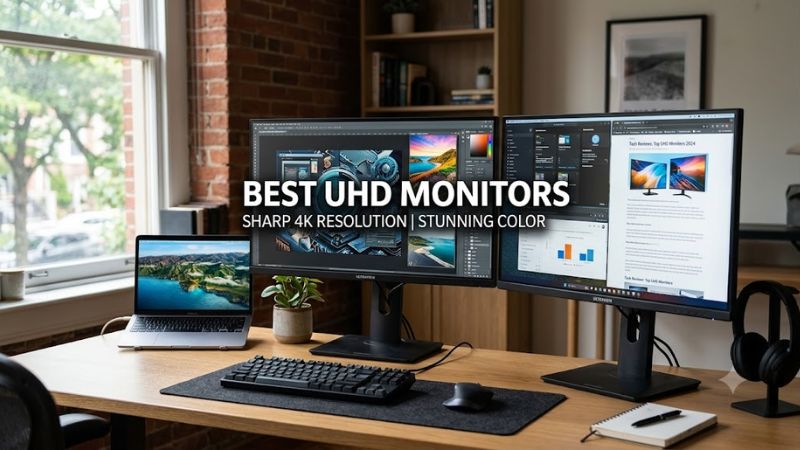
Choose a Panel That Matches Your Priorities
OLED and QD-OLED displays offer excellent contrast because their pixels can switch off individually, producing deep blacks without the halos associated with conventional LCD backlights. They are particularly appealing for atmospheric games, cinematic titles, and HDR content. However, OLED panels can experience permanent burn-in after prolonged exposure to static elements, making them less suitable for some office-heavy workloads.
IPS displays are practical alternatives for mixed gaming and productivity. They generally handle bright rooms well, provide broad viewing angles, and avoid the same organic-pixel burn-in concern. Mini LED monitors use numerous dimming zones to improve LCD contrast and HDR highlights, although blooming can remain visible around bright objects. Consider these differences before paying for premium panel technology.
Match Refresh Rate to Your Games
A 60Hz monitor refreshes its image up to 60 times per second, while a 120Hz display can refresh up to 120 times per second. Higher refresh rates can make camera movement and aiming feel smoother, particularly in competitive shooters and racing games. A 240Hz UHD display targets enthusiasts who want high resolution and fast motion in one screen.
The graphics card must still render enough frames to benefit from the monitor’s maximum refresh rate. A powerful GPU may handle lighter esports titles at high frame rates, while demanding games with ray tracing can require upscaling or reduced settings. Adaptive-Sync technologies such as NVIDIA G-SYNC Compatible and AMD FreeSync can also help reduce visible tearing when supported by the display and graphics hardware.
Check Ports and Hardware Compatibility
Before purchasing, check whether your graphics card supports the monitor’s resolution and desired refresh rate through its available DisplayPort or HDMI output. HDMI 2.1 and DisplayPort 2.1 can provide substantial bandwidth, but actual capabilities depend on the specific implementation, cable, color format, and display mode. Some monitors use Display Stream Compression to achieve higher refresh rates over a connection with limited bandwidth.
A desktop PC needs a compatible graphics output, while a laptop may require a suitable USB-C port with DisplayPort Alt Mode or another supported video connection. USB-C power delivery is a separate feature that determines whether the monitor can charge a connected laptop. Check the manufacturer’s specifications rather than assuming every USB-C port supports video or charging.
Consider Screen Size and Daily Use
A 27-inch UHD monitor delivers high pixel density, making small text and fine interface details appear sharp. A 32-inch screen provides a larger viewing area while retaining the same resolution, which can make games and creative applications more immersive. Your desk depth, viewing distance, and preferred Windows scaling setting should influence the size you select.
For productivity, consider ergonomic adjustments, USB hubs, KVM switching, and color accuracy alongside resolution. For gaming, prioritize motion handling, input lag, variable refresh rate support, and HDR performance. The best uhd monitors are not necessarily the most expensive models; a well-equipped IPS display can be a better purchase than an OLED screen whose premium features you rarely use.
Top Picks: Best UHD Monitors for Different Needs
These recommendations cover premium gaming, value-oriented gaming, and general-purpose use. The specifications below come from manufacturer documentation and published independent monitor comparisons, not PC Gaming Universe detailed research. Prices and stock change frequently, so confirm current US retail listings before buying.
| Product | Best For | Key Spec | Compatibility | Watch Out For |
| ASUS ROG Swift OLED PG32UCDM Gen3 | Best Overall | 31.5-inch QD-OLED, 4K, 240Hz | DisplayPort 2.1, HDMI 2.1 | Premium price; OLED burn-in risk |
| Dell S2725QS | Best Value | 27-inch IPS, 4K, 120Hz | Compatible HDMI or DisplayPort output | Less compelling HDR performance |
| Acer Nitro XV275K P5biipruzx | Best for HDR Gaming | 27-inch IPS, 4K, Mini LED | Compatible PC video output | Local-dimming artifacts can appear |
| Dell Alienware AW2725Q | Best for Compact Gaming | 27-inch QD-OLED, 4K, 240Hz | DisplayPort 1.4 with DSC or HDMI 2.1 | Limited stock; OLED burn-in risk |
Best Overall: ASUS ROG Swift OLED PG32UCDM Gen3
Manufacturer specifications: ASUS official product specifications
The ASUS ROG Swift OLED PG32UCDM Gen3 combines a 31.5-inch QD-OLED panel with a native resolution of 3840 × 2160 and a maximum refresh rate of 240Hz. Its specification sheet lists a 0.03ms gray-to-gray response time, DisplayPort 2.1, HDMI 2.1, USB-C with up to 90W power delivery, and a KVM switch. These features make it attractive for high-end gaming and multi-device setups.
Buy this monitor if you want detailed HDR images, deep blacks, vivid colors, and fast motion in one premium display. Its USB-C connectivity also benefits compatible laptops. The main drawbacks are its high purchase cost and the long-term burn-in considerations associated with OLED. If your day consists largely of spreadsheets and static application windows, a less expensive IPS monitor may be the more sensible choice.
Best Value: Dell S2725QS
The Dell S2725QS is a 27-inch IPS monitor with a 3840 × 2160 resolution and a refresh rate of up to 120Hz. It suits buyers who want sharp text, ample desktop space, and smoother gaming than a conventional 60Hz office display. Its emphasis on everyday usability makes it a useful option for people who alternate between games, web browsing, documents, and video.
Choose it if you value a high-resolution desktop without paying for premium OLED technology. It is also worth considering for games where image detail matters more than extremely high refresh rates. The compromise is weaker HDR impact than a capable OLED or Mini LED display, particularly in dark scenes. Competitive players seeking 240Hz performance should look at a dedicated gaming model instead.
Best for HDR Gaming: Acer Nitro XV275K P5biipruzx
The Acer Nitro XV275K P5biipruzx is a 27-inch UHD IPS monitor with Mini LED backlighting. This combination targets users who want detailed 4K images and more advanced backlight control than a basic LCD can provide. Mini LED dimming can improve perceived contrast and highlight brightness in compatible HDR content, making supported games more visually engaging.
It is worth considering if HDR gaming is important but you prefer an LCD rather than OLED. Its main weakness is that local dimming uses separate backlight zones rather than controlling every pixel independently. Bright objects against dark backgrounds can therefore produce visible blooming, and dimming behavior varies with the scene. Buyers who primarily play SDR games or perform office tasks may find a simpler IPS display offers better value.
Best for Compact Gaming: Dell Alienware AW2725Q
Manufacturer specifications: Dell official product specifications
The Dell Alienware AW2725Q pairs a 26.7-inch QD-OLED panel with 4K resolution, a 240Hz refresh rate, and a listed 0.03ms gray-to-gray response time. Its connectivity includes DisplayPort 1.4 with Display Stream Compression support and HDMI 2.1. This makes it a compact alternative for gamers who want high pixel density and fast OLED motion handling without moving to a 32-inch screen.
Buy it if you want premium image quality in a smaller gaming setup and your graphics hardware can drive the modes you intend to use. However, the smaller screen may require Windows scaling for comfortable reading, and the panel shares OLED’s burn-in considerations. Dell’s US product listing has indicated limited or unavailable stock at times, so verify availability and warranty terms before committing to this model.
FAQ: Buying UHD Monitors
Are UHD monitors good for PC gaming?
Yes, UHD monitors are excellent for PC gaming when your graphics card can render games at 3840 × 2160 with acceptable performance. The resolution improves fine detail in environments, textures, and distant objects. A high-refresh-rate display can add smoother motion, but it requires more GPU performance to take full advantage of its capabilities.
Is 4K better than 1440p for gaming?
4K offers more image detail than 1440p, while 1440p generally places less demand on the graphics card. UHD provides 8.3 million pixels, compared with approximately 3.7 million pixels at 2560 × 1440. If your priority is competitive gaming at very high frame rates, 1440p may be the better balance; if visual detail matters more, 4K is appealing.
Do UHD monitors require HDMI 2.1?
No, UHD monitors do not universally require HDMI 2.1 because supported resolutions and refresh rates vary by model and connection. Some 4K displays use DisplayPort, HDMI 2.0, or other interfaces for their supported operating modes. Check the manufacturer’s bandwidth specifications and confirm that your graphics card and cable support your intended resolution, refresh rate, and HDR configuration.
Is an OLED UHD monitor worth the extra cost?
An OLED UHD monitor is worth considering if you prioritize deep blacks, vivid colors, HDR image quality, and fast pixel response. However, OLED panels can experience burn-in from persistent static content, and premium models generally cost more than comparable IPS displays. For mixed office work and gaming on a budget, a good IPS monitor may offer a more practical balance.
Final Thoughts
The best uhd monitors depend on your priorities rather than resolution alone. The ASUS ROG Swift OLED PG32UCDM Gen3 suits premium gaming, the Dell S2725QS emphasizes everyday value, and the Acer Nitro XV275K P5biipruzx targets HDR enthusiasts. Compare connectivity, refresh rates, and panel trade-offs before choosing a screen that fits your PC and budget.