🛒 Best Price Today on Amazon
Prime members get fast, free shipping on everything above, plus member-only deals. New members get a 30-day free trial — cancel anytime.
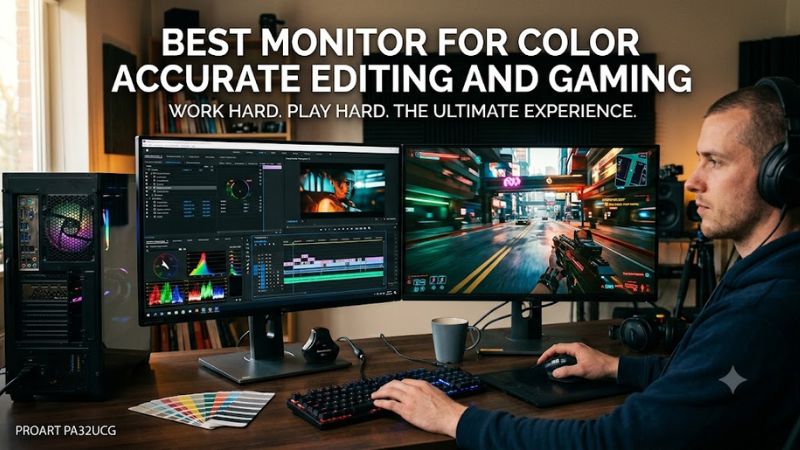
For creators who also play PC games, best monitor for color accurate editing and gaming means balancing gamut, calibration, resolution, refresh rate, and connection bandwidth. As of September 26, 2026, the strongest choices range from creator-focused IPS displays to 4K 240Hz QD-OLED models, with different compromises for static work and gaming.
How to Choose a Monitor for Editing and Gaming
A dual-purpose display should combine a wide gamut, controllable color modes, enough resolution for editing, and refresh rate that matches the games you play. The compatibility check is equally important: the PC must have the right HDMI, DisplayPort, or USB-C path for the target resolution and refresh rate.
Check Color Gamut and Color Modes
Color gamut matters first when the workflow moves between photography, design, and games. Look for verified sRGB coverage plus useful DCI-P3 or Adobe RGB coverage, then check whether the monitor provides dedicated color-space modes. The PA32UCDM, FO32U2P, and PA279CRV all provide defined gamut targets.
For the best monitor for color accurate editing and gaming, gamut percentage should not be considered alone. A display can cover a large space yet need a suitable preset or profile for accurate SDR work. The FO32U2P, for example, provides separate sRGB, Adobe RGB, and DCI-P3 emulation options, while the PA32UCDM provides multiple ProArt color modes.
Treat Calibration Claims as One Data Point
Factory calibration is useful, but a claimed Delta E figure and an independent measurement are not the same thing. Tom’s Hardware measured the PA32UCDM at 1.74 dE in its Native mode and 0.77–1.55 dE across labeled modes, while ASUS specifies ΔE < 1.
Independent results can vary because reviewers use different instruments, software, presets, and measurement procedures. For the best monitor for color accurate editing and gaming, look for both manufacturer calibration information and independent measurements. That gives a more useful picture than treating one advertised Delta E number as universal.
Match Refresh Rate to Your Games
Gaming changes the priority toward refresh rate, response behavior, and VRR. A 240Hz 4K OLED can serve both roles, while a 60Hz creator IPS is more suitable when editing accuracy outweighs motion. The PA32UCDM and FO32U2P reach 240Hz; the PA279CRV is limited to 60Hz.
The best monitor for color accurate editing and gaming does not need the highest refresh rate for every player. A 240Hz panel matters most when the PC can produce high frame rates and the connection can carry the signal. For slower-paced games, the difference between 120Hz and 240Hz may matter less than color control, HDR behavior, or workspace size.
Verify the PC Connection
Connection bandwidth is the compatibility checkpoint. For 4K at 240Hz, use a graphics output and cable that support the monitor’s required transport mode; the FO32U2P offers DisplayPort 2.1 UHBR20, while the PA32UCDM accepts HDMI 2.1 and Thunderbolt 4. Lower-refresh displays are less demanding.
For the best monitor for color accurate editing and gaming, also check whether a laptop supports USB-C DisplayPort Alt Mode before relying on USB-C video. The PA32UCDM provides Thunderbolt 4 with 96W power delivery, while the PA279CRV provides USB-C DisplayPort Alt Mode with 96W power delivery. A compatible host is required for those features.
Top Picks
The table separates the four choices by workload rather than assuming every buyer needs the same panel type. The best monitor for color accurate editing and gaming depends on whether hardware calibration, Adobe RGB, HDR, 240Hz gaming, USB-C connectivity, or a conventional IPS panel has the greatest importance.
| Product | Best For | Key Spec | Compatibility | Watch Out For |
| ASUS ProArt Display OLED PA32UCDM | Best Overall | 4K QD-OLED, 240Hz, 99% DCI-P3 | HDMI 2.1, Thunderbolt 4 | OLED care and static-content considerations |
| MSI MPG 321URX QD-OLED | Best Value | 4K QD-OLED, 240Hz, 99% DCI-P3 | HDMI 2.1, DP 1.4, USB-C | Less creator-focused calibration documentation |
| Gigabyte AORUS FO32U2P | Best For Gaming | 4K QD-OLED, 240Hz, DP 2.1 UHBR20 | DP 2.1, HDMI 2.1, USB-C | No hardware calibration |
| ASUS ProArt PA279CRV | Best For Budget Editing | 4K IPS, 60Hz, 99% Adobe RGB | DP 1.4, HDMI 2.0, USB-C | 60Hz and slower motion response |
ASUS ProArt Display OLED PA32UCDM
The ASUS ProArt Display OLED PA32UCDM combines a 31.5-inch 4K QD-OLED panel with 240Hz, 100% sRGB, 99% DCI-P3, hardware calibration, and a claimed ΔE < 1. Tom’s Hardware measured 0.77–1.55 dE across its labeled color modes, giving this model a strong creator-and-gaming feature set.
Buy the PA32UCDM if the best monitor for color accurate editing and gaming needs to cover color-managed photo or video work and high-refresh PC gaming. Its Thunderbolt 4 ports support up to 96W USB-C power delivery, while Adaptive-Sync covers variable-refresh gaming. A PC needs a compatible HDMI 2.1 or Thunderbolt/USB-C DisplayPort path for 4K/240Hz.
Its main weakness is the OLED trade-off for static desktop work: long editing sessions with persistent interfaces require attention to OLED care features and usage patterns. Tom’s Hardware also noted HDR tone-mapping anomalies in some modes. Do not buy it if you prefer a conventional IPS workflow or need to avoid OLED altogether.
MSI MPG 321URX QD-OLED
The MSI MPG 321URX QD-OLED is a value-focused 32-inch 4K 240Hz option with a third-generation QD-OLED panel, 99% DCI-P3 coverage, 10-bit color, and a manufacturer-rated ΔE ≤ 2. MSI also lists G-SYNC Compatible support, OLED Care 2.0, and a three-year OLED warranty including burn-in.
Choose the 321URX when gaming speed matters as much as broad color, but you do not need the ProArt model’s hardware-calibration workflow. Its 240Hz refresh and 0.03ms GtG specification suit high-frame-rate PC gaming, while the 99% DCI-P3 gamut supports wide-gamut creative work. Full 4K/240Hz requires a compatible PC output.
Its weakness is that the published color claim is less detailed than the ProArt’s dedicated color-mode documentation, and MSI’s own specification does not establish Adobe RGB coverage for this model. Do not buy it if your workflow depends on hardware calibration or a specific Adobe RGB reference mode that must be documented by the manufacturer.
Gigabyte AORUS FO32U2P
The Gigabyte AORUS FO32U2P targets gaming first but adds factory calibration and color-space controls to a 31.5-inch 4K QD-OLED. Gigabyte lists 99% DCI-P3, 10-bit color, 240Hz, 0.03ms GtG, and DisplayPort 2.1 UHBR20. Its three-year premium warranty is also listed by Gigabyte.
Independent TFTCentral measurements found 1.6 dE average sRGB accuracy in the dedicated sRGB mode and 0.9 dE average in its DCI-P3 emulation mode. The review used its own display measurements rather than manufacturer figures. For 4K/240Hz without compression, the PC must provide compatible DisplayPort 2.1 UHBR20 output.
The main weakness is workflow flexibility: TFTCentral found the sRGB and Adobe RGB modes restrict several color controls, and the monitor lacks hardware calibration. Do not buy it when your color workflow requires direct hardware LUT calibration. For mixed gaming and color-managed work, its gamut modes remain useful.
ASUS ProArt Display PA279CRV
The ASUS ProArt Display PA279CRV is the budget-oriented IPS option: 27 inches, 4K, 60Hz, 99% Adobe RGB, 99% DCI-P3, 100% sRGB, ΔE < 2, and 96W USB-C power delivery. ASUS also lists Calman Verified status and a factory color report, making its intended creator workflow explicit.
RTINGS updated its bench data for the PA279CRV in March 2026 and describes its sRGB accuracy as remarkable, while also noting slow response behavior. PCWorld reported 4K sharpness at 163 PPI and broad gamut coverage. A PC or laptop with USB-C DisplayPort Alt Mode, HDMI 2.0, or DisplayPort 1.4 can drive its 4K/60Hz modes.
Its real weakness for gaming is the 60Hz ceiling and slower motion response compared with the OLED choices. Do not buy the PA279CRV if competitive gaming or 120Hz-plus motion is central to your use. It makes more sense when color work, 4K workspace density, USB-C charging, and a conventional IPS panel take priority.
FAQ
The best monitor for color accurate editing and gaming depends on the delivery color space, gaming refresh target, connection bandwidth, and tolerance for OLED-specific desktop considerations. The four picks above cover creator-first IPS, gaming-first OLED, and creator-oriented 4K OLED approaches without assuming one display suits every workflow.
Does Editing Require an OLED Monitor?
Does the best monitor for color accurate editing and gaming need OLED? No; IPS can be preferable for long static desktop sessions, while OLED offers stronger contrast and much higher refresh rates. The choice depends on whether sustained editing or high-refresh gaming is the dominant workload.
For photo work, Adobe RGB coverage can matter more than headline gaming specifications when the delivery target depends on that gamut. The PA279CRV lists 99% Adobe RGB, while the PA32UCDM lists 99% DCI-P3 and dedicated Adobe RGB mode support. Match the monitor mode to the color space of the project.
Which Color Space Matters Most?
For video work, DCI-P3 and HDR support become more relevant, but gamut percentage alone does not describe tone mapping or luminance behavior. Tom’s Hardware found the PA32UCDM accurate across its labeled modes, while its review also identified some HDR tone-mapping anomalies. That distinction matters for HDR mastering.
For gaming, 4K 240Hz is useful only when the PC can render enough frames and the connection can carry the selected signal. The PA32UCDM, 321URX, and FO32U2P all target this class, whereas the PA279CRV remains a 60Hz display. A higher refresh rate does not raise game FPS by itself.
Is the Highest Refresh Rate Always Better?
Is the best monitor for color accurate editing and gaming always the highest-refresh model? No; refresh rate is only one part of the decision. A 60Hz creator monitor can be the more appropriate fit for print or photography work when color-space control and IPS behavior matter more than motion clarity.
Can one monitor cover both editing and gaming? Yes, with compromises. The PA32UCDM is explicitly designed around creator color modes and 240Hz gaming, while the FO32U2P and 321URX emphasize gaming with wide-gamut OLED panels. Color-managed applications, calibration, and the delivery color space still determine final accuracy.
Do You Need Calibration Hardware?
Does a color-accurate gaming monitor need calibration hardware? Not always. Factory modes can be useful, but independent measurements can differ from manufacturer claims because instruments, settings, and units vary. Hardware calibration is a distinct capability, so the PA32UCDM has an advantage if the workflow specifically requires storing calibration in the display.
Is 4K necessary for editing and gaming? No, but it is useful for detailed image work and high-resolution games. A 27-inch 4K IPS panel such as the PA279CRV provides 163 PPI, while 31.5-inch 4K OLED models provide about 140 PPI. Choose based on viewing distance, GPU capability, and workspace preference.
Final Thoughts
For a dual-purpose setup, the practical decision is between creator-first IPS and high-refresh OLED. The PA279CRV favors 4K color-space coverage at 60Hz, while the PA32UCDM, 321URX, and FO32U2P add 240Hz gaming to wide-gamut panels. The right fit follows the workload and connection limits rather than one universal specification.