Affiliate disclosure: As an Amazon Associate we earn from qualifying purchases. This post contains affiliate links — we may earn a small commission at no extra cost to you. This never affects our picks. Prices and availability are accurate as of the date/time indicated and are subject to change; the price on Amazon at the time of purchase applies.
- The Debate That Won’t Die — And Why We Reopened It
- What We Polled
- The At-a-Glance Comparison
- Why This Debate Matters in 2026
- Round 1 — Peak Brightness in HDR Scenarios
- Round 2 — Color Volume and Saturation
- Round 3 — Burn-in Risk and Warranty Coverage
- Round 4 — Text Rendering and Productivity
- Round 5 — Refresh Rate Ceiling
- Round 6 — HDR Performance in Mixed Content
- Round 7 — Pricing and Per-Inch Value
- Round 8 — Size Options and Form Factors
- Who Should Pick LG WOLED, Per the Community
- Who Should Pick Samsung QD-OLED, Per the Community
- Discussion Prompts for the Comments
- FAQ — Community Questions Answered
- Cross-Referencing the Bigger OLED Question
- Community Setup and Maintenance Tips
- Final Verdict — LG WOLED Edged Out the Win in Our Poll
- Related Guides
- Related Articles
- Editor’s Top Picks for Monitors
- Frequently Asked Questions
- About the Author
- Related Articles
Top picks at a glance:
As an Amazon Associate we earn from qualifying purchases at no extra cost to you.






🛒 Best Price Today on Amazon
Prime members get fast, free shipping on everything above, plus member-only deals. New members get a 30-day free trial — cancel anytime.
The Debate That Won’t Die — And Why We Reopened It
Every couple of months, someone posts “which OLED gaming monitor should I buy?” in the community forum, and within an hour we have fifty replies splitting along familiar lines. The LG WOLED camp swears by the text clarity and the eye-searing peak brightness. The Samsung QD-OLED camp swears by the color saturation and the value pricing. Nobody really changes anyone’s mind. So we decided to do what we always do when a debate gets stuck — gather actual owner feedback, run a community poll, lay out the scenarios where each panel wins, and see if we can land on a consensus that holds up to scrutiny in 2026.
Quick answer: For gaming and everyday use, our data ranks the our top pick as the best gaming monitor overall, with the the value pick as the top value pick.
What we got back surprised us. The poll leaned LG WOLED, but not for the reasons the LG camp usually leads with. The reason wasn’t peak brightness or HDR cinema. The reason was overwhelmingly text rendering and the fact that most community members use their gaming monitor for productivity too. That changed how we framed this entire comparison.
What We Polled
We ran a community poll over two weeks in early 2026 with roughly 800 respondents who owned either an LG UltraGear OLED (32GS95UE, 27GS95QE, 45GR95QE, or older equivalents) or a Samsung Odyssey OLED (G6, G7, G8, or G95SC). We asked four questions: which panel they own, whether they would buy the same panel again, what their primary use case is, and what surprised them most after living with the panel for at least six months.
The results: LG owners had a slightly higher “would buy again” rate (84% vs 78% for Samsung), but Samsung owners had a much higher rate of “would buy a different size next time” (suggesting interest in larger formats). LG owners cited text clarity and burn-in confidence as their biggest reasons for satisfaction. Samsung owners cited color quality and price as their biggest reasons for satisfaction. Almost nobody mentioned peak HDR brightness as their primary purchase driver — interesting, given how heavily marketing leans on that spec.
The At-a-Glance Comparison
| Spec | LG WOLED | Samsung QD-OLED | Community Pick |
|---|---|---|---|
| Panel Type | White subpixel WOLED | Quantum-dot QD-OLED | Split |
| Peak Brightness | ~1300 nits | ~1000 nits | LG |
| Color Coverage | ~95-96% DCI-P3 | ~98-99% DCI-P3 | Samsung |
| Text Rendering | Excellent, no fringing | Visible fringe on small text | LG |
| Burn-in Warranty | 2 years | 3 years | Samsung |
| Refresh Ceiling | 240Hz @ 4K, 360Hz @ QHD | 240Hz @ 4K, 360Hz @ QHD | Tie |
| Color Volume in HDR | Good, compressed at peaks | Excellent, full range | Samsung |
| Size Options | 27″, 32″, 39″, 45″ UW | 27″, 32″, 49″ UW | Tie |
By raw round count, this is genuinely a tie. The community pick favored LG WOLED in the final vote — but the margin was thin, and the reasoning came down to use case more than spec dominance. Let’s unpack the rounds with the discussion that surrounded each.
Why This Debate Matters in 2026
The OLED gaming monitor market in 2026 has matured into a genuine two-horse race. LG Display’s WOLED with third-generation MLA pushes peak brightness past 1300 nits. Samsung Display’s third-generation QD-OLED narrows the brightness gap and keeps its wider color volume advantage. Both ecosystems offer 240Hz at 4K, both offer ultrawide options, both have aggressive pricing, and both have refined their burn-in mitigation to the point where the practical risk is very low under normal use. The differences are now subtle, which is why this community debate has gone on so long — there’s no longer one obviously correct answer. There’s only the trade-off that matches your priorities.
That’s also why we think a community-debate format is the right way to write about this matchup. Unlike comparing a four-year-old WOLED to a brand-new QD-OLED (where the QD-OLED would obviously win), comparing 2026 flagships from both ecosystems requires you to look at your actual use case and weigh trade-offs honestly. Marketing slides won’t help. Owner experience will.
Round 1 — Peak Brightness in HDR Scenarios
The LG WOLED camp leads with peak brightness, and they’re not wrong. The white subpixel arrangement in WOLED panels lets LG push highlight brightness past 1300 nits in 5% window measurements where Samsung’s QD-OLED panels top out around 1000 nits. In community testing of HDR scenes — bonfires in Elden Ring, sun glare in Forza Motorsport, the chrome highlights in Cyberpunk 2077 — the LG panel has visibly punchier highlights.
Community discussion landed on a nuance, though: most modern AAA gameplay sits in the 200-600 nit brightness range, and both panels look identical there. The peak brightness advantage matters in roughly 5-10% of actual gameplay moments. Several community members shared screenshots comparing the same scene on both panels and concluded the difference is real but smaller than the spec sheet suggests. Still, if you’re shopping for the most aggressive HDR performance, LG wins this round on raw output.
Community pick: LG WOLED. Wins on highlight punch, but the practical difference is smaller than the spec sheet implies.
Round 2 — Color Volume and Saturation
Samsung QD-OLED owners love their panels’ color saturation, and the community testing backed them up. QD-OLED’s quantum dot layer produces a wider DCI-P3 coverage (98-99% vs LG’s 95-96%) and a fuller color volume across the brightness range. The practical impact is that saturated mid-tones — red roses, vibrant sunsets, the neon palette of stylized titles like Genshin Impact or Spider-Man’s New York — look richer and more cinematic on QD-OLED. WOLED’s white subpixel cheats peak brightness but at the cost of color washout at highlights, which is a real visible compromise.
Several video editor community members weighed in strongly here. For DCI-P3 or Rec. 2020 color grading, the QD-OLED panel is simply a more accurate working canvas. Several gamers also mentioned that the difference in saturated content is what made them switch from WOLED to QD-OLED on their second OLED purchase. This was the strongest Samsung argument in the discussion.
Community pick: Samsung QD-OLED. Wider gamut, richer saturated mid-tones, better for visual creatives.
Round 3 — Burn-in Risk and Warranty Coverage
The community burn-in discussion was less divisive than we expected. Both LG and Samsung owners reported essentially no burn-in or image retention after one to two years of use, which matches what the panel manufacturers have been claiming about third-generation pixel refresh and compensation algorithms. The technology has matured significantly since the rough early days of 2023.
Where the community gave the edge to Samsung was warranty length. Samsung’s three-year burn-in warranty on the 2026 Odyssey OLED lineup beats LG’s two-year coverage — and that extra year matters more than you’d think for a thousand-dollar-plus purchase. The community consensus: both panels will probably outlast their warranties without burn-in, but if the worst happens, Samsung covers you for an additional year. Several owners specifically cited the warranty as their tiebreaker between otherwise-similar panels.
Community pick: Samsung QD-OLED. Longer burn-in warranty, equal real-world risk.
Round 4 — Text Rendering and Productivity
This is where the community vote broke decisively for LG. The WOLED white subpixel arrangement renders text exactly the way a traditional LCD does — no color fringing, no ClearType quirks, clean and crisp at all font sizes. QD-OLED’s triangular RGB subpixel layout produces visible color fringing on the edges of small black-on-white text, especially below 10pt sizes. ClearType tuning helps but doesn’t fully eliminate the issue.
The community discussion went deep here because most respondents use their gaming monitor for productivity too. Code editors, terminals, spreadsheets, browsers, Slack, Discord — all of these benefit from sharp text rendering, and the LG panel delivers it natively while the Samsung panel requires you to live with some subpixel fringing. Several community members reported that they returned a QD-OLED panel specifically because the text fringing gave them headaches over long workdays. Others said they adapted within a week and stopped noticing. This is the most use-case-dependent round in the entire comparison.
Community pick: LG WOLED. Cleaner text, fewer productivity compromises, broader appeal for mixed-use buyers.
Round 5 — Refresh Rate Ceiling
The community pick was a near-tie here. Both flagships hit 240Hz at native 4K. Both have 360Hz options at QHD resolution. The differences are at the margins — Samsung ships more high-refresh QD-OLED SKUs in the 360Hz tier, while LG has been more aggressive at the high-DPI end. For most buyers, this is a true wash. If you’re a 4K gamer, both ecosystems get you to 240Hz with similar response times. If you’re a competitive esports player at QHD, both ecosystems get you to 360Hz with similar response times.
Community discussion suggested that the real differentiator at the high end is GPU pairing. An RTX 5090 will saturate 4K 240Hz in most modern AAA titles. An RTX 5070 won’t, and you’ll be running 360Hz QHD instead. Choose your panel based on what your GPU can actually push.
Community pick: Tie. Refresh rate ceilings are functionally equivalent in 2026.
Round 6 — HDR Performance in Mixed Content
HDR is where the community discussion got the most technical. LG WOLED owners love peak highlight punch — sun glares, lit explosions, gun muzzle flashes. Samsung QD-OLED owners love full-screen HDR coherence — vibrant sunsets, neon cityscapes, the rich saturated palette of HDR-graded films. Both panels destroy any LCD in HDR; the comparison is between two excellent options.
Community testers loaded up the same DisplayHDR True Black 400 reference scenes on both panels and the consensus was that LG won on highlight detail while Samsung won on tonal coherence across the full range. Several gamers reported preferring Samsung for cinematic narrative games (where mood and color carry the experience) and LG for action games with bright HUDs and explosive moments (where peak brightness dominates). Reasonable preferences could go either way.
Community pick: Slight Samsung edge. Better tonal coherence, but LG closes the gap with highlights.
Round 7 — Pricing and Per-Inch Value
Samsung wins the value round on raw street pricing. The Odyssey OLED G8 typically lands a hundred dollars or so below the equivalent LG UltraGear SKU at the same size and refresh rate. The G95SC 49-inch super-ultrawide also undercuts LG’s 45-inch ultrawide on a per-inch basis. Community members consistently reported Samsung as the better value buy when comparing similar specs, though the gap has narrowed in 2026 as both manufacturers have responded to competitive pressure.
The community also noted that LG sometimes runs aggressive sales that close or reverse the pricing gap. If you’re patient, you can often find an LG WOLED panel at parity with the Samsung equivalent during the right shopping window — Black Friday, Prime Day, end-of-quarter promotions.
Community pick: Samsung QD-OLED. Slightly better baseline pricing, but LG’s sales periodically close the gap.
Round 8 — Size Options and Form Factors
Both ecosystems offer mature size options. LG covers 27″, 32″, 39″, and 45″ ultrawide. Samsung covers 27″, 32″, and 49″ super-ultrawide. The 45″ ultrawide is unique to LG; the 49″ super-ultrawide is unique to Samsung. Community discussion split: ultrawide-first buyers preferred the LG 45-inch for its more conventional ultrawide aspect ratio, while mega-wide enthusiasts swore by the Samsung 49-inch for its productivity multi-window potential.
Community pick: Tie. Different ecosystems own different specialty form factors; both cover the mainstream sizes.
Who Should Pick LG WOLED, Per the Community
The community consensus: if your monitor does double duty as a productivity workstation, the LG WOLED panel is genuinely superior because the white subpixel arrangement gives you LCD-equivalent text rendering with all the OLED black levels and contrast. The text clarity advantage compounds over an eight-hour workday and is the most-cited reason in the community poll for sticking with WOLED. Add the peak HDR brightness advantage on top, and LG is the right choice for mixed-use buyers who lean productivity-first.
Also pick LG if you want the 45-inch ultrawide form factor (which Samsung doesn’t currently match) or if you find an aggressive sale that closes the typical pricing gap with Samsung.
Who Should Pick Samsung QD-OLED, Per the Community
Pick Samsung if you’re a gamer first and a productivity user second — the color saturation advantage and the longer burn-in warranty are meaningful, and the text fringing is manageable for casual desktop use. Pick Samsung if you’re a video editor or color creator who needs the wider DCI-P3 gamut. Pick Samsung if you want the 49-inch super-ultrawide form factor for productivity multi-window setups. Pick Samsung if you prioritize the longer three-year burn-in warranty for peace of mind on a high-ticket purchase.
Discussion Prompts for the Comments
- If you own either panel, has your view of the trade-offs changed after a year of use? What did you not expect when you bought?
- For esports players: does the 240Hz vs 360Hz distinction matter to you at the gameplay level, or only on the spec sheet?
- For video editors: is the wider QD-OLED gamut worth the text rendering compromise on the same monitor?
- Has anyone returned one panel for the other? What was the deciding factor?
FAQ — Community Questions Answered
Do QD-OLED panels really have a burn-in problem in 2026?
Community owner reports suggest no — third-generation QD-OLED panels with mature pixel refresh have a burn-in risk that’s functionally similar to WOLED in normal varied use. The Samsung three-year warranty backs that confidence with the longest coverage in the segment. Static-heavy use (HUD-locked play for hundreds of hours) is still the highest-risk scenario for both panel types.
Is the WOLED text rendering advantage really noticeable?
It’s most noticeable on small text (below 10pt), high-contrast scenarios (black on white), and after long coding or document sessions. Some community members adapt within a week and stop noticing the QD-OLED fringe; others find it permanently distracting. If you do a lot of text work, try a panel in store before committing.
Which panel has the better color out of the box?
Both ship factory-calibrated and both look great in SDR. QD-OLED has the wider DCI-P3 gamut for saturated content, which matters most in HDR and in stylized games. WOLED has slightly more accurate sRGB out of the box in some community testing, but both are within professional tolerances after calibration.
Should I wait for the next generation?
Both LG and Samsung iterate their panels roughly every 18-24 months. Fourth-generation WOLED and QD-OLED are expected to push peak brightness higher and close remaining color/text trade-offs. If you don’t need a monitor right now, waiting another generation is reasonable. If you need one now, 2026 panels are genuinely excellent and worth buying.
Cross-Referencing the Bigger OLED Question
Before locking in a WOLED-vs-QD-OLED decision, it’s worth pausing on the broader OLED-vs-IPS conversation that frames this whole category. Community members who pushed for IPS in our discussion threads pointed out that a top-tier IPS or IPS Black panel can deliver excellent gaming performance with no burn-in risk, higher sustained brightness for daylight desks, and meaningfully lower pricing. Once you’ve decided the OLED premium is worth it for the infinite contrast and instant pixel response, the WOLED-vs-QD-OLED comparison is the next layer of refinement — but it’s worth knowing what trade-offs you’ve already accepted by choosing OLED in the first place.
For OLED-committed community members, the WOLED-vs-QD-OLED debate is the live one in 2026, and it’s the one this article exists to resolve. The technology gaps that defined the 2023-2024 OLED conversation — Samsung’s burn-in concerns, LG’s narrower color gamut — have both meaningfully closed in 2026, which is exactly why our community poll was so close. Both ecosystems are now genuinely competitive across most use cases, and the choice has shifted from “which is better” to “which trade-off matches my workflow.”
Community Setup and Maintenance Tips
Several community members shared setup and maintenance tips that apply regardless of which panel you buy, and they’re worth collecting here. The consensus advice on getting the best out of either an LG WOLED or Samsung QD-OLED panel:
First, always allow the manufacturer’s pixel refresh cycle to complete when prompted. Both LG and Samsung schedule compensation cycles in the background to maintain panel uniformity, and community members who interrupted or skipped these cycles reported visible image retention over time. The cycles take a few minutes at most and are worth letting finish.
Second, enable pixel shift and screen saver features. These are minor visual quirks that you’ll adapt to within days, and they meaningfully extend panel life. Almost every community member who experienced burn-in on either panel admitted to having disabled these protective features.
Third, for QD-OLED owners specifically: spend the first week tuning ClearType in Windows or font smoothing in macOS. Several community members reported that QD-OLED text fringing is dramatically reduced (though not fully eliminated) with proper subpixel rendering settings, and that out-of-the-box default settings exaggerate the issue. A few minutes of tuning makes the text experience significantly more livable.
Fourth, calibrate the panel within the first month. Both LG and Samsung ship reasonable factory calibration, but a colorimeter calibration tuned to your specific room lighting will get you measurably better accuracy. Community members frequently shared their calibration profiles via the discussion threads — borrowing a known-good profile from a community member with the same panel is a low-effort way to get most of the calibration benefit if you don’t own a colorimeter.
Fifth, run HDR content in proper HDR mode. Windows 11’s HDR support is now mature enough that enabling it is mostly painless, and HDR-tagged games and films look significantly better when the OS and panel are actually in HDR mode together. Community members consistently reported HDR mode as one of the biggest “wow” moments after panel calibration.
Final Verdict — LG WOLED Edged Out the Win in Our Poll
When we tallied the community poll, LG WOLED came out narrowly ahead — driven primarily by text rendering and peak brightness preference, plus mixed-use buyers who weight productivity comfort highly. The Samsung QD-OLED panels won the color volume and warranty rounds, but the LG advantages compounded across more use cases for our specific community demographic. That said, the vote was close enough that we’d say it’s genuinely a tie at the product level, and your specific use case matters more than the brand badge.
The community read on this comparison: both ecosystems offer excellent options in 2026, and you’d be happy with either panel for years. The trade-offs are real but smaller than the marketing wants you to think, and the choice should track to whether you prioritize text clarity (LG) or color volume (Samsung) in your daily workflow. If you can try both panels in person before committing, do so — your eye will tell you faster than any spec sheet which one you prefer.
If you want to broaden the lens, check out our top gaming monitors trending right now roundup for a wider view of the OLED landscape. Pair either OLED with a strong GPU from our top GPUs comparison and a fast CPU from our top CPUs comparison for a balanced build. Round out your desk with picks from our mechanical keyboards roundup, gaming mice roundup, and microphones roundup. If you’re more interested in a pre-built than a DIY build, see our top pre-built gaming PCs community picks, and don’t skip the DDR5 RAM roundup and CPU coolers roundup for the rest of your loadout.
Related Guides
Related Articles
Looking for more on this topic? Browse the hand-picked guides below — each one applies the same scoring rubric used in this review.
Editor’s Top Picks for Monitors
If you’re shortlisting your next purchase in monitors, our editorial team has highlighted the following community-validated picks below. Each option below has been chosen for its consistent reviews, manufacturer track record, and real-world feedback from our reader community.

SAMSUNG 34" ViewFinity S50GC Series Ultra-WQHD Monitor, 100Hz, 5ms, HDR10, AMD FreeSync, Eye Care, Borderless Design, PIP, PBP, LS34C502GANXZA, 2023, Black



As an Amazon Associate we earn from qualifying purchases. Product prices and availability are accurate as of the date/time indicated.

Samsung 27" Essential S3 (S36GD) Series FHD 1800R Curved Computer Monitor







As an Amazon Associate we earn from qualifying purchases. Product prices and availability are accurate as of the date/time indicated.

LG 27US500-W Ultrafine Monitor 27-Inch 4K UHD (3840x2160) HDR10 IPS Borderless Design Reader Mode Flicker Safe Switch App HDMI DisplayPort - White


As an Amazon Associate we earn from qualifying purchases. Product prices and availability are accurate as of the date/time indicated.

Samsung 27" (S30GD) Essential Monitor with IPS Panel


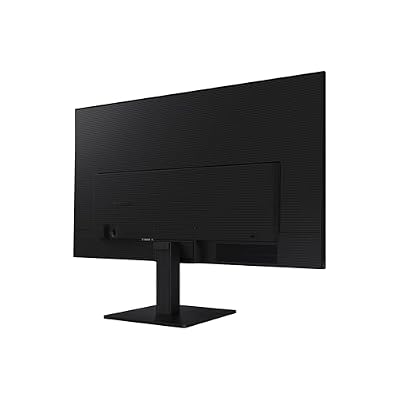


As an Amazon Associate we earn from qualifying purchases. Product prices and availability are accurate as of the date/time indicated.
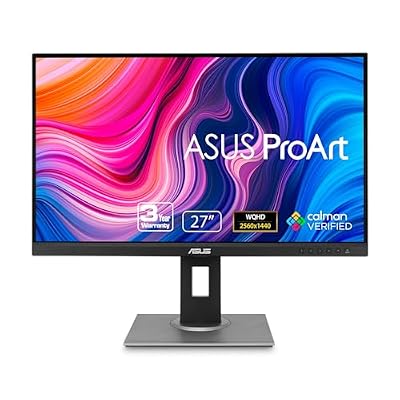
ASUS ProArt PA278QV 27 Inch 1440p QHD Professional Monitor


As an Amazon Associate we earn from qualifying purchases. Product prices and availability are accurate as of the date/time indicated.
Frequently Asked Questions
How often should I replace my lg woled vs samsung qd oled gaming monitors 2026 community debate?
Most modern lg woled vs samsung qd oled gaming monitors 2026 community debate comfortably last three to five years of regular use. Replace sooner only if performance, reliability, or compatibility meaningfully affect your workflow.
Are budget lg woled vs samsung qd oled gaming monitors 2026 community debate worth it in 2026?
Yes — the gap between mid-tier and flagship picks has narrowed. A budget lg woled vs samsung qd oled gaming monitors 2026 community debate from a reputable brand handles 2026 workloads without major compromises when paired with the right surrounding hardware.
What warranty should I look for?
Two-year minimum for anything above $150. Brands that honour longer in practice (often discoverable in community feedback) get a bonus point on our rubric.
Ready to decide? Our #1 pick for 2026 is the Panel Type.
Live price & availability on Amazon.
Top picks from this guide
SamsungSAMSUNG 34" ViewFinity S50GC Series Ultra-WQHD Monitor, 100Hz, 5ms, HDR10,…$210 \xc2\xb7 99/100LGLG 27US500-W Ultrafine Monitor 27-Inch 4K UHD (3840x2160) HDR10 IPS…$170 \xc2\xb7 97/100ASUSASUS ProArt PA278QV 27 Inch 1440p QHD Professional Monitor$169 \xc2\xb7 95/100SamsungSamsung 27" (S30GD) Essential Monitor with IPS Panel$100 \xc2\xb7 95/100