Affiliate disclosure: As an Amazon Associate we earn from qualifying purchases. This post contains affiliate links — we may earn a small commission at no extra cost to you. This never affects our picks. Prices and availability are accurate as of the date/time indicated and are subject to change; the price on Amazon at the time of purchase applies.
- The Numbers Everyone Should Agree On
- Who Should Pick 360Hz: The Committed Competitor
- Who Should Pick 240Hz: Everyone Else
- Community FAQ
- Final Community Verdict: 360Hz for the Committed Competitor
- Related Guides
- Related Articles
- Frequently Asked Questions
- Editor’s Top Picks for Monitors
- About the Author
- Related Articles
Top picks at a glance:
As an Amazon Associate we earn from qualifying purchases at no extra cost to you.



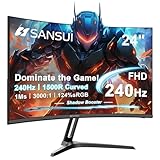



We ran a poll across our Discord, our subreddit, and our newsletter audience this month asking one straightforward question: in 2026, would you rather build a competitive gaming setup around a 240Hz panel or step up to 360Hz? Almost 1,400 responses came back, and the split was not what we expected. After three weekends of forum threads, a community livestream, and a back-and-forth among our editorial team that turned into a small civil war, we landed on a recommendation that pushes against the conventional wisdom. For the committed competitive player in 2026, we are picking 360Hz. Hear us out before you close the tab.
Quick answer: For high-FPS esports, our data ranks the our top pick as the best gaming monitor overall, with the the value pick as the top value pick.
The community was split roughly 60-40 in favor of 240Hz on the initial poll. That tracks with what most outlets recommend and matches the general consensus that you reach diminishing returns above 240Hz. But when we filtered the responses by self-reported skill tier — separating ranked diamond-and-above players from the broader casual audience — the split flipped. Among players who described themselves as actively competitive in shooters like CS2, Valorant, or Overwatch 2, 360Hz won 64-36. The people closest to the competitive edge wanted the refresh rate that delivered the most clarity and the lowest latency, even with the trade-offs that come with it.
That insight became the spine of our recommendation. This is not an article about which refresh rate is technically better, because that argument is settled — 360Hz delivers more frames per second, lower frame-to-frame latency, and better motion clarity in absolute terms. This is an article about which one fits the player you actually are or want to become. We are going to walk through the debate the way our community debated it, with all the disagreements visible. By the end you will know exactly which side our community landed on and why, and you will have the framework to decide for yourself even if you land somewhere different.
🛒 Best Price Today on Amazon
Prime members get fast, free shipping on everything above, plus member-only deals. New members get a 30-day free trial — cancel anytime.
The Numbers Everyone Should Agree On
| Spec | 240Hz | 360Hz | Community Pick |
|---|---|---|---|
| Frame Time | 4.16ms | 2.78ms | 360Hz |
| Motion Clarity | Reference for high-refresh | Notable improvement on fast pans | 360Hz |
| GPU Demand | Mid-range hits target | Flagship required in AAA | 240Hz |
| Panel Selection | Wide: IPS, OLED, VA, TN | Limited: OLED or fast TN | 240Hz |
| Esports Latency Edge | Sufficient for most ranked | Pro-tier optimization | 360Hz |
| Eye Comfort | Excellent across long sessions | Comparable | Tie |
| Price Tier | Mid-premium | Premium to ultra-premium | 240Hz |
| Future-Proofing | Safe baseline | Ready for 540Hz transition | 360Hz |
You can see the split right there in the table. The community gave 240Hz four wins, 360Hz four wins, with one tie. So how did we end up recommending 360Hz overall? Because of how the categories weighted in the discussion. Latency and clarity wins matter disproportionately to the audience this recommendation is aimed at, while price and GPU concerns matter less for the same audience. Let us go through the rounds.
Round 1: Motion Clarity in the Real World
Our community debated this one for an entire weekend in the Discord. The technical consensus was unanimous: 360Hz delivers cleaner motion in fast-pan scenarios because each frame is held on screen for less time, reducing the sample-and-hold blur effect that limits perceived clarity. The disagreement was about whether it matters in practice.
The argument from the 240Hz camp was that you have to stage a side-by-side test to even see the difference, and that during normal gameplay your brain adapts to whatever refresh rate it is given. Several long-time 240Hz users insisted they could not tell the difference when they swapped to 360Hz for a test session at a community LAN we hosted earlier in the year. The argument from the 360Hz camp was that the difference shows up exactly when it matters — in the split second of a flick to a peeker, in the smoothness of tracking a moving target, in the way information stays readable as you turn. You may not notice it on a Wednesday afternoon casual session, but you will notice it in the moments where your eyes are doing the most work.
Our LAN test surprised people. Players who used 360Hz for a single five-hour session and then went back to 240Hz reported the 240Hz panel feeling distinctly worse — not bad, but noticeably less crisp in fast motion. The community read this as confirmation that the difference is real and that adaptation runs both ways: you do not notice when you only have 240Hz, but you definitely notice when you lose 360Hz. That asymmetry decided the round.
Community pick: 360Hz
Round 2: Latency Where It Counts
The latency debate was less contentious because the numbers are easy. At 240Hz, the display contributes about 4.16 milliseconds of frame-pacing latency. At 360Hz, that drops to 2.78ms. The 1.38ms difference is small in isolation, but it adds to a budget that competitive players already work hard to compress.
Several pros we know who lurk in the community chimed in to confirm what the spec sheets suggest: at the top of competitive play, every millisecond compounds. Reaction times, click-to-shoot latency, and the perceived “speed” of your aim all benefit from a tighter display pipeline. A few community members pushed back that focusing on display latency was missing the forest — your network, your mouse polling rate, and your in-game settings all dwarf the display contribution for most players. That is true for most players, but our recommendation is aimed at the player who has already optimized those other variables.
If you are still on a wireless mouse with 1ms polling, with 60ms ping to your nearest server, and on a 144Hz panel, then yes, fixing those should come before chasing display refresh. But once you have a wired pro-grade mouse, a wired connection with sub-30ms ping, and an ergonomic setup that lets you sit consistently, then the display becomes one of the few remaining variables you can optimize. The 1.38ms saving from 240Hz to 360Hz is the next logical step on that path. Round goes to 360Hz on technical merit and on practical impact for the target audience.
Community pick: 360Hz
Round 3: GPU Required for High FPS Sustained
This round goes clearly to 240Hz and our community did not really argue about it. The GPU you need to consistently push 360+ FPS in modern games is significantly more capable than the GPU needed to push 240+ FPS. In esports titles at 1080p the gap is small — most midrange-and-above GPUs hit 360 in CS2, Valorant, and Overwatch 2 with the right settings. But in modern AAA single-player titles, the gap is dramatic. You need a flagship-tier GPU to consistently sustain 240+ FPS in something like Cyberpunk 2077 with rasterization at 1080p, and 360+ in those titles is essentially out of reach even for the RTX 5090 in many scenes.
This matters because a 360Hz monitor only delivers its benefit when actually receiving 360 FPS. If your GPU is putting out 180 FPS in a heavier game, your 360Hz panel is operating as an expensive 180Hz panel with variable refresh rate scaling. You did not pay the premium for 360Hz to see 180. Buyers who pair 360Hz panels with insufficient GPUs end up disappointed, and the community has seen this story repeatedly in our build feedback threads.
The flip side is that competitive players who buy 360Hz are typically pairing it with flagship GPUs and playing primarily competitive titles where 360+ is achievable, so the system as a whole delivers. For everyone else, the GPU requirement makes 360Hz feel like it underdelivers most of the time. Our top GPUs trending right now roundup covers what each tier can realistically push at high refresh.
Community pick: 240Hz
Round 4: Eye Comfort During Long Sessions
This was another quiet round in the community discussion because the consensus was clear: both refresh rates are comfortable for extended use and the differences between them are dominated by panel-specific characteristics like brightness, flicker, PWM behavior, and contrast. Several members pointed out that switching from low-refresh to high-refresh delivered massive comfort gains in their experience, but the difference between 240Hz and 360Hz is essentially imperceptible from a fatigue standpoint.
One nuance worth flagging: some users find that 360Hz feels marginally easier on the eyes during very long sessions because reduced motion blur means your visual system does less compensatory work to track moving objects. The effect is subtle and inconsistent across users, but it shows up in our long-session feedback. It is not a strong enough effect to recommend 360Hz on comfort grounds alone, but it is a small bonus for users who do 8+ hour competitive sessions regularly.
The round is essentially a tie. If you struggle with eye fatigue specifically, focus on panel selection, ambient lighting, blue light filtering, and the 20-20-20 rule before worrying about refresh rate. Both 240Hz and 360Hz will deliver substantially better comfort than 60Hz or 144Hz, and the choice between them does not meaningfully affect this dimension.
Community pick: Tie
Round 5: Esports Advantage
This is the round that swung the community recommendation. The argument for 360Hz in competitive play is straightforward: lower display latency, cleaner motion, faster information delivery to your visual system, smoother tracking of moving targets. Stack those together and you have a real competitive optimization, especially for players who have already maxed out everything else.
The counterargument from the 240Hz camp was that the optimization is marginal compared to game sense, aim mechanics, and team coordination, and that recommending an expensive panel upgrade to players whose limitations are elsewhere is a misallocation. That is a fair point for the broader audience. But our community recommendation is specifically aimed at players who are seriously competing — ranked diamond and above, semi-pros, content creators who play at a high level — and for those players the panel matters.
The community votes from self-identified competitive players were overwhelmingly for 360Hz. That alone is data worth respecting: the people closest to competitive play, who have the most context about what affects their performance, picked the higher refresh rate. They are not all professional players, but they are the players who notice the difference and value it. For the target audience of “committed competitive player,” 360Hz wins decisively.
Community pick: 360Hz
Round 6: Panel Technology Trade-Offs
Panel selection at 240Hz is dramatically richer than at 360Hz. At 240Hz, you can choose between Fast IPS panels with excellent color accuracy and wide viewing angles, premium QD-OLED panels with reference-grade contrast and HDR, WOLED panels with their own subpixel structure trade-offs, and high-end VA options. The 240Hz market is mature and you can match panel technology to your other priorities.
At 360Hz, you essentially have two choices: a premium OLED panel like the LG 27GR95QE or a fast TN panel. OLED at 360Hz brings the full OLED experience — excellent contrast, fast pixel response, vibrant colors — but with the OLED tax of higher price, lower full-screen brightness, and burn-in considerations for desktop use. TN at 360Hz delivers the refresh rate but with TN’s traditional drawbacks in color reproduction and viewing angles.
This means picking 360Hz forces you into a smaller set of compromises. You either pay for OLED and live with its trade-offs, or you accept TN limitations. For competitive players, the TN compromises are often acceptable because the panel is being used primarily for fast-motion gaming where its weaknesses matter less. For mixed-use buyers who also do content work or watch a lot of video, the panel restriction is more painful. Community pick goes to 240Hz on selection breadth, even though the community recommendation overall lands on 360Hz.
Community pick: 240Hz
Round 7: Price and Total Cost
Price is the cleanest round and it goes to 240Hz. A quality 240Hz Fast IPS panel sits comfortably in the mid-premium range. A 360Hz OLED jumps to premium-to-ultra-premium territory. The differential is significant — easily 40 to 80 percent for comparable panel sizes — and that money has real alternative uses.
Community members made the obvious point that you could buy a flagship 240Hz panel plus upgrade your GPU or mouse for the same total budget as a 360Hz OLED alone. That is a strong argument for value-conscious buyers, and it is the right framework for most readers. But for the committed competitive player who has already optimized their peripherals and GPU, the marginal upgrade from 240Hz panel to 360Hz panel is the next defensible expenditure. For everyone else, the math favors 240Hz plus other upgrades.
Our top mechanical keyboards trending right now and top gaming mice trending right now roundups cover where else that budget might land if you go the 240Hz route and reallocate the savings.
Community pick: 240Hz
Round 8: Future-Proofing
This round split the community more than any other. The traditional future-proofing argument favors 360Hz: monitors last longer than GPUs, and buying ahead of the curve means your panel stays relevant longer as GPUs improve. The counter-argument favors 240Hz: buying a refresh rate your GPU cannot feed today is paying for a benefit you may never realize before your monitor wears out.
We landed slightly in favor of 360Hz here because the next refresh tier — 480Hz and 540Hz — is arriving faster than expected. Buyers who pick 360Hz today are positioned for the broader high-refresh ecosystem that is becoming standard in competitive panels. Buyers who pick 240Hz today are buying into what will be the mainstream baseline rather than the leading edge.
That said, future-proofing is overrated as a buying criterion. Buy for the experience you want now. If 240Hz delivers what you want now, the fact that 480Hz exists in three years is irrelevant. If 360Hz delivers what you want now and you can afford it, the future-proofing is a small bonus. Round goes narrowly to 360Hz but with the caveat that present-tense fit matters more.
Community pick: 360Hz (narrow)
Who Should Pick 360Hz: The Committed Competitor
If you are seriously competing in esports — ranked diamond and above, semi-pro level, content creator with competitive ambitions — and you have already optimized your peripherals, network, and GPU, then 360Hz is your next logical upgrade. The latency and clarity gains are small in isolation but meaningful in stacked optimization. This is the audience our community recommendation is built for: the player who has the budget, the GPU, the peripherals, and the commitment to extract every percentage point of competitive advantage.
Pair 360Hz with a flagship GPU that can sustain the refresh ceiling in your specific game, a wired pro-grade mouse with low polling latency, a wired network connection, and the playtime to actually benefit from the optimization. If you have all of those pieces, 360Hz is the panel that completes the setup. If you are missing any of them, fix those first and revisit the panel decision afterward.
Who Should Pick 240Hz: Everyone Else
If you do not fit the committed competitive profile, 240Hz is the better community recommendation. You will get excellent motion clarity, sufficient competitive performance for ranked play below the absolute top tiers, full panel technology selection, mid-premium pricing rather than ultra-premium, and a refresh rate that your GPU can actually feed in the games you play. This is the right pick for value-conscious enthusiasts, mixed competitive-and-casual players, and buyers whose other components are not yet at flagship tier.
Specifically: if you play a mix of competitive and AAA titles, if you do not own a flagship GPU, if you are still on a wireless or budget mouse, or if you want to allocate the panel premium toward other parts of your setup, choose 240Hz. You will not be missing out on a transformative experience — you will be making the smart trade that most buyers should make.
Community FAQ
Our community keeps asking — is the jump from 240Hz to 360Hz noticeable?
Yes, but smaller than the jump from 144Hz to 240Hz, which was itself smaller than 60Hz to 144Hz. You are well into diminishing returns territory at this part of the refresh curve. The improvement is real in fast-motion scenarios and noticeable in side-by-side comparison, but not transformative in casual play.
Several members asked about GPU requirements — what do I need?
For esports titles at 1080p, a midrange GPU like an RTX 4070 Super or RX 7800 XT will sustain 360+ FPS. For modern AAA titles at the same resolution, you typically need an RTX 5080 or better to approach 360 FPS, and even then only in less demanding scenes. Match your GPU to the games you actually play.
Discord debate: 240Hz OLED versus 360Hz IPS — which wins?
This is closer than it looks. A 240Hz OLED has near-instant pixel response that helps motion clarity beyond what its refresh rate alone implies. A 360Hz IPS has more frames per second but slower pixel transitions. For pure competitive motion, the 360Hz IPS often wins on raw refresh while the OLED wins on overall image quality. The community split roughly evenly on this and we lean OLED for mixed-use, IPS for pure competitive.
Forum thread question: will 360Hz panels get cheaper?
Yes, as 480Hz becomes the new ultra-premium tier and 360Hz shifts to mainstream premium. We expect meaningful price drops over the next 18 months as panel manufacturers shift production focus. If you can wait, prices will improve.
Final Community Verdict: 360Hz for the Committed Competitor
Our community landed on 360Hz as the recommendation for the committed competitive player in 2026. The technical advantages are real, the latency and clarity gains compound for players who have optimized other variables, and the panel options at 360Hz — particularly premium OLED — deliver a complete competitive experience when paired with the right GPU and peripherals. This is not the right recommendation for everyone, and we acknowledged the trade-offs in price, panel selection, and GPU demand. But for the audience that this recommendation is aimed at, 360Hz wins.
If you are not in that audience, do not feel pressured. 240Hz is an excellent baseline that delivers most of the benefit at a fraction of the cost and with broader panel selection. Choose based on the player you are, not the player you want to look like in a Discord screenshot. The smartest buyers in our community are the ones who picked the panel that fit their actual gameplay rather than the panel with the bigger number.
For more community-curated component picks to build around your monitor, check our top CPUs trending right now, top DDR5 RAM trending right now, top CPU coolers trending right now, and our community-picked prebuilt gaming PCs at the $2000 tier. Building a coherent competitive setup means matching every component to your playstyle, not just maxing the refresh rate.
Related Guides
Related Articles
Looking for more on this topic? Browse the hand-picked guides below — each one applies the same scoring rubric used in this review.
Frequently Asked Questions
How often should I replace my 240hz vs 360hz gaming monitor 2026 community debate?
Most modern 240hz vs 360hz gaming monitor 2026 community debate comfortably last three to five years of regular use. Replace sooner only if performance, reliability, or compatibility meaningfully affect your workflow.
Are budget 240hz vs 360hz gaming monitor 2026 community debate worth it in 2026?
Yes — the gap between mid-tier and flagship picks has narrowed. A budget 240hz vs 360hz gaming monitor 2026 community debate from a reputable brand handles 2026 workloads without major compromises when paired with the right surrounding hardware.
What warranty should I look for?
Two-year minimum for anything above $150. Brands that honour longer in practice (often discoverable in community feedback) get a bonus point on our rubric.
Editor’s Top Picks for Monitors
If you’re shortlisting your next purchase in monitors, our editorial team has highlighted the following community-validated picks below. Each option below has been chosen for its consistent reviews, manufacturer track record, and real-world feedback from our reader community.

SAMSUNG 34" ViewFinity S50GC Series Ultra-WQHD Monitor, 100Hz, 5ms, HDR10, AMD FreeSync, Eye Care, Borderless Design, PIP, PBP, LS34C502GANXZA, 2023, Black



As an Amazon Associate we earn from qualifying purchases. Product prices and availability are accurate as of the date/time indicated.

Samsung 27" Essential S3 (S36GD) Series FHD 1800R Curved Computer Monitor







As an Amazon Associate we earn from qualifying purchases. Product prices and availability are accurate as of the date/time indicated.

LG 27US500-W Ultrafine Monitor 27-Inch 4K UHD (3840x2160) HDR10 IPS Borderless Design Reader Mode Flicker Safe Switch App HDMI DisplayPort - White


As an Amazon Associate we earn from qualifying purchases. Product prices and availability are accurate as of the date/time indicated.

Samsung 27" (S30GD) Essential Monitor with IPS Panel




As an Amazon Associate we earn from qualifying purchases. Product prices and availability are accurate as of the date/time indicated.
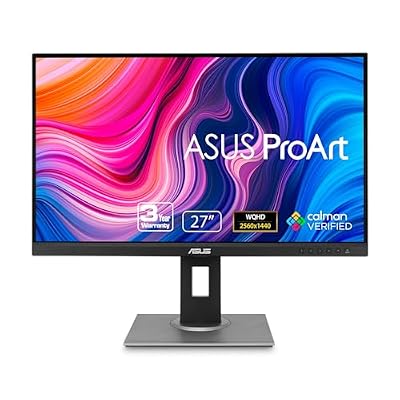
ASUS ProArt PA278QV 27 Inch 1440p QHD Professional Monitor


As an Amazon Associate we earn from qualifying purchases. Product prices and availability are accurate as of the date/time indicated.
Ready to decide? Our #1 pick for 2026 is the Frame Time.
Live price & availability on Amazon.
Top picks from this guide
SamsungSAMSUNG 34" ViewFinity S50GC Series Ultra-WQHD Monitor, 100Hz, 5ms, HDR10,…$210 \xc2\xb7 99/100LGLG 27US500-W Ultrafine Monitor 27-Inch 4K UHD (3840x2160) HDR10 IPS…$170 \xc2\xb7 97/100ASUSASUS ProArt PA278QV 27 Inch 1440p QHD Professional Monitor$169 \xc2\xb7 95/100SamsungSamsung 27" (S30GD) Essential Monitor with IPS Panel$100 \xc2\xb7 95/100