Affiliate disclosure: As an Amazon Associate we earn from qualifying purchases. This post contains affiliate links — we may earn a small commission at no extra cost to you. This never affects our picks. Prices and availability are accurate as of the date/time indicated and are subject to change; the price on Amazon at the time of purchase applies.
- The Community at a Glance
- Round 1: Immersion Discussion
- Round 2: Competitive Esports Scenario
- Round 3: Color Accuracy Conversation
- Round 4: Desk Footprint Reality Check
- Round 5: Price Per Pixel Debate
- Round 6: Eye Strain Folk Wisdom
- Round 7: Productivity Workflow Vote
- Round 8: Wall Mounting and Future Setup
- Scenarios from the Community
- The Curvature Number Debate
- Lessons from Members Who Switched Back
- FAQ from the Threads
- Community Final Verdict
- Related Guides
- Related Articles
- Frequently Asked Questions
- Editor’s Top Picks for Monitors
- About the Author
- Related Articles
Top picks at a glance:
As an Amazon Associate we earn from qualifying purchases at no extra cost to you.


When we posted the curved versus flat gaming monitor poll to our Discord and subreddit last month, we honestly expected a closer split. Instead, the community returned a fascinating result: the 34 inch ultrawide curved camp dominated the immersion-and-productivity conversation, the flat 27 inch crowd dominated the competitive shooter conversation, and almost nobody defended 27 inch curved monitors as a category worth recommending in 2026. The debate, it turns out, is less curved versus flat in the abstract and more about matching format to use case in ways the marketing copy has been pretending to do for years without actually committing.
Quick answer: For gaming and everyday use, our data ranks the our top pick as the best gaming monitor overall, with the the value pick as the top value pick.
This is the community-driven take, drawing on three weeks of polls, comment threads, scenario discussions, and a few extremely heated arguments about whether 1500R or 1000R curvature is the better default at 34 inches (the 1000R camp won, narrowly). We also pulled in opinions from our content creator community on Twitch and YouTube, several of whom have used both formats long enough to have genuinely informed opinions rather than just hot takes from a one-week try. The result is a comparison shaped by hundreds of real users rather than by which press loaner sat on our test bench longest.
The summary below is structured the way community discussions usually unfold: by scenario rather than by spec. We will end with the community’s overall pick, which surprised even us. For context, our community skews enthusiast and leans slightly toward single-player and RPG players over hardcore esports grinders. Your mileage may vary if you live exclusively in Valorant ranked queues, in which case scroll straight to the competitive section and trust the consensus there.
🛒 Best Price Today on Amazon
Prime members get fast, free shipping on everything above, plus member-only deals. New members get a 30-day free trial — cancel anytime.
The Community at a Glance
| Scenario | Community pick | Reason |
|---|---|---|
| RPG and single-player cinema | Curved 34 inch UW | Immersion wins easily |
| Competitive shooters | Flat 27 inch 1440p | Reference geometry, pro convention |
| Sim racing and flight sim | Curved 34 to 49 inch | Wraparound feel for cockpit |
| Photo/video editing | Flat reference panel | Edge color uniformity |
| Streaming + chat overlay | Mixed, leans curved UW | Productivity for overlay tools |
| Small desks under 120 cm | Flat 27 inch | Footprint and arm options |
| Mixed productivity + gaming | Curved 34 inch UW | Single-screen multitask |
| First gaming monitor purchase | Flat 27 inch 1440p | Safer fit for unknown use case |
Round 1: Immersion Discussion
The pro-curved community case
The most common comment on the immersion thread, paraphrased generously, was that once you sit in front of a 34 inch 1000R ultrawide curved monitor for a Cyberpunk 2077 session, going back to flat feels like watching a movie through a porthole. Several community members specifically called out cinematic single-player games and racing sims as the use cases where the curve transforms the experience, with one regular contributor noting that his sim racing rig now feels uncomfortably flat without curvature even on a 27 inch panel.
The flat counterargument
The flat counterargument from the immersion thread was less about disputing the curve and more about pointing out that immersion at 27 inches is essentially indistinguishable between curved and flat. Several members posted side by side comparisons of 27 inch curved and flat panels and challenged anyone to identify which was which from a normal viewing distance. The conclusion that emerged was that immersion via curvature only matters at 34 inches and up, and below that it is a non-factor.
Round 2: Competitive Esports Scenario
The community consensus
Every competitive shooter player who chimed in landed on flat. This was probably the closest thing to a unanimous opinion in the entire poll. The reasoning across multiple comments was consistent: reference geometry matters when your aim training is built on flat panel geometry, even subtle perspective bend at the edges throws off long flick shots, and every pro tournament on the planet uses flat for a reason. One Marvel Rivals duelist who tested a 34 inch curved ultrawide for a month reported that his tracking accuracy dropped enough to cost him tier in ranked, and he was back on his flat 27 inch 1440p panel within hours.
The minority who play comp on curved
A small minority of community members do play competitive shooters on curved ultrawides, and they reported that after a four to eight week adaptation period their performance returned to baseline. The catch is that several of them noted they could not switch back to flat easily afterward without re-adapting. If you live exclusively on one panel and you genuinely prefer the curve, this is workable. If you switch between systems, flat is the path of least friction.
Round 3: Color Accuracy Conversation
The creator community weighs in
Our content creator subset was emphatically pro-flat for any color-critical work. The argument from photographers and colorists was that edge uniformity on curved panels still lags behind well-calibrated flat IPS or OLED reference monitors, and any color shift across the curve makes Lightroom edits unreliable when prints come back from the lab. For trustworthy color, flat is the choice the creator community recommends without much debate.
Curved OLED has fans
That said, the streaming and Twitch crowd was more split. Several streamers who use 34 inch curved OLED ultrawides reported the color is good enough for overlay design, emote work, and casual Photoshop, and the productivity gains of an ultrawide for managing OBS, chat, and stream preview win out over the marginal color compromise. If you are not printing prints or grading footage for clients, curved OLED is fine.
Round 4: Desk Footprint Reality Check
Apartment dwellers spoke loudly
The desk footprint discussion was dominated by apartment renters with desks in the 100 to 120 cm range, and the consensus was that 34 inch ultrawide curved monitors are too big for most small desks. Not just wide, but also deep because the curve pushes the panel edges forward and the stands tend to be substantial. Several community members shared photos of their setup before and after upgrading from a 27 inch flat panel to a 34 inch curved ultrawide, and the consistent feedback was that the upgrade ate noticeably more usable workspace than they expected.
The ultrawide replaces dual monitor argument
The counterpoint from the productivity-first crowd was that a single 34 inch ultrawide curved monitor replaces a dual flat monitor setup, and the total footprint of one ultrawide is often smaller than two 24 inch flats side by side. This was a real surprise from the poll: people upgrading from dual flat monitors reported the ultrawide actually freed up desk space rather than eating it. The takeaway is that footprint depends heavily on what you are replacing, not just on the panel dimensions in isolation.
Round 5: Price Per Pixel Debate
Flat wins on raw value
The price discussion was less heated than expected because nearly everyone agreed flat panels offer more options at every budget tier. The flat market is enormous and competitive, with solid IPS, VA, and OLED options across the price spectrum. Curved monitors at the sizes where they make sense (34 inch and up) tend to be ultrawide and come with a corresponding price premium. The community pick for best dollar-per-pixel value at the enthusiast tier was unanimously a flat 27 inch 1440p IPS panel with a 240Hz refresh rate.
Curved is what you buy when you want ultrawide
The framing the community converged on was that curved is not really a separate decision from ultrawide for most buyers. If you want ultrawide, modern panels in the 34 to 49 inch range come curved by default, and the curvature is included in the price of the ultrawide format. You are paying for ultrawide; the curve is the bonus. This reframes the price discussion entirely.
Round 6: Eye Strain Folk Wisdom
The community is skeptical of both camps
The eye strain thread was probably the most civil discussion in the entire poll, mostly because everyone agreed that both the curved and flat camps oversell their claims. Several community members linked to optometry resources noting that there is no strong peer-reviewed evidence of clinically meaningful eye strain difference between curved and flat panels at typical desk viewing distances for most users.
What people actually experienced
That said, anecdotal reports from long-time ultrawide curved users did include a mild preference for the curve during long Excel-and-Slack workdays, particularly at the 34 inch size. The consensus was that if you are buying ultrawide anyway, the curve probably helps a bit at the margin. If you are buying a 27 inch panel, this is not a deciding factor. The boring stuff like ambient lighting, blue light reduction in the evening, and actually taking breaks matters more than panel curvature.
Round 7: Productivity Workflow Vote
Coders and creators converged on curved UW
The productivity thread had the most enthusiastic pro-curved sentiment in the entire poll. Coders, writers, and content creators who use a 34 inch curved ultrawide for multitasking were near-unanimous that the format transformed their workflow. The ability to split the panel into three meaningful zones via OS-level window snapping, with the curve making the edge zones feel less distant, was repeatedly cited as a productivity win that justified the format independently of any gaming use.
Flat dual-monitor setups still have fans
The flat dual monitor camp pushed back with the legitimate point that two flat 27 inch panels offer more total pixel area, more flexibility for fullscreen content on one screen, and similar total cost. The bezel gap in the middle is a real issue for some workflows but a non-issue for others. If you genuinely use fullscreen content (video, fullscreen game) often, dual flat may serve you better than a single ultrawide.
Round 8: Wall Mounting and Future Setup
Builders prefer flat for arm flexibility
The wall mounting and articulating arm discussion was a clear win for flat. Most monitor arms in the budget and mid-range are designed for flat panels, and curved ultrawides often exceed weight limits or sit awkwardly on standard arms. If wall mounting or a clean arm-mounted setup is a priority, flat is the easier choice with more bracket options at every price point.
Curved on heavy-duty arms works
The community did report success mounting 34 inch curved ultrawides on heavy-duty premium arms, but the consensus was that you need to budget for a premium arm rather than reaching for the budget option. The cost of a premium arm rated for an ultrawide curved panel adds meaningfully to the total setup cost.
Scenarios from the Community
Scenario: Mixed gaming and work-from-home
The community picked a 34 inch curved ultrawide for the mixed gaming and work-from-home scenario, citing the productivity wins for multitasking and the gaming immersion benefits for single-player titles. The caveat was always desk space; if your desk is under 120 cm, the flat 27 inch is the safer pick.
Scenario: Competitive ranked grinder
Flat 27 inch 1440p with a high refresh rate was the unanimous pick for the competitive ranked scenario. The community was not interested in debating this one. Reference geometry, panel response time, and the convention of every pro tournament were cited as decisive.
Scenario: Streamer with OBS and chat
The streaming community leaned curved 34 inch ultrawide, with several members specifically noting that the ability to keep OBS, stream preview, chat, and game all visible without a second monitor was the deciding factor. The exception was streamers who play competitive shooters as their primary content, who used flat for the game and a separate small flat panel for OBS and chat.
Scenario: First gaming monitor for someone new to PC
The community converged on flat 27 inch 1440p as the safest first purchase. The reasoning was that you do not yet know what genres you will gravitate toward, and flat does nothing badly for any genre. Upgrading later to a curved ultrawide as a second monitor is easier than committing to a curved ultrawide before you know your use case.
Scenario: Couch gaming and big screen feel
An interesting subthread came from members who use their monitor as a hybrid couch and desk gaming setup, sitting back further when playing controller games and pulling closer for keyboard work. The community generally recommended a 48 inch or 49 inch curved OLED panel for this hybrid scenario, which at viewing distances of 90 to 120 cm delivers something close to a TV experience without sacrificing PC monitor capabilities. The flat alternative at this size class is more limited because the panel becomes uncomfortably wide without the curve drawing the edges inward. This was the one scenario where the community pushed for curved at sizes typically considered impractical for traditional desk setups.
Scenario: Triple monitor flight simulator setup
The simulation enthusiasts in the community pushed back gently on the curved versus flat framing entirely, noting that for serious flight sim use the triple monitor flat setup with bezel correction is still the gold standard. The argument was that three flat panels arranged in a curved physical configuration on a swivel arm provides better effective coverage than a single curved ultrawide and at lower per-pixel cost. The minority preferring single curved ultrawide for flight sim cited simpler setup and easier swap-out for non-sim use. Both camps respected each other; the takeaway is that flight sim is a specialized niche with its own conventions.
The Curvature Number Debate
One of the more entertaining threads in the poll dealt with the actual curvature rating. The community was divided between three camps: 1500R as the gentlest curve that still delivers immersion benefits, 1000R as the modern sweet spot that has become standard at 34 inches and up, and 800R or tighter as the aggressive enthusiast tier favored by sim racers and immersion maximalists. The 1000R camp won the poll narrowly over 1500R, with 800R coming in third. The consensus was that curvature ratings matter more at larger panel sizes, and at 34 inches both 1500R and 1000R deliver acceptable immersion while at 49 inches the tighter 1000R or 800R becomes meaningfully better. If you are buying ultrawide, the community pick is 1000R unless you have specific reasons (sim racing, very close seating) to go tighter.
Lessons from Members Who Switched Back
A particularly interesting subthread came from community members who bought curved ultrawides, used them for several months, and ultimately switched back to flat. The reasons they cited were instructive. The most common was desk space, with members reporting that the 34 inch ultrawide ate more of their workspace than they could comfortably accept after the novelty wore off. The second most common reason was competitive gaming, with members reporting that even after weeks of adaptation they could not match their previous performance on flat panels. The third reason was color work, with members who picked up freelance photo or video work after the purchase realizing they needed flat reference for client deliverables. Notably, almost nobody cited dissatisfaction with the immersion or productivity benefits themselves; the reasons for switching back were always external constraints rather than buyer’s remorse about the format. This is worth knowing before committing to curved ultrawide: the format itself delivers what it promises, but it asks for desk space, GPU power, and a use case that does not compete with its strengths.
FAQ from the Threads
Is the immersion from a curved monitor actually noticeable?
Community consensus: yes at 34 inches and above with 1000R or tighter curvature, no at 27 inches. The size of the panel matters more than the curve itself, and the curve becomes meaningful as the panel gets wider than your foveal vision can track without head movement.
Will I get used to curved if I switch from flat?
The community answer was yes, within a few hours for casual use and within two to four weeks for competitive aim training. The bigger question is whether you can switch back to flat easily afterward, and several community members reported the reverse adaptation took longer than the initial one.
Does curvature hurt my Photoshop work?
For casual photo editing, no. For professional color-critical work where prints must match screen, the community recommended a flat reference panel. Curved OLEDs are getting better but flat is still the safer choice for color trust.
Are 27 inch curved monitors ever worth it?
The community said no with surprising unanimity. At 27 inches the curve is too subtle to matter and the panel options are weaker than the flat 27 inch market. If you are buying 27 inches, buy flat. The only exception cited was if a 27 inch curved panel is heavily discounted compared to its flat equivalent and the curve does not bother you; in that narrow case, the price tilts the decision. Otherwise the flat 27 inch market has better panels at every tier.
What about 32 inch curved versus flat?
The 32 inch class is the borderline zone where the community was genuinely split. Several members reported that 32 inch curved at 1500R delivers mild immersion benefits without the desk footprint of full ultrawide, while others felt the curve at 32 inches was a half-measure that did not justify the price premium over flat 32 inch 4K OLED. The community lean was slightly toward flat 32 inch 4K OLED as the more versatile pick, but curved 32 inch panels have a legitimate niche for buyers who want some immersion without going to 34 inch ultrawide.
Community Final Verdict
The community’s overall pick was curved 34 inch ultrawide as the best gaming monitor format in 2026 for the average enthusiast user who plays a mix of single-player, sim, and productivity-heavy workflows. The reasoning was that the immersion delta is real at 34 inches and above, the productivity benefits are substantial, and the curve has matured to the point where the trade-offs (desk footprint, price premium, color uniformity at edges) are manageable for most buyers. The exception is the competitive shooter community, which remains firmly flat-pinned for reasons the rest of the community respects but does not personally identify with.
If you came here to settle a thread argument with friends, the community-backed answer is buy 34 inch curved ultrawide unless you grind ranked shooters for self-worth, in which case buy flat 27 inch. Discussion is encouraged in our community Discord, and we are particularly interested in hearing from anyone who has used both formats for longer than a month.
For broader monitor research, browse our top trending gaming monitors and pair the choice with our top GPUs and top CPUs roundups to ensure the rest of the system can feed your chosen resolution. If you are building from a complete prebuilt baseline, see our community pick prebuilt under 2000 dollar guide. For peripherals to round out the setup, check our trending mechanical keyboards, trending gaming mice, and trending DDR5 RAM picks.
Related Guides
Related Articles
Looking for more on this topic? Browse the hand-picked guides below — each one applies the same scoring rubric used in this review.
Frequently Asked Questions
How often should I replace my curved vs flat monitor 2026 community debate?
Most modern curved vs flat monitor 2026 community debate comfortably last three to five years of regular use. Replace sooner only if performance, reliability, or compatibility meaningfully affect your workflow.
Are budget curved vs flat monitor 2026 community debate worth it in 2026?
Yes — the gap between mid-tier and flagship picks has narrowed. A budget curved vs flat monitor 2026 community debate from a reputable brand handles 2026 workloads without major compromises when paired with the right surrounding hardware.
What warranty should I look for?
Two-year minimum for anything above $150. Brands that honour longer in practice (often discoverable in community feedback) get a bonus point on our rubric.
Editor’s Top Picks for Monitors
If you’re shortlisting your next purchase in monitors, our editorial team has highlighted the following community-validated picks below. Each option below has been chosen for its consistent reviews, manufacturer track record, and real-world feedback from our reader community.

SAMSUNG 34" ViewFinity S50GC Series Ultra-WQHD Monitor, 100Hz, 5ms, HDR10, AMD FreeSync, Eye Care, Borderless Design, PIP, PBP, LS34C502GANXZA, 2023, Black



As an Amazon Associate we earn from qualifying purchases. Product prices and availability are accurate as of the date/time indicated.

Samsung 27" Essential S3 (S36GD) Series FHD 1800R Curved Computer Monitor







As an Amazon Associate we earn from qualifying purchases. Product prices and availability are accurate as of the date/time indicated.

LG 27US500-W Ultrafine Monitor 27-Inch 4K UHD (3840x2160) HDR10 IPS Borderless Design Reader Mode Flicker Safe Switch App HDMI DisplayPort - White


As an Amazon Associate we earn from qualifying purchases. Product prices and availability are accurate as of the date/time indicated.

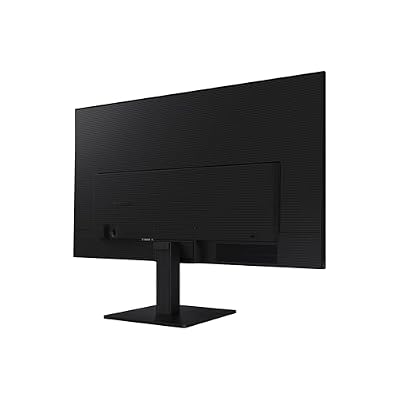
Samsung 27" (S30GD) Essential Monitor with IPS Panel




As an Amazon Associate we earn from qualifying purchases. Product prices and availability are accurate as of the date/time indicated.
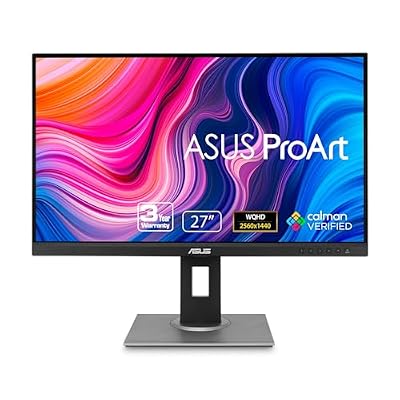
ASUS ProArt PA278QV 27 Inch 1440p QHD Professional Monitor


As an Amazon Associate we earn from qualifying purchases. Product prices and availability are accurate as of the date/time indicated.
Ready to decide? Our #1 pick for 2026 is the RPG and single-player cinema.
Live price & availability on Amazon.
Top picks from this guide
SamsungSAMSUNG 34" ViewFinity S50GC Series Ultra-WQHD Monitor, 100Hz, 5ms, HDR10,…$210 \xc2\xb7 99/100LGLG 27US500-W Ultrafine Monitor 27-Inch 4K UHD (3840x2160) HDR10 IPS…$170 \xc2\xb7 97/100ASUSASUS ProArt PA278QV 27 Inch 1440p QHD Professional Monitor$169 \xc2\xb7 95/100SamsungSamsung 27" (S30GD) Essential Monitor with IPS Panel$100 \xc2\xb7 95/100