The best RGB keyboard and mouse for gaming is a matched set that lights up together, types well, and tracks well. Buying the keyboard and mouse as one combo set has a clear advantage over mixing two separate devices: the lighting comes from one system, the styling matches, and the two devices are built to sit side by side on the same desk.
RGB lighting is more than decoration for many gamers. A backlit keyboard keeps every key visible in a dark room, and the lighting on the mouse helps the eye find it without looking away from the screen. The best RGB keyboard and mouse for gaming balances that lighting with the parts that matter during play: a layout that suits long sessions, keys that respond the same way every time, and a mouse sensor that holds its aim.
Each set below is a keyboard and mouse combo, not a single keyboard or a single mouse. Every product is sold as a pair, and every product in the list has RGB lighting on both the keyboard and the mouse.
Our top pick: Redragon S101-3 PRO White. Runner-up: RedThunder K10 Wireless.
Quick Picks
As an Amazon Associate, we earn from qualifying purchases.
| Product | Best for | Key spec from listing |
|---|---|---|
| Redragon S101-3 PRO White | Programmable lighting and macros | RGB backlit keyboard and mouse with software and macro record keys |
| RedThunder K10 Wireless | Wireless play with long battery life | RGB backlit combo, 3800mAh battery, 3200 DPI mouse |
| Redragon Updated S107 | High DPI mouse with software control | RGB keyboard and 10000 DPI mouse, 25-key anti-ghosting |
| CHONCHOW RGB Gaming Keyboard and Mouse Combo | A simple wired set for PC and console | USB wired RGB combo for Windows PC, PS4, and Xbox |
| Razer Turret Wireless Mechanical Gaming Keyboard and Mouse Combo | A premium wireless mechanical set | Chroma RGB, 16000 DPI mouse, 40-hour battery |
How to Choose
Lighting and Software
RGB lighting works best when the keyboard and mouse share one control system. A combo set gives you that by design, since both devices come from the same maker and the same product line. Look for a set where the keyboard backlight has more than one mode, so you can switch between a steady glow, a breathing effect, and a wave that moves across the keys. The mouse should carry matching lighting, usually along the scroll wheel and the sides, so the pair reads as one set rather than two unrelated devices.
Software matters as much as the lights themselves. Some combo sets ship with software that lets you remap keys, record macros, and set the lighting for each device from one screen. That turns a good-looking set into a flexible one, because you can build a profile for one game and a different profile for everyday use. Check that the software covers both the keyboard and the mouse, not just one of them. Brightness control matters too: sets with adjustable brightness let you tune the glow to the room you play in, and a soft mouse glow marks the device without pulling the eye away from the screen.
Keyboard Feel and Layout
The keyboard is where your hands spend the most time, so its feel decides how comfortable a long session is. Full-size keyboards with a number pad suit players who use the numpad for extra binds or for work between games. Compact layouts free up desk space and give the mouse more room to move, which suits players who use a low sensitivity and sweep the mouse across a wide arc. Neither layout is better on its own. The right one is the layout that matches how much room your desk has and how far your mouse travels.
Key feel is the next thing to weigh. Mechanical-feel membrane keyboards give a tactile response without the noise and weight of a true mechanical switch, and they are common in combo sets. True mechanical keyboards, like the one in the Razer Turret set below, give a crisper press and a firmer bottoming out. Anti-ghosting is a feature worth looking for in any gaming keyboard. It lets the keyboard register several keys pressed at once, so a combination like a movement key plus a skill key plus a modifier lands as intended instead of dropping one of the presses. The sets in this guide list anti-ghosting of 19 keys or 25 keys, which covers the key combinations most games ask for.
A wrist rest is a small part that makes a real difference over hours of play. Some combo sets include a built-in rest, while others leave the front edge bare. If your desk is low or your chair sits high, a rest keeps the wrists level and reduces strain.
Mouse Sensor and Shape
The mouse in a combo set is often the part that gets the least attention, and it should get the most. A good gaming mouse sensor tracks cleanly at the speed you move it, without skipping or smoothing the motion. The DPI figure on the box is the headline number: a mouse with a 3200 DPI ceiling is fine for most players, while a mouse with a 10000 DPI or 16000 DPI ceiling gives more headroom for very high sensitivity play. The number alone does not make a mouse better. What matters is that the sensor holds its tracking at the DPI you actually use, and that the mouse lets you switch DPI on the fly with a dedicated button.
Shape matters as much as the sensor. A mouse that is too large for the hand will drag during fast flicks, and a mouse that is too small will cramp the fingers during a long session. Combo-set mice tend toward a medium ergonomic shape that suits a palm grip or a claw grip, and the sets below follow that pattern. Weight is part of the same picture: a light mouse moves faster and tires the wrist less, while a heavier mouse can feel more planted during slow, careful aim. A wireless mouse with a large battery can run for days between charges, while a wired mouse never needs charging at all.
Redragon S101-3 PRO White
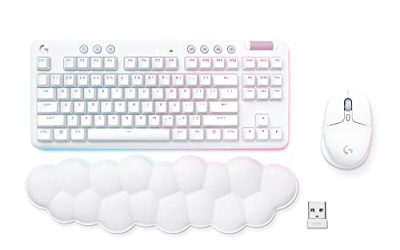
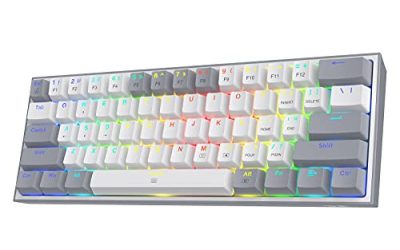
The Redragon S101-3 PRO White is a wired combo set that pairs a full RGB backlit keyboard with a matching RGB mouse, and it stands out for the software that comes with it. The keyboard and mouse are programmable, and the set includes independent macro record keys, which let you record a sequence of key presses and assign it to a single key. That is a useful tool for games that ask for repeated key sequences, and it is also handy for everyday tasks like opening a program or pasting a block of text. The white finish sets it apart from the black sets in this guide, and the RGB lighting reads clearly against the light keycaps.
The set is built around the S101 line, which Redragon has kept in production through several updates. The keyboard carries RGB backlighting across the full layout, and the mouse carries matching lighting, so the pair looks like one device rather than two. The software lets you adjust the lighting and the key assignments for both devices from one place. For a player who wants a wired set with real customization rather than fixed lighting, this is the most flexible option in the guide.
The white colour is worth thinking about before you buy. White keycaps show the RGB lighting well, and they brighten a desk that is otherwise dark. The wired connection means there is no battery to charge and no wireless signal to drop, which suits players who want the set to work the same way every time they sit down.
Specs
- RGB backlit gaming keyboard and mouse combo set
- Programmable keyboard and mouse with bundled software
- Independent macro record keys
- Model S101W
- Colour: White
- Wired USB connection
RedThunder K10 Wireless
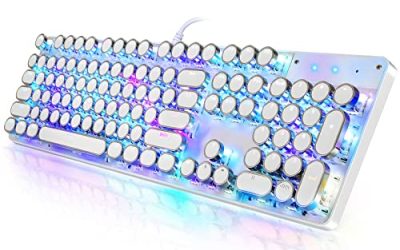
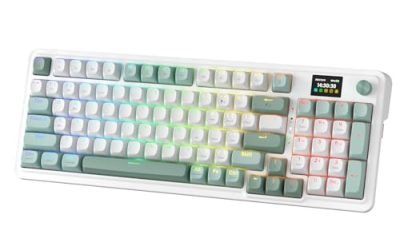
The RedThunder K10 Wireless is the wireless pick in this guide, and its strongest feature is the battery. The keyboard carries a 3800mAh rechargeable battery, which keeps the set running through long sessions without a cable in the way. The keyboard uses pudding keycaps, which let more light through the sides of the keys and make the RGB backlighting look brighter and more even across the board. The mouse is a 7-button design with a 3200 DPI ceiling, which covers the sensitivity range most players use.
Wireless freedom changes how a desk feels. Without a cable running from the keyboard to the PC, the keyboard can sit anywhere on the desk, and the mouse moves without dragging a cord. The K10 connects over a 2.4GHz wireless link, so the response stays close to wired for gaming. The mechanical-feel keys give a tactile press, and the anti-ghosting design keeps multi-key combinations registering cleanly. For a player who wants to cut the cables without giving up RGB lighting, this set is the natural choice.
The trade-off with any wireless set is charging. The large battery in the K10 stretches the time between charges, and the set can be used while it charges if you keep a cable nearby. The RGB lighting draws power, so turning the brightness down extends the battery further.
Specs
- Wireless RGB backlit keyboard and mouse combo
- Rechargeable 3800mAh battery in the keyboard
- Mechanical-feel anti-ghosting keyboard with pudding keycaps
- 7-button mouse with 3200 DPI
- 2.4GHz wireless connection
- Colour: Black
Redragon Updated S107
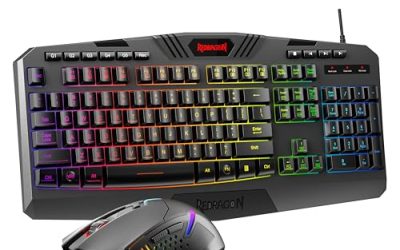
The Redragon Updated S107 is the set for players who want the highest mouse sensitivity in this guide. The mouse reaches 10000 DPI, which is well above the ceiling of the other mice here, and it runs at a 1K Hz polling rate, which means the mouse reports its position to the PC one thousand times per second. The keyboard is a full RGB board with 25-key anti-ghosting, so it handles the multi-key combinations that fast-paced games demand. The mouse is programmable through Redragon software, which lets you set DPI steps, button assignments, and lighting from one screen.
The S107 is a wired set, and that suits its purpose. A wired connection keeps the polling rate steady and removes battery from the equation entirely. The keyboard and mouse share the same RGB system, and the lighting can be adjusted for brightness and speed.
This set is a good match for players who change sensitivity often. The DPI button on the mouse cycles through preset levels, so you can drop to a low sensitivity for careful aiming and jump to a high sensitivity for fast turns without opening any software. The 10000 DPI ceiling is more than most players need, but the range below it is where the value sits: the mouse tracks cleanly across the full range, and the software lets you set the steps to match your own habits.
Specs
- RGB gaming keyboard and 10000 DPI mouse combo
- 25-key anti-ghosting keyboard
- 1K Hz programmable mouse with software
- Full-size keyboard layout
- Plug and play for PC and laptop
- Model S107-RGB-BA
- Colour: Black
CHONCHOW RGB Gaming Keyboard and Mouse Combo
The CHONCHOW RGB Gaming Keyboard and Mouse Combo is the simplest set in this guide, and that simplicity is its strength. It is a USB wired set with a rainbow LED backlit keyboard and a matching mouse, and it works with Windows PC, PS4, and Xbox, which makes it useful for a setup that spans more than one machine. There is no software to install and no battery to manage. You plug the set in, and the lighting and the keys work.
The rainbow backlighting is the main visual feature. The keyboard lights up in a spectrum that moves across the keys, and the mouse carries matching lighting, so the pair gives a desk a clear gaming look without any setup. The keyboard is full-size, and the mouse is a standard ergonomic shape with a scroll wheel and side buttons. For a player who wants an RGB set that simply works, without menus or profiles, this is the easiest option here.
The wired connection is a practical advantage for console play. A PS4 or Xbox recognises a USB keyboard and mouse without extra steps, and the set draws its power from the USB port, so there is nothing to charge.
Specs
- USB wired RGB gaming keyboard and mouse combo
- Rainbow LED lit backlight keyboard with matching mouse
- Full-size keyboard layout
- Compatible with Windows PC, PS4, and Xbox
- Plug and play, no software required
- Colour: Black
Razer Turret Wireless Mechanical Gaming Keyboard and Mouse Combo
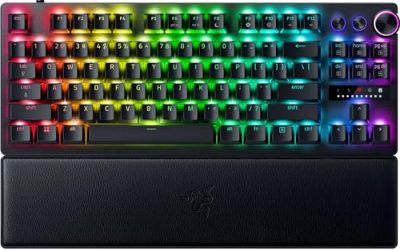
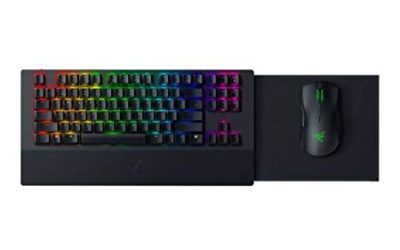
The Razer Turret Wireless Mechanical Gaming Keyboard and Mouse Combo is the premium set in this guide, and it is built differently from the others. The keyboard is a true mechanical keyboard with Razer switches, and both the keyboard and the mouse carry Chroma RGB lighting, which is Razer lighting system for syncing colours across devices. The mouse reaches 16000 DPI, and the set runs for 40 hours on a charge, which is a long stretch for a wireless mechanical set. A retractable mouse mat is built into the set, so the mouse has a surface to track on even when the keyboard is on your lap.
The lap design is what makes the Turret unusual. Most combo sets assume a desk, but the Turret is built for playing from a couch, with the keyboard on the lap and the mouse on the mat that slides out from the keyboard base. That makes it a natural fit for a living-room PC or a setup where the desk is not the main place you play. The mechanical switches give a firm, crisp press, and the Chroma lighting ties the keyboard and mouse together visually.
The 40-hour battery figure is measured with the lighting in normal use, and the set charges over USB when it runs low. The 16000 DPI mouse is the most sensitive in this guide, and it suits players who use a high sensitivity or a large high-resolution display.
Specs
- Wireless mechanical gaming keyboard and mouse combo
- Chroma RGB lighting on keyboard and mouse
- Mouse with 16000 DPI sensor
- 40-hour battery life
- Retractable mouse mat built into the set
- Colour: Black
Frequently Asked Questions
Do RGB keyboard and mouse combos need software to work?
No. Every set in this guide works as soon as you plug it in or connect it wirelessly, and the lighting runs in its default mode without any software. The software adds control: it lets you change the lighting, remap keys, and record macros. If you only want the lighting to look good, you can skip the software entirely. If you want the lighting to match a game or a profile, install the software that comes with the set.
Is a wireless RGB combo set slower than a wired one?
Modern wireless combo sets use a 2.4GHz link that keeps the delay very low, and most players will not feel a difference between a good wireless set and a wired one. The RedThunder K10 in this guide uses that kind of link. A wired set still has the edge in one way: it never needs charging, and it never drops a signal. If you value a clear desk, a wireless set is close enough for most play.
Can I use an RGB keyboard and mouse combo with a console?
Some sets work with consoles, and the CHONCHOW set in this guide lists PS4 and Xbox compatibility. A USB keyboard and mouse will work with many console games that support keyboard and mouse input, though not every game on a console accepts them. Check the game you want to play before you buy, because console support varies by title. The keyboard and mouse themselves will connect and light up, but the game decides whether they control it.
How do I keep RGB lighting from being distracting?
Turn the brightness down and pick a steady colour rather than a fast-moving wave. A single solid colour across the keyboard is the least distracting option, and most sets let you set it through a key combination or through software. A breathing effect is a good middle ground: it changes slowly and does not pull the eye. If you play in a dark room, keep the mouse lighting soft as well, since a bright mouse light sits closer to the edge of your vision than the keyboard does.
An RGB keyboard and mouse combo set is one of the simplest upgrades a gaming desk can get. It replaces two separate devices with a matched pair, and it gives the desk a look that ties the whole setup together. The five sets in this guide cover the main choices: a programmable wired set, a wireless set with a large battery, a high-DPI set with software control, a simple wired set for PC and console, and a premium mechanical wireless set.