🛒 Best Price Today on Amazon
Prime members get fast, free shipping on everything above, plus member-only deals. New members get a 30-day free trial — cancel anytime.
- Top Picks at a Glance
- Quick Comparison Table
- What a 60 Percent Layout Gives You and Takes Away
- 1. AULA WIN60 HE: Best 60 Percent for Competitive Play
- 2. RK ROYAL KLUDGE RK61: Best Budget 60 Percent
- 3. Redragon K617: Best Value Hot-Swap 60 Percent
- 4. RK ROYAL KLUDGE A72 Alice: Best Ergonomic for Gaming
- 5. Keychron V10 Ultra 8K: Best Premium Ergonomic
- 6. Kinesis mWave: Best Quiet Ergonomic
- 7. LEOBOG A75 Alice: Best Alice Layout With Extras
- Also Consider
- How We Chose
- Buying Guide
- Common Mistakes to Avoid
- Adapting to a 60 Percent or Alice Layout: A Two-Week Plan
- Switch Weights, Keycaps and Sound: Details Gamers Overlook
- Frequently Asked Questions
- Which One Should You Buy?
- Sources
The best 60 percent mechanical keyboard for gaming in this group is the AULA WIN60 HE, because its magnetic switches, adjustable actuation, rapid trigger mode and 8000Hz polling rate give competitive players tuning options that regular switches cannot. If you want a simple, low-cost 60 percent board that you can mod, the RK ROYAL KLUDGE RK61 is the easiest recommendation, and for an ergonomic mechanical keyboard that still suits gaming, the RK ROYAL KLUDGE A72 Alice is the most approachable. The right pick depends on whether you want a smaller footprint, a more natural wrist angle, or both, so this guide groups the boards by layout first.
This guide is research-based. We did not personally use these keyboards; the specs below come from each listing and the maker’s published details, and anything not stated is marked “not listed”. It is written for gamers who want more mouse room on the desk and for players with wrist or shoulder discomfort who want a layout that feels more natural. If you have pain or numbness, a doctor or physical therapist can give advice that a keyboard cannot.

DGG K60 61 Keys RGB Backlit 60% Wired Gaming Keyboard, Ergonomic Waterproof Mini Compact 60 Percent Mechanical Feeling Keyboard, for PC Mac PS4 Xbox Gamer, Typist, Travel
Included for 'Best 60 Percent and Ergonomic Mechanical Keyboards for Gaming' because the listing is waterproof, which is the attribute this article compares.
View on Amazon
MageGee Portable 60% Mechanical Gaming Keyboard, MK-Box LED Backlit Compact 68 Keys Mini Wired Office Keyboard with Blue Switch for Windows Laptop PC Mac - Grey/Black
Included for 'Best 60 Percent and Ergonomic Mechanical Keyboards for Gaming' as a representative home product in this roundup; selection reflects the product set returned for this topic.
View on Amazon
MageGee Mini 60% Gaming Keyboard, RGB Backlit 61 Key Ultra-Compact Keyboard, TS91 Ergonomic Waterproof Mechanical Feeling Office Computer Keyboards for PC, MAC, PS4, Xbox ONE Gamer(Black)
Included for 'Best 60 Percent and Ergonomic Mechanical Keyboards for Gaming' because the listing is waterproof, which is the attribute this article compares.
View on Amazon
RK ROYAL KLUDGE R65 Wired Gaming Keyboard with Volume Knob, 60% Percent RGB Backlit Mechanical Keyboard Gasket Mount with PBT Keycaps, MDA Profile, QMK/VIA, 66 Keys Hot Swappable Cream Switch, Black
Included for 'Best 60 Percent and Ergonomic Mechanical Keyboards for Gaming' as a representative home product in this roundup; selection reflects the product set returned for this topic.
View on AmazonTop Picks at a Glance
- Best 60 Percent for Competitive Play: AULA WIN60 HE, for Hall effect style magnetic switches with adjustable actuation and rapid trigger.
- Best Budget 60 Percent: RK ROYAL KLUDGE RK61, for hot-swap customisation and QMK/VIA programming.
- Best Value Hot-Swap 60 Percent: Redragon K617, for a wired 61-key board with a swap-ready socket design.
- Best Ergonomic for Gaming: RK ROYAL KLUDGE A72 Alice, for a split Alice-style mechanical layout with wireless modes.
- Best Premium Ergonomic: Keychron V10 Ultra 8K, for a 75 percent Alice layout with 8000Hz wireless polling.
- Best Quiet Ergonomic: Kinesis mWave, for quiet mechanical switches and a traditional ergonomic shape.
- Best Alice Layout With Extras: LEOBOG A75 Alice, for a tri-mode 75 percent ergonomic board with a knob.
Quick Comparison Table
| Product | Layout | Key specs from the listing | Watch for | Price tier |
|---|---|---|---|---|
| AULA WIN60 HE | 60% | Wired, magnetic switches, hot-swappable, adjustable actuation, rapid trigger, 8000Hz polling, RGB | Needs software setup for the best results | Budget to mid-range |
| RK ROYAL KLUDGE RK61 | 60% | Wired, QMK/VIA programmable RGB, hot-swappable, pre-lubed red switch | Wired version only in this listing | Budget |
| Redragon K617 | 60% (61 keys) | Wired, hot-swap sockets, RGB with 20 modes, software supported | Switch choice depends on the version | Budget |
| RK ROYAL KLUDGE A72 Alice | Alice ergonomic | Wireless: Bluetooth, 2.4GHz and USB-C, gasket RGB, knob, macro keys, 5-layer noise dampening | Split layout takes time to learn | Mid-range |
| Keychron V10 Ultra 8K | 75% Alice | Wireless, 8000Hz 2.4GHz or USB-C wired, knob, Bluetooth | Premium cost | Premium |
| Kinesis mWave | Ergonomic full layout | Quiet mechanical switches, Bluetooth and USB, programmable, backlit | Less gaming-focused in design | Premium |
| LEOBOG A75 Alice | 75% Alice | Tri-mode, RGB, functional knob, hot-swappable | Lesser-known brand; check software | Mid-range |
What a 60 Percent Layout Gives You and Takes Away
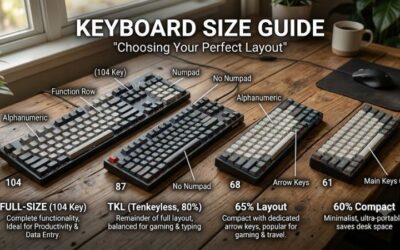
A 60 percent keyboard removes the function row, the navigation cluster, the arrow keys and the number pad. What remains is the main alpha block and a few modifier keys, usually 61 keys. The benefit is desk space: a typical full-size keyboard is about 17 to 18 inches wide, while a 60 percent board is roughly 11 to 12 inches wide. That extra 5 to 6 inches lets a gamer keep the mouse closer to the body and swing it with less shoulder movement, which many low-sensitivity players prefer.
The cost is that you reach the missing keys through a function layer. Arrow keys are typically accessed by holding Fn and pressing I, J, K and L, or similar keys. If you game with the arrow keys or the function row, a 65 percent or 75 percent keyboard is a better compromise. Programmable boards such as the RK61 and the AULA let you move those layers around, which solves most problems after a little setup.
| Layout | Keys | Typical width | Best for |
|---|---|---|---|
| Full-size | 104 | about 17 to 18 inches | Spreadsheets, MMOs with number pad binds |
| 75 percent | about 84 | about 12.5 to 13.5 inches | Gaming with function row and arrows |
| 65 percent | about 68 | about 12 inches | Compact with arrow keys |
| 60 percent | 61 | about 11 to 12 inches | Maximum mouse room, esports |
| Alice (ergonomic) | varies | wider than 60 percent | Natural wrist angle while typing and gaming |
1. AULA WIN60 HE: Best 60 Percent for Competitive Play
- 60 percent wired mechanical gaming keyboard
- Magnetic switches, hot-swappable
- Adjustable actuation
- Rapid trigger mode
- 8000Hz polling rate and RGB
Best for: FPS players who want fast, adjustable key response. Skip if: you want a plug-in-and-forget board without any software.
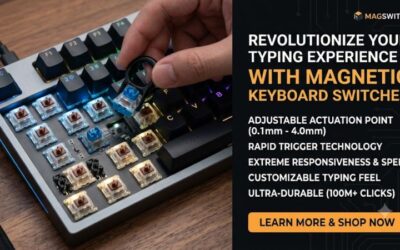
Magnetic switches detect key position with a sensor instead of a metal contact, which lets the keyboard measure how far a key is pressed. That allows a very short actuation distance and a rapid trigger mode, in which the key resets the moment you start releasing it rather than at a fixed point. In movement-heavy shooters, that makes counter-strafing feel sharper, since a key can register release almost immediately.
The 8000Hz polling rate means the keyboard reports to the PC up to 8,000 times per second, reducing the reporting interval to 0.125 milliseconds. The gain is small for most people and depends on the game and your hardware, but it is a marketed feature on this class of board. Hot-swappable means you can change switches without soldering, though magnetic switches are not interchangeable with ordinary mechanical ones; check the maker’s compatibility notes.
The trade-off is complexity. To get the full benefit, you set actuation points and rapid trigger sensitivity in software, and very short settings can cause accidental presses when you rest your fingers on keys. Start with moderate values and adjust.
Pros: adjustable actuation; rapid trigger; 8000Hz polling; compact. Cons: software learning curve; magnetic switch ecosystem differs from standard; wired only.
2. RK ROYAL KLUDGE RK61: Best Budget 60 Percent
- Wired 60 percent mechanical keyboard
- QMK/VIA programmable
- Hot-swappable
- Pre-lubed red switch in the listed version
- RGB backlight
Best for: First-time mechanical keyboard buyers and tinkerers who want to try different switches. Skip if: you prefer a wireless board; this listing is the wired version.
The RK61 became a staple of the budget compact market because it offers hot-swap sockets and programmability at a low cost. Linear red switches are the usual choice for gaming, since they press smoothly without a tactile bump. If you want a different feel, the hot-swap design lets you replace switches with a simple puller tool and no soldering.
QMK/VIA support is the other pillar: it lets you remap keys, set macros and rebuild layers without installing a heavy driver in some versions. The listing names QMK/VIA, but confirm that the specific colour you buy has support, as firmware features can differ between versions.
Pros: low cost; hot-swap; programmable; compact. Cons: plastic case; stock sound is plain; wired in this listing.
3. Redragon K617: Best Value Hot-Swap 60 Percent
- Wired 61-key compact layout
- Hot-swap sockets for modding
- RGB lighting with 20 modes
- Software supported
Best for: Players who want a 60 percent board at a low cost and may mod it later. Skip if: you want advanced firmware like QMK; the listing does not mention it.
The K617 is a straightforward gaming board. The 61-key design leaves more room to aim, a point the listing itself emphasises, and the swap-ready sockets mean you can try other switches later. The RGB modes and software support give enough customisation for most users.
It does not offer the programmability depth of the RK61 or the magnetic features of the AULA, so treat it as a simple, dependable entry. Check which switch type the listing version includes, since the same model can ship with different switches.
Pros: affordable; hot-swap; compact; software available. Cons: fewer advanced features; switch type varies by version; plain feel.
4. RK ROYAL KLUDGE A72 Alice: Best Ergonomic for Gaming
- Alice-style split ergonomic layout
- Wireless: Bluetooth, 2.4GHz and USB-C
- Gasket mount with RGB
- Knob, macro keys and touchable nameplate
- 5-layer noise dampening
Best for: Players and typists who want a more natural hand position without paying for a high-end brand. Skip if: you need a tiny footprint; Alice boards are wider than 60 percent boards.
The Alice layout angles the left and right halves of the keyboard toward each other, so your wrists sit more naturally than on a straight board. Many people find it more comfortable over long sessions, though it can feel odd for the first few days. Because it keeps a single connected body, it is easier to adopt than a fully split keyboard.
For gaming, the 2.4GHz mode matters more than Bluetooth, since a dedicated receiver offers lower latency. The gasket mount and five layers of noise dampening aim at a softer sound and feel, which suits late-night play. Macro keys and a knob add convenience for voice volume or a quick bind.
If you have a recurring wrist or hand ache, an ergonomic keyboard is only one part of the answer; desk height, posture and breaks matter as much, and a doctor or physical therapist can advise.
Pros: ergonomic Alice shape; three connection modes; softer sound; macro keys. Cons: learning curve; wider footprint; wireless battery life not listed.
5. Keychron V10 Ultra 8K: Best Premium Ergonomic
- 75 percent Alice ergonomic layout
- Knob
- 8000Hz on 2.4GHz wireless or USB-C wired
- Bluetooth support
- Wireless mechanical keyboard
Best for: Gamers who want an ergonomic keyboard with a function row and arrow keys, plus very high polling. Skip if: you want a 60 percent footprint.
The V10 Ultra combines two worlds: a 75 percent layout that keeps the arrow keys and function row, and an Alice ergonomic shape. The listing highlights 8000Hz polling on 2.4GHz and wired modes, which is useful for competitive players who want the lowest reporting delay.
This is a premium board, so the extra cost goes to build quality, polling performance and the layout. If you are curious about Alice but nervous about a big adjustment, the 75 percent size makes it easier because common keys stay where you expect them.
Pros: ergonomic plus compact; 8000Hz; wireless; knob. Cons: premium cost; larger than 60 percent; learning curve.
6. Kinesis mWave: Best Quiet Ergonomic
- Quiet mechanical switches
- Bluetooth and USB
- Programmable
- Backlit
- Windows modifiers and hotkeys
Best for: Shared spaces, late-night play and people who type a lot between games. Skip if: you need ultra-fast gaming features like rapid trigger.
Kinesis is known for ergonomic keyboards in office settings, and the mWave brings that design to a mechanical board with quiet switches. Quiet switches reduce the clack that bothers housemates and streamers’ microphones. It is programmable and backlit, which covers the basics a gamer expects.
Honestly, this is a typing-first keyboard that works well for casual and strategy gaming. Competitive shooters will find faster options elsewhere in this guide.
Pros: quiet; ergonomic; programmable; dual connection. Cons: premium cost; not tuned for esports; larger than 60 percent boards.
7. LEOBOG A75 Alice: Best Alice Layout With Extras
- 75 percent Alice ergonomic layout
- Tri-mode connection
- RGB backlight
- Functional knob and joystick as named in the listing
- Hot-swappable
Best for: Gamers who like extra control surfaces and want a modifiable Alice board. Skip if: you prefer well-known brand support.
The LEOBOG A75 offers a feature list that sits between the budget and premium Alice boards. Tri-mode connection means Bluetooth, 2.4GHz and wired. The knob is useful for volume, and the hot-swap design means you can change switches later. Because the brand is less established, check warranty and software details on the maker’s page before buying.
Pros: Alice layout; tri-mode; hot-swap; extra controls. Cons: less-known brand; software details not listed; wider than 60 percent boards.
RK ROYAL KLUDGE RK61 QMK/VIA Version: Another Option

RK ROYAL KLUDGE RK61 Wired 60% Mechanical Gaming Keyboard, Compact PC Game Keyboards with QMK/VIA Programmable RGB Backlit, Hot Swappable Custom Keyboard for Win/MAC, Pre-lubed Red Switch, White
Included for 'Best 60 Percent and Ergonomic Mechanical Keyboards for Gaming' as a representative home product in this roundup; selection reflects the product set returned for this topic.
View on AmazonThis listing is a second version of the RK61 covered above: a wired 60% mechanical gaming keyboard with a compact layout, QMK/VIA programmable support and RGB backlighting. Other details such as switch type and keycap material are not listed in the title, so check the exact colour and switch option before you order.
Pros: compact 60% footprint; QMK/VIA programmable; RGB backlight; wired connection. Cons: switch and case details not listed; no wireless mode.
Also Consider
AULA WIN68 HE
A 60 percent style magnetic board with Hall effect switches, fast trigger mode, 8000Hz polling and RGB. A sibling to the WIN60 HE with extra keys.
RK ROYAL KLUDGE R65
A wired gasket-mount board with a volume knob, PBT keycaps, 66 keys and QMK/VIA. A step up in feel from the RK61.
MageGee Portable 60% Mechanical Gaming Keyboard
A low-cost 68-key wired board with red switches. Suitable for office and light gaming.
How We Chose
This guide is research-based. We compared manufacturers’ published specs and each listing’s details, and we looked at the QMK and VIA project documentation for how programmable firmware works. We did not personally use these keyboards. We kept to currently sold products with a clear layout, limited each brand to two entries and covered both the 60 percent and ergonomic categories. When the listing did not give a spec, such as battery life, we wrote “not listed”.
Buying Guide
1. Choose the layout before the brand
If you game with only WASD and nearby keys, a 60 percent board is enough. If you use arrow keys, the function row or a number pad, choose 65 percent, 75 percent or full-size. Ergonomic Alice boards add width, so check that your desk and mouse space still work.
2. Understand the switch types
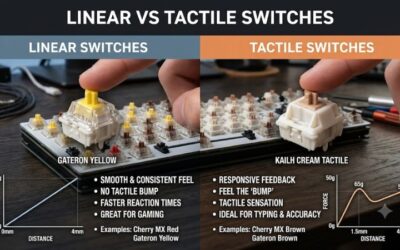
Linear switches press smoothly without a bump and are common in gaming. Tactile switches have a bump that gives feedback, and clicky switches add an audible click. Magnetic switches use sensors, enabling adjustable actuation and rapid trigger. Quiet switches reduce noise, useful in shared rooms.
3. Pick the connection by use
Wired is the most reliable and lowest in latency. 2.4GHz wireless is close to wired for gaming. Bluetooth is convenient for work and tablets but adds latency, so it is not recommended for competitive play. Wireless boards need charging; check battery details on the maker’s page.
4. Value programmability
QMK and VIA let you remap keys and layers with a simple interface. For 60 percent boards this is crucial because it lets you move arrow keys and shortcuts to comfortable positions. Check that the model you buy supports it.
5. Think about comfort and habits
Alice and split layouts reduce wrist angle but need an adjustment period. Use a wrist rest if you type for long periods, keep the keyboard at elbow height, and take breaks. A keyboard is not a cure for pain; consult a medical professional if you have symptoms.
Common Mistakes to Avoid
- Buying a 60 percent board without checking how to reach arrow keys and the function row.
- Setting rapid trigger or actuation too sensitive, causing accidental inputs.
- Assuming all hot-swap sockets accept all switches; magnetic and standard switches differ.
- Choosing Bluetooth for competitive play.
Adapting to a 60 Percent or Alice Layout: A Two-Week Plan
Most buyers who return a compact or ergonomic keyboard do it in the first three days, before muscle memory catches up. A short plan makes the switch smoother and helps you judge the board fairly.
| Period | What to do | Why |
|---|---|---|
| Days 1 to 3 | Use the new board for desktop work and slow games. Keep the old keyboard nearby. | Typing speed drops first; low-pressure use avoids frustration |
| Days 4 to 7 | Remap the Fn layer so arrows and common shortcuts sit under your right hand, using QMK/VIA or the maker’s software. | A layer that matches your habits matters more than the default |
| Week 2 | Move to ranked or competitive play. For magnetic boards, adjust actuation and rapid trigger in small steps. | Very sensitive settings cause accidental presses |
For Alice and other ergonomic layouts, give your hands at least a week. The most common complaint is the B key, which many typists reach with both hands on a standard board; on an Alice board it is placed on one side, and the habit changes slowly. Practising typing without looking, using a free typing trainer for ten minutes a day, speeds up the process.
Switch Weights, Keycaps and Sound: Details Gamers Overlook
Beyond layout, three small details change how a keyboard feels in a long session. First, switch weight: lighter switches (around 35 to 45 grams of actuation force) reduce finger fatigue in fast games, while heavier switches (60 grams or more) prevent accidental presses when your fingers rest on keys. Magnetic boards let you tune this digitally by changing the actuation point, so you can try several values in a single evening. The listings in this guide do not state force values, so check the maker’s switch page.
Second, keycap material. PBT keycaps, mentioned on the RK R65 listing, resist shine and keep their texture longer than ABS keycaps, which tend to go glossy after months of use. If you buy a budget board with ABS caps and like it, a PBT set is a cheap upgrade because most compact boards use standard sizes, although you should check the bottom row layout of the board first.
Third, sound. Gasket mounts, foam layers and lubed switches, features named on several boards here, mostly change the sound from a sharp clack to a softer thock. If you stream or play in a shared room, noise dampening is more than a luxury. Keep in mind that sound is subjective, and the same board can sound different on a wooden desk compared with a glass or metal one. A cheap desk mat under the keyboard softens the sound further.
Finally, remember that a compact board shifts your mouse and keyboard closer together. Raise your chair or monitor if your shoulders hunch, and keep your forearms level with the desk. These small adjustments often matter more for comfort than the keyboard itself.
Frequently Asked Questions
Is a 60 percent keyboard good for gaming?
Yes, especially for FPS and esports titles where mouse room matters. It is less convenient for games that need function keys, arrow keys or a number pad, though layers can fix most of that.
What is the difference between 60 percent and 65 percent keyboards?
A 65 percent board keeps dedicated arrow keys and a few navigation keys, adding a column to the right. A 60 percent board has no arrow keys.
What is an ergonomic mechanical keyboard?
It is a mechanical-switch keyboard shaped to keep your wrists and forearms in a more natural position, such as Alice layouts that angle the halves of the keyboard toward each other.
Are ergonomic keyboards good for gaming?
They can be, especially for long sessions, if the layout keeps your usual game keys within reach. Highly split designs may need re-learning of bindings.
What does rapid trigger mean?
It means a key resets as soon as you begin releasing it, not at a fixed point, allowing faster repeated inputs. It requires keyboards with adjustable sensors, such as magnetic switch models.
Do I need 8000Hz polling?
Most players will not notice it, but it can reduce reporting delay for competitive play on capable PCs. Higher polling uses more CPU time, so watch your system performance.
Can I change the switches on these keyboards?
Hot-swappable models let you swap switches without soldering. Make sure the replacement type matches the board, since magnetic boards need magnetic switches.
Which One Should You Buy?
If you play fast shooters, buy the AULA WIN60 HE. If you want a low-cost start, buy the RK61 or the Redragon K617. For a more natural wrist position, choose the RK A72 Alice for value, the Keychron V10 Ultra for premium features, the LEOBOG A75 for extras, or the Kinesis mWave if quiet typing matters most.
Sources
- AULA, RK ROYAL KLUDGE, Redragon, Keychron, Kinesis and LEOBOG product pages and listing specifications
- QMK Firmware and VIA project documentation
- Manufacturer guidance on Hall effect and magnetic switch operation
Last updated: October 2026