- Top Pick: SteelSeries Apex 3 RGB Gaming Keyboard – 10-Zone RGB Illumination – IP32 Water Resistant – Premium Magnetic Wrist Rest (Whisper Quiet Gaming Switch)
- Best Value: Corsair K55 RGB PRO Membrane Wired Gaming Keyboard – IP42 Dust and Spill-Resistant – 6 Macro Keys with Elgato Integration – iCUE Compatible – QWERTY NA – PC, Mac, Xbox – Black
- Premium Choice: Redragon S101-3 PRO Gaming Keyboard and Mouse, RGB Backlit Programmable Keyboard Mouse with Software, Independent Macro Record Keys, Value Combo Set, New Update Version
Shopping for an RGB gaming keyboard in 2026 means wading through hundreds of near-identical listings, vague marketing claims, and inflated star ratings that don’t tell you much about actual switch feel, build quality, or software reliability. Most buyers just want something that lights up nicely, survives spilled coffee and late-night sessions, and doesn’t require a computer science degree to program a macro key.
This guide cuts through the noise. We’ve compared membrane and mechanical-style options across price points, from budget combo sets to premium wired boards, so you can match a keyboard to your actual use case—whether that’s competitive FPS play, everyday productivity with some RGB flair, or a wireless desk setup that stays clutter-free.
Related guide: Logitech mouse under $100



As an Amazon Associate we earn from qualifying purchases at no extra cost to you.




🎮 Get More From Your Setup — Free
Prime Gaming gives you free PC games every month, in-game loot, and a free Twitch channel sub — plus fast free shipping on all the gear above. New members get a 30-day free trial.
Watch: Best RGB Gaming Keyboard — Video Review
How to Choose a RGB Gaming Keyboard (2026)
- Switch type: Membrane keyboards are quieter and cheaper, while mechanical or hybrid switches offer faster actuation and better tactile feedback for competitive play.
- Durability rating: Look for IP32 or IP42 spill/dust resistance if you eat or drink near your setup—it’s a strong indicator of build quality beyond just marketing.
- Connection type: Wired keyboards eliminate input lag and battery anxiety; wireless or tri-mode boards trade a hair of latency for a cleaner desk.
- Software and macros: Dedicated macro keys and companion apps (like iCUE) matter most if you play MMOs, MOBAs, or use streaming tools like Elgato.
- RGB customization depth: Zone-based lighting (per-key vs. multi-zone) affects how much control you have over effects—decide if you need per-key precision or just ambient glow.
The Best RGB Gaming Keyboard (2026)s Reviewed
SteelSeries Apex 3
The Apex 3 stands out with 10-zone RGB and genuinely whisper-quiet switches, making it the best pick for shared spaces or late-night gaming without waking anyone up. Its IP32 water resistance and magnetic wrist rest add a level of comfort and durability rare at this tier.
Corsair K55 RGB PRO
Corsair’s K55 RGB PRO earns its spot with IP42 spill and dust resistance plus six dedicated macro keys that integrate directly with Elgato Stream Deck software, making it a strong choice for streamers. iCUE compatibility also means lighting and macros sync cleanly across other Corsair peripherals.
Redragon S101-3 PRO Combo
For gamers on a budget who still want a matched keyboard-and-mouse setup, the S101-3 PRO delivers RGB backlighting and independent macro recording without needing a dedicated software deep-dive. It’s a practical value pick for a first gaming rig or a secondary setup.
TECKNET RGB Metal Panel Keyboard
The TECKNET keyboard’s metal panel construction gives it a sturdier feel than most keyboards in its price range, while still delivering solid RGB backlighting for the money. It’s a good option for buyers prioritizing physical durability over software features.
HyperX Alloy Core RGB
HyperX’s Alloy Core RGB focuses on comfort and quiet operation, with spill-resistant membrane switches and dedicated media keys that make everyday use more convenient. Broad OS compatibility (Windows 10/8.1/8/7) makes it a safe, no-fuss pick for mixed-use households.
Related Guides
- Office Mechanical Keyboard (2026)
- Best Buy Gaming Keyboards (2026)
- Moon Lander Keyboard (2026)
- Best Brand Mechanical Keyboard (2026)
Frequently Asked Questions
Do I need mechanical switches for competitive gaming?
Not necessarily—many membrane keyboards, like the HyperX Alloy Core RGB, offer fast enough response times for casual and mid-level competitive play. Mechanical switches provide an edge in actuation speed and tactile feedback, but skill and practice matter far more than switch type.
Is wireless lag noticeable on tri-mode keyboards like the Redragon S101M-KS?
Modern tri-mode keyboards (Bluetooth, 2.4GHz, and wired) minimize lag significantly compared to older wireless tech, and the 2.4GHz mode is generally responsive enough for most gaming. For zero-compromise competitive play, wired mode remains the safest choice.
What does IP32 or IP42 water resistance actually protect against?
These ratings indicate protection against dripping water and dust ingress—IP42 offers slightly better dust resistance than IP32. Neither rating means the keyboard is submersible, but both significantly reduce risk from accidental spills.
Are keyboard-and-mouse combos worth it over buying separately?
Combos like the Redragon S101-3 PRO or S101M-KS offer better value and matched aesthetics for budget builds, but buying separately lets you optimize each component for your specific grip and sensitivity preferences. If budget is the main constraint, a combo is usually the smarter choice.
Final Thoughts
For most gamers, the SteelSeries Apex 3 offers the best balance of quiet operation, durability, and RGB customization, while the Corsair K55 RGB PRO is the top choice for streamers who want deep software integration. Budget-conscious buyers should look to the Redragon S101-3 PRO Combo for solid value without sacrificing core gaming features.
Top picks from this guide
 RedragonRedragon S101M-KS Gaming Keyboard and Mouse Wireless with Tri-Mode, RGB…
 GravaStarGravaStar Mercury K1 75% Wireless Mechanical Gaming Keyboard RGB Backlit…
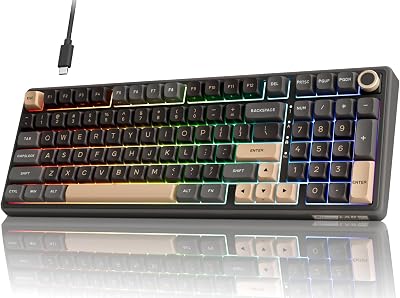
 RK ROYAL KLUDGERK ROYAL KLUDGE R98 Pro Wired Mechanical Keyboard, 96% Creamy…
 RedragonRedragon K580 Wired RGB Mechanical Gaming Keyboard, Macro Key &…