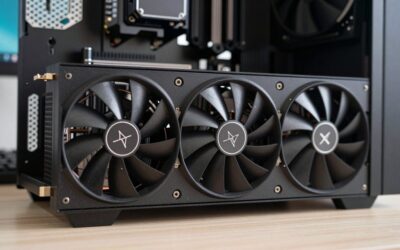
An RTX 5090 computer represents the current ceiling of consumer performance, whether you buy a complete prebuilt tower or the graphics card alone to drop into your own rig. The 5090’s 32GB of GDDR7 and massive bandwidth chew through 4K gaming, 8K output, and demanding creative workloads that would bring lesser hardware to its knees.
This review looks at both routes to a 5090 machine, complete systems from Lenovo, HP, ZOTAC, and others, plus the standalone ASUS ROG Astral card, so you can decide whether a turnkey build or a self-install best matches your budget and comfort level.
🎮 Get More From Your Setup — Free
Prime Gaming gives you free PC games every month, in-game loot, and a free Twitch channel sub — plus fast free shipping on all the gear above. New members get a 30-day free trial.
Watch: RTX 5090 Computers — Video Review
Design & Build
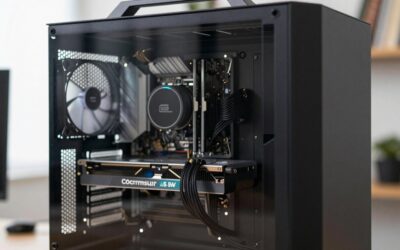
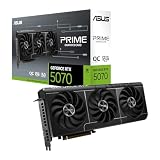
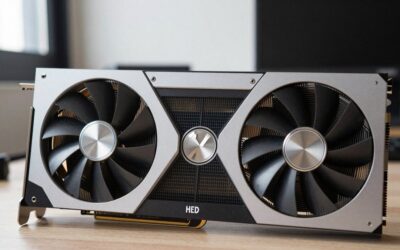
Prebuilt 5090 towers are engineering exercises in taming heat and power. The Lenovo Legion Tower 7i Gen 10 wraps a 24-core Ultra 9 285K and liquid cooling in a clean, serviceable chassis, while the HP OMEN 45L uses its signature large-format case and a Light Studio front for airflow and looks. The ZOTAC MEK and Velztorm Praetix take gaming-forward approaches with liquid-cooled flagship CPUs. If you’re building yourself, the ASUS ROG Astral RTX 5090 OC is a statement card, a 3.8-slot, 4-fan design with a vapor chamber, so make sure your case and PSU can accommodate its size and draw.
Performance
However you get there, the 5090 delivers. In games it runs 4K maxed with high frame rates and enables smooth 8K in supported titles, and DLSS 4 widens that lead further. For creators, the 32GB frame buffer accelerates 3D rendering, high-resolution video timelines, and AI workloads dramatically. Among prebuilts, CPU pairing shapes the experience: the Skytech Legacy 4’s Ryzen 9 9950X3D and the ZOTAC MEK’s 9800X3D favor gaming, while the Ultra 9 285K in the Lenovo and HP builds is a strong mixed-use choice. The standalone ROG Astral matches all of them once installed in a capable host system.
Pros & Cons
- Class-leading 4K and 8K performance with headroom to spare.
- 32GB GDDR7 excels at creative and AI workloads.
- DLSS 4 support for major frame-rate gains.
- Prebuilt or DIY paths to suit different buyers.
- Very high cost for both cards and complete systems.
- High power and heat demand strong PSUs and cooling.
- Large cards like the ROG Astral need spacious cases.
Alternatives to Consider
If the 5090’s price is hard to justify, a 5080-based system delivers most of the 4K experience for meaningfully less. Buyers who value simplicity and warranty should choose a prebuilt like the Lenovo Legion over sourcing the ROG Astral card themselves. And creators whose workloads are more CPU-bound than GPU-bound may get better value reallocating budget toward more cores and RAM rather than the absolute top graphics tier.
Related Guides
- What Is The Best Graphics Card For Gaming (2026)
- RTX 50 Series Gaming Laptop Deals (2026)
- Nvidia RTX 5090 Price Increases (2026)
- RTX 5090 Gaming Laptop (2026)
- RTX 5070 Ti Laptop Sale (2026)
Frequently Asked Questions
Should I buy a prebuilt or just the card?
If you already own a capable, spacious system with a strong PSU, the ASUS ROG Astral card is the flexible route. Otherwise a prebuilt like the Lenovo Legion avoids compatibility headaches.
What PSU does a 5090 need?
Plan for a high-quality 1000W or greater ATX 3 unit. Prebuilt 5090 towers typically ship with 1000W to 1200W supplies for good reason.
Is the 5090 overkill for 1440p?
For pure 1440p gaming, yes, it shines at 4K and 8K. At 1440p you’d rarely stress it unless you also do heavy creative work.
Will the ROG Astral fit my case?
Check clearance carefully, it’s a 3.8-slot, 4-fan card. Mid-towers may be too tight; a full-size case is safest.
Verdict
An RTX 5090 computer is the definition of no-compromise performance. For a hassle-free, warranty-backed machine, the Lenovo Legion Tower 7i Gen 10 is our top prebuilt pick, with the ZOTAC MEK a strong gaming-focused alternative. DIY builders with the right case and PSU should grab the ASUS ROG Astral card. Either way, budget for the power and cooling this class demands.