🛒 Best Price Today on Amazon
Prime members get fast, free shipping on everything above, plus member-only deals. New members get a 30-day free trial — cancel anytime.
Choosing the best z790 motherboard depends on your Intel processor, memory, storage plans, and budget. Z790 boards support a wide range of LGA1700 CPUs, but their connectivity, expansion options, and firmware features vary. The right choice balances useful hardware with long-term value rather than paying for features your gaming setup will rarely use.
How to Choose a Z790 Motherboard
Start with compatibility, then compare power delivery, expansion, and connectivity. Z790 uses Intel’s LGA1700 socket and supports compatible 12th-, 13th-, and 14th-generation desktop processors, subject to each board’s CPU support list and BIOS version. Most importantly, choose the exact memory variant you need: DDR4 and DDR5 modules are not interchangeable.
Match the CPU and Memory
For a new DDR5 gaming build, the MSI MAG Z790 TOMAHAWK MAX WIFI offers a useful balance of memory capacity, storage, and networking. Its LGA1700 socket supports compatible Intel Core processors from the 12th through 14th generations. Check the manufacturer’s CPU support list before installation, particularly when using an older BIOS or a processor released after the board.
If you already own DDR4 memory, consider a board specifically designed for DDR4, such as the MSI MAG Z790 TOMAHAWK WIFI DDR4. The DDR4 and DDR5 versions are separate products, not interchangeable configurations. Buying the correct variant can avoid an unnecessary memory upgrade, while a new build may benefit from choosing DDR5 for a more current memory platform.
Check Power Delivery and Cooling
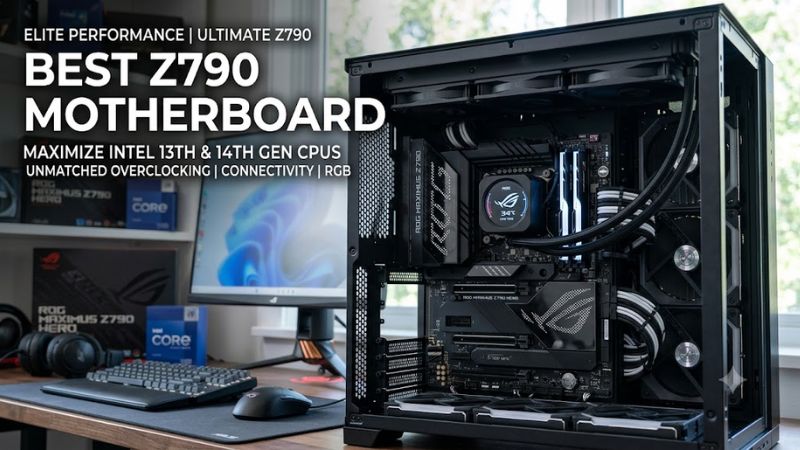
High-performance processors can draw substantial power under sustained workloads, so the motherboard’s voltage-regulator design and cooling deserve attention. The ASUS ROG MAXIMUS Z790 HERO targets premium builds with a substantial power-delivery system and extensive heatsinks. However, a flagship board is not necessary for every gaming CPU, and actual processor performance also depends on cooling, firmware, and power limits.
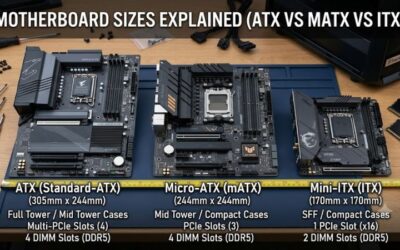
A capable motherboard cannot compensate for an undersized CPU cooler or poor case airflow. Before purchasing, check cooler clearance, fan headers, and the case’s supported motherboard dimensions. A standard ATX board needs a compatible ATX case or a larger enclosure with ATX mounting support. Confirm radiator and graphics-card clearance separately, since these depend on the complete system configuration.
Plan Your SSD and Expansion Needs
Count your existing drives and the upgrades you expect to add. The MSI MAG Z790 TOMAHAWK MAX WIFI includes four M.2 sockets and eight SATA ports, while the ASUS ROG MAXIMUS Z790 HERO advertises five M.2 positions when its included expansion card is accounted for. Slot availability and shared bandwidth matter more than a headline count alone.
Also examine PCIe lane sharing before installing multiple high-speed devices. On the MSI TOMAHAWK MAX WIFI, installing an SSD in its CPU-connected PCIe 5.0 M.2 socket reduces the primary graphics slot to PCIe 5.0 x8 operation. This arrangement is still compatible with modern graphics cards, but buyers should understand the trade-off before planning a heavily populated storage setup.
Choose Connectivity That You Will Use
Wi-Fi, Ethernet, USB-C, and high-speed external-device support can influence daily convenience more than small differences in motherboard specifications. The MSI TOMAHAWK MAX WIFI includes Wi-Fi 7 and 2.5Gb Ethernet, whereas the ASUS ROG MAXIMUS Z790 HERO provides Wi-Fi 6E and onboard Thunderbolt 4. The better choice depends on your router, network equipment, peripherals, and available internet speeds.
Check rear USB ports and internal front-panel headers against your case and accessories. A motherboard may advertise USB-C but still require a matching case cable or header for front-panel connectivity. Similarly, Wi-Fi 7 requires compatible client hardware and suitable network conditions to deliver its potential benefits. Avoid paying extra for networking standards or expansion features that your existing equipment cannot use.
Top Picks: Best Z790 Motherboards
These recommendations focus on documented specifications and practical use cases rather than invented gaming benchmarks. The table distinguishes DDR4 and DDR5 models and highlights limitations worth checking before ordering. Prices and availability can change, so compare current retailer listings and confirm the exact model suffix, especially when similarly named boards use different memory standards.
| Product | Best For | Key Spec | Compatibility | Watch Out For |
| MSI MAG Z790 TOMAHAWK MAX WIFI | Best Overall | 4 M.2, 8 SATA | LGA1700, DDR5, ATX | GPU slot can run at x8 with the Gen 5 M.2 slot occupied |
| MSI MAG Z790 TOMAHAWK WIFI DDR4 | Best Value | DDR4, 4 M.2 | LGA1700, DDR4, ATX | No DDR5 support |
| ASRock Z790 Nova WiFi | Best for NVMe Storage | 6 M.2 positions | LGA1700, DDR5, ATX | Gen 5 M.2 use reduces GPU slot to x8 |
| ASUS ROG MAXIMUS Z790 HERO | Best Premium Features | Thunderbolt 4, 5 M.2 positions | LGA1700, DDR5, ATX | High purchase cost |
Best Overall: MSI MAG Z790 TOMAHAWK MAX WIFI
The MSI MAG Z790 TOMAHAWK MAX WIFI is a strong all-round choice for a DDR5 gaming PC built around a compatible Intel LGA1700 processor. Four M.2 sockets, eight SATA ports, Wi-Fi 7, 2.5Gb Ethernet, and a rear USB-C port supporting 20Gbps cover a broad range of gaming and storage needs. Its ATX layout suits many mainstream performance builds.
Its main drawback is the shared-lane arrangement: occupying the CPU-connected PCIe 5.0 M.2 socket reduces the primary graphics slot to x8 operation. Buyers who want several fast drives should review the manual’s storage configuration notes before installation. This board is best for builders who value connectivity and flexibility, rather than those who need DDR4 reuse or premium workstation features.
Best Value: MSI MAG Z790 TOMAHAWK WIFI DDR4
The DDR4 version of the MSI MAG Z790 TOMAHAWK WIFI is worth considering when you already own compatible memory and want to keep an LGA1700 upgrade affordable. It supports DDR4, has four M.2 sockets, and includes Wi-Fi 6E and 2.5Gb Ethernet. Its familiar ATX form factor also fits many existing desktop cases that support standard ATX boards.
The compromise is its older memory standard and a different feature set from the MAX WIFI model. DDR4 modules cannot be transferred to a DDR5 motherboard, and this board cannot accept DDR5 memory. Choose it if reusing a good DDR4 kit meaningfully reduces your total build cost; skip it if your new system is already planned around DDR5 or you specifically want Wi-Fi 7.
Best for NVMe Storage: ASRock Z790 Nova WiFi
The ASRock Z790 Nova WiFi is particularly attractive for a gaming or creator system that needs multiple M.2 drives. Its specification lists six M.2 positions, including one PCIe 5.0 x4 socket and several PCIe 4.0-capable sockets, alongside Wi-Fi 7 and 2.5Gb Ethernet. It supports compatible 12th-, 13th-, and 14th-generation Intel processors with LGA1700.
Its storage density comes with a trade-off: installing a drive in the CPU-connected Gen 5 M.2 socket reduces the main graphics slot to x8. The board also has four SATA connectors, fewer than the MSI TOMAHAWK MAX WIFI. Consider it when NVMe capacity matters more than SATA expansion, and verify regional availability before building around this model.
Best Premium Features: ASUS ROG MAXIMUS Z790 HERO
The ASUS ROG MAXIMUS Z790 HERO is designed for enthusiasts who want premium connectivity, extensive controls, and advanced expansion. It supports DDR5, offers two Thunderbolt 4 ports, and advertises five M.2 positions when the supplied ROG Hyper M.2 card is included. Its diagnostic display, onboard controls, and firmware features can also make troubleshooting and enthusiast tuning more convenient.
The biggest disadvantage is its price: the premium feature set can cost more than a mainstream gaming build needs. Its storage and expansion-card arrangements also require attention because some configurations share lanes or disable another M.2 position. Buy it if Thunderbolt 4 and enthusiast-oriented controls matter to your workflow; otherwise, the less expensive MSI option may leave more money for a graphics card or SSD.
FAQ
Is Z790 Still Worth Buying in 2026?
Yes, Z790 can be worth buying in 2026 if you are building or upgrading a compatible LGA1700 system at an attractive price. It supports a broad selection of 12th-, 13th-, and 14th-generation Intel desktop processors, depending on the motherboard’s CPU support list and BIOS version.
However, Z790 is not compatible with Intel Core Ultra Series 2 desktop processors using the LGA1851 socket. If you are starting from scratch, compare the total cost of an LGA1700 build with newer platforms before committing to older hardware.
Does Every Z790 Motherboard Support DDR5?
No, Z790 motherboards come in distinct DDR4 and DDR5 versions, and each board accepts only its specified memory type. The MSI MAG Z790 TOMAHAWK WIFI DDR4 supports DDR4, while the TOMAHAWK MAX WIFI supports DDR5.
Check the exact product name and manufacturer’s memory compatibility list before purchasing RAM. Memory speed also depends on the processor, module configuration, firmware, and memory profile, so advertised overclocked speeds should not be treated as automatic operating speeds.
Which Z790 Motherboard Is Best for Gaming?
The MSI MAG Z790 TOMAHAWK MAX WIFI is a sensible general-purpose choice for a DDR5 gaming PC because it combines extensive storage connectivity with Wi-Fi 7 and 2.5Gb Ethernet. Its features suit many mainstream and high-performance builds without requiring a flagship motherboard.
However, motherboard specifications alone do not establish higher gaming frame rates. CPU choice, graphics hardware, cooling, memory configuration, and game settings have a greater influence on performance. No comparative gaming benchmark is claimed here because the recommendations are based on manufacturer specifications rather than a shared benchmark methodology.
Can a Z790 Motherboard Support an RTX Graphics Card?
Yes, compatible NVIDIA GeForce RTX graphics cards can operate in the primary PCIe x16 slot on these Z790 motherboards. Check the specific graphics card’s interface, physical dimensions, power requirements, and connector arrangement before installing it.
The motherboard does not determine whether your power supply is sufficient for the GPU. Check the graphics-card manufacturer’s recommended PSU capacity and required power connectors, then verify case clearance and cooling. Some storage configurations also reduce the primary graphics slot to x8, so consult the motherboard manual when installing a Gen 5 M.2 drive.
Final Thoughts
The best z790 motherboard is the one that fits your processor, memory, storage, and budget without charging for features you will not use. The MSI MAG Z790 TOMAHAWK MAX WIFI is a balanced DDR5 option, while the DDR4 version favors memory reuse. Consider ASRock for NVMe expansion and ASUS for premium connectivity, after checking compatibility and current pricing.