A gaming mouse is one of the easiest PC gaming gifts to get right, and one of the easiest to get slightly wrong. Get it right and the recipient uses it every day, for work, study, browsing, and every game in their library. Get it slightly wrong and it sits in a drawer because the shape pinches their hand, the weight feels sluggish, or the connection type does not suit their desk. The good news is that you do not need to be an expert player to choose well. Just think like a gift buyer rather than a spec hunter.
- How to Choose a Gaming Mouse Gift
- 1. Logitech G502 HERO Wired Gaming Mouse
- 2. Logitech G PRO X Superlight 2 Wireless Gaming Mouse
- 3. Razer DeathAdder V3 Wired Gaming Mouse
- 4. Logitech G305 LIGHTSPEED Wireless Gaming Mouse
- 5. HyperX Pulsefire Haste 2 Wireless Gaming Mouse
- Best Gaming Mouse Gifts at a Glance
- Frequently Asked Questions
Start with shape. A medium-sized mouse with gentle curves suits the widest range of hands and grip styles, which is exactly what you want when you cannot ask the recipient to try three models side by side. Well-known models from Logitech G, Razer, SteelSeries, and HyperX are popular as gifts for a practical reason: their shapes have been refined over many generations, their software is familiar, and support is easy to find.
Next, think about wired versus wireless as a gifting decision. A wired mouse never needs charging and works the moment it is plugged in, making it a calm, low-maintenance present for a younger player, a shared family PC, or anyone who dislikes upkeep. A wireless mouse feels more special to unwrap, keeps a desk tidy, and travels easily between machines, but it does ask the owner to remember charging or batteries. The right choice depends on the person, not on a ranking chart.
Finally, match the mouse to the games the recipient actually plays. Fast, competitive shooters reward a light mouse with a simple button layout. Story games, strategy titles, and multiplayer games reward comfort over long sessions and extra programmable buttons. A player who mixes everything benefits most from a balanced middle option. This guide explains how to make those calls, then presents five widely liked, broadly compatible mice covering the main gifting situations, from a first gaming mouse to a premium upgrade.
How to Choose a Gaming Mouse Gift
Start With a Safe Shape That Fits Most Hands
Shape matters more than any sensor number when you are buying for someone else. Most players hold a mouse in one of three ways: palm grip, where the whole hand rests on the shell; claw grip, where the fingertips curl and the palm touches lightly; and fingertip grip, where only the fingers make contact. A medium shell with a moderate hump and gently sloped sides supports all three, so it is the lowest-risk shape for a gift.
Size is the next consideration. Small mice suit smaller hands and fingertip grips, while large ergonomic shells suit bigger hands and relaxed palm grips. If you know the recipient has notably small or notably large hands, lean in that direction. If you do not know, choose the middle. Every mouse in this guide sits in that comfortable middle ground or is a well-known ergonomic shape. Also check handedness: most gaming mice are built for the right hand, so if the recipient is left-handed, a symmetrical model is the safer present.
Decide Between Wired and Wireless for Gifting
Wired mice have three gifting strengths: simplicity, consistency, and zero charging. The recipient plugs in one cable and plays. There is no receiver to lose and no moment mid-match where the mouse needs power. Modern flexible cables are light and soft, so cable drag is a much smaller concern than it used to be. For a first gaming mouse or a player who sits at one PC, wired remains a very sensible present.
Wireless mice feel cleaner and more modern, move without any cable resistance, and suit tidy desks and players who move between machines. Performance-focused wireless using a small USB receiver is fast and stable for competitive play, while Bluetooth adds easy pairing with laptops and tablets. The trade-off is upkeep: a rechargeable model needs a cable session now and then, and a battery-powered model needs fresh cells a few times a year. If the recipient keeps their gear charged, wireless makes a gift feel like an upgrade. If they prefer set-and-forget hardware, wired is kinder.
Match the Mouse to the Games They Play
You probably already know what the recipient plays, and that knowledge is more valuable than any specification list. For competitive shooters and fast action games, look for a light weight, a simple shape, and a sensor that tracks quick flicks cleanly. Lighter mice start and stop with less effort, which many shooter players prefer for aiming.
For role-playing games, massively multiplayer titles, and strategy games, extra programmable buttons become genuinely useful. Players map abilities, macros, push-to-talk, and shortcuts to the side buttons, and more buttons plus a comfortable shape serve them better over long sessions than an ultra-light esports shape. For a mixed library, which describes most players, a balanced mouse with six to eleven buttons is the sweet spot. Each pick below leans in a direction, and the product notes make those leanings clear.
Prefer Well-Known Models With Broad Compatibility
A gift should work the moment it is unwrapped, on the machine the recipient already owns. All five mice here connect over USB and work with Windows PCs, and the listings also note Mac compatibility for the Logitech G models. Established models also mean mature software for adjusting sensitivity and buttons, and plentiful setup guides written by the community.
Presentation matters too. A recognized model in clean retail packaging looks and feels like a considered present, and the recipient will likely recognize the name straight away. Lesser-known lookalike mice can look similar in a photo, but drivers, build quality, and long-term support vary widely, and a gift is the wrong place to gamble on those things.
Think About Weight, Buttons, and Everyday Comfort
Three smaller details round out a good choice. First, weight: light mice around sixty grams feel nimble for shooters, heavier mice feel planted and controlled, and an adjustable-weight model lets the recipient tune the feel themselves. Second, buttons: two side buttons are enough for most players, while more buttons help players of button-heavy games. Third, everyday comfort: a gaming mouse is also a work and browsing mouse, so a shape that stays comfortable for hours will be appreciated far beyond game time.
1. Logitech G502 HERO Wired Gaming Mouse

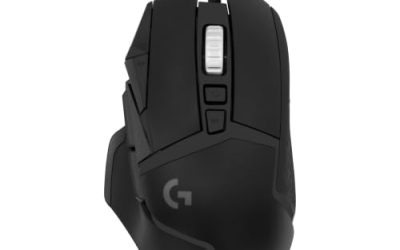
If you want one gift that suits the widest range of players, the Logitech G502 HERO is the classic answer. It is a wired, right-handed ergonomic mouse with a sculpted shape that supports a relaxed palm or claw grip, and it has been a familiar sight on gaming desks for years, making it an easy present to give with confidence.
The headline hardware is the HERO 25K sensor, with sensitivity adjustable up to 25,600 DPI through Logitech software, giving smooth, precise tracking across shooters, strategy games, and desktop work. Eleven programmable buttons cover the main clicks, a dual-mode scroll wheel that can spin freely or step with tactile clicks, and extra controls that players of role-playing and multiplayer games put to constant use. For a mixed library, this button count is a real advantage over simpler esports shapes.
A thoughtful gifting feature is the adjustable weight system. Five small 3.6 gram weights are included, and the recipient can arrange them inside the mouse to change its balance until it feels right in their hand. That turns your guess about preferred weight into their choice, which is exactly what a good gift should do. Customizable RGB lighting and on-board memory round out the package. Because it is wired, there is nothing to charge. For a player who plays a bit of everything, the G502 HERO is the safest all-round pick here.
- View on Amazon: https://www.amazon.com/dp/B07GBZ4Q68
2. Logitech G PRO X Superlight 2 Wireless Gaming Mouse

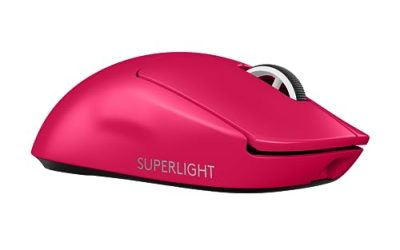
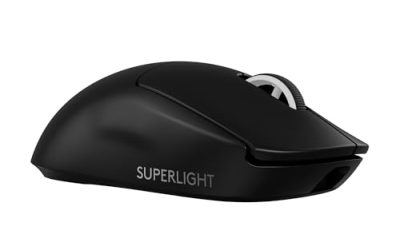
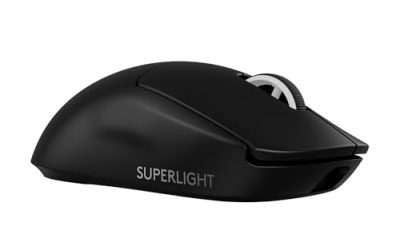
For the competitive player in your life, the Logitech G PRO X Superlight 2 is the premium gift in this list. It is a wireless mouse built around speed and simplicity: a clean, symmetrical shape, five programmable buttons, and a weight of just sixty grams that makes quick aiming movements feel effortless in fast shooters. The shape suits claw and fingertip grips especially well.
Inside is the HERO 2 sensor with tracking up to 44,000 DPI and a report rate up to 8 kHz, paired with LIGHTSPEED wireless for a fast, stable connection through the included USB receiver. The cursor responds with the immediacy competitive players expect, without a cable in the way. LIGHTFORCE hybrid switches are designed for fast, reliable clicks, which matters in games where a single click decides a round.
Battery life is listed at up to ninety-five hours, and when power is needed it charges over USB-C with the included cable. It works with PC and Mac, and the box includes grip tape and an adapter extension. Choose it when you know the recipient plays ranked shooters, talks about their aim, or has mentioned wanting a lighter mouse. It is a focused tool rather than a button-heavy all-rounder, and for the right player that focus is precisely the point.
- View on Amazon: https://www.amazon.com/dp/B09NBWL8J5
3. Razer DeathAdder V3 Wired Gaming Mouse

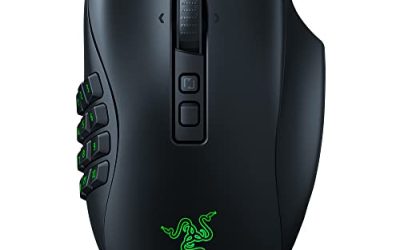
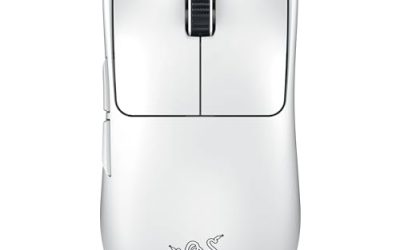
The Razer DeathAdder name has been attached to comfortable ergonomic mice for a long time, and the DeathAdder V3 is the modern, feather-light version of that idea. It is a wired, right-handed mouse with a smooth, flowing shape that cradles the hand in a palm or relaxed claw grip. If the recipient has ever mentioned hand comfort, or plays long sessions of story and action games, this shape is a kind choice.
What surprises people is the weight: just fifty-nine grams, remarkably light for a full-sized ergonomic shell. That lightness pairs with the Focus Pro 30K optical sensor, which tracks up to 30,000 DPI and works on a wide range of surfaces, including glass according to the listing. Razer Optical Mouse Switches Gen-3 are built for a long click life and a tactile feel, and the mouse supports an 8K Hz HyperPolling rate for very frequent reporting to the PC.
Six programmable buttons keep the layout clean, which suits players who want the essentials within easy reach. The Speedflex cable is soft and flexible, so the wired connection stays out of the way during play. As a gift, the DeathAdder V3 suits the player who values comfort and speed in equal measure, and prefers a wired connection they never have to think about. It is also a strong pick when the recipient already likes Razer gear.
- View on Amazon: https://www.amazon.com/dp/B0B6XTDJS1
4. Logitech G305 LIGHTSPEED Wireless Gaming Mouse

The Logitech G305 LIGHTSPEED is the easygoing wireless gift: simple, dependable, and friendly for almost any desk. Its compact, symmetrical shape suits small to medium hands and works comfortably across palm, claw, and fingertip grips, making it a low-risk choice when you are unsure about hand size. It is a particularly good present for a younger player, a student, or anyone who games on both a desktop and a laptop.
The HERO sensor tracks up to 12,000 DPI, plenty for everyday play across shooters, strategy games, and creative work, and LIGHTSPEED wireless through the small USB receiver keeps the connection responsive. Six programmable buttons cover the essentials, including two side buttons, and on-board memory means a saved profile travels with the mouse between computers.
Battery life is the standout convenience here, listed at up to two hundred and fifty hours from a single AA battery. For a gift, that matters: the recipient can play for months without thinking about power, and there is no charging routine to learn. The receiver stores neatly and the mouse is light and portable. Choose the G305 when you want wireless freedom without complexity, for a player who values a clean desk and hardware that simply keeps working. In black, it also matches almost any setup.
- View on Amazon: https://www.amazon.com/dp/B07CMS5Q6P
5. HyperX Pulsefire Haste 2 Wireless Gaming Mouse

The HyperX Pulsefire Haste 2 Wireless is the versatile middle path between the feather-light esports picks and the everyday wireless options above. At sixty-one grams it feels quick and agile for shooters, yet its symmetrical shape and solid shell make it comfortable for general play across other genres. It is a thoughtful gift for a player whose library spans competitive titles one evening and relaxed co-operative games the next.
The HyperX 26K sensor tracks up to 26,000 DPI natively and at speeds up to 650 IPS, so fast swipes and fine adjustments both register cleanly. Connectivity is flexible in a way gift buyers should appreciate: a 2.4 GHz wireless connection through the included dongle for gaming, Bluetooth for pairing with laptops, and a wired option over its cable when needed. That flexibility means the mouse fits whatever setup the recipient has today.
Battery life is listed at up to one hundred hours on a full charge, which keeps charging sessions infrequent. Button settings, sensitivity stages, and lighting can be adjusted through HyperX NGENUITY software, giving the recipient room to personalize the mouse after the wrapping paper is gone. Choose it when you want a light, modern wireless mouse that does not commit the recipient to one narrow style of play. It is an especially fitting present for a player upgrading from a basic office mouse, because the jump in speed and comfort is noticeable from the first session.
- View on Amazon: https://www.amazon.com/dp/B0BX52C4LN
Best Gaming Mouse Gifts at a Glance
| Gift Pick | Connection | Weight | Sensor | Buttons | Best Gift For |
|---|---|---|---|---|---|
| Logitech G502 HERO | Wired | Adjustable with included weights | HERO 25K, up to 25,600 DPI | 11 programmable | Mixed libraries, button-heavy games, one safe all-rounder |
| Logitech G PRO X Superlight 2 | Wireless | 60 g | HERO 2, up to 44,000 DPI | 5 programmable | Competitive shooter players who want a premium upgrade |
| Razer DeathAdder V3 | Wired | 59 g | Focus Pro 30K, up to 30,000 DPI | 6 programmable | Comfort-first players with medium to large hands |
| Logitech G305 LIGHTSPEED | Wireless | Lightweight, AA battery powered | HERO, up to 12,000 DPI | 6 programmable | Students, smaller hands, tidy and portable setups |
| HyperX Pulsefire Haste 2 Wireless | Wireless and Bluetooth | 61 g | HyperX 26K, up to 26,000 DPI | Programmable via software | Players who mix shooters with relaxed and co-operative games |
Frequently Asked Questions
Is a wired or wireless mouse better as a gift?
Neither is better for everyone, so choose based on the recipient. Wired is the lower-maintenance present: no charging, no batteries, and instant setup, which suits younger players and shared PCs. Wireless feels more like an upgrade, keeps the desk tidy, and suits players who move between machines. If you are unsure, think about how the person treats their phone. Someone who happily keeps devices charged will enjoy wireless. Someone who prefers things that simply work will thank you for wired.
How do I choose the right size without asking the recipient?
Pick a medium shape, which is what most of this guide contains. Medium mice suit the widest range of hand sizes and grip styles, and a symmetrical or gently ergonomic shell avoids extremes. If the recipient has small hands, the compact G305 is the safer shape here. If they have large hands and a relaxed grip, the DeathAdder V3 and G502 HERO give them more shell to rest on.
What if the recipient plays on both PC and Mac, or on a laptop?
All five mice connect over USB and are built first for PC gaming, and the Logitech G listings note Mac compatibility as well. For laptop use, wireless models are the most convenient: the G305 and Pulsefire Haste 2 travel easily, and the Pulsefire Haste 2 also pairs over Bluetooth. A wired pick still works with a laptop, as long as a USB port is free.
Which of these is the safest gift for someone whose games I do not know?
The Logitech G502 HERO is the safest single choice in this guide. Its comfortable shape, eleven programmable buttons, and adjustable weight system let the recipient shape it around shooters, strategy games, role-playing titles, and everyday work alike. If the person dislikes cables, the HyperX Pulsefire Haste 2 Wireless is the equivalent safe choice in wireless form.
Should I include anything alongside a gaming mouse gift?
A mouse works beautifully on its own, so nothing extra is required. If you want to round out the present, a large cloth mouse pad is the most useful companion, because every mouse here tracks best on a clean, consistent surface. A short note naming the games you pictured them playing is a small touch recipients tend to keep.
Disclosure: As an Amazon Associate, we earn from qualifying purchases.