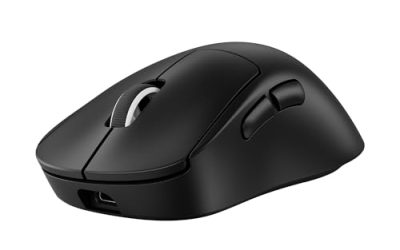
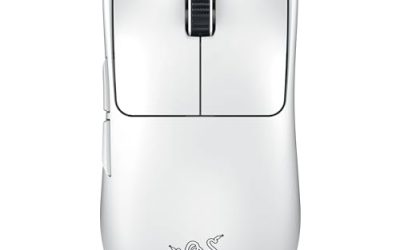
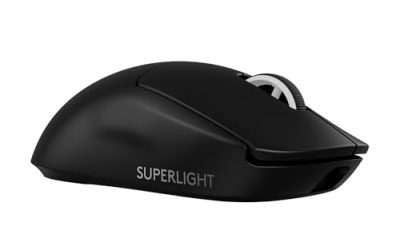
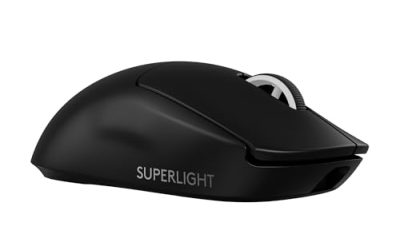
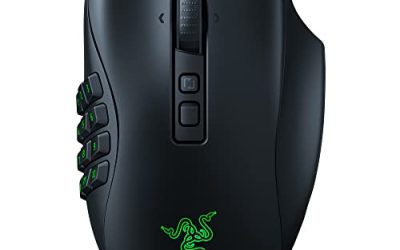
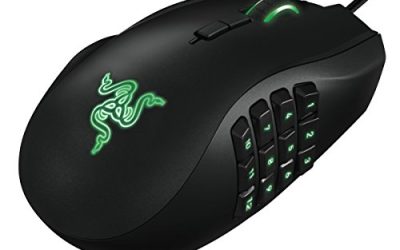
Path of Exile rewards fast hands and a clear plan. A single map can ask you to move, aim a main skill, trigger a movement skill, pop several flasks, use a Vaal skill, and pick up loot, all within a few seconds. A standard mouse leaves most of that work on the keyboard, where fingers have to travel, stretch, and return to the movement keys. A mouse built for MMO play changes that balance. Its thumb grid puts a large set of commands under one digit, so the left hand can stay focused on movement while the right thumb handles timed actions.
The best gaming mouse for Path of Exile is therefore not the lightest competitive shooter mouse or the one with the highest sensor number on the box. It is the mouse that gives you enough distinct, easy-to-reach buttons for flasks and skills, a sensor that tracks cleanly at your chosen sensitivity, a polling rate that keeps input responsive, and a shape that stays comfortable through long mapping sessions.
Our top pick: Razer Naga V2 Pro Wireless MMO Gaming Mouse. Runner-up: Corsair Scimitar Elite RGB Wireless MMO Gaming Mouse.
This guide compares published specifications only: programmable buttons, sensor, polling rate, weight, connection, battery life, onboard memory, and software and macro support.
At a Glance
| Product | Best for | Key specification |
|---|---|---|
| Razer Naga V2 Pro Wireless MMO Gaming Mouse | Swappable side plates and the largest button set | 19 plus 1 programmable buttons, Focus Pro 30K optical sensor |
| Corsair Scimitar Elite RGB Wireless MMO Gaming Mouse | Adjustable thumb panel and fast wireless polling | 16 programmable buttons, 26,000 DPI sensor, 2,000 Hz hyper-polling |
| Logitech G600 MMO Gaming Mouse | A wired MMO classic with a dedicated modifier button | 20 programmable buttons, 12-button thumb grid, 8,200 DPI sensor |
| Redragon M913 Impact Elite Wireless Gaming Mouse | A wireless MMO mouse with wired fallback | 16 programmable buttons, 12 side buttons, 16,000 DPI sensor |
How to Choose
1. Count the programmable buttons first
Path of Exile uses more active inputs than most action games. Five flasks alone can fill a thumb grid, before you add a main skill, a movement skill, a guard skill, a curse, a Vaal skill, and a loot filter toggle. A mouse with 16 to 20 programmable buttons gives you room to map the full flask row plus several skills without borrowing keys from the keyboard. A 12-button thumb grid is the practical starting point for this game, because it matches the five-flask layout and leaves seven buttons for skills and utility commands.
2. Map flask and skill keys to the side buttons
Flask timing is the clearest test of a Path of Exile mouse layout. In the default keyboard layout, flasks sit on keys 1 through 5, and skills sit on the right mouse button and the Q, W, E, R, and T keys. A useful thumb-grid plan mirrors that order: assign the top row of the thumb grid to the first flasks, the middle row to the remaining flasks and a guard skill, and the bottom row to a movement skill and a Vaal skill. Keep the most-used flask, often a life flask or a quicksilver flask, on the button your thumb finds without looking. Put a movement skill such as Dash, Flame Dash, or Leap Slam on a large, distinct button so you can press it while moving without breaking stride.
The exact assignment matters less than consistency. Use the same layout across characters and leagues, so muscle memory carries over when you change builds. If your mouse software supports profiles, save one profile for a flask-heavy mapping build and another for a bossing build with different skill priorities. Onboard memory helps here, because it can carry a profile with the mouse if you move between computers.
3. Check the sensor and DPI range
A high maximum DPI number does not make a mouse better for Path of Exile, but a modern optical sensor does make tracking more consistent. Look for a sensor that holds its tracking at your normal sensitivity, without acceleration, smoothing, or jitter when you make fast turns or small aiming corrections. The mice in this guide list maximum sensitivities from 8,200 DPI to 30,000 DPI, which is far above the range most Path of Exile players use. In practice, many players settle between 800 and 2,400 DPI, depending on screen size, resolution, and arm movement.
4. Look at polling rate and connection type
Polling rate describes how often the mouse reports its position to the computer. A 1,000 Hz polling rate reports 1,000 times per second, while a 2,000 Hz wireless polling rate, as listed for the Corsair Scimitar Elite Wireless, reports twice as often. For Path of Exile, a 1,000 Hz wired or wireless connection is already responsive for movement, aiming, and flask presses. A higher polling rate can reduce input latency in a measurable way, but it also uses more battery power on a wireless mouse, so some models let you lower it when you want longer battery life.
Connection type is a practical choice. A wired mouse has no battery to charge and no wireless signal to manage, which suits a fixed desk setup. A wireless mouse with a 2.4 GHz receiver gives you a cable-free desk and low-latency play, while Bluetooth adds a second wireless option for a laptop or a second computer, often at a lower polling rate. A mouse that also works wired while charging gives you the best of both layouts.
5. Weigh comfort, shape, and weight
Path of Exile sessions are long. Mapping, Heist, Delve, and league mechanics can keep you at the desk for hours, and a mouse that fits your hand poorly will show up as thumb fatigue, wrist strain, or accidental button presses. MMO mice are usually right-handed, palm-friendly, and wider than shooter mice, because the thumb grid needs room. Check the listed weight and dimensions, then think about your grip. A palm grip player will want a taller shell that fills the hand, while a claw grip player may prefer a slightly shorter body with a clear thumb rest.
Weight is a trade-off. A heavier mouse, often in the 114 to 134 gram range for the models in this guide, can feel stable and planted during precise aiming. A lighter mouse can feel quicker during fast flicks, but an MMO mouse carries extra buttons and a larger shell, so it will rarely be as light as a dedicated esports mouse. If you play at low sensitivity and move your arm a lot, a lighter shell may feel less tiring.
6. Compare battery life on wireless models
Battery life is listed in hours, but the number depends on lighting, polling rate, and connection mode. A wireless MMO mouse may list 45 hours with RGB lighting on, 80 hours in an eco mode, 150 hours at a lower polling rate, or 300 hours with lighting off. Those figures are not directly comparable unless the listing states the same conditions, so read the fine print and treat the headline number as a maximum under favourable settings.
7. Understand macro software and onboard memory
Macro software is the control centre for an MMO mouse. It lets you assign keyboard keys, mouse functions, DPI steps, and macros to each button, adjust lighting, and save profiles for different games or builds. Razer Synapse, Logitech G HUB, Corsair iCUE, and Redragon software all provide this kind of remapping, although the exact menus and profile limits differ by brand. Look for software that lets you assign a single key, a key combination, or a timed sequence to a thumb button, and that lets you store at least one profile on the mouse itself.
Onboard memory matters if you play on more than one computer or take the mouse to a friend’s setup. A profile stored on the mouse travels with it, so your flask and skill mapping stays in place without reinstalling software. For Path of Exile, keep macros simple and transparent: one button press should send one clear game command, such as a single flask key or a single skill key.
8. Match the mouse to your build style
Different Path of Exile builds ask for different button layouts. A flask-heavy mapper that presses flasks on a regular rhythm needs a clean, evenly spaced thumb grid with a clear top row. A bossing build with fewer flasks and more timed skills needs distinct buttons for a guard skill, a movement skill, and a Vaal skill, with enough space between them to avoid pressing two at once. Before you buy, list the commands you press most often, count them, and compare that count with the programmable button total on the listing.
Our Picks
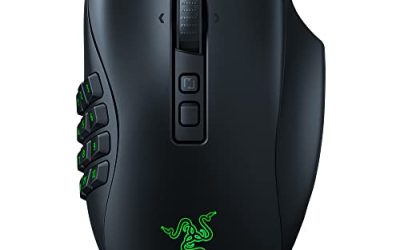
Razer Naga V2 Pro Wireless MMO Gaming Mouse — ASIN B0BGJTLFN5

The Razer Naga V2 Pro Wireless MMO Gaming Mouse lists 19 plus 1 programmable buttons, with three swappable side plates for 2, 6, and 12-button layouts. That swappable design is the key point for Path of Exile, because you can use the full 12-button plate for flask and skill mapping, then switch to a simpler plate for other games. The listing also names a Focus Pro 30K optical sensor, a HyperScroll Pro wheel, Optical Mouse Switches Gen-3, and HyperSpeed wireless with Bluetooth and wired modes. Battery life is listed at up to 300 hours.
Best for: players who want the largest button set and the option to change the side plate layout for different builds or games.
Consideration: the swappable plates add parts to keep track of, and the full 12-button plate takes practice before the thumb finds each button without looking.
Corsair Scimitar Elite RGB Wireless MMO Gaming Mouse — ASIN B0CCVYHZ9N

The Corsair Scimitar Elite RGB Wireless MMO Gaming Mouse lists 16 programmable buttons, including a patented 12-button Key Slider side panel that adjusts to fit your hand. The listing names a 26,000 DPI optical sensor, 2,000 Hz hyper-polling over SLIPSTREAM WIRELESS, Bluetooth, and USB wired connectivity, with battery life listed at up to 150 hours. Item weight is listed at 0.25 pounds, and the mouse is listed as compatible with Corsair iCUE software for button remapping, lighting, and profiles.
Best for: players who want an adjustable thumb panel, fast wireless polling, and long wireless battery life in a single MMO mouse.
Consideration: the Key Slider needs to be set to your thumb reach before play, and the 12-button grid is dense, so new users should learn the layout in easier maps first.
Logitech G600 MMO Gaming Mouse — ASIN B0086UK7IQ

The Logitech G600 MMO Gaming Mouse lists 20 programmable buttons, with a 12-button thumb grid, a G-Shift button that doubles the function of other buttons, and RGB backlighting. The listing names an 8,200 DPI sensor, a wired USB connection, onboard memory, and Logitech G HUB software support for remapping and profiles. The G-Shift button is the distinctive feature here: holding it gives the thumb grid a second layer, which is useful for a second set of flasks, skills, or utility commands.
Best for: players who want a wired MMO mouse with a dedicated modifier button and a large, clearly labelled thumb grid.
Consideration: the wired connection means a cable on the desk, and the 8,200 DPI maximum is lower than newer wireless models, although it is well above the range most Path of Exile players use.
Redragon M913 Impact Elite Wireless Gaming Mouse — ASIN B088B3ZM76

The Redragon M913 Impact Elite Wireless Gaming Mouse lists 16 programmable buttons, including 12 side buttons in an MMO layout, with a 16,000 DPI Pixart 3335 optical sensor. The listing names 2.4 GHz wireless and wired connectivity, RGB lighting, and battery life listed at up to 45 hours, with up to 80 hours in ECO mode with RGB off. Redragon software is listed for remapping keys, adjusting DPI levels, setting macros, and changing lighting effects.
Best for: players who want a wireless MMO mouse with a wired fallback and a straightforward 12-button side layout for flask and skill mapping.
Consideration: battery life is shorter than the wireless models above when RGB lighting is on, so plan to charge between sessions or use ECO mode for longer play.
Which One Is Right for You?
If you want the most flexible button layout and the longest listed battery life, start with the Razer Naga V2 Pro, and use its 12-button plate for your flask row and main skills. If you want an adjustable thumb panel and fast wireless polling, choose the Corsair Scimitar Elite Wireless, and slide the Key Slider until the top row sits naturally under your thumb. If you prefer a wired mouse with a modifier button that doubles your thumb grid, choose the Logitech G600, and map your second layer to utility skills or a second flask set. If you want a wireless MMO mouse with a wired option and a clear 12-button layout, choose the Redragon M913, and use ECO mode when you want the battery to last through a longer session.
Frequently Asked Questions
How many buttons do I need for Path of Exile?
Five flasks plus a main skill, a movement skill, a guard skill, and a Vaal skill add up to nine or ten active commands, before utility commands such as a loot filter toggle. A mouse with 16 to 20 programmable buttons and a 12-button thumb grid covers that set with room to spare. A smaller mouse can work for a simple build, but it will push more commands back to the keyboard.
Is a wireless mouse fast enough for Path of Exile?
Yes, when the listing names a 2.4 GHz wireless connection with 1,000 Hz or higher polling. The wireless models in this guide list 2.4 GHz receivers, and the Corsair model lists 2,000 Hz hyper-polling. Bluetooth is useful for a second device, but a 2.4 GHz receiver or a wired connection is the usual choice for active play.
Should I map all five flasks to the mouse?
Many players do, because the thumb can press flasks while the left hand stays on the movement keys. Map the flasks in the same order as the keyboard, from 1 to 5, so the layout matches the game screen and your existing habits. Keep the most-used flask on the easiest button to reach, and leave a gap or a distinct button for a movement skill so you do not press it by accident.
What DPI should I use in Path of Exile?
Most players use a DPI between 800 and 2,400, with in-game sensitivity adjusted to match. Start at 1,200 DPI, then raise or lower it until a comfortable wrist movement covers the screen and aiming feels steady. The maximum DPI on a listing is not a target, and a higher number does not improve flask timing or skill accuracy.
Do I need macro software for an MMO mouse?
You need software at least once, to assign keyboard keys to the thumb buttons and save a profile. After that, onboard memory can carry the profile with the mouse. The software from Razer, Logitech, Corsair, and Redragon all list remapping, DPI adjustment, lighting control, and macro creation, so choose the mouse whose software layout you find easiest to use.
Is a heavy MMO mouse a problem for long sessions?
MMO mice are heavier than shooter mice because of the thumb grid and larger shell, and the models here list weights in the 114 to 134 gram range. A heavier mouse can feel stable, while a lighter mouse can feel quicker. The right choice depends on your grip, sensitivity, and how much you move your arm. If possible, check the listed dimensions and weight against your current mouse before you buy.
Bottom Line
The best gaming mouse for Path of Exile is an MMO mouse with a 12-button thumb grid, enough programmable buttons for five flasks plus your main skills, a clean optical sensor, and software that lets you save a clear, consistent profile. The Razer Naga V2 Pro leads this guide for its swappable side plates and large button set, with the Corsair Scimitar Elite Wireless close behind for its adjustable thumb panel and fast wireless polling. The Logitech G600 remains a strong wired choice with its G-Shift modifier, and the Redragon M913 is a practical wireless option with a wired fallback. Pick the layout that fits your hand, map your flasks in a consistent order, and let the thumb grid carry the timed commands while your left hand stays on movement.
Disclosure: As an Amazon Associate, this site earns from qualifying purchases.