A white desk setup lives or dies on its peripherals, and the mouse is the piece your hand actually touches all day. The good news is that white is no longer a limited-edition afterthought: most flagship wireless gaming mice now ship in a proper white colorway with its own listing, so you do not have to trade performance for looks. This guide compares five white wireless gaming mice that cover the main shapes and budgets, from a 55-gram esports shell to a feature-loaded RGB all-rounder.
- The Picks at a Glance
- 1. Razer Viper V3 Pro (White) — Ultralight Esports Pick
- 2. Logitech G PRO X Superlight 2 (White) — The Pro Circuit Standard
- 3. Razer DeathAdder V3 Pro (White) — Ergonomic Comfort for Right Hands
- 4. Logitech G305 Lightspeed (White) — The Value Pick That Runs for Months
- 5. Logitech G502 X Plus (White) — Buttons, RGB and an Infinite Scroll Wheel
- How to Choose a White Wireless Gaming Mouse
- Keeping a White Mouse White
- Frequently Asked Questions
- Verdict
Every pick below is the exact white variant of its model, linked to its own Amazon listing so you can confirm the colorway before ordering. Specs are taken from each product’s Amazon listing page, including weight, sensor, polling rate and rated battery life.
As an Amazon Associate we earn from qualifying purchases.
The Picks at a Glance
| Model | Weight | Sensor | Max Polling | Rated Battery | Buttons |
|---|---|---|---|---|---|
| Razer Viper V3 Pro (White) | 55 g | Focus Pro 35K Optical Gen-2 | 8,000 Hz | Up to 95 hours | 8 |
| Logitech G PRO X Superlight 2 (White) | 60 g | HERO 2 | 8,000 Hz | Up to 95 hours | 5 |
| Razer DeathAdder V3 Pro (White) | 64 g | Focus Pro 30K Optical | 1,000 Hz (8,000 Hz with separate dongle) | Up to 90 hours | 5 |
| Logitech G305 Lightspeed (White) | 99 g | HERO (12K) | 1,000 Hz | Up to 250 hours | 6 |
| Logitech G502 X Plus (White) | Feature-focused build | HERO 25K | 1,000 Hz | Up to 130 hours | 13 |
1. Razer Viper V3 Pro (White) — Ultralight Esports Pick

The Viper V3 Pro is Razer’s symmetrical esports flagship, and the white version weighs 55 grams according to its listing — one gram more than the black shell, a difference no hand will ever feel. The shape is a safe, low-profile symmetrical design with gentle side curves, which suits claw and fingertip grips and medium hands especially well.
Inside, the listing specifies the Razer Focus Pro 35K Optical Sensor Gen-2 with tracking up to 750 IPS and 1-DPI step adjustments for fine sensitivity tuning. Wireless performance is the headline: the mouse pairs Razer HyperSpeed Wireless with the included HyperPolling Wireless Dongle to deliver a true polling rate of up to 8,000 Hz, eight times the report rate of a standard wireless mouse. Clicks come from Razer Optical Mouse Switches Gen-3, rated by the listing for a 90-million click lifecycle with 0.2 ms actuation.
Battery life is listed at up to 95 hours at a 1,000 Hz polling rate, dropping when you run the full 8,000 Hz mode, which is the normal trade-off for high-polling wireless. The listing also notes eight programmable controls and USB Type-C charging. There is no RGB here at all, which keeps the white shell clean and the weight down. If you play competitive shooters and want the lightest white mouse from a major brand, this is the obvious starting point.
- Amazon: https://www.amazon.com/dp/B0CW25XR5S
2. Logitech G PRO X Superlight 2 (White) — The Pro Circuit Standard

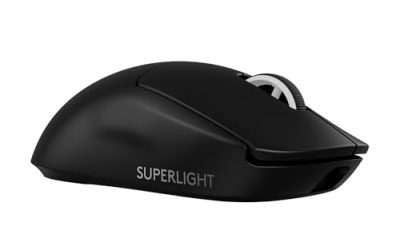
Logitech’s PRO X Superlight 2 in white is the other ultralight flagship, listed at 60 grams with a symmetrical, low-profile shape developed with professional players. It is a fraction heavier than the Viper V3 Pro but counters with Logitech’s LIGHTSPEED wireless and a HERO 2 sensor, which the current listing rates at up to 44,000 DPI.
The listing highlights LIGHTFORCE hybrid switches, which combine optical actuation speed with a mechanical click feel, and a report rate of up to 8 kHz over the LIGHTSPEED connection. Battery life is listed at up to 95 hours, and charging is over USB-C, with the cable, LIGHTSPEED adapter and an adapter extension included in the box. Five programmable buttons keep the layout minimal: two main clicks, a wheel click and two side buttons, with the side buttons customizable in Logitech’s software.
The white finish here is a smooth matte shell with no lighting zones, so it pairs cleanly with white keyboards and headsets. Choose this one if you prefer Logitech’s software ecosystem, want hybrid switches, or find the Superlight shape’s slightly rounder hump more comfortable than the Viper’s flatter profile.
- Amazon: https://www.amazon.com/dp/B09NBWQDKX
3. Razer DeathAdder V3 Pro (White) — Ergonomic Comfort for Right Hands

Not everyone wants a symmetrical shell. The DeathAdder V3 Pro takes Razer’s long-running right-handed ergonomic shape and cuts it down to 64 grams in the white version, per its listing. The sculpted body supports palm and relaxed claw grips, with a raised right side and flared main buttons that guide your fingers into place.
The listing specifies the Focus Pro 30K optical sensor, Razer Optical Switches Gen-3 and HyperSpeed Wireless connectivity. Out of the box the mouse polls at 1,000 Hz; the listing notes it can be upgraded to 8,000 Hz with the Razer HyperPolling Wireless Dongle, which is sold separately for this model rather than included. Battery life is rated at up to 90 hours, and there are five programmable buttons.
For players with medium-to-large hands who find ultralight symmetrical mice cramped, the white DeathAdder V3 Pro is the comfort pick: an ergo shape, a top-tier sensor and a weight that still sits firmly in the lightweight class.
- Amazon: https://www.amazon.com/dp/B0B6Y52YXB
4. Logitech G305 Lightspeed (White) — The Value Pick That Runs for Months

The G305 is the veteran of this list, and its white version remains one of the easiest recommendations in PC gaming. The listing gives it a 99-gram weight with the battery installed, a HERO sensor adjustable from 200 to 12,000 DPI, and LIGHTSPEED wireless with a 1 millisecond report rate.
Its party trick is endurance: the listing rates battery life at up to 250 hours of continuous gameplay on a single AA battery, so charging cables simply never enter the picture. The USB receiver stores inside the mouse body for travel, and there are six programmable buttons configured through Logitech G HUB. The compact, egg-like symmetrical shape works well for smaller hands and for claw or fingertip grips, though palm grippers with large hands may find it short.
There is no RGB and no rechargeable cell, which keeps both the cost and the complexity down. For a white wireless mouse that you can set up once and forget about for months, the G305 is hard to argue with.
- Amazon: https://www.amazon.com/dp/B07CMS5Q6N
5. Logitech G502 X Plus (White) — Buttons, RGB and an Infinite Scroll Wheel

The G502 X Plus is the pick for players who want features more than minimal weight. Its white listing highlights LIGHTSYNC RGB lighting, 13 programmable controls, and a dual-mode scroll wheel that switches between ratcheted steps and a free-spinning infinite scroll — genuinely useful for weapon wheels, long documents and timeline scrubbing.
Under the shell, the listing specifies the HERO 25K sensor and LIGHTFORCE hybrid optical-mechanical switches, plus LIGHTSPEED wireless and USB-C charging. Battery life is listed at up to 130 hours, and the mouse is PowerPlay compatible, meaning it can charge continuously on Logitech’s wireless charging mouse pad if you own one. A removable DPI-shift button cover is included, so you can blank off the sniper button if you keep hitting it by accident.
In white, the G502 X Plus shows off its RGB light bar better than the black version does, making it the natural centerpiece for a lit white setup. It is the heaviest and busiest design here, but for MMO, MOBA and productivity crossover use, nothing else on this list offers as many inputs.
- Amazon: https://www.amazon.com/dp/B092CGJ1S5
How to Choose a White Wireless Gaming Mouse
Start with shape, not specs. A mouse that fights your grip will feel wrong no matter how good its sensor is. Symmetrical shells like the Viper V3 Pro, Superlight 2 and G305 suit claw and fingertip grips and let either hand position work, while the DeathAdder V3 Pro’s ergonomic body is built for right-handed palm and relaxed claw grips. Hand size matters too: compact mice reward small hands and punish large ones.
Weight changes how a mouse feels in motion. The 55 to 64 gram picks on this list are built for fast flicks and low fatigue in shooters. Heavier, button-rich designs like the G502 X Plus trade that agility for controls and features. Neither is better in the abstract; match the weight to the games you actually play.
Polling rate is a real but diminishing upgrade. A standard 1,000 Hz wireless connection already reports every millisecond. The 8,000 Hz modes on the Viper V3 Pro and Superlight 2 smooth out cursor motion further, particularly on high-refresh monitors, but they also drain the battery faster. Treat high polling as a bonus for competitive play rather than a requirement.
Battery style is a lifestyle choice. Rechargeable mice with USB-C, like the two flagships and the G502 X Plus, top up quickly but need a cable routine. The G305’s AA cell lasts up to 250 hours per its listing and swaps in seconds. Pick whichever system you are more likely to keep on top of.
Check the colorway, not just the model. White versions are separate listings with their own ASINs, and marketplace sellers sometimes reuse photos across colors. Before ordering, confirm the listing title and color field say White — every link in this guide points at the white variant’s own page.
Keeping a White Mouse White
White shells show wear differently from black ones. Oils from your hand can gradually give the surface a yellow tint, and dark mouse pads can transfer dye onto light PTFE feet. A quick wipe with a slightly damp microfiber cloth once a week keeps the shell bright, and washing your hands before long sessions slows the buildup more than any cleaning product. Avoid harsh solvents, which can damage matte coatings. If you use grip tape, choose a light color so the mouse keeps its clean look.
Frequently Asked Questions
Does the white version of a gaming mouse perform the same as the black one?
Yes. The colorway changes the shell pigment only; the sensor, switches, wireless hardware and firmware are the same. A couple of models list a one-gram weight difference between colors, which is below anything a player can perceive.
Are white wireless mice harder to keep clean?
They show dirt sooner, which is the honest trade-off. A weekly wipe with a damp microfiber cloth keeps the shell looking new, and the smooth matte finishes on the flagships in this guide resist staining better than glossy shells.
Is 8,000 Hz polling worth it?
For competitive shooter players on high-refresh-rate monitors, it offers measurably smoother cursor updates, at the cost of battery life. For everyone else, 1,000 Hz wireless is already fast enough that the connection will not be the weak point in your setup.
Which of these is best for small hands?
The G305’s compact shell is the friendliest here for smaller hands, followed by the Superlight 2. The DeathAdder V3 Pro and G502 X Plus are medium-to-large designs that smaller hands may find stretched in a palm grip.
Verdict
For pure competitive performance in white, the Razer Viper V3 Pro and Logitech G PRO X Superlight 2 sit at the top, separated mostly by shape and switch feel. The DeathAdder V3 Pro is the ergonomic alternative for right-handers, the G305 is the set-and-forget value pick with months of battery, and the G502 X Plus is the feature flagship for players who want buttons and RGB. Whichever you choose, order from the white variant’s own listing — the links above go directly to them — and the mouse that arrives will match the setup you pictured.