🛒 Best Price Today on Amazon
Prime members get fast, free shipping on everything above, plus member-only deals. New members get a 30-day free trial — cancel anytime.
Selecting a modern wireless gaming mouse requires balancing total weight, sensor precision, switch response, and battery endurance. Modern 2.4 GHz wireless connections deliver latency comparable to wired cables without desk clutter. Choosing the right shape prevents wrist strain during long competitive sessions on your PC setup.
How to Choose a Wireless Gaming Mouse
Evaluating hardware criteria ensures your chosen wireless gaming mouse matches your desk setup and mechanical grip preference. Weight distribution affects micro-adjustments in fast first-person shooters, while sensor tracking speed dictates motion consistency across low mouse pad sensitivities. Platform connectivity options determine system setup.
Total Weight and Shell Ergonomics
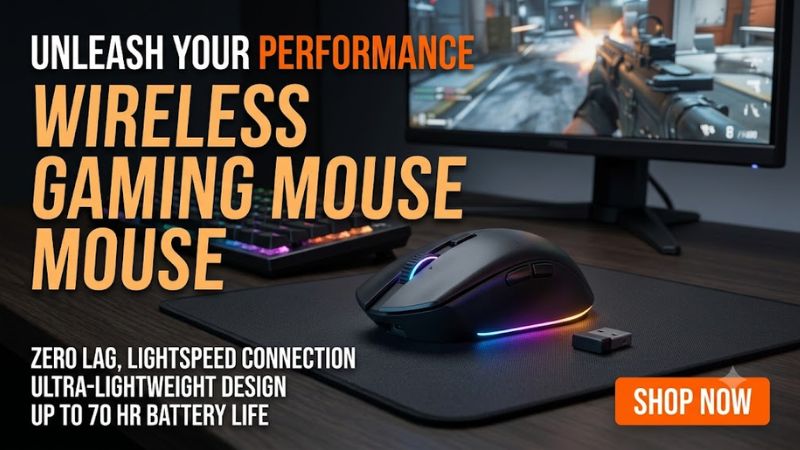
A modern wireless gaming mouse performs best when overall mass aligns with your preferred grip style. Symmetrical sub-60g shells favor fingertip and claw grips by reducing inertia during fast directional changes. Ergonomic contoured frames support palm grips, distribution weight across the entire hand to minimize long-term tendon strain.
Ultralight shells under 50g utilize solid composite materials or honeycomb structures to maintain structural integrity under pressure. Heavier models over 80g often include additional thumb rests or modular weights for general desktop work. Choosing a shell size matching your hand length ensures comfortable access to side buttons.
Sensor Performance and Polling Rates
Optical sensors tracking above 26,000 DPI provide stable tracking across varied cloth and glass pad surfaces. High acceleration ratings exceeding 50G prevent sensor spin-out during rapid arm sweeps. Adjustable lift-off distance settings prevent unexpected cursor drift when resetting peripheral position during aggressive mouse movement.
Polling rates of 1000Hz send cursor coordinates every millisecond, which suffices for standard 144Hz monitors. Higher 4000Hz or 8000Hz polling rates reduce input delay further on 240Hz or 360Hz displays. These elevated polling modes increase central processor utilization on Windows systems and drain internal battery capacity faster.
Optical Switches and Click Latency
Optical switches utilize light beams rather than physical metal contacts to register click inputs instantly. This design removes debounce delay settings in peripheral software while preventing double-click malfunction over years of heavy use. Tactile actuation force ratings between 50g and 65g offer clean tactile feedback.
Traditional mechanical switches offer distinct tactile feedback but remain susceptible to contact wear over extended use. Modern hybrid switches combine optical speed with mechanical feel for crisp actuation across tactical shooters. Switch durability ratings exceeding 80 million clicks ensure consistent registration across long sessions.
System Compatibility and Wireless Interfaces
Low-latency 2.4 GHz USB Type-A dongles deliver dedicated transmission for any wireless gaming mouse without Bluetooth signal interference. Systems running Windows 11 require an available USB 2.0 or USB 3.0 port for optimal dongle placement. Extension cables position the wireless adapter within eight inches of your pad to prevent packet loss.
Dual-mode models feature secondary Bluetooth connections for laptop productivity without occupying dedicated dongles. Onboard memory chips save DPI levels and lighting configurations directly to the hardware. Saved onboard profiles operate without background software utilities actively running on your desktop operating system.
Top Picks for Wireless Gaming Mouse Performance
Comparing technical specifications helps identify which wireless gaming mouse matches your competitive targets and budget limits. Each recommended device provides distinct advantages in physical weight, battery capacity, sensor technology, and connectivity. Reviewing key features ensures compatibility with your existing hardware and desk layout.
| Product | Best For | Key Spec | Compatibility | Watch Out For |
| Razer Viper V4 Pro | Best Overall | 49g, Focus Pro 50K | Windows 10/11, USB Type-A | High-pitched click sound |
| HyperX Pulsefire Haste 2 Wireless | Best Value | 61g, HyperX 26K | Windows 10/11, USB/Bluetooth | Fast PTFE skate wear |
| Logitech G Pro X2 Superstrike | Best Competitive | 60g, HERO 2 Sensor | Windows 10/11, USB Type-A | Requires G HUB software |
| Razer DeathAdder V4 Pro | Best Ergonomic | 55g, Focus Pro 45K | Windows 10/11, USB Type-A | Rubber grip oil pickup |
Razer Viper V4 Pro
The Razer Viper V4 Pro serves as a top overall wireless gaming mouse for competitive esports environments. Featuring a 49g ultralight symmetrical chassis and the Focus Pro 50K Gen-3 optical sensor, it provides precise tracking at up to 8000Hz polling rates. Battery endurance reaches 180 hours operating at standard 1000Hz settings.
This model suits claw and fingertip grip players who require minimal resistance during quick flick shots. Platform compatibility requires a USB Type-A port on Windows 10 or Windows 11 systems. The primary optical switches produce a sharp, high-pitched click audio profile, making it less ideal for gamers desiring quiet operation.
HyperX Pulsefire Haste 2 Wireless
The HyperX Pulsefire Haste 2 Wireless offers exceptional value by delivering lightweight performance at a lower cost. Weighing 61g with a solid upper shell, it incorporates a custom 26,000 DPI optical sensor with up to 100 hours of continuous battery life. Dual 2.4 GHz wireless and Bluetooth 5.0 modes allow flexible connectivity options.
Budget-minded FPS and MOBA players benefit from its low-profile symmetrical shape and flexible charging cable. The device connects directly through standard USB Type-A ports on desktop PCs. Stock virgin-grade PTFE skates wear faster on coarse hybrid pads, meaning heavy users may require replacement skates after prolonged use.
Logitech G Pro X2 Superstrike
The Logitech G Pro X2 Superstrike stands out as a specialized wireless gaming mouse tailored for tactical shooter players. Weighing 60g, it introduces the HERO 2 optical sensor alongside Haptic Inductive Trigger System switches for rapid actuation tuning. The internal rechargeable battery lasts up to 90 hours at 1000Hz polling rates.
It is an ideal choice for competitive aimers who demand customizable actuation depth and instant click resetting. It connects via Lightspeed 2.4 GHz USB Type-A receivers on Windows machines. Fully configuring advanced switch parameters requires Logitech G HUB background software, which may bother users seeking purely driverless operation.
Razer DeathAdder V4 Pro
The Razer DeathAdder V4 Pro offers sculpted ergonomic support for right-handed players focused on palm grip comfort. Weighing 55g, it integrates the Focus Pro 45K Gen-2 optical sensor with support for high-frequency wireless polling. The internal battery provides up to 150 hours of wireless operation on standard 2.4 GHz connections.
Right-handed gamers with medium to large hands receive full palm support that reduces wrist fatigue during extended gaming sessions. Compatibility requires an available USB Type-A connector on Windows 10 or 11 PCs. The soft rubberized side coatings tend to accumulate natural skin oils and demand regular cleaning to maintain traction.
Frequently Asked Questions About Wireless Gaming Mice
Understanding technical details clears common misconceptions regarding modern wireless peripheral performance. Battery management, polling rate choices, and surface compatibility directly influence daily user experience. Reviewing these verified answers helps maintain optimal hardware performance across competitive titles.
Does Wireless Latency Match Wired Mouse Speed?
Modern 2.4 GHz wireless connections achieve sub-millisecond input response equal to traditional wired gaming peripherals. Dedicated radio frequency dongles transmit position packets without buffering delay. Independent lab measurements confirm modern 2.4 GHz receivers process click registration and tracking data as fast as USB cables.
Interference from nearby Wi-Fi routers operating on 2.4 GHz frequencies can occasionally cause minor packet delay. Utilizing the included USB extension cable to position the wireless dongle near your mouse pad ensures clean signal transmission. Bluetooth mode introduces noticeable input lag and should be reserved for desktop work.
Does Higher DPI Improve In-Game Aiming Accuracy?
Higher DPI settings increase cursor sensitivity but do not automatically improve raw aiming accuracy in games. Most professional esports competitors configure their wireless gaming mouse between 400 DPI and 1600 DPI for predictable control. Operating at extreme DPI levels makes small hand movements translate into wide screen shifts.
Modern optical sensors maintain pixel-precise tracking across lower DPI steps without hardware smoothing or jitter. Setting higher in-game sensitivity alongside lower mouse DPI provides fine control in first-person shooters. Adjusting DPI through onboard hardware buttons lets you change sensitivity profiles on the fly without software.
How Does Polling Rate Impact Battery Endurance?
Increasing polling rate from 1000Hz to 4000Hz or 8000Hz significantly increases battery power consumption. High polling rates send up to eight times more tracking packets per second to the operating system. Running high polling modes reduces total battery life from over 100 hours down to approximately 20 to 30 hours of play.
Higher polling rates demand higher central processing unit resources from Windows platforms during fast mouse movement. Players using 144Hz displays rarely notice competitive benefits above 1000Hz polling rates. Selecting 1000Hz balances smooth cursor movement on high refresh monitors with long battery endurance between recharges.
Are Glass Mouse Pads Compatible With Optical Sensors?
Glass mouse pads work reliably with flagship optical sensors featuring high tracking LED intensity. Modern sensors like the Focus Pro and HERO 2 accurately track surface details across tempered glass surfaces. Older optical sensors or budget office mice may experience tracking dropouts or erratic cursor movement on glass.
Glass pads offer extremely low static friction, allowing effortless glide during small tracking adjustments. Using hardened glass surfaces accelerates standard PTFE skate wear compared to traditional woven cloth pads. Installing aftermarket obsidian or dots-style skates preserves tracking smoothness when using tempered glass.
Final Thoughts
Choosing the right wireless gaming mouse depends on matching your hand size, grip style, and preferred game genre. Modern high-end sensors and low-latency 2.4 GHz connections offer performance without cable drag. Selecting a durable lightweight shell ensures comfortable control across long competitive sessions on your desktop PC setup.