🛒 Best Price Today on Amazon
Prime members get fast, free shipping on everything above, plus member-only deals. New members get a 30-day free trial — cancel anytime.
- Pulsar Mouse Lineup at a Glance
- 1. Pulsar X2 CrazyLight: Best Pulsar Mouse Overall
- 2. Pulsar X2H CrazyLight: Best for Claw Grip With Palm Contact
- 3. Pulsar Xlite CrazyLight: Best Ergonomic Pulsar Mouse for Palm and Relaxed Claw
- 4. Pulsar X3 CrazyLight: Best Pulsar Mouse for Large Hands and Lefties
- 5. Pulsar ZywOo The Chosen Mouse: Best for a Full Palm Grip
- 6. Pulsar eS FS-1: Best Premium Pulsar Mouse for FK-Style Claw
- 7. Pulsar Xlite Wired: Best Budget Pulsar Mouse
- Also Consider
- How We Chose These Pulsar Mice
- Pulsar Mouse Buying Guide: How to Pick the Right Shape and Size
- Which Pulsar Mouse Should You Buy?
- Frequently Asked Questions
- Sources
The best Pulsar mouse for most gamers is the X2 CrazyLight, a 35–39 g symmetrical wireless mouse with the XS-1 sensor and 8K polling support; palm grippers should pick the X3 CrazyLight or the ZywOo The Chosen Mouse instead. Pulsar Gaming Gears now sells the same flagship sensor across almost every current shell, so choosing a Pulsar mouse is mostly about shape, hump height and size, not raw specs.
Last updated: October 2026

Pulsar Gaming Gears X2 Crazylight Wireless Gaming Mouse, Medium, Jet Black | Ultra Lightweight 1.38 oz (39g), Symmetrical, Flat Side, Back-Moderate Hump, Fingertip/Claw Grip, XS-1, 32K DPI, 8K
Included for 'Best Pulsar Mouse Models Compared for Gaming' because the listing specifies Medium and Jet Black, details this guide uses to compare options.
View on Amazon
Pulsar Gaming Gears X2 Crazylight Wireless Gaming Mouse, Mini, PRX Edition | Ultra Lightweight 1.27 oz (36g), Symmetrical, Flat Side, Back-Moderate Hump, Fingertip/Claw Grip, XS-1, 32K DPI, 8K
Included for 'Best Pulsar Mouse Models Compared for Gaming' because the listing specifies Mini and PRX Edition, details this guide uses to compare options.
View on Amazon
Pulsar Gaming Gears X2 Crazylight Wireless Gaming Mouse, Mini, Bruce Lee | Ultra Lightweight 1.27 oz (36g), Symmetrical, Flat Side, Back-Moderate Hump, Fingertip/Claw Grip, XS-1, 32K DPI, 8K
Included for 'Best Pulsar Mouse Models Compared for Gaming' because the listing specifies Mini and Bruce Lee, details this guide uses to compare options.
View on Amazon
Pulsar Gaming Gears Xlite Crazylight Gaming Mouse, Medium, Jet Black
Included for 'Best Pulsar Mouse Models Compared for Gaming' because the listing specifies Medium and Jet Black, details this guide uses to compare options.
View on AmazonKey takeaways
- Every current CrazyLight model (X2, X2H, Xlite, X3) uses the XS-1 sensor: 32,000 DPI, 750 IPS, 50 g acceleration and up to 8,000 Hz polling with the 8K dongle.
- Shape decides the pick: X2 for low-hump claw/fingertip, X2H for a taller hump, Xlite and X3 for ergonomic palm or relaxed claw, ZywOo for a fuller palm shape.
- Mini sizes suit hands under about 18.5 cm long; Medium sizes suit roughly 18.5–20.5 cm hands.
- 8K polling needs a USB 3.0 port and at least a Core i5 or Ryzen 5 class CPU, per Pulsar, and it drains the battery much faster than 1K.
- If you want a budget entry point, the wired Xlite (52 g, PAW3395) keeps the ergonomic shape at a far lower price tier.
Pulsar Mouse Lineup at a Glance
Pulsar’s catalog looks confusing because each shell comes in several generations (V2, V3, V4, CrazyLight) and two or three sizes. The table below covers the current models worth buying in late 2026, with weights and dimensions taken from Pulsar’s own product pages.
| Model | Shape | Weight | Length × width × height | Sensor / polling | Best for | Price tier |
|---|---|---|---|---|---|---|
| X2 CrazyLight Mini | Symmetrical, low hump | ~35 g | 115.6 × 61 × 36.6 mm | XS-1 / up to 8K | Claw and fingertip, small hands | Upper mid |
| X2 CrazyLight Medium | Symmetrical, low hump | ~39 g | 120.4 × 63 × 38 mm | XS-1 / up to 8K | Claw, medium hands | Upper mid |
| X2H CrazyLight Mini / Medium | Symmetrical, high hump | ~37 g / ~43 g | 115.6 × 62 × 38 / 120.4 × 65 × 39 mm | XS-1 / up to 8K | Claw grip with palm contact | Upper mid |
| Xlite CrazyLight Mini / Medium | Ergonomic, right hand | ~41 g / ~44 g | 115.6 × 63.4 × 40.7 / 122 × 66 × 43 mm | XS-1 / up to 8K | Palm or relaxed claw | Upper mid |
| X3 CrazyLight Mini / Medium | Hybrid ergonomic | ~43 g / ~46 g | 119.6 × 67.1 × 41 / 124.7 × 69.5 × 43.1 mm | XS-1 / up to 8K | Palm grip, larger hands, lefties (LHD) | Upper mid |
| ZywOo The Chosen Mouse Mini | Ergonomic, full palm | ~55 g | 114.5 × 64.8 × 41.8 mm | XS-1 / up to 8K | Palm grip with a filled-in back | Upper mid |
| eS FS-1 | Symmetrical, narrow waist | ~56 g | 124 × 64 × 37 mm | XS-1 / up to 8K | FK-style claw, long battery life | Premium |
| Xlite Wired | Ergonomic, right hand | ~52 g | Medium Xlite shell | PAW3395 / wired | Budget palm or claw | Budget |
Weights are “dot skate” figures without the cable where Pulsar lists two numbers; regular skates add 1–2 g. Price tiers are relative to other wireless esports mice, and street prices move often, so check the current listing before you buy.
1. Pulsar X2 CrazyLight: Best Pulsar Mouse Overall
XS-1 sensor · 35 g (Mini) / 39 g (Medium) · symmetrical low hump · 8K-ready · 100M-click optical switches
The X2 CrazyLight is the Pulsar mouse most people should start with. It keeps the flat-sided, low-hump X2 shape that made the brand popular, then trims it to about 35 g in Mini size, which is lighter than most “ultralight” mice from larger brands. Pulsar lists the Mini at 115.6 mm long and 61 mm wide, so it sits under the fingertips without forcing a cramped claw.
- Sensor: XS-1, 32,000 DPI in 10-DPI steps, 750 IPS, 50 g acceleration, per Pulsar’s spec page.
- Polling: 1,000 Hz by default, up to 8,000 Hz with the 8K dongle on a USB 3.0 port.
- Switches: Pulsar optical switches rated for 100 million clicks; Pulsar Blue Encoder scroll wheel.
- Sizes: Mini (35 g, 115.6 × 61 × 36.6 mm) and Medium (39 g, 120.4 × 63 × 38 mm).
- Variants: X2N (narrow-waist version), PRX and collaboration editions with the same internals.
Best for: claw and fingertip players in FPS titles who want the lightest possible symmetrical shell. Skip if: you palm your mouse with a large hand; the low back leaves your palm floating.
Pros
- Extremely low weight with a full-size feel in the Medium.
- Flat sides make lifting and repositioning easy.
- TechPowerUp’s review praised its true 8,000 Hz wireless polling and very low click latency.
- Many color and collaboration options with identical internals.
Cons
- Thin shell can feel hollow if you squeeze hard.
- Low hump offers little palm support.
2. Pulsar X2H CrazyLight: Best for Claw Grip With Palm Contact
XS-1 sensor · 37 g (Mini) / 43 g (Medium) · symmetrical high hump · 8K-ready · steeper rear slope
The X2H uses the same footprint as the X2 but raises the hump and steepens the rear slope. Pulsar describes it as giving more palm support and stability. If your palm touches the back of the mouse in a relaxed claw, the X2H fills that gap so you are not holding the mouse up with your fingertips alone.
- Mini: 115.6 × 62 × 38 mm, about 37 g.
- Medium: 120.4 × 65 × 39 mm, about 43 g.
- Same XS-1 sensor, 8K support and optical switches as the X2 CrazyLight.
- Older non-CrazyLight X2H used a PAW3395 at around 54 g; check the listing says CrazyLight.
Best for: relaxed-claw players who found the X2 too flat. Skip if: you play pure fingertip; the taller back can get in the way.
Pros
- More stable feel without leaving the symmetrical X2 family.
- Still under 45 g even in Medium.
- Same accessories (skates, grip tape) as the X2 range.
Cons
- Easy to confuse with the older, heavier X2H generation.
- Not a true palm mouse for large hands.
3. Pulsar Xlite CrazyLight: Best Ergonomic Pulsar Mouse for Palm and Relaxed Claw
XS-1 sensor · 41 g (Mini) / 44 g (Medium) · right-hand ergonomic · 8K-ready · inward-curving sides
The Xlite is Pulsar’s long-running ergonomic shape, a right-handed design with a raised right side that tilts the hand slightly. The CrazyLight generation drops it to 44 g in Medium, which Pulsar positions for palm grip. Earlier Xlite V3 and V4 models still circulate; the V4 also uses the XS-1 but weighs around 52–54 g.
- Mini: 115.6 × 63.4 × 40.7 mm, about 41 g.
- Medium: 122 × 66 × 43 mm, about 44 g.
- XS-1 sensor, 32,000 DPI, 750 IPS, up to 8K polling.
- Box includes a USB-C cable and a set of Pulsar Dot Skates on the X3/Xlite CrazyLight packages, per Pulsar.
Best for: palm and relaxed-claw players who want an ergonomic shape at near-symmetrical weight. Skip if: you are left-handed or prefer swapping between grips.
Pros
- Comfortable tilt for long sessions.
- One of the lightest ergonomic mice on the market.
- Mature shape with a large aftermarket of skates and grips.
Cons
- Right-handed only.
- The ergonomic hump is moderate, so very large hands may want the X3 Medium.
4. Pulsar X3 CrazyLight: Best Pulsar Mouse for Large Hands and Lefties
XS-1 sensor · 43 g (Mini) / 46 g (Medium) · hybrid ergonomic · 8K-ready · LHD left-handed version
The X3 is wider than the other CrazyLight shells: the Medium measures 69.5 mm across, per Pulsar. Pulsar calls it a hybrid of symmetrical and asymmetrical design, built for palm and relaxed claw. It is also the only current CrazyLight with a mirrored left-handed model, the X3 LHD, which matters because lightweight left-handed esports mice are rare.
- Mini: 119.6 × 67.1 × 41 mm, about 43 g.
- Medium: 124.7 × 69.5 × 43.1 mm, about 46 g.
- XS-1 sensor, DPI adjustable in 10-step increments.
- X3 LHD Mini: 43 g mirror image for left-handed players.
Best for: palm grippers with hands around 19–21 cm, and left-handed players. Skip if: you have small hands; even the Mini is longer and wider than the X2 Mini.
Pros
- Wide, filled shape spreads pressure across the palm.
- Left-handed version with the same internals.
- Still well under 50 g.
Cons
- Width makes fingertip grip awkward.
- Fewer special editions and color options than the X2.
5. Pulsar ZywOo The Chosen Mouse: Best for a Full Palm Grip
XS-1 sensor · 55 g (Mini) / 59 g (Medium) · ergonomic, centered hump · 8K-ready · removable 5.8 g weight module
Built with the Counter-Strike pro ZywOo, this is Pulsar’s most “filled-in” ergonomic shape. TechPowerUp notes it is closely modeled on ZywOo’s previous favorite, the VAXEE Outset AX. It is heavier than the CrazyLight range, but the included 5.8 g weight module lets you tune balance rather than chase the lowest number.
- Mini: 114.5 × 64.8 × 41.8 mm, about 55 g.
- Medium: 119.4 × 67.5 × 43.5 mm, about 59 g.
- Original version uses Huano Blue Shell Pink Dot switches (80M clicks); the newer Gen.2 Medium moves to 100M-click optical switches at 62 g.
- TechPowerUp estimated roughly 35 hours of mixed-use battery life on the Medium.
Best for: palm grippers who find 40 g mice too twitchy. Skip if: you want long battery life or the lightest possible mouse.
Pros
- Stable, supportive shape for tracking-heavy aim.
- Weight module allows tuning.
- Gen.2 adds optical switches.
Cons
- Shorter battery life than the FS-1.
- Heaviest of the current ergonomic picks.
6. Pulsar eS FS-1: Best Premium Pulsar Mouse for FK-Style Claw
XS-1 sensor · 56 g · symmetrical, narrow waist, low hump · 400 mAh battery up to 160 h · developed with VAXEE
The eS FS-1, released in February 2026, is Pulsar’s collaboration with VAXEE. ProSettings describes the shape as a new take on the long-popular FK shape, with a low, gradual hump. Zelpio found it measures about 57 mm at the narrowest grip point, so it leans toward claw and relaxed claw despite the box mentioning palm.
- Size: 124 × 64 × 37 mm, about 56 g without skates or cable (TechPowerUp’s unit came in at 59 g).
- Battery: 400 mAh, rated up to 160 hours by Pulsar.
- TTC Gold encoder and 100M-click Pulsar optical switches.
- XS-1 sensor, which TechPowerUp identifies as a customized PixArt PAW3950.
Best for: claw players who liked FK-style shells and want long battery life. Skip if: you need a light mouse under 50 g or a palm shape.
Pros
- Longest rated battery life in this list.
- Neutral, low-hump shape that suits many grips at the fingers.
- Premium build with a well-regarded encoder.
Cons
- Highest price tier of the Pulsar lineup.
- Narrow waist does not suit wide palms.
7. Pulsar Xlite Wired: Best Budget Pulsar Mouse
PAW3395 sensor · 52 g · right-hand ergonomic · wired paracord-style cable · 26,000 DPI
If you want the Xlite shape without paying for wireless, the wired Xlite costs a fraction of the CrazyLight. You give up the XS-1 and 8K wireless, but the PAW3395 is still a top-tier sensor that most players will never outgrow at 1,000 Hz. A wired X2 also exists at a similar price tier if you want the symmetrical shape instead.
- Weight: about 52 g, per the listing.
- Sensor: PixArt PAW3395, 26,000 DPI, with Motion Sync.
- Optical switches.
- Same ergonomic Xlite outline as the wireless models.
Best for: students and first-time Pulsar buyers who play at a desk with a bungee. Skip if: cable drag bothers you or you play on a laptop on the go.
Pros
- Lowest cost way into the Pulsar shape family.
- No battery to charge or wear out.
- Light for a wired ergonomic mouse.
Cons
- Cable needs a bungee for the best feel.
- No 8K or wireless option.
Also Consider
- Pulsar Pro Series Buzz-X · 61 g · XS-1, 32,000 DPI, 750 IPS, 8K compatible. A pro-designed shape for players who prefer a heavier, planted feel.
- Pulsar X3 LHD CrazyLight · 43 g · the mirrored left-handed X3. If you are a lefty, this is the obvious Pulsar choice.
- Razer Viper V4 Pro · 49 g · Razer’s current symmetrical flagship with a 50K-DPI optical sensor and up to 180 hours of rated battery life. A good comparison if you are cross-shopping outside Pulsar.
- Logitech G PRO X2 SUPERSTRIKE · magnetic analog main switches with rapid-trigger style adjustment. Worth a look if click actuation tuning matters more than weight.
How We Chose These Pulsar Mice
We did not personally use these mice for this guide. The picks come from research: Pulsar’s official spec pages for dimensions, weights and sensor data; published reviews from TechPowerUp, ProSettings and Zelpio for shape descriptions, battery estimates and measured weights; and shape databases such as EloShapes for side-by-side outlines. We favored current-generation models that share the XS-1 sensor, then split them by shape, because once sensor quality is equal, shape and size are what decide whether a mouse works for your hand.
We also checked that each model was in stock in its common sizes in October 2026 and excluded discontinued generations unless they are still widely sold at a lower price tier. Where sources disagreed (for example, the FS-1’s weight), we report the manufacturer number and note the difference.
Pulsar Mouse Buying Guide: How to Pick the Right Shape and Size
Measure your hand first
Measure from the crease of your wrist to the tip of your middle finger. A practical rule used by shape databases is that a palm-grip mouse should be roughly 60% of your hand length, while claw and fingertip grips work with mice around 55–60% because the hand sits further back or arches. Translated to Pulsar sizes:
| Hand length | Palm grip | Relaxed claw | Fingertip |
|---|---|---|---|
| Under 17.5 cm | ZywOo Mini, Xlite Mini | X2H Mini | X2 Mini |
| 17.5–18.5 cm | Xlite Mini, X3 Mini | X2H Mini, X2 Medium | X2 Mini |
| 18.5–19.5 cm | Xlite Medium, X3 Mini | X2H Medium, FS-1 | X2 Medium |
| 19.5–20.5 cm | X3 Medium, ZywOo Medium | FS-1, X2H Medium | X2 Medium |
| Over 20.5 cm | X3 Medium | X3 Mini | X2 Medium, FS-1 |
Decide whether you need 8K polling
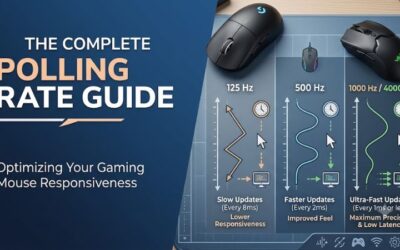
8,000 Hz polling sends a position update every 0.125 ms instead of every 1 ms at 1,000 Hz. On a 240 Hz monitor a frame lasts about 4.2 ms, so 1K polling already delivers four updates per frame; 8K delivers about 33. The gain is smoother cursor paths and slightly lower average input delay, most noticeable at 360 Hz and above. The costs are real: Pulsar lists a Core i5 or Ryzen 5 class CPU and a USB 3.0 port as minimums for the 8K dongle, and higher polling rates drain the battery far faster. A sensible threshold: use 8K only if your monitor runs at 240 Hz or more and your CPU is not already the bottleneck in your game; otherwise 1K or 2K is the better balance.
Weight: under 45 g or around 55 g?
Sub-45 g mice (X2, X2H, Xlite, X3 CrazyLight) suit low-sensitivity players who make large arm swipes, since less mass means less effort to start and stop. Around 55–60 g (ZywOo, FS-1) feels steadier for micro-adjustments and tracking. If you are moving from a 80–100 g mouse, expect a week or two of overshooting with any CrazyLight model; lowering sensitivity by 5–10% while you adapt helps.
Symmetrical vs ergonomic
Symmetrical shells (X2, X2H, FS-1) are easier to claw and fingertip, and they work for any grip that relies on the fingers. Ergonomic shells (Xlite, X3, ZywOo) support the palm and ring finger and are usually more comfortable for sessions over two hours. If you are unsure, compare the hump position: a rear hump fills the palm, a center hump suits relaxed claw.
Battery and charging habits
Pulsar rates the FS-1 at up to 160 hours with a 400 mAh cell, while TechPowerUp estimated roughly 35 hours for the ZywOo Medium in mixed 8K and 1K use. CrazyLight shells save weight partly through small batteries, so plan to charge every few days if you run 4K or 8K. Keep the dongle within 30–50 cm of the mouse, ideally on a front USB port or the included extender, to avoid dropouts.
Wired vs wireless
Wired Pulsar mice cost far less and never need charging, but cable drag affects feel even with a good cable. If you choose wired, budget for a mouse bungee. Wireless is worth it for anyone who plays more than a few hours a week at low sensitivity.
Check the generation in the listing
Pulsar reuses model names across generations. An “X2H” listing may be the older PAW3395 version at around 54 g, and an “Xlite” can be V3, V4 or CrazyLight. Look for “CrazyLight” and “XS-1” in the product name if you want the current internals.
Which Pulsar Mouse Should You Buy?
- Pick the X2 CrazyLight if you claw or fingertip grip and want the lightest symmetrical Pulsar mouse.
- Pick the X2H CrazyLight if the X2 feels too flat and your palm touches the back.
- Pick the Xlite CrazyLight if you palm or relaxed-claw with a medium hand and want an ergonomic tilt.
- Pick the X3 CrazyLight if you have large hands or are left-handed (X3 LHD).
- Pick the ZywOo The Chosen Mouse if you prefer a fuller, heavier palm shape.
- Pick the eS FS-1 if you want an FK-style claw shape and the longest battery life.
- Pick the Xlite Wired if budget matters most.
Frequently Asked Questions
Is Pulsar a good gaming mouse brand?
Yes. Pulsar Gaming Gears is a Korean brand focused on lightweight esports mice, and its current models share a flagship XS-1 sensor with 8K polling. Published reviews of the X2 CrazyLight and eS FS-1 rate sensor performance and click latency highly. The main trade-off versus bigger brands is lighter-feeling shells and smaller batteries on the CrazyLight models.
What is the difference between the Pulsar X2 and X2H?
Both share the same length and symmetrical outline, but the X2H has a higher central hump and steeper rear slope. That gives more palm contact and stability. The X2 is flatter and lighter, which suits fingertip and aggressive claw grips.
Which Pulsar mouse is best for palm grip?
For medium hands, the Xlite CrazyLight Medium is the lightest comfortable palm option. For large hands, the X3 CrazyLight Medium is wider at 69.5 mm. If you prefer more weight and a fuller back, the ZywOo The Chosen Mouse is the most filled-in shape.
Does the Pulsar 8K dongle work with any PC?
Pulsar lists a Core i5 or Ryzen 5 class CPU and a USB 3.0 or newer port as requirements for 8K polling. Older or busy systems can show stutter at 8K, in which case 2K or 4K is a smoother setting. The mouse still works at 1,000 Hz on any USB port.
Is a Pulsar mouse good for MMO or MOBA games?
Pulsar mice have only two side buttons, so they are built for shooters and general play rather than MMOs that need 10 or more programmable buttons. For MOBAs they work well if you rely on keyboard bindings. MMO players are better served by a side-grid mouse from another brand.
How long does a Pulsar mouse battery last?
It depends heavily on polling rate. Pulsar rates the eS FS-1 at up to 160 hours, while lighter CrazyLight models use smaller cells and need charging more often, especially at 4K or 8K. Running at 1,000 Hz for everyday play extends battery life considerably.
Mini or Medium: which Pulsar size should I get?
Measure wrist crease to middle fingertip. Under about 18.5 cm, Mini sizes usually fit best; from 18.5 to 20.5 cm, Medium works for most grips. Fingertip players can size down one step because the palm does not touch the mouse.
Sources
- Pulsar Gaming Gears official product specification pages (X2, X2H, Xlite, X3, ZywOo, eS FS-1)
- TechPowerUp mouse reviews (X2 CrazyLight, ZywOo The Chosen Mouse, eS FS-1)
- ProSettings.net eS FS-1 review
- Zelpio FS-1 and PD170 review
- EloShapes and Mousemetric shape databases