The right wireless mouse is one of those small upgrades that quietly improves every workday. A comfortable, reliable pointer reduces hand fatigue, cuts cable clutter, and keeps you moving through spreadsheets, documents, and browser tabs without a second thought. Yet the market is flooded with options ranging from bare-bones travel mice to full-featured ergonomic tools, and the differences matter more than the price tags suggest.
This roundup gathers dependable wireless mice suited to office and productivity work, spanning compact travel models to full-size ergonomic designs, so you can find the one that fits your hand and your desk.



As an Amazon Associate we earn from qualifying purchases at no extra cost to you.



🎮 Get More From Your Setup — Free
Prime Gaming gives you free PC games every month, in-game loot, and a free Twitch channel sub — plus fast free shipping on all the gear above. New members get a 30-day free trial.
Watch: Best Wireless Mouse For Work — Video Review
How to Choose a Wireless Mouse for Work
- Size and grip: match the mouse to your hand; full-size suits desks, compact models travel better
- Connection type: a USB receiver is plug-and-play, while Bluetooth frees up a port and pairs with tablets
- DPI adjustment: switchable DPI lets you tune cursor speed for precision work or fast navigation
- Quiet clicks: silent switches keep shared offices and calls distraction-free
- Battery approach: decide between long-lasting replaceable batteries or rechargeable convenience
The Best Wireless Mice for Work Reviewed
Logitech M510
The full-size Logitech M510 is a comfortable, ambidextrous workhorse built for all-day desk use. Its 2.4GHz wireless connection stays rock-solid, the contoured shape supports the whole hand, and side buttons add handy navigation shortcuts. For anyone who wants a no-drama, reliable office mouse, it’s a safe and satisfying choice.
Logitech M185
The compact M185 is the budget-friendly, grab-and-go option. Its ambidextrous shape and plug-and-play 2.4GHz receiver make it ideal for laptops and travel, and the battery lasts an impressively long time. It won’t wow with features, but it nails the basics for light productivity on the move.
Logitech Signature M550 L
The Signature M550 L targets users who want a larger, quieter mouse. Its silent clicks and smooth scrolling suit shared workspaces and video calls, and the full-size body fits bigger hands comfortably. It’s a refined pick for professionals who value a calm, comfortable desk experience.
Acer Wireless Mouse
Acer’s wireless laptop mouse keeps things simple and affordable, with three adjustable DPI levels up to 1600 for tuning cursor speed. Its lightweight, portable design makes it a practical companion for students and hybrid workers who want basic control without spending much.
TECKNET Wireless Mouse
The TECKNET dual-mode mouse is the versatile multitasker, pairing over both Bluetooth and a 2.4GHz receiver so you can switch between a laptop and tablet. With six adjustable DPI settings, quiet clicks, seven buttons, and rechargeable operation, it packs surprising capability into an ergonomic, budget-conscious package.
Related Guides
- Is An Ergonomic Mouse Worth It (2026)
- Best Computer Mouse Wireless (2026)
- Best Mac Gaming Mouse (2026)
- Best Wired Gaming Mice (2026)
Frequently Asked Questions
Is Bluetooth or a USB receiver better for a work mouse?
A USB receiver offers instant, reliable pairing and works on any machine with a free port. Bluetooth frees up that port and connects to tablets and some laptops directly. Dual-mode mice give you both.
Does DPI matter for office work?
Yes. Adjustable DPI lets you slow the cursor for precise tasks like editing, then speed it up for navigating large screens. Even modest DPI switching improves comfort and accuracy.
Are quiet-click mice worth it?
If you work in a shared office or take frequent video calls, silent switches noticeably reduce distraction for you and those around you, without changing how the click feels.
Should I choose rechargeable or replaceable batteries?
Rechargeable mice avoid buying batteries but need occasional charging. Models with replaceable batteries can run for many months to over a year, which some travelers prefer for reliability.
Final Thoughts
For a dependable all-day desk mouse, the full-size Logitech M510 is hard to beat, while the compact M185 is the ideal affordable travel companion. If you want versatility across multiple devices, the dual-mode TECKNET delivers the most features for the money. Match the size and connection style to your workflow, and any of these will make daily work more comfortable.
Top picks from this guide
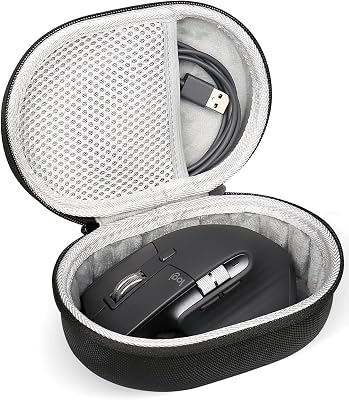
 RISETECHRISETECH Hard Mouse Case Compatible with Logitech Master 4 3S/G502/G502…
 Pulsar Gaming GearsPulsar Gaming Gears - Xlite V2 Wireless Gaming Mouse, Ultra…
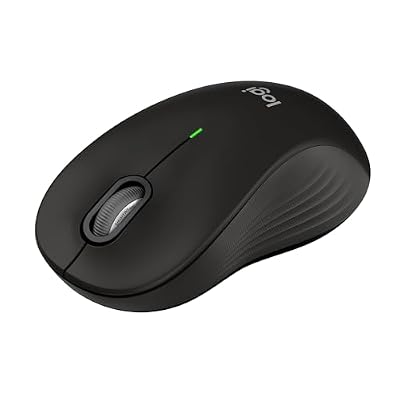 LogitechLogitech Signature M550 L Full Size Wireless Mouse Large Sized…
 AcerAcer Wireless Mouse for Laptop, 2.4GHz Computer Mouse 3 Adjustable…