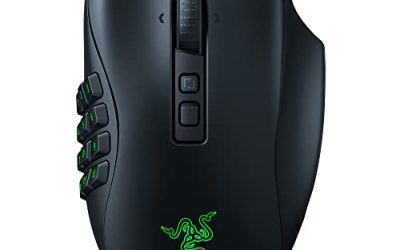
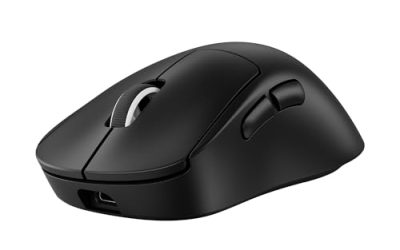
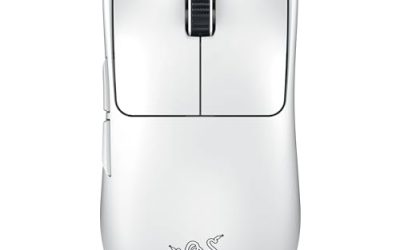
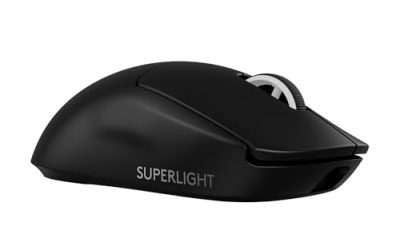
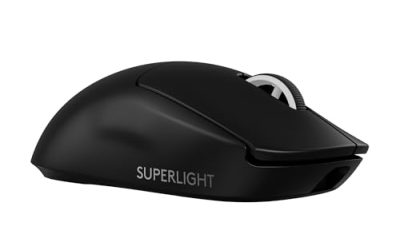
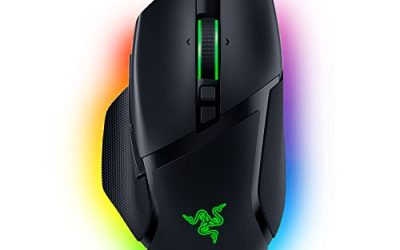
Playing on Xbox with a mouse feels completely different from playing with a controller, and that is exactly the point. In Xbox games that support mouse input, you aim by moving your whole hand, turn faster and more precisely, and navigate menus and inventories without pushing a cursor around with a thumbstick. For shooters, strategy, simulation, and MMO-style games on Series X, Series S, and Xbox One, that change can matter more than any graphics setting.
The catch is that Xbox is not a PC. Mouse support is decided game by game, so a mouse that works in one title may do nothing in a controller-only game. Connection matters too: wired USB is the most predictable option, while wireless models depend on how their receiver is recognised. The best gaming mouse for Xbox is the one whose connection, shape, and buttons match your games — ideally one that also earns its place at a PC desk.
This guide covers five well-established gaming mice that suit that mixed reality. Four are wired, which keeps setup simple, and one is a proven wireless model with a USB receiver for players who cannot run a cable across the room. They range from a stripped-back mouse with five buttons to a 17-button MMO model, so there is an option for shooters, builders, and ability-heavy games alike.
As an Amazon Associate we earn from qualifying purchases.
Quick Picks
Use connection and game type to narrow this table to one or two models.
| Product | ASIN | Best For |
|---|---|---|
| Logitech G502 HERO | B07GBZ4Q68 | Most Xbox players wanting many controls |
| Razer Basilisk V3 | B09C13PZX7 | Ergonomic comfort and scroll control |
| Logitech G305 LIGHTSPEED | B07CMS5Q6P | Wireless play from the couch |
| Razer DeathAdder Essential | B094PS5RZQ | Simple, affordable-feeling FPS basics |
| Corsair Scimitar RGB Elite | B082LRMY53 | MMO and ability-heavy games |
How to Choose
Choosing a mouse for Xbox starts with support and setup, then fit.
Check Game Support First
Before anything else, confirm that your games accept mouse input, checking the input settings inside each game rather than assuming support from the genre. Support varies by title, can change with updates, and some games allow a mouse only in menus or certain modes. If a game does not support a mouse, no mouse here will change that. Buy for confirmed games, and treat any titles that add support later as a bonus.
Prefer Wired USB for Predictability
On Xbox, wired USB is the low-drama default: plug in, power comes from the console, and there is no pairing, battery, or interference to troubleshoot. That is why most picks here are wired. Wireless can work with a standard USB receiver, as the G305 uses, but Bluetooth-only mice are a poor bet for console gaming, and receiver-based wireless should still be checked against your setup.
Understand What DPI Really Does on a TV
DPI, sometimes labelled CPI, describes how far the pointer moves for a given movement of the mouse. On a large TV, very high settings can feel twitchy in menus, while very low settings need long arm movements you may not have space for. Sensor quality matters more than the headline maximum: every mouse here tracks far beyond the sensitivity most players use. Look for easy on-the-fly adjustment, set it once per game, and leave it alone instead of chasing the biggest number.
Match Shape and Grip to Your Hand
Shape is the decision you feel in every session. A right-handed ergonomic shell with a thumb rest, like the G502 HERO and Basilisk V3, supports a relaxed palm grip and suits medium to larger hands. A smaller, more symmetrical shell like the G305 favours claw and fingertip grips and quick lifting. From a couch, a shape that stays secure without a tight squeeze matters even more, because your arm angle is less ideal than at a desk. Left-handed players should check carefully, since most ergonomic picks here are right-handed only.
Count Buttons by Genre, Not by Hype
Extra buttons only help if the game lets you use them and you can reach them without shifting your grip. Shooter players usually need two reliable side buttons for melee, ping, or push-to-talk. MMO and strategy players can use more: the G502 HERO and Basilisk V3 offer 11 buttons, and the Scimitar RGB Elite adds a 12-button side panel. Deep remapping, macros, and lighting are normally configured in PC software such as Logitech G HUB, Razer Synapse, or Corsair iCUE, so set the mouse up on a PC first, favour onboard memory if you want settings to travel, and expect basic button behaviour on Xbox.
Weigh Weight, Cable, and Playing Surface
Weight shapes how a mouse feels over an evening. Heavier mice around and above 100 grams feel planted and steady, which some players prefer for scoped aiming, while lighter mice are easier to flick and lift. The G502 HERO even lets you add tuning weights. Cable drag is the other factor: a flexible cable and a little slack management go a long way. Finally, plan your surface — a firm mouse pad or lap desk tracks far better than sofa fabric, glass, or a glossy table.
5 Best Options
Each pick below is a gaming mouse first, chosen because its connection and layout make sense for Xbox games that support mouse input.
Logitech G502 HERO

Specs
- Sensor: HERO 25K optical sensor
- Sensitivity: 200 to 25,600 DPI
- Buttons: 11 programmable buttons
- Connectivity: Wired USB
- Weight: 121 g, plus five 3.6 g tuning weights
- Features: Dual-mode hyper-fast scroll wheel, onboard memory, LIGHTSYNC RGB
- ASIN: B07GBZ4Q68
Best for: Most Xbox players who want one mouse for shooters, action games, and menu-heavy titles. The 11 buttons cover weapon swaps, abilities, and communication controls without a full MMO grid, the dual-mode wheel scrolls long inventories and then clicks back to a notched mode for weapon cycling, and onboard memory stores PC-set profiles on the mouse itself. The HERO 25K sensor provides far more range than console play requires, with zero smoothing, filtering, or acceleration.
Watch out for: At 121 g before any tuning weights, this is a heavy mouse, and its large right-handed shape can overwhelm smaller hands or fingertip grips. The cable and button density also make it a desk-first design, so couch players need a solid tray to get the best from it.
Razer Basilisk V3

Specs
- Sensor: Razer Focus+ 26K optical sensor
- Sensitivity: Up to 26,000 DPI, 650 IPS tracking
- Buttons: 11 programmable buttons
- Switches: Razer Optical Mouse Switches Gen-2, rated for 70 million clicks, 0.2 ms actuation
- Connectivity: Wired USB with Razer Speedflex cable
- Weight: 101 g, size about 130 x 60 x 42.5 mm
- ASIN: B09C13PZX7
Best for: Palm-grip players who want ergonomic comfort plus the best scroll wheel in this group. The thumb rest keeps your hand supported, and the HyperScroll tilt wheel can free-spin through long lists, stay tactile for precise steps, or tilt sideways for extra inputs. The optical switches actuate quickly, while the Focus+ sensor is more than accurate enough for shooter play on a TV or monitor. The 11 Chroma RGB zones are a desk bonus rather than an Xbox benefit, but the core ergonomics travel anywhere.
Watch out for: It is wired only, right-handed only, and at 101 g it sits in the medium-heavy camp that lightweight FPS players may find slow. Full customisation, including some wheel behaviour and lighting, depends on Razer Synapse on a PC, so expect to do your setup work away from the console.
Logitech G305 LIGHTSPEED

Specs
- Sensor: HERO optical sensor
- Sensitivity: 200 to 12,000 DPI, 400 IPS tracking
- Buttons: 6 programmable buttons
- Connectivity: LIGHTSPEED wireless via USB receiver, 1 ms report rate
- Battery: Up to 250 hours on a single AA battery in performance mode
- Weight: 99 g
- ASIN: B07CMS5Q6P
Best for: Couch players and anyone whose setup makes a cable impractical. The G305 removes the wire, its compact symmetrical shell suits claw and fingertip grips and smaller hands, and the long AA battery life means no charging routine — a spare AA in a drawer is the entire backup plan. The HERO sensor delivers clean tracking at console sensitivities, and the receiver stores inside the mouse for travel between console and PC desk.
Watch out for: Wireless on console is the option to verify most carefully, because support depends on the game and the receiver being recognised, and there is no wired fallback if it is not. The small shell can feel cramped for large-handed palm grips, and there is no RGB or rechargeable battery.
Razer DeathAdder Essential

Specs
- Sensor: Optical sensor
- Sensitivity: Up to 6,400 DPI, with dedicated DPI buttons for on-the-fly adjustment
- Buttons: 5 programmable buttons
- Switches: Razer mechanical switches, rated for up to 10 million clicks
- Connectivity: Wired USB
- Polling: 1,000 Hz Ultrapolling
- Size: About 127 x 73 x 43 mm, ergonomic right-handed shape
- ASIN: B094PS5RZQ
Best for: Players who want the simplest step into mouse play on Xbox, especially for shooters. The DeathAdder shape is one of the most familiar ergonomic designs in gaming: a broad curve that fills the palm without forcing a claw grip. Five buttons cover the essentials, on-the-fly DPI buttons adjust sensitivity without software, and Razer lists the model as compatible with Xbox One for basic input — exactly how it should be used on console: plug in, set sensitivity, and play.
Watch out for: The 6,400 DPI ceiling and 10-million-click switch rating are entry-level figures next to the other picks, and there are no extra buttons for ability-heavy games. The listing covers basic input on console, so do not buy it expecting advanced Synapse features to carry over to Xbox.
Corsair Scimitar RGB Elite
Specs
- Sensor: Custom PixArt PMW3391 optical sensor, native 18,000 DPI, adjustable in 1 DPI steps
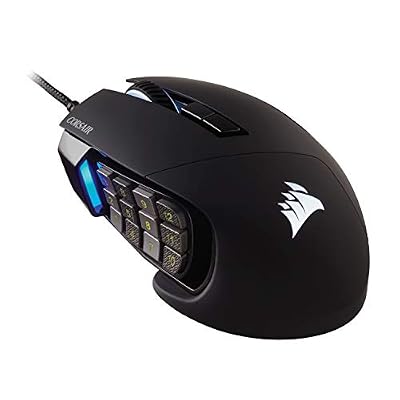
- Buttons: 17 programmable buttons, including a 12-button side panel
- Switches: Omron switches rated for 50 million clicks
- Connectivity: Wired USB with braided cable
- Features: Patented Key Slider system to reposition the side buttons, iCUE compatible
- Compatibility note: Listing names PC, Mac, PS5, PS4, and Xbox
- ASIN: B082LRMY53
Best for: MMO, strategy, and simulation players whose Xbox games can use many commands. The Scimitar is built around its side grid: 12 mechanical side buttons put abilities and build options under your thumb, and the Key Slider system slides that panel so it sits where your thumb naturally rests. The PMW3391 sensor adjusts in single-DPI steps, and Corsair explicitly includes Xbox in this listing’s compatibility, which is reassuring for this niche.
Watch out for: A 12-button thumb grid has a real learning curve, and accidental presses are common until the layout becomes muscle memory. It is a specialised, heavier style of mouse that is overkill for pure shooters, and its deep configuration lives in iCUE on a PC rather than on the console.
Which One Fits You
- You play a bit of everything on Xbox: Choose the Logitech G502 HERO for its 11 buttons, onboard memory, and a scroll wheel that handles both inventories and weapon swaps.
- You play long sessions with a palm grip: Choose the Razer Basilisk V3, whose thumb rest, supportive shape, and tilt wheel are built for comfort over hours.
- You play from the couch with no desk: Choose the Logitech G305 LIGHTSPEED, the wireless pick here, and keep a firm lap desk or tray for a reliable tracking surface.
- You are trying mouse play for the first time: Choose the Razer DeathAdder Essential for a familiar shape, five clear buttons, and basic-input Xbox One compatibility stated by Razer.
- You play MMOs or strategy games with many abilities: Choose the Corsair Scimitar RGB Elite, and give yourself time to learn its repositionable 12-button side panel.
- You split time between Xbox and PC: Choose the G502 HERO or Basilisk V3, set your profiles up in the PC software, and benefit from the same mouse in both places.
Common Mistakes
- Assuming every Xbox game supports a mouse: Support is per game, so check each title’s input settings before buying any mouse for a specific game.
- Buying a Bluetooth-only mouse for console play: Xbox mouse play is built around USB connections, so a wired mouse or a USB receiver model is the safer route.
- Expecting full PC software features on Xbox: Macros, lighting, and deep remapping are configured in PC apps, so plan a PC setup session and do not expect those apps on the console.
- Playing on the sofa arm or a glossy table: Optical sensors need a consistent surface, and poor tracking is often a surface problem rather than a mouse problem.
- Choosing by maximum DPI alone: Every sensor here exceeds what console play needs, while shape, weight, and button reach affect every minute you play.
FAQ
Do all Xbox games work with a gaming mouse?
No. Mouse support on Xbox is decided by each game, and some titles are controller-only or support a mouse only in certain modes. Check the input settings for the exact games you play on Series X, Series S, or Xbox One before you buy, and recheck after major game updates.
Is wired or wireless better for Xbox mouse gaming?
Wired USB is the more predictable choice, with no pairing, batteries, or receiver questions, which is why most picks in this guide are wired. A USB-receiver wireless mouse such as the G305 can suit couch setups well in supported games. Bluetooth-only mice are the least suitable option for console gaming.
Can I use the extra buttons and macros on Xbox?
Basic buttons such as the main clicks, wheel, and side buttons are the realistic expectation in supported Xbox games. Deeper remapping, macros, and lighting are normally created in PC software from Logitech, Razer, or Corsair, and models with onboard memory can carry saved settings with them. Treat advanced software features as a PC bonus rather than a guaranteed console feature.
What surface should I use for a mouse with an Xbox?
Use a mouse pad on a desk, tray table, or firm lap desk so the optical sensor has a flat, consistent surface to track on. Sofa fabric, cushions, and glass or glossy tables cause inconsistent movement that can look like lag or poor aim. If you play from the couch, solving the surface usually improves control more than buying a higher-DPI mouse.
A mouse will not turn every Xbox game into a PC shooter. In the games that support it, the right mouse gives you faster, steadier aim and easier menus. Start with game support, pick wired unless your room demands wireless, and let shape decide between the finalists. On those terms, the G502 HERO is the safest all-round choice, the G305 is the couch answer, and the Scimitar suits players whose games need a grid of buttons under the thumb.