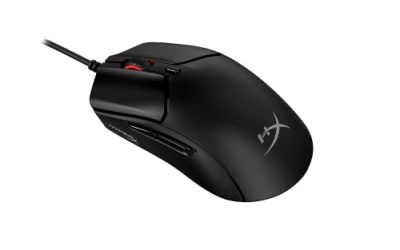
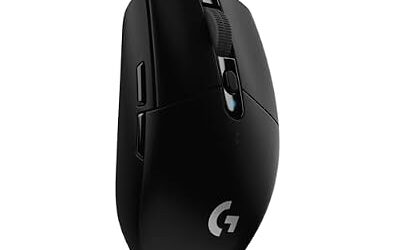
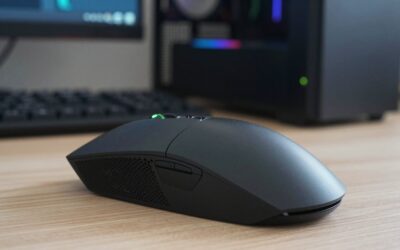
The best gaming mouse for fingertip grip is a small, light shell that your fingers can steer without any help from your palm. Because only the fingertips and thumb touch the mouse, length and weight matter more here than with any other grip: a long shell forces the fingers to stretch, and a heavy body makes the constant micro-corrections of fingertip aiming feel sluggish. The five mice below are all compact, low-profile designs with sensors that track fast flicks cleanly, from a featherweight flagship built for fingertip players to wired and wireless budget picks.
As an Amazon Associate, we earn from qualifying purchases.
Quick Answer
For most fingertip players, the Pulsar X2H Mini is the safest pick: a 115.6 mm, 52 g shell with a flagship PAW3395 sensor and optical switches. The Pulsar X2 Crazylight Mini is the lightest option at 36 g with 8K wireless polling. On a budget, the wired Razer Viper Mini and the wireless Logitech G305 Lightspeed cover both connection types.
Table of Contents
- Quick Answer
-
- Pulsar X2 Crazylight Mini (PRX Edition)
-
- Pulsar X2H Mini (Black)
-
- Endgame Gear OP1 (White)
-
- Razer Viper Mini
-
- Logitech G305 Lightspeed (Black)
- How to Choose
- Who Should Skip
- FAQ
- Final Verdict
- Product and ASIN Reference
1. Pulsar X2 Crazylight Mini (PRX Edition)

The X2 Crazylight Mini is the only mouse in this roundup designed from the start around fingertip control. Pulsar lists fingertip and claw as its target grips, and the numbers explain why: the shell is just 115 mm long and 36 mm high, and the whole mouse weighs 36 g, the lightest in this group by a wide margin. With no palm contact and almost no mass to push around, direction changes are made entirely by the fingers, which is exactly the movement pattern fingertip players rely on for small, precise corrections.
Inside is Pulsar’s XS-1 flagship sensor, rated to 32,000 DPI with 750 IPS tracking and 50G acceleration, paired with optical main switches and the dust-proof Pulsar Blue encoder. Wireless polling reaches 8,000 Hz, and the flat sides give the thumb and ring finger a consistent purchase without forcing a grip angle. The PRX Edition carries team graphics; the shape and hardware match the standard Crazylight Mini. This is the premium pick for players who want the lightest possible fingertip shell.
Specs
- Sensor: Pulsar XS-1 optical, up to 32,000 DPI
- Tracking: 750 IPS, 50G acceleration
- Polling rate: Up to 8,000 Hz wireless
- Switches: Optical, with Pulsar Blue encoder
- Dimensions: 115 x 60 x 36 mm
- Weight: 36 g
- Connection: 2.4 GHz wireless, USB-C wired
- Tier: Premium
2. Pulsar X2H Mini (Black)

The X2H Mini takes the standard X2 mini shape and raises the rear hump while narrowing the waist. That sounds claw-focused, but the shell is still only 115.6 mm long and 52 g, which keeps it in fingertip territory for medium and larger hands: the fingertips steer while the raised back sits close under the knuckles without demanding palm contact. Players who find flat mice unstable during lifts often prefer this extra rear presence.
The hardware is flagship grade. A PixArt PAW3395 sensor delivers up to 26,000 DPI with 650 IPS tracking and 50G acceleration, the main clicks are optical switches rated for 90 million clicks, and the Pulsar Blue encoder is dust-proofed. Polling is 1,000 Hz out of the box, with 4K wireless available through Pulsar’s separate 4K dongle. Battery life is rated at 70 hours per charge. For most fingertip players who want one wireless mouse that does everything well, this is the balanced default.
Specs
- Sensor: PixArt PAW3395 optical, up to 26,000 DPI
- Tracking: 650 IPS, 50G acceleration
- Polling rate: 1,000 Hz (4K ready with separate dongle)
- Switches: Optical, rated 90 million clicks
- Dimensions: 115.6 x 62 x 38 mm
- Weight: 52 g
- Connection: 2.4 GHz wireless, USB-C wired
- Battery: Up to 70 hours
- Tier: Mid-range
3. Endgame Gear OP1 (White)

The OP1 is the wired specialist of the group. Its 118.2 mm shell is slightly longer than the two Pulsar minis, but the narrow 60.5 mm width and low 37.7 mm height keep the fingers in charge, and at roughly 50 g it is light enough that the fixed cable matters less than it would on a heavier mouse. Endgame Gear’s Flex Cord 5.0 is a soft, loosely braided cable designed to reduce drag, which is the main thing a wired fingertip mouse has to get right.
The sensor is the PixArt PAW3395 at up to 26,000 DPI, and the main buttons use Kailh GX switches rated for 80 million actuations, chosen for their crisp, fast reset. The shape is a safe symmetrical design with no aggressive curves, so the thumb and ring finger can sit wherever they naturally land. There is no battery to charge and no dongle to lose. Choose the OP1 if you prefer a wired connection and play with a relaxed fingertip grip on a small-to-medium hand.
Specs
- Sensor: PixArt PAW3395 optical, up to 26,000 DPI
- Polling rate: 1,000 Hz wired
- Switches: Kailh GX, rated 80 million clicks
- Dimensions: 118.2 x 60.5 x 37.7 mm
- Weight: 50 g
- Connection: Wired, Flex Cord 5.0 cable
- Buttons: 5
- Tier: Mid-range
4. Razer Viper Mini
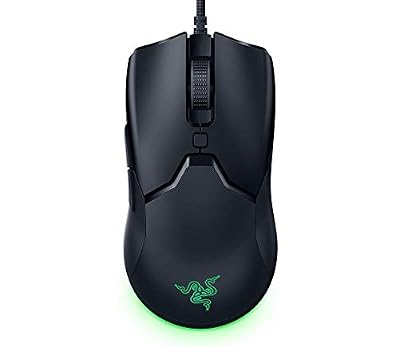
The Viper Mini is the budget wired classic for fingertip players. At 118.3 mm long it is not the shortest shell here, but it is the narrowest at 53.5 mm across the grip area and weighs 61 g, so the fingers wrap it easily and can pull it back toward the fingertips without the rear of the shell colliding with the palm. That narrow waist is why the Viper Mini built its reputation specifically among fingertip and small-hand players rather than as a general-purpose mouse.
Razer fits its Focus+ optical sensor with up to 8,500 DPI, second-generation optical switches rated for 70 million clicks, and a Speedflex cable that stays out of the way better than the stiff braided cords on older budget mice. Six programmable buttons and onboard memory round it out. The sensor is a step behind the PAW3395 models above, and there is no wireless option, but as an entry point into fingertip shapes the Viper Mini remains the low-cost benchmark.
Specs
- Sensor: Razer Focus+ optical, up to 8,500 DPI
- Switches: Razer Optical Gen-2, rated 70 million clicks
- Dimensions: 118.3 x 53.5 x 38.3 mm
- Weight: 61 g
- Connection: Wired, Speedflex cable
- Buttons: 6 programmable
- Tier: Budget
5. Logitech G305 Lightspeed (Black)

The G305 is the budget wireless option, and its small egg-shaped shell has been a fingertip staple for years. At 116.6 mm long and 38.2 mm high, it is short enough to steer with the fingers alone, and the rounded sides give the thumb and ring finger a secure hold during lifts. The trade-off is weight: at 99 g with its AA battery installed, it is by far the heaviest mouse in this roundup, so it suits fingertip players who use slightly larger, arm-assisted movements rather than pure finger flicks.
Logitech’s HERO sensor tracks up to 12,000 DPI, the Lightspeed 2.4 GHz connection reports at 1,000 Hz with a 1 ms response time, and a single AA battery is rated for up to 250 hours of play, which removes charging from the routine entirely. Six programmable buttons and onboard receiver storage round out a practical package. Newer sensors outperform the HERO on paper, but its tracking remains clean at the speeds fingertip players actually use. It is the pick for a first wireless fingertip mouse on a tight budget.
Specs
- Sensor: Logitech HERO optical, up to 12,000 DPI
- Polling rate: 1,000 Hz wireless
- Dimensions: 116.6 x 62.15 x 38.2 mm
- Weight: 99 g with AA battery
- Connection: Lightspeed 2.4 GHz wireless
- Battery: Up to 250 hours on one AA
- Buttons: 6 programmable
- Tier: Budget
How to Choose
Start with length. Fingertip control works when the shell is short enough that your fingers stay curled and mobile, which for most hands means a mouse between roughly 115 and 120 mm. All five picks sit in that window; if your hand is small, lean toward the two Pulsar minis or the Viper Mini, and if your hand is large, the OP1 and G305 give your fingers slightly more room without becoming palm mice.
Weight is the second filter, because fingertip aiming is constant small corrections. Lighter mice reduce the effort of stopping and reversing the mouse: the Crazylight Mini at 36 g and the 50 to 52 g OP1 and X2H Mini feel noticeably quicker to redirect than the 99 g G305. Sensor hardware is not a real filter at this level: the PAW3395 and XS-1 are flagship sensors, and the older Focus+ and HERO sensors still track flawlessly at fingertip speeds. Finally, wired picks remove battery management and cost less, wireless picks remove cable drag, and polling above 1,000 Hz is a refinement rather than a requirement.
Who Should Skip
Skip fingertip shapes if you rest your whole palm on the mouse or steer mainly from the wrist and arm: these small shells offer no palm support, and forcing a fingertip grip with a relaxed hand causes finger fatigue. Players with very large hands who use a palm or full claw grip will find every mouse here too short. If you play MMOs or MOBAs that demand many side buttons, look at MMO mice instead. And if 99 g sounds heavy, skip the G305 and start with a sub-55 g model.
FAQ
Is fingertip grip better than claw or palm for FPS games?
No grip is universally better; each trades control differently. Fingertip grip gives the fingers their own range of motion, which helps with small vertical adjustments and fast micro-corrections. Claw adds stability from the rear of the shell, and palm favors relaxed, arm-led aiming. The right choice is the one that matches how you already hold the mouse.
What mouse size suits fingertip grip?
Most fingertip players do best with a shell roughly 115 to 120 mm long, a low height under about 39 mm, and a weight under 65 g. Shorter mice keep the fingers curled and mobile. If a mouse is long enough that its rear presses into your palm at rest, it will push you toward claw or palm grip instead.
Does polling rate above 1,000 Hz matter for fingertip aim?
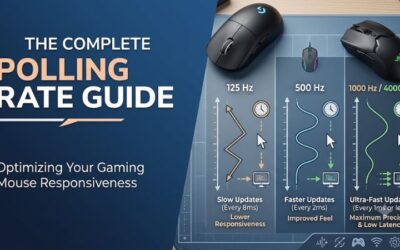
It is a refinement, not a requirement. Higher polling sends position updates more often, which can make fast flicks look smoother on high-refresh-rate monitors, but the difference is subtle and battery drain increases. Shape and weight affect fingertip control far more; get the fit right first.
Can large hands use fingertip grip mice?
Yes, with the longer picks in this category. Large-handed fingertip players usually prefer shells near the top of the size range, such as the OP1 or G305, and shapes with a little rear height like the X2H Mini. What matters is that your fingers can curl over the buttons and move the mouse without your palm being forced onto the shell.
Final Verdict
Fingertip players should start with the Pulsar X2H Mini: a true mini shell with a flagship sensor, optical switches, and wireless freedom at 52 g. The X2 Crazylight Mini is the extreme option at 36 g with 8K polling. The Endgame Gear OP1 covers wired play with crisp Kailh GX switches, while the Razer Viper Mini and Logitech G305 Lightspeed deliver the same small-shell idea on a budget, wired and wireless respectively. Match the shell length to your hand first; every sensor here will keep up with your fingers.
Product and ASIN Reference
| Product | ASIN |
|---|---|
| Pulsar X2 Crazylight Mini Wireless Gaming Mouse (PRX Edition) | B0FQCRSKVQ |
| Pulsar X2H Mini Wireless Gaming Mouse (Black) | B0CH9Z62J3 |
| Endgame Gear OP1 Wired Gaming Mouse (White) | B0CSP93VN5 |
| Razer Viper Mini Wired Gaming Mouse | B084RPZD6T |
| Logitech G305 Lightspeed Wireless Gaming Mouse (Black) | B07CGPZ3ZQ |