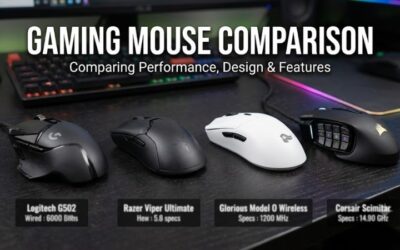
Claw grip players curl their fingers and drive the mouse with fingertip control while the rear of the shell rests against the base of the palm. That style rewards a specific kind of mouse: short to medium length, a hump placed toward the middle or rear, low weight, and buttons that sit where curled fingers naturally land. A wired connection still suits claw grip well, because there is no battery adding grams, nothing to recharge, and polling stays consistent from the first minute of a session to the last.
The five mice below were chosen for wired claw grip specifically, not for gaming in general. Each one pairs a claw-friendly shape with a modern optical sensor and a flexible, low-drag cable, and they span budget, mid-range and premium tiers so the right pick depends on hand size and priorities rather than on spending more.
As an Amazon Associate, we earn from qualifying purchases.
Table of Contents
- Quick Answer
- HyperX Pulsefire Haste 2 Wired
- Glorious Model O- Wired
- Logitech G203 Lightsync
- Razer Cobra Wired
- Xtrfy M42 RGB
- How to Choose
- Who Should Skip
- FAQ
- Final Verdict
Quick Answer
The HyperX Pulsefire Haste 2 Wired is the best wired mouse for claw grip for most players: it weighs 53 grams, uses a 26K sensor with polling up to 8,000 Hz, and its solid shell and rear-leaning hump suit curled fingers. Smaller hands get the Glorious Model O-, budget buyers the Logitech G203 Lightsync, and players who want to tune hump height the Xtrfy M42.
HyperX Pulsefire Haste 2 Wired

The Pulsefire Haste 2 Wired is built around the formula claw grip players ask for: very low weight, a symmetrical shell with enough rear body to brace against the palm base, and a cable that stays out of the way. At 53 grams with a solid, hole-free shell, it flicks and stops quickly without the gritty feel some honeycomb designs have, and the included grip tape helps curled fingers hold on during fast swipes.
Performance hardware is flagship tier. The HyperX 26K sensor tracks up to 26,000 DPI at 650 IPS, polling can be set as high as 8,000 Hz for smoother cursor updates on high-refresh monitors, and the HyperX switches are rated for 100 million clicks. Six programmable buttons cover the standard layout, and the pure PTFE skates glide evenly on cloth and hard pads alike.
Specs
- Weight: 53 g
- Sensor: HyperX 26K optical, up to 26,000 DPI
- Tracking speed: 650 IPS
- Polling rate: up to 8,000 Hz
- Switches: HyperX switches, rated for 100 million clicks
- Buttons: 6, programmable
- Cable: HyperFlex 2 paracord-style cable
- Feet: 100 percent PTFE skates, grip tape included
Glorious Model O- Wired

The Model O- takes the proven Model O shape and shrinks it, which makes it the natural pick here for small to medium hands that find full-size mice too long for a comfortable claw. At 120 mm long and 58 grams, the rear hump sits close under the palm base, so the fingers can curl without stretching, and the honeycomb shell keeps weight down for quick micro-corrections.
Inside is a PixArt 3360 sensor with sensitivity up to 12,000 DPI, a figure that remains more than enough for competitive play even if newer sensors quote higher numbers. Omron mechanical switches, six buttons, the flexible Ascended cord and PTFE G-Skates round out a package that focuses on shape and glide rather than extras. The glossy black finish also gives curled fingertips a slightly tackier hold than a matte shell.
Specs
- Weight: 58 g
- Sensor: PixArt 3360 optical, up to 12,000 DPI
- Switches: Omron mechanical switches
- Buttons: 6
- Cable: Ascended paracord-style cord
- Feet: PTFE G-Skates
- Dimensions: about 120 x 63 x 36 mm
- Shape: ambidextrous, honeycomb shell
Logitech G203 Lightsync

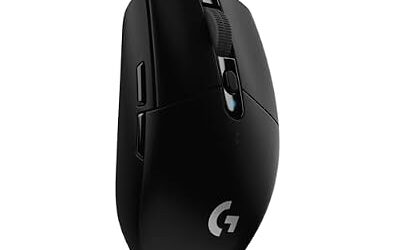
The G203 Lightsync is the budget-tier route into a proper claw shape. Its classic egg-like shell is short and rounded, with a gentle central hump that has suited claw and fingertip grips for years, and at 85 grams it is heavier than the ultralight picks here but still easy to control in fast games. For players upgrading from an office mouse, this is the lowest-risk first step.
The gaming-grade sensor reaches 8,000 DPI, which covers any sensible in-game sensitivity, and the six programmable buttons include a DPI shift button behind the wheel. LIGHTSYNC RGB adds a three-zone light strip, onboard memory stores settings for use on other PCs, and a metal spring tensioning system keeps the main clicks crisp. The standard rubber cable is stiffer than the paracord cables above, so a mouse bungee pairs well with it.
Specs
- Weight: 85 g
- Sensor: gaming-grade optical, up to 8,000 DPI
- Buttons: 6, programmable
- Lighting: LIGHTSYNC RGB, three zones
- Memory: onboard profile storage
- Cable: 2.1 m standard cable
- Dimensions: 116.6 x 62.2 x 38.2 mm
- Click feel: metal spring button tensioning
Razer Cobra Wired

The Razer Cobra packs Razer’s esports hardware into a compact 58-gram shell that fits claw grip naturally. It is shorter and narrower than the Viper line, so the hump meets the palm sooner and the curled index and middle fingers land flat on the main buttons. Razer’s Gen-3 optical switches, rated for 90 million clicks, also remove the double-click wear that mechanical switches can develop over time.
The 8,500 DPI optical sensor tracks at 300 IPS with 35 G acceleration, comfortably beyond what human flicks demand, and the Speedflex cable is soft enough to forget about in most desk setups. Pure PTFE feet, Chroma RGB underglow and onboard memory for a stored profile complete the spec sheet. Players who want a small, light wired Razer without paying for the Viper 8KHz polling hardware will find the Cobra the sensible mid-range option.
Specs
- Weight: 58 g
- Sensor: optical, up to 8,500 DPI
- Tracking speed: 300 IPS, 35 G acceleration
- Switches: Razer Optical Mouse Switches Gen-3, rated for 90 million clicks
- Cable: Razer Speedflex cable
- Feet: 100 percent PTFE mouse feet
- Dimensions: 119.5 x 62.5 x 38.1 mm
- Lighting: Razer Chroma RGB underglow
Xtrfy M42 RGB

The M42 answers the hardest part of buying for claw grip, hump shape, with hardware: it ships with two interchangeable back shells, one flatter and one with a higher, more pronounced hump, so the same mouse can be tuned for a relaxed claw or an aggressive curled claw. At 59 grams with a symmetrical shape, it stays quick in the hand whichever shell is fitted, and every setting is adjusted on the mouse itself, with no software to install.
The PixArt 3389 sensor offers sensitivity up to 16,000 DPI, Omron switches are rated for 20 million clicks, and the EZcord cable is a soft braided design that drags less than a standard rubber lead. Six buttons, PTFE glides and adjustable RGB lighting finish the package. For players who have bought mice before and returned them over shape alone, that swappable shell makes the M42 the most adjustable wired claw option in this roundup.
Specs
- Weight: 59 g
- Sensor: PixArt 3389 optical, up to 16,000 DPI
- Switches: Omron switches, rated for 20 million clicks
- Buttons: 6
- Shell: two interchangeable back shells included
- Cable: Xtrfy EZcord
- Feet: PTFE glides
- Dimensions: about 118 x 63 x 38 mm
How to Choose
Start with length. Claw grip works best when the mouse is short enough that the hump contacts the base of the palm while the fingers stay curled, which for most hands means a shell between about 116 and 125 mm. Small hands should start at the Model O- or G203 end of that range; larger hands can use the Haste 2 or M42 without the fingers overhanging the front.
Next, look at hump position and height. A central or rear hump gives the palm something to brace against, which is what separates a claw mouse from a flat fingertip shape. If you have been caught between two shapes before, the M42’s swappable shells remove the guesswork. Weight matters too: every mouse here sits between 53 and 85 grams, and lighter shells reduce the effort of the constant small lifts claw players make.
Sensor numbers beyond a point are headroom rather than real advantage. All five sensors here track faster than a hand can move, so choose on shape first, then on cable and polling. A soft paracord-style cable, or a bungee for stiffer cables, keeps the wired connection from fighting your aim, and polling above the standard 1,000 Hz only shows a difference on high-refresh monitors with a PC that can hold very high frame rates.
Who Should Skip
Palm grip players should skip this entire category and look at larger ergonomic mice, because these short, light shells will leave a full palm unsupported. Wireless loyalists should also pass: every pick here is wired only, and the wireless versions of similar shapes are separate products. Players with very large hands may find all five cramped and should start with a longer shell, and anyone who needs many side buttons for MMO macros will find the standard two-button layout limiting. Finally, if RGB software ecosystems matter to you, note that the M42 has no companion app at all.
FAQ
What makes a mouse good for claw grip?
A claw grip mouse needs a short to medium shell, a hump in the middle or rear third for the palm base to brace against, and low weight so curled fingers can lift and reposition it easily. Main buttons with a crisp, light actuation also help, because claw players click with bent fingers rather than a flat press.
Is wired or wireless better for claw grip?
Both can work, but wired mice have two structural advantages for claw grip: no battery, so the shell stays lighter, and no charging breaks. Modern paracord-style cables and mouse bungees have largely removed the old cable-drag problem, so a wired pick like the Haste 2 gives up little in practice.
What size mouse suits a claw grip?
Most claw players do best with a mouse roughly 116 to 125 mm long. Hands under about 17 cm usually prefer the smaller end, such as the Model O-, while hands over 19 cm can still claw a 124 mm shell like the Haste 2. Height matters as well: a hump around 38 mm gives the palm base clear contact.
Does polling rate matter for claw grip players?
Standard 1,000 Hz polling is enough for the large majority of players. Higher rates, up to the 8,000 Hz the Haste 2 offers, can smooth cursor motion on 240 Hz and faster monitors, but the benefit is subtle and depends on the game and PC holding high frame rates. Shape and weight will change your aim far more.
Final Verdict
For most claw grip players, the HyperX Pulsefire Haste 2 Wired is the complete package: the lightest solid shell here, a top-tier sensor, high polling headroom and a cable that disappears in use. Small hands should take the Glorious Model O-, tight budgets the Logitech G203 Lightsync, and players who want Razer hardware in a compact frame the Razer Cobra. If shape uncertainty has burned you before, the Xtrfy M42 and its swappable humps are the safest wired bet of all.
Product and ASIN Reference
| Product | ASIN |
|---|---|
| HyperX Pulsefire Haste 2 Wired Gaming Mouse (Black) | B0BX52PCJ5 |
| Glorious Model O- Wired Gaming Mouse (Glossy Black) | B07VQTP4MK |
| Logitech G203 Lightsync Gaming Mouse (Black) | B07YN82X3B |
| Razer Cobra Wired Gaming Mouse (Black) | B0C51J2ZXN |
| Xtrfy M42 RGB Gaming Mouse (Black) | B08PDDGRQB |