Programmers spend hours a day with a mouse under their hand, yet it is often the last peripheral they think to upgrade. Unlike gaming, coding rewards a different set of traits: silent or quiet clicks for shared spaces, fast scrolling to fly through long files, multi-device switching for a laptop-and-desktop workflow, and above all a shape that stays comfortable through a marathon debugging session. Raw DPI barely matters; ergonomics and productivity features do.
- Watch: Best Mouse For Programmers — Video Review
- How to Choose a Mouse for Programming
- The Best Programming Mice Reviewed
- What Matters in a Mouse When You Write Code
- Which Mouse Should You Choose?
- Common Mistakes When Buying a Mouse for Programming
- Accessories That Help a Mouse Perform
- Habits That Protect Your Wrist
- Related Guides
- Related Guides
- Frequently Asked Questions
- Final Thoughts
- Related Articles
We evaluated the mice most likely to earn a permanent spot on a developer’s desk, weighing comfort, scroll behavior, connectivity, and how well each supports a quiet, focused environment. Here are our five favorites for writing code.



As an Amazon Associate we earn from qualifying purchases at no extra cost to you.





🎮 Get More From Your Setup — Free
Prime Gaming gives you free PC games every month, in-game loot, and a free Twitch channel sub — plus fast free shipping on all the gear above. New members get a 30-day free trial.
Watch: Best Mouse For Programmers — Video Review
How to Choose a Mouse for Programming
- Comfort first: A shape that fits your hand and grip prevents wrist fatigue over long coding days, so prioritize ergonomics above all.
- Scrolling: Fast or free-spinning wheels let you race through long files and logs, a genuine time-saver when navigating large codebases.
- Quiet operation: Silent or muted clicks matter in offices, calls, and shared homes where loud clicking is distracting.
- Multi-device support: Switching between a work laptop and personal desktop with one button streamlines a dual-machine setup.
- Wireless freedom: A clean, cable-free desk reduces clutter, and modern receivers are reliable enough for professional work.
The Best Programming Mice Reviewed
Logitech MX Anywhere 3S
The MX Anywhere 3S is the developer’s darling for good reason: a superb fast-scrolling wheel, near-silent clicks, and seamless multi-device switching in a compact, travel-friendly body. It is the productivity pick for anyone juggling a laptop and desktop.
Logitech M705 Marathon
A full-size classic, the M705 Marathon offers a hyper-fast scroll wheel, five customizable buttons, and famously long battery life. Its comfortable shape makes it a dependable all-day companion for desk-bound coders.
Razer Basilisk V3
For developers who also game, the wired Basilisk V3 brings an ergonomic shell, 11 programmable buttons, and a smart tilt-scroll wheel. Those extra buttons are handy for mapping IDE shortcuts and window management.
Logitech G305 Lightspeed
The G305 delivers reliable wireless performance and excellent battery life in a lightweight, no-fuss design. It is an affordable, dependable choice for a clean desk without any RGB distraction.
Logitech M510
The full-size, ambidextrous M510 is a comfortable, budget-friendly workhorse with convenient side buttons for back and forward navigation. It is an easy recommendation for a straightforward, reliable coding mouse.
What Matters in a Mouse When You Write Code
Shape and Grip Style
Comfort over a full workday depends on how the mouse fits your hand. Palm grip rests the whole hand on the shell and suits larger, higher-backed mice. Claw grip arches the fingers and works with medium shapes. Fingertip grip uses only the finger pads and favors small, light mice. The Logitech MX Anywhere 3S is a compact shape suited to smaller hands and travel, while the Logitech M705 Marathon and Razer Basilisk V3 are larger, right-handed shapes that suit a palm grip. The Razer Viper V3 Pro SE is a symmetrical, ambidextrous design, which is useful for left-handed users. Hand size and posture count for more than the spec sheet.
Scroll Wheel Behavior
Programmers scroll through long files, logs and documentation constantly, so wheel behavior counts. A ratcheted wheel clicks through each notch for precise movement, while a free-spin wheel lets a single flick glide through hundreds of lines. Some models, including the Razer Basilisk V3, offer a way to switch between the two modes. The MX Anywhere 3S uses an electromagnetic wheel that Logitech designed to change between precise and fast scrolling, and the M705 Marathon is known for its fast scrolling wheel. Decide which mode you will use most, since the other is only a button press away on mice that offer both.
Buttons You Can Actually Use
Extra side buttons become shortcuts. A common setup maps the thumb buttons to navigate back and forward between code locations, a feature most editors support through keyboard shortcuts that the mouse software can trigger. The Basilisk V3 offers eleven programmable controls, while the G305 Lightspeed has a smaller set. More buttons are only useful if you will assign them, so match the count to your habits instead of buying the highest number.
Wireless Connection, Battery and Multiple Computers
If you switch between a laptop and a desktop, look for Bluetooth or a multi-device switch. The MX Anywhere 3S supports Bluetooth and a receiver connection and can be paired with more than one computer. AA-powered models like the M705 Marathon and G305 Lightspeed trade a rechargeable battery for long intervals between replacements, with makers advertising months or longer, so confirm the figure on each listing. A rechargeable mouse suits a desk with a charging cable close by, while an AA model suits a desk where you do not want to think about charging.
DPI and Polling Rate
Coding does not need extreme resolution. A mid-range DPI setting is enough for most monitors, and a higher setting helps on very large or high-resolution displays. A high polling rate benefits competitive play but shortens battery life, so most programmers can leave it at the default.
Which Mouse Should You Choose?
| If you… | Choose… |
|---|---|
| Switch between a laptop and desktop and want a quiet, compact mouse | Logitech MX Anywhere 3S |
| Want a larger shape and a fast scroll wheel with simple battery swaps | Logitech M705 Marathon |
| Want many programmable buttons and a switchable scroll wheel | Razer Basilisk V3 |
| Are on a modest budget and want a basic wireless mouse | Logitech G305 Lightspeed |
| Prefer a very light, symmetrical mouse | Razer Viper V3 Pro SE |
Common Mistakes When Buying a Mouse for Programming
- Buying on DPI numbers. A very high DPI figure does little for editing code, while shape and weight affect comfort all day.
- Ignoring hand size. A mouse that is too small or too large strains the wrist over long sessions.
- Assuming wireless means laggy. Modern wireless connections are fine for coding, so choose based on battery and convenience.
- Overlooking the surface. A cramped or glossy desk can cause tracking trouble, which a desk mat can solve.
- Skipping ergonomics. A neutral wrist position, relaxed shoulders and regular breaks matter more than any single mouse feature.
Accessories That Help a Mouse Perform
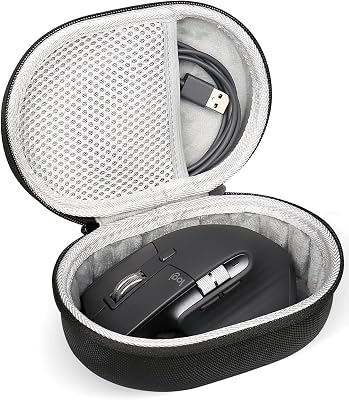
A few inexpensive add-ons change how a mouse feels and how long it lasts. Replacement mouse feet, such as the Corepad Skatez Pro set, restore glide when the original feet wear down, which can make an older mouse feel new again. A large desk mat like the iCasso or the ASUS ROG Sheath gives the sensor a consistent surface and keeps the keyboard and mouse on one continuous area, which is useful when you move between a laptop and an external display. A hard carrying case, such as the type made for the Logitech MX and G502 shapes, protects the mouse in a bag if you commute or work in several places. Confirm the compatibility list for any case or replacement feet before ordering, since fit depends on the exact model.
Habits That Protect Your Wrist
- Keep the wrist straight, with the forearm supported by the desk rather than hovering.
- Place the mouse close to the keyboard so the shoulder stays relaxed.
- Use keyboard shortcuts for the actions you repeat most, which reduces mouse travel.
- Take a short break from the screen regularly and stretch the hand and forearm.
- Switch to a different shape if you feel numbness or ongoing discomfort, and consult a health professional if symptoms persist.
Related Guides
- Is An Ergonomic Mouse Worth It (2026)
- Best Wireless Mouse For Work (2026)
- Best Productivity Mouse (2026)
- Best Computer Mouse Wireless (2026)
Frequently Asked Questions
Does a programmer need a gaming mouse?
Not necessarily. Gaming mice offer extra programmable buttons that some developers like for shortcuts, but a productivity mouse like the MX Anywhere 3S, tuned for comfort and scrolling, often suits coding better.
Are silent-click mice worth it for coding?
If you work in an office, take frequent calls, or share your space, quieter clicks are a real quality-of-life improvement. The MX Anywhere 3S is a standout for near-silent operation.
How important is multi-device switching?
Very, if you use both a work laptop and a personal machine. One-button switching and cross-computer copy-paste, as on Logitech’s MX line, remove a constant small friction from a dual-device routine.
Should a coding mouse be wireless or wired?
Either works. Wireless mice keep the desk tidy and today’s receivers are lag-free for productivity, while a wired mouse like the Basilisk V3 never needs charging. Choose based on your desk preferences.
Final Thoughts
For most developers, the Logitech MX Anywhere 3S is the best overall mouse, combining silent clicks, fast scrolling, and multi-device switching in one polished package. If you prefer a full-size desktop mouse, the M705 Marathon is a comfortable, long-lasting alternative, while the Razer Basilisk V3 is the pick for coders who game and want extra programmable buttons.