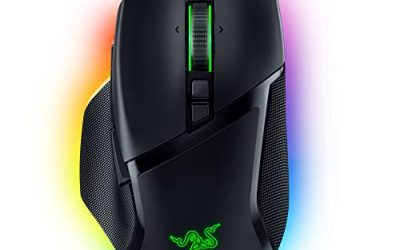
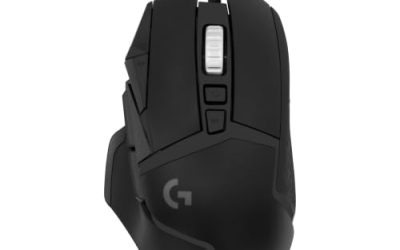
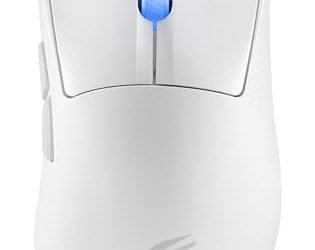
A mouse with a full side grid changes how an MMO, MOBA, or complex strategy game feels to play. Instead of reaching across a keyboard for abilities, potions, mounts, and menu commands, those actions sit under the thumb in a compact panel that can be learned by touch. The best gaming mouse with lots of buttons keeps the most-used commands close, reduces keyboard travel during long sessions, and lets a player build a layout that matches a specific class, role, or loadout.
The mice in this guide all have at least 16 programmable buttons, and most have 17 or 20. That threshold matters. A mouse with only a few extra side buttons can hold a couple of shortcuts, but it cannot hold a full ability bar. A 12-button thumb grid, by contrast, can hold a complete rotation, a set of consumables, or a row of communication commands, with the remaining buttons available for DPI changes, profile switching, and modifiers.
Our top pick: Razer Naga V2 Pro Wireless MMO Gaming Mouse. Runner-up: Corsair Scimitar RGB Elite Wired MOBA/MMO Gaming Mouse.
This guide compares published specifications only: total programmable buttons, sensor, polling rate, weight, connection, battery, software, and side-button layout.
At a Glance
| Product | Best for | Key specification |
|---|---|---|
| Razer Naga V2 Pro Wireless MMO Gaming Mouse | Players who want swappable side plates and wireless play | 20 programmable buttons, Focus Pro 30K optical sensor, up to 150 hours on HyperSpeed wireless |
| Corsair Scimitar RGB Elite Wired MOBA/MMO Gaming Mouse | MMO and MOBA players who want a sliding 12-button side panel | 17 programmable buttons, 18,000 DPI optical sensor, wired connection |
| Logitech G600 MMO Gaming Mouse | Players who want a proven 20-button wired mouse with a modifier button | 20 programmable buttons, 8,200 DPI sensor, G-Shift ring-finger button |
| Redragon M913 Impact Elite Wireless Gaming Mouse | Players who want a wireless 12-button side grid | 16 programmable buttons, 16,000 DPI Pixart 3335 sensor, up to 45 hours of battery |
How to Choose
1. Count the programmable buttons, not only the side buttons
The total programmable button count is the more useful figure because it includes the primary buttons, the scroll wheel inputs, DPI buttons, and any extra buttons on the top or underside. In this guide, the totals are 20 for the Razer Naga V2 Pro, 17 for the Corsair Scimitar RGB Elite, 20 for the Logitech G600, and 16 for the Redragon M913. A 12-button side grid is the standard layout for MMO mice, and it appears on all four picks in some form. The Razer Naga V2 Pro is the exception, because its magnetic side plates can change the grid to 12, 6, or 2 buttons, changing the total to 20, 14, or 10 depending on the plate fitted.
2. Learn the side-button layout by touch
The shape, spacing, and texture of the side buttons decide whether a player can find the right button without looking down. The Logitech G600 uses two rows of six buttons, with a G-Shift button under the ring finger. The Corsair Scimitar RGB Elite uses a 12-button grid that can slide forward or backward to match thumb length. The Redragon M913 uses a numbered 12-button panel in a four-by-three arrangement. The Razer Naga V2 Pro uses a 12-button plate with buttons in different shapes, plus RGB backlighting, which helps with orientation in a dark room. All four picks are right-handed designs.
3. Compare the sensor and DPI range
The Razer Naga V2 Pro lists a Focus Pro 30K optical sensor. The Corsair Scimitar RGB Elite lists an 18,000 DPI optical sensor. The Redragon M913 lists a Pixart 3335 optical sensor with a maximum of 16,000 DPI and five onboard DPI levels at 1000, 2000, 4000, 8000, and 16000 DPI. The Logitech G600 lists a maximum of 8,200 DPI. A higher maximum DPI does not automatically mean better tracking at the sensitivity a player actually uses. Most players use a DPI setting far below the maximum, and the important qualities there are consistent tracking and a DPI range that covers both precise aiming and fast turns.
4. Check the polling rate and connection type
Polling rate describes how often a mouse reports its position to the computer, and it is usually listed in hertz. A higher polling rate can give smoother cursor movement, especially at high DPI settings or on high-refresh displays. Wired mice in this guide, including the Corsair Scimitar RGB Elite and the Logitech G600, use a direct cable connection, which avoids wireless interference and battery management. Wireless mice in this guide, including the Razer Naga V2 Pro and the Redragon M913, use a 2.4 GHz wireless connection through a USB receiver, and both can also be used wired through a USB-C cable. The Razer Naga V2 Pro adds Bluetooth as a third connection option, which is useful for a laptop or a second device.
5. Weigh the mouse and consider its shape
The Razer Naga V2 Pro is listed at 134 grams with the 12-button plate attached. The Logitech G600 is listed at 133 grams without the cable. The Redragon M913 is listed at 132 grams. These figures are close, and they reflect the extra hardware needed for a large side panel and, in the wireless models, a battery. A heavier mouse can feel more planted for palm-grip players, while a lighter mouse can feel easier to move quickly for claw-grip or fingertip-grip players. MMO mice tend to be wide, tall, and right-handed, with a pronounced thumb rest and a flared side panel. That shape supports the thumb during long sessions, but it can feel large for a small hand.
6. Compare battery life for wireless models
The Razer Naga V2 Pro is listed at up to 150 hours on HyperSpeed wireless and up to 300 hours on Bluetooth. The Redragon M913 is listed at up to 45 hours of battery, with an ECO mode listed at up to 80 hours when RGB lighting is off. Those figures depend on lighting, polling rate, and usage, so treat them as published maximums rather than a guarantee for every setup. A mouse with a long battery rating and a wired mode is the most flexible choice, because it can be used wirelessly for most sessions and plugged in when the battery is low. Both wireless picks use USB-C for charging and wired play.
7. Look at software, macros, and onboard memory
The Razer Naga V2 Pro uses Razer Synapse software for button remapping, macros, DPI settings, lighting control, and profile management. The Corsair Scimitar RGB Elite uses Corsair iCUE software for similar remapping, macro creation, lighting control, and profile storage. The Logitech G600 uses Logitech Gaming Software for macro assignment, G-Shift doubling, and profile storage. The Redragon M913 uses Redragon software for key binding, DPI settings, macros, and lighting effects. The most useful software features for MMO play are macros, which can combine several key presses into a single button press, and separate profiles for different games or characters. Onboard memory stores profiles on the mouse itself, so the layout travels with the mouse to another computer.
8. Check the cable, feet, and build details
Wired mice in this guide use a braided or flexible cable, and its length and flexibility affect how freely the mouse moves across a desk. Wireless mice include a USB-C cable for wired play and charging. The Logitech G600 lists low-friction PTFE feet, designed for smooth movement on a wide range of surfaces. The Razer Naga V2 Pro lists Optical Mouse Switches Gen-3, rated for 90 million clicks, with a 0.2 ms actuation time. The Redragon M913 lists mechanical switches rated for up to 20 million clicks. RGB lighting is present on all four picks, and it can be used for orientation or profile identification.
Our Picks
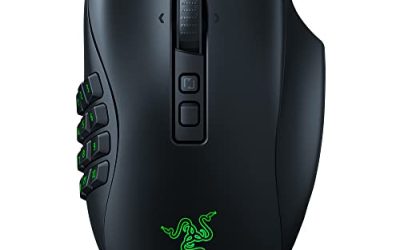
Razer Naga V2 Pro Wireless MMO Gaming Mouse — ASIN B0BGJTLFN5

The Razer Naga V2 Pro Wireless MMO Gaming Mouse has 20 programmable buttons with the 12-button side plate fitted, using three swappable magnetic side plates with 12, 6, and 2-button layouts. It uses a Focus Pro 30K optical sensor, Razer HyperSpeed wireless, Bluetooth, and a wired USB-C connection, with up to 150 hours of battery on HyperSpeed wireless and up to 300 hours on Bluetooth. It weighs 134 grams with the 12-button plate attached, uses Optical Mouse Switches Gen-3 rated for 90 million clicks, and includes a HyperScroll Pro Wheel plus Razer Synapse software for remapping, macros, and profiles.
Best for: Players who want one mouse that can change from a full MMO grid to a simpler layout for other genres, with wireless freedom and a long battery rating.
Consideration: The 134-gram weight and wide right-handed shape may feel large for a small hand.
Corsair Scimitar RGB Elite Wired MOBA/MMO Gaming Mouse — ASIN B082LRMY53
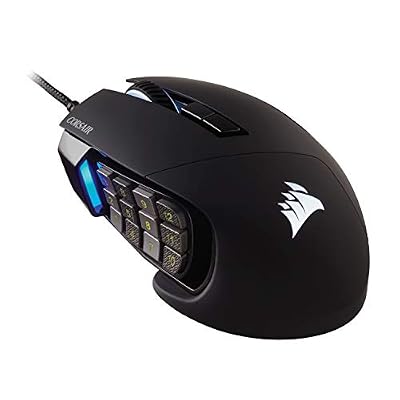
The Corsair Scimitar RGB Elite Wired MOBA/MMO Gaming Mouse has 17 programmable buttons, including a 12-button side panel that slides to adjust its position for different thumb lengths. It uses an 18,000 DPI optical sensor, a wired connection, and Corsair iCUE software for button remapping, macros, lighting control, and onboard profile storage.
Best for: MMO and MOBA players who want a wired mouse with an adjustable side panel and a high DPI ceiling, without managing a battery.
Consideration: It is wired only, so players who want wireless play will need a different pick, and the wide side panel takes time to learn by touch.
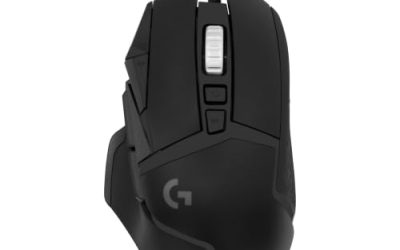
Logitech G600 MMO Gaming Mouse — ASIN B0086UK7IQ

The Logitech G600 MMO Gaming Mouse has 20 programmable buttons, including a 12-button thumb panel arranged in two rows of six. It uses a sensor with a maximum of 8,200 DPI, a wired USB connection, RGB backlighting, and Logitech Gaming Software for macros and profile management. Its G-Shift ring-finger button doubles the actions available on every other button, and it weighs 133 grams without the cable, with onboard memory for one profile and low-friction PTFE feet.
Best for: Players who want a long-running wired MMO mouse with a modifier button that effectively doubles the available commands.
Consideration: The 8,200 DPI maximum is lower than the other picks in this guide, and the wired design and older software platform may feel dated next to newer wireless models.
Redragon M913 Impact Elite Wireless Gaming Mouse — ASIN B088B3ZM76

The Redragon M913 Impact Elite Wireless Gaming Mouse has 16 programmable buttons, including 12 side buttons in a four-by-three MMO grid. It uses a Pixart 3335 optical sensor with a maximum of 16,000 DPI and five onboard DPI levels at 1000, 2000, 4000, 8000, and 16000 DPI. It connects through 2.4 GHz wireless or a USB-C wired connection, lists up to 45 hours of battery, weighs 132 grams, and uses Redragon software for key binding, macros, DPI settings, and RGB lighting control.
Best for: Players who want a wireless mouse with a full 12-button side grid and a straightforward feature set, including wired play when the battery is low.
Consideration: The 45-hour battery rating is shorter than the Razer Naga V2 Pro, and the software and feature set are more basic than the software on the Razer and Corsair picks.
Which One Is Right for You?
Choose the Razer Naga V2 Pro for maximum flexibility, with swappable plates, tri-mode connection, and a long battery rating. Choose the Corsair Scimitar RGB Elite for a wired MMO mouse with an adjustable side panel and a high DPI ceiling. Choose the Logitech G600 for a proven wired design with 20 programmable buttons and a G-Shift modifier. Choose the Redragon M913 for a wireless 12-button grid with a simpler feature set and a wired mode for charging. Hand size, grip style, and the games being played should guide the final choice as much as the button count, because a grid that is easy to reach will be used far more than one that is awkward to press.
Frequently Asked Questions
How many buttons does a gaming mouse need for MMO play?
A mouse with a 12-button side grid, for a total of 16 to 20 programmable buttons, is a common target for MMO play. That layout can hold a full ability bar, a set of consumables, or a row of utility commands under the thumb. A mouse with fewer buttons can still work for games with a small set of abilities, but it cannot hold a complete rotation without help from the keyboard.
Are 12-button side grids hard to learn?
A 12-button grid takes time to learn, but it is designed to be learned by touch. The buttons are arranged in a compact four-by-three grid, and many models use different shapes, textures, or numbering to help the thumb find the right button without looking. The Corsair Scimitar RGB Elite adds a sliding panel to match thumb length, while the Razer Naga V2 Pro uses shaped buttons and RGB backlighting on its 12-button plate. Assign the most-used abilities to the easiest buttons first, then add less-used commands as muscle memory builds.
Is wireless play suitable for MMO gaming?
Wireless play is suitable for MMO gaming when the mouse uses a 2.4 GHz wireless connection through a dedicated USB receiver, as the Razer Naga V2 Pro and the Redragon M913 do. Both models can also be used wired through a USB-C cable, which is useful when the battery is low. The Razer Naga V2 Pro lists up to 150 hours on HyperSpeed wireless, while the Redragon M913 lists up to 45 hours. A wired mouse, such as the Corsair Scimitar RGB Elite or the Logitech G600, avoids battery management entirely.
What is the difference between the Razer Naga V2 Pro and the Logitech G600?
Both mice have 20 programmable buttons with a 12-button side panel, but they differ in connection, sensor, and layout options. The Razer Naga V2 Pro is wireless, with HyperSpeed wireless, Bluetooth, and wired USB-C, a Focus Pro 30K optical sensor, and three swappable side plates with 12, 6, and 2-button layouts. The Logitech G600 is wired only, with a maximum of 8,200 DPI, a fixed 12-button thumb panel in two rows of six, and a G-Shift ring-finger button that doubles the actions on every other button.
Can these mice be used for games other than MMOs?
Yes. A mouse with lots of buttons can be useful in MOBA games, strategy games, survival games, creative software, and general desktop work, because the extra buttons can hold shortcuts, macros, and menu commands. The Razer Naga V2 Pro is the most flexible pick for mixed use, because its 6-button and 2-button plates reduce the side grid for FPS or general use. The other picks can also be used outside MMOs by remapping the side buttons in software. The main consideration is shape and weight, because a wide MMO mouse may feel large for fast-paced FPS play.
Do I need software to use the extra buttons?
Software is needed to get the most from the extra buttons, because remapping, macros, and profile management are controlled through the software supplied by each brand. The Razer Naga V2 Pro uses Razer Synapse, the Corsair Scimitar RGB Elite uses Corsair iCUE, the Logitech G600 uses Logitech Gaming Software, and the Redragon M913 uses Redragon software. Onboard memory can store profiles on the mouse, so a layout can travel to another computer. Basic left-click, right-click, and scroll functions work without software, but custom bindings, DPI steps, and lighting settings generally require the software at least once to set up.
Bottom Line
The best gaming mouse with lots of buttons is the one that matches the games being played, the size of the hand using it, and the way the player wants to connect. The Razer Naga V2 Pro leads this guide for its swappable plates, 20 programmable buttons, Focus Pro 30K sensor, and long wireless battery life, while the Corsair Scimitar RGB Elite is a strong wired alternative with an adjustable 12-button panel. The Logitech G600 remains a proven wired choice with 20 programmable buttons and a G-Shift modifier, and the Redragon M913 gives wireless MMO players a full 12-button grid. Compare the button layout, sensor, weight, connection, and software first, then choose the mouse that puts the most-used commands within easy reach of the thumb.
Disclosure: As an Amazon Associate, this site earns from qualifying purchases.