A wireless RGB gaming mouse does two jobs at once. It cuts the cord so your hand moves freely across the pad, and it adds light to the desk so the setup looks finished even when the monitor is dark. The best wireless RGB gaming mouse pairs that glow with a sensor that tracks cleanly, buttons that respond the same way every time, and a battery that lasts through long sessions. Gamers who play after dark, streamers who want the desk to match the rest of the rig, and anyone who has tangled a cable mid-match all want the same thing: light and freedom without giving up precision.
The five mice in this guide are all wireless and all carry real RGB lighting, not a single fixed-color LED. Each one appears on Amazon with a listing that names the mouse, its lighting zones, its sensor, and its battery life, so every claim below comes from the listing itself. Some mice light up the whole underside, some glow along a strip, and one uses a light bar built for smaller hands. The right pick depends on how much light you want, how heavy a mouse you like, and whether you play fast shooters, long strategy sessions, or a mix of everything.
Our top pick: Razer Basilisk V3 Pro. Runner-up: Logitech G502 X Plus.
Quick Picks
As an Amazon Associate, we earn from qualifying purchases.
| Product | Best for | Key spec from listing |
|---|---|---|
| Razer Basilisk V3 Pro | Full underglow and a feature-rich flagship | 13-zone Chroma RGB, Focus Pro 30K sensor |
| Logitech G502 X Plus | A bright strip with long battery life | LIGHTSYNC RGB, HERO 25K sensor, up to 130 hours |
| Logitech G502 Lightspeed | Classic shape with tunable weight | LIGHTSYNC RGB, HERO 25K sensor, 11 buttons |
| Corsair Dark Core RGB Pro SE | Nine-zone RGB with Qi wireless charging | Nine-zone RGB, 18,000 DPI sensor, Qi charging |
| Logitech G705 | A compact RGB mouse for smaller hands | LIGHTSYNC RGB, 85 g, 40 hours with lighting |
How to Choose
Count the lighting zones before you buy
RGB on a mouse is not one feature. It is a set of zones, and the number of zones decides how much of the mouse can glow and how many effects the software can draw. The Razer Basilisk V3 Pro lists 13 zones of Chroma RGB with full underglow, so light wraps the underside and spills onto the pad. The Corsair Dark Core RGB Pro SE lists nine zones with a built-in light bar, so the glow is visible from the side as well as from above. The Logitech G502 X Plus uses an 8-LED LIGHTSYNC strip along the front edge, while the older Logitech G502 Lightspeed uses two LIGHTSYNC zones. The Logitech G705 uses three LIGHTSYNC zones in a light bar along its base.
More zones give the software more to work with. A mouse with 13 zones can run a wave that travels across the body, while a mouse with two zones can only switch both zones together. That matters if you want the lighting to react to a game, since Chroma and LIGHTSYNC both tie lighting to events on screen in supported titles.
Wireless modes and battery life decide the routine
Every mouse here connects over a 2.4 GHz wireless link, and most add Bluetooth as a second option. The 2.4 GHz link is the one to use for games, since it polls faster and keeps latency low. The Basilisk V3 Pro adds a wired USB-C mode as a third option, so it keeps working while it charges.
Battery life figures in this guide come from the listings, and they assume a particular lighting setting. The G502 X Plus lists up to 130 hours, the Basilisk V3 Pro lists up to 90 hours, the G502 Lightspeed lists up to 60 hours with lighting off and up to 48 hours with lighting on, the Dark Core RGB Pro SE lists up to 50 hours, and the G705 lists up to 40 hours with lighting on. Lighting is the largest single drain on the battery, so turning the brightness down or switching the lighting off extends every one of these figures.
Sensor, buttons, and shape decide how the mouse plays
RGB gets the attention, but the sensor decides whether the mouse keeps up in a fast game. The Basilisk V3 Pro uses a Focus Pro 30K optical sensor, the G502 X Plus and G502 Lightspeed use a HERO 25K sensor rated to 25,600 DPI, the Dark Core RGB Pro SE uses an 18,000 DPI optical sensor, and the G705 uses a sensor rated from 100 to 8,200 DPI. What matters is clean tracking with no smoothing or acceleration at the setting you actually use.
Button count is the other practical difference. The Basilisk V3 Pro lists 13 programmable controls, the G502 X Plus lists 13 buttons, the G502 Lightspeed lists 11 buttons, the Dark Core RGB Pro SE lists 8 programmable buttons, and the G705 lists 6 programmable buttons. More buttons suit games with many abilities. Weight and shape are personal: the G705 weighs 85 g and is built compact for smaller hands, the Basilisk V3 Pro weighs 112 g with a thumb rest for palm grips, the G502 Lightspeed weighs 114 g before its six tunable weights are added, and the Dark Core RGB Pro SE weighs 142 g with two interchangeable side grips.
Razer Basilisk V3 Pro
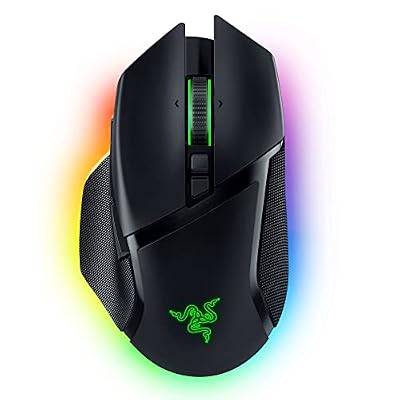
The Razer Basilisk V3 Pro is the most complete wireless RGB mouse in this guide, and that is why it leads the list. Its listing names 13-zone Chroma RGB with full underglow, which is the widest lighting layout here, and it pairs that lighting with a Focus Pro 30K optical sensor and 13 programmable controls. The mouse connects over HyperSpeed wireless, Bluetooth, or a wired USB-C connection, so it works with a desktop, a laptop, and a console setup without swapping hardware.
The shape is large and right-handed, with a thumb rest that gives the thumb a place to sit during long sessions. That shape suits palm and claw grips on larger hands, and the 112 g weight gives the mouse a planted feel that some players prefer for steady aim. The listing names up to 90 hours of battery life, which is strong for a mouse that carries this much lighting, and the lighting can be dimmed or switched off to stretch that figure further. Chroma lighting ties into more than 150 integrated games, so the underglow can react to health, ammo, or in-game events in supported titles, and it can sync with other Chroma gear on the desk. The main trade-off is size: players with small hands may find the body too wide.
Specs
- 13-zone Chroma RGB with full underglow, 16.8 million colors
- Focus Pro 30K optical sensor
- 13 programmable controls
- HyperScroll Tilt Wheel with four-way tilt
- HyperSpeed wireless, Bluetooth, and wired USB-C connections
- Gen-3 optical switches
- Up to 90 hours of battery life
- Weight: 112 g
Logitech G502 X Plus

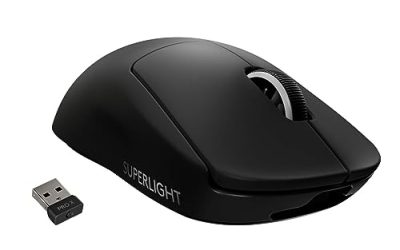
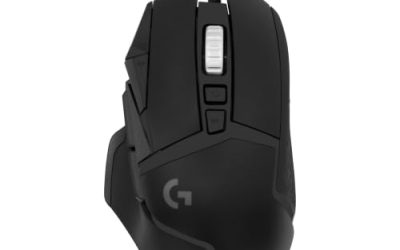
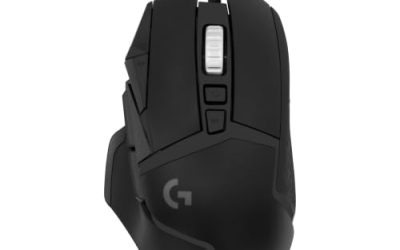
The Logitech G502 X Plus takes the long-running G502 shape and adds the RGB lighting that the standard G502 X Lightspeed leaves out. Its listing names LIGHTSYNC RGB with an 8-LED strip, a HERO 25K sensor rated to 25,600 DPI, LIGHTFORCE hybrid optical-mechanical switches, and 13 programmable buttons. The listing names up to 130 hours of battery life, which is the longest figure in this guide and gives the lighting room to run without constant charging.
The G502 shape is familiar to a lot of players: a right-handed body with a thumb rest, a wide primary button area, and a dual-mode scroll wheel that toggles between a stepped ratchet and a free spin. The LIGHTFORCE switches combine the feel of a mechanical switch with the speed of an optical sensor, so clicks feel crisp and register fast. The LIGHTSYNC strip runs along the front edge of the mouse, which puts the glow where you can see it while you play, and the G Hub software lets you set the strip to a steady color, a breathing effect, or a pattern that reacts to the game. The G502 X Plus suits players who already like the G502 shape and want it to glow, and players who want the longest battery life in this guide.
Specs
- LIGHTSYNC RGB with 8-LED lighting strip
- HERO 25K sensor, 100 to 25,600 DPI
- LIGHTFORCE hybrid optical-mechanical switches
- 13 programmable buttons
- LIGHTSPEED wireless, USB-C charging
- PowerPlay wireless charging capable
- Up to 130 hours of battery life
- Dual-mode scroll wheel with hyper-fast and ratchet modes
Logitech G502 Lightspeed
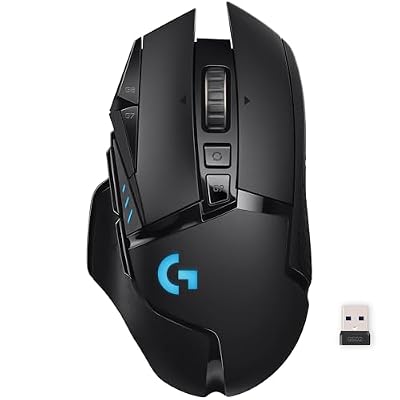
The Logitech G502 Lightspeed is the older sibling of the G502 X Plus, and it remains a strong pick because its listing names the same HERO 25K sensor, the same 11-button layout, and LIGHTSYNC RGB across two zones. The listing names up to 60 hours of battery life with lighting off and up to 48 hours with the default lighting on, which is enough for a week of regular sessions before the cable comes out.
What sets the G502 Lightspeed apart from the rest of this guide is its tunable weight system. The box includes six adjustable weights, two at 4 g and four at 2 g, which fit into a compartment under the mouse. Players who like a heavier mouse can load all six, players who like a lighter mouse can leave them out, and players who want the balance shifted forward or back can place the weights to suit their grip. The mouse weighs 114 g before the weights are added, so it is a substantial mouse even without them. Two RGB zones are enough for a steady color that matches the keyboard, and the G Hub software can sync that color with other Logitech G gear.
Specs
- LIGHTSYNC RGB, two zones, 16.8 million colors
- HERO 25K sensor, 100 to 25,600 DPI
- 11 programmable buttons
- LIGHTSPEED wireless, 1 ms report rate
- PowerPlay wireless charging compatible
- Six adjustable weights included
- Up to 60 hours of battery life, up to 48 hours with lighting on
- Weight: 114 g before weights
Corsair Dark Core RGB Pro SE

The Corsair Dark Core RGB Pro SE is the only mouse in this guide that charges wirelessly on a Qi pad, and that feature shapes how it fits into a setup. Its listing names nine-zone RGB lighting with a built-in light bar, an 18,000 DPI optical sensor, eight programmable buttons, and Slipstream wireless with sub-1 ms response. The SE model adds Qi wireless charging to the standard Dark Core RGB Pro, so the mouse can sit on a Qi charging pad between sessions and top up without a cable.
The shape is contoured for right-handed players, and the box includes two interchangeable side grips so the thumb area can be swapped to suit different hands. The mouse weighs 142 g, which makes it the heaviest mouse in this guide, and that weight gives it a steady feel that suits players who rest their palm on the mouse rather than lifting it constantly. The listing names up to 50 hours of battery life, and the nine-zone RGB can be controlled through the iCUE software, which also manages other Corsair gear on the desk. The light bar runs along the side of the mouse, so the glow is visible from the front and the side while you play. At 142 g it is the heaviest mouse here, so players who lift the mouse often during fast games may prefer a lighter body.
Specs
- Nine-zone RGB lighting with built-in light bar
- 18,000 DPI optical sensor
- Eight programmable buttons
- Slipstream wireless, Bluetooth, and wired USB-C connections
- Qi wireless charging (SE model)
- Up to 50 hours of battery life
- Two interchangeable side grips included
- Weight: 142 g
Logitech G705

The Logitech G705 is the compact mouse in this guide, and it is built for players with smaller hands who still want real RGB lighting. Its listing names LIGHTSYNC RGB across three zones, LIGHTSPEED wireless, Bluetooth, and a USB-C rechargeable battery. The mouse weighs 85 g and measures 105.8 mm long, which makes it shorter and lighter than every other mouse here. The listing names a sensor rated from 100 to 8,200 DPI, six programmable buttons including two thumb buttons and a top-mounted DPI-shift button, and a battery that lasts up to 40 hours with the lighting on.
The G705 comes from the Aurora Collection, and the White Mist finish matches that line. The three-zone LIGHTSYNC light bar sits along the base of the mouse, and the G Hub software can set it to one of four Play Moods that change the lighting to match how you play, or to a steady color that matches the rest of the desk. The mouse can pair with a G715 keyboard over a single LIGHTSPEED receiver, which frees a USB port on a laptop or a compact desktop. The trade-off is button count: six programmable buttons are enough for most games, but players who bind many abilities to the mouse may want the 11 or 13 buttons on the larger mice in this guide.
Specs
- LIGHTSYNC RGB, three zones, 16.8 million colors
- Sensor rated 100 to 8,200 DPI
- Six programmable buttons
- LIGHTSPEED wireless, Bluetooth, and USB-C connections
- Up to 40 hours of battery life with lighting on
- 1,000 Hz polling rate
- Weight: 85 g
- Dimensions: 105.8 x 68.1 x 39.4 mm
Frequently Asked Questions
Does RGB lighting drain the battery on a wireless mouse?
Yes, lighting is one of the largest drains on a wireless mouse battery. The listings in this guide show the effect clearly: the G502 Lightspeed lists up to 60 hours with lighting off and up to 48 hours with lighting on, and the G705 lists up to 40 hours with lighting on. Turning the brightness down, using a single steady color instead of a moving effect, or switching the lighting off during long sessions extends the battery on every mouse here.
Is a wireless RGB mouse as fast as a wired mouse for gaming?
The wireless links on the mice in this guide are built for gaming. The G502 Lightspeed lists a 1 ms LIGHTSPEED report rate, the Dark Core RGB Pro SE lists sub-1 ms Slipstream wireless, and the Basilisk V3 Pro lists HyperSpeed wireless. All three are fast enough that the delay between moving the mouse and seeing the cursor move is not noticeable in play.
How many RGB zones do I need?
Two or three zones are enough if you want a steady color that matches the keyboard, since the whole mouse can sit on one color. More zones matter when you want effects: a wave that travels across the body, a gradient that shifts from one side to the other, or lighting that reacts to events in a game. The Basilisk V3 Pro lists 13 zones and the Dark Core RGB Pro SE lists nine, so both can run effects that a two-zone mouse cannot. If you plan to set one color and leave it alone, the zone count matters far less than the shape, the sensor, and the battery life.
Can I use these mice with a laptop?
Yes. Every mouse here connects over a 2.4 GHz dongle that plugs into a USB port, and most also connect over Bluetooth, which needs no dongle at all. The G705 is the most laptop-friendly of the five because it is compact, light at 85 g, and can share one LIGHTSPEED receiver with a G715 keyboard.
A wireless RGB gaming mouse should glow, track cleanly, and last through the night without a cable in the way. The Basilisk V3 Pro leads this guide because it pairs the widest lighting with a flagship sensor and 13 programmable controls. The G502 X Plus follows with the longest battery life and a bright strip, the G502 Lightspeed brings the same sensor with tunable weight, the Dark Core RGB Pro SE adds Qi charging to nine-zone RGB, and the G705 gives smaller hands a compact RGB mouse that weighs just 85 g. Pick the shape and the lighting layout that fit your hand and your desk, and the sensor and battery figures in the listings will tell you the rest.