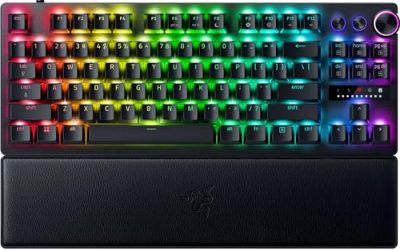
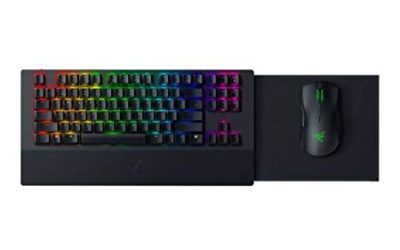
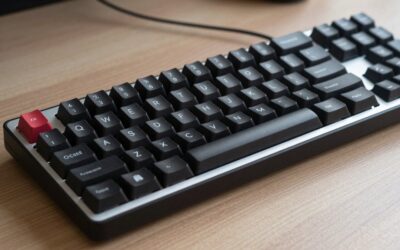
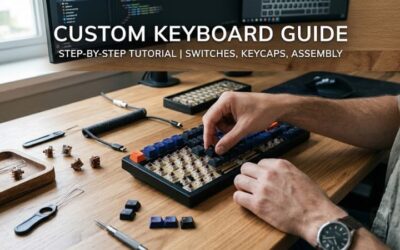
The real decision behind the Redragon K719 Pro is not whether a keyboard needs a screen. It is whether you can give up a full-size board’s footprint without giving up the keys you use, and whether a gasket-mounted deck built for a softer, quieter keystroke can still feel responsive enough for gaming. The K719 Pro squeezes 95 keys into a frame Redragon says is 20 percent smaller than a 100 percent layout, then adds a TFT info screen and a control knob.
This review is for typists who game after work, multi-device users who hop between a PC and a laptop, and buyers who care about keystroke sound as much as switch specs. It is a sourced review: every claim below comes from the K719 Pro’s Amazon listing, Redragon’s specifications, or named published reviews, and the three alternatives were chosen from the names and specs on their own Amazon pages. Unlike a general wireless roundup, this article looks at the K719 Pro on its own merits.
Quick Picks
As an Amazon Associate we earn from qualifying purchases
| Product | Best for | Key spec from title |
|---|---|---|
| Redragon K719 Pro | Typing-first users who want near-full-size keys in less desk space | 95 keys with 1.14-inch TFT info display |
| EPOMAKER RT100 | Buyers who want a detachable mini screen and a real number pad | 97 keys with customizable display screen |
| RK Royal Kludge S98 | Spreadsheet users who need a full numpad cluster on a shorter board | 98 keys with smart display and knob |
| AULA F75 Pro | Small desks where every centimetre of mouse room matters | 75 percent layout with knob and tri-mode wireless |
How to Choose
Layout: what the 95-key compromise keeps and cuts
A 95-key board keeps the function row, arrow keys and a compressed number cluster while trimming the empty space a full-size frame wastes. The trade is density: navigation keys sit closer together and a few functions move to an Fn layer, which slows you down until muscle memory adjusts. Decide by your work, not your games. If you enter numbers daily, a 97 or 98-key alternative with a true numpad beats a 95-key board. If your numpad use is occasional, the K719 Pro’s tighter frame buys back real mouse room.
Mount and sound: gasket layers versus top mount
The K719 Pro hangs its plate on gaskets and stacks five dampening layers — PO foam, IXPE switch foam, a PET sound pad, socket foam and a silicone bottom pad — to soften bottom-out and kill case echo. Tom’s Guide’s published review of the K719 Pro praises its comfort for all-day typing, which matches that design goal. A top-mount board like the RK S98 feels firmer and more direct, which some gamers prefer. Neither is better in the abstract; pick gasket if a cushioned, quieter stroke matters, top mount if you want a harder, crisper stop.
Connectivity and battery: three modes, one honest number
All four boards here connect by USB-C cable, 2.4GHz dongle and Bluetooth, so the deciding details are battery capacity and how many devices Bluetooth remembers. Redragon rates the K719 Pro’s cell at 4,000mAh, the same figure AULA lists for the F75 Pro, while the EPOMAKER RT100 carries 5,000mAh. Treat those as manufacturer figures, not measured results: RGB brightness and screen use change real runtime more than a few hundred milliamp hours do. If you switch between a work laptop and a gaming PC, confirm the board stores multiple Bluetooth pairings before you buy.
Screen, knob and software: useful readouts or desk decoration
A keyboard screen earns its space when it shows connection mode and battery level at a glance, which is exactly what the K719 Pro’s TFT panel does, alongside typing status and custom GIF uploads. The knob beside it handles backlight brightness and media controls without opening an app. The catch is software: Redragon’s own store page lists the K719 Pro’s software support as still in beta testing, so buyers who remap keys daily should weigh that against boards with mature drivers, and everyone should check which settings the knob and screen menus can change on their own.
The 4 Best Options
Redragon K719 Pro

The K719 Pro suits the person who types for a living and games in the evening, and who is tired of a full-size board eating the desk. Its gasket mount and five dampening layers target a soft, low-thud keystroke, and Audiophile Heaven’s published review describes it as a lightweight typing machine with a cushioned feel. The TFT screen answers the two questions wireless users ask most — which mode am I in, and how much battery is left — without alt-tabbing into software. Tri-mode connection covers a wired gaming PC and Bluetooth devices in one board.
Specs
- 95 keys in a 96 percent layout, listed as keeping full-size function in a frame 20 percent smaller
- 1.14-inch TFT info display showing connection mode, battery level and typing status, with custom GIF support
- Gasket-mounted structure with precision-locked covers
- Tri-mode connection: USB-C wired, Bluetooth 3.0/5.0 and 2.4GHz wireless
- Custom Mint Mambo linear switches, thick-lubed from the factory
- Hot-swap sockets compatible with nearly all 3-pin and 5-pin switches
- Five-layer noise dampening: 3.5mm PO foam, IXPE switch foam, PET sound pad, bottom socket foam, silicone bottom pad
- Control knob for backlight brightness and media (volume, play/pause, track switching)
- 4,000mAh rechargeable battery (manufacturer figure)
- RGB backlighting with software support for custom modes and effects
Best for: Typists who game, working on a desk too small for a full-size board.
Watch out for: Tom’s Guide’s review flags the north-facing backlight as dim, and Redragon’s own materials describe the screen as 1.41 inches while the Amazon title says 1.14 — check the listing photos, and test every key in the first days.
ASIN: B0DKHHWJT3
EPOMAKER RT100

The RT100 is the closest rival in spirit: a 97-key gasket board with a knob and a screen, except its display is a detachable mini TV that plugs into a USB-C port on the board’s edge. Tom’s Guide’s published review calls it a fantastic productivity keyboard, praising the soft, smooth stock switches and the full row of function keys. You gain a genuine number pad over the K719 Pro and a larger 5,000mAh battery, but the board is bigger and heavier, and the screen is a separate piece to keep track of rather than a panel built into the frame.
Specs
- 97 keys in a 95 percent layout with a full number pad
- Gasket-mounted mechanical keyboard with Poron sandwich layer
- Customizable detachable display screen (mini TV) plus a multimedia knob
- Tri-mode connection: Bluetooth 5.0, 2.4GHz wireless and USB-C wired
- Hot-swappable sockets for 3-pin and 5-pin switches
- 5,000mAh battery
- Wisteria Linear Switch fitted on this listing variant
- South-facing RGB LEDs with N-key rollover
- Compatible with Windows and Mac
Best for: Productivity users who want the screen idea with a proper numpad attached.
Watch out for: The detachable screen shares its port area with the 2.4GHz dongle storage, so confirm how you will store both pieces before ordering.
ASIN: B0C4TNF64V
RK Royal Kludge S98

The S98 answers the layout question differently: 98 keys with a real number pad, a smart display and a knob, but a top-mount plate instead of gaskets. That gives a firmer, more consistent keystroke that suits players who find gasket boards mushy, while its IXPE pad, two foam layers and silicone damper still work on case noise. The screen shows custom GIFs, the date, connection mode and battery status, and the knob adjusts volume, connection mode and backlight settings. It is the pick here for number-heavy work that the K719 Pro’s compressed cluster would cramp.
Specs
- 98 keys in a 96 percent layout with a full number pad
- Top-mount structure with pre-lubed switches
- Smart display showing GIFs, date, connection mode and battery status
- Knob control for volume, connection mode and backlight brightness, speed and colour
- Tri-mode connection: Bluetooth 5.0, 2.4GHz wireless and USB-C wired
- Hot-swap PCB accepting 3-pin and 5-pin switches without soldering
- Sound-absorbing stack: IXPE switch pad, two layers of sound-absorbing foam, silicone damping pad
- Double-shot PBT keycaps
- Software support for remapping and screen content
Best for: Spreadsheet and data-entry users who still want a display and wireless freedom.
Watch out for: Listings offer different switch options, including Linear Cream and Tactile Beige, so verify the switch named on the exact listing before ordering.
ASIN: B0CQ2MSP2B
AULA F75 Pro

The F75 Pro drops the screen and the number cluster entirely, and in return gives the smallest footprint of the four: a 75 percent, 81-key board with a knob, gasket structure and a flex-cut PCB. Its pre-lubed LEOBOG Reaper linear switches and five filling layers chase the same creamy, quiet keystroke as the K719 Pro, and it matches the Redragon’s 4,000mAh battery while pairing with up to five devices across its three connection modes. Choose it when mouse space and a softer sound profile outrank readouts and extra keys, and when your work never touches a numpad.
Specs
- 75 percent layout with a multifunction control knob
- Gasket structure with extended integrated silicone pad and single-key-slotted PCB
- Tri-mode connection: 2.4GHz wireless, Bluetooth 5.0 and USB-C wired, pairing with up to five devices
- Pre-lubed LEOBOG Reaper linear switches
- Hot-swappable base supporting 3-pin and 5-pin switches
- Side-printed PBT keycaps
- Five layers of filling silencer between PCB, plate and switches
- 4,000mAh rechargeable battery
- 16.8 million colour RGB backlighting
Best for: Compact gaming desks where the keyboard must leave maximum room for the mouse.
Watch out for: There is no number pad and no status screen, and side-printed legends are harder to read in low light than top-printed ones.
ASIN: B0D14N2QZF
Which One Fits Your Situation
You type all day, then game on the same desk
Pick the Redragon K719 Pro. Its gasket mount, five dampening layers and thick-lubed linear switches are built for long, quiet typing sessions, and published reviews from Tom’s Guide and Audiophile Heaven both single out its typing comfort. The screen keeps battery and connection status visible during work, and the 95-key layout leaves more mouse room for the evening’s games than a full-size board would.
Your work runs on a number pad
Pick the RK Royal Kludge S98 if you want the firmest keystroke, or the EPOMAKER RT100 if you prefer a gasket feel. Both carry a genuine numpad that the K719 Pro’s compressed cluster only imitates. The S98’s top mount feels direct and consistent; the RT100 adds a detachable screen and the largest battery here, at the cost of a bigger, heavier frame on the desk.
Your desk is small and the mouse needs room
Pick the AULA F75 Pro. The 75 percent layout is the shortest board in this group, so your mouse hand gets the widest sweep for low-sensitivity aiming. You keep the gasket softness, hot-swap sockets and a volume knob, and you lose only what a small desk cannot use anyway: the numpad, the nav cluster and the status screen.
You switch between a PC, a laptop and a tablet
Start with the AULA F75 Pro, whose listing states pairing with up to five devices across Bluetooth, 2.4GHz and wired modes. The K719 Pro is the alternative if you also want the screen: its Bluetooth mode stores three pairings (BT1, BT2 and BT3, per the listing’s connection instructions), and the display confirms which device you are on before you start typing into the wrong window.
Common Mistakes
- Buying a 95-key board for numpad-heavy work, then discovering the compressed number cluster is slower than a real numpad for data entry.
- Assuming every screen-equipped keyboard has finished software; Redragon lists the K719 Pro’s software support as in beta, so check which settings the knob and screen menus handle alone.
- Judging wireless runtime by battery capacity alone, when RGB brightness and an always-on display draw more power than the radio does.
- Ignoring switch options on lookalike listings — the S98 and RT100 both sell with different fitted switches under near-identical titles.
- Expecting shine-through legends on every RGB board; north-facing backlights and side-printed keycaps can look dim even at full brightness.
Frequently Asked Questions
Is the Redragon K719 Pro mechanical or membrane?
It is a true mechanical keyboard. The Amazon listing specifies custom Mint Mambo linear switches on hot-swap sockets that accept nearly all 3-pin and 5-pin switches, so the fitted switches can be replaced without soldering. Some third-party roundups have mislabelled the board as mechanical-feel membrane; the listing’s switch and socket details are the figures to trust.
What does the K719 Pro’s screen actually show?
Per the listing, the TFT info display shows the connection mode, battery level and typing status, and it accepts custom GIF uploads for personalisation. The knob beside the screen adjusts backlight brightness and media controls such as volume and play/pause. Note that Redragon’s own store describes the panel as 1.41 inches while the Amazon title lists 1.14 inches.
How long does the K719 Pro battery last?
Redragon fits a 4,000mAh cell, which is a manufacturer capacity figure rather than a measured runtime. Published coverage of the board reports multi-day to multi-week use between charges depending on backlight and screen settings, with one review of a K719 Pro variant measuring roughly 12 percent drain across an eight-hour workday. Expect RGB brightness to be the biggest variable in your own runtime.
Can the K719 Pro connect to more than one device?
Yes. The listing’s connection instructions describe three stored Bluetooth pairings (BT1, BT2 and BT3) alongside the 2.4GHz dongle mode and USB-C wired mode. You switch between the stored Bluetooth devices with a short key press after the initial pairing, and the TFT screen displays which connection is active, which helps avoid typing on the wrong machine.