Platformer games punish a slow display more than most genres. A pixel-perfect jump in Celeste, a parry in Hollow Knight or a frame-tight wall kick in a precision platformer all depend on the same chain: your input, the game’s response and the panel drawing the result without delay or smearing. Input lag, pixel response and motion clarity matter more here than raw resolution, and smooth side-scrolling exposes ghosting that a static screen hides.
This roundup picks five monitors that fit how platformers are actually played: two OLED panels with near-instant pixel response, two fast 1440p IPS screens for players who mix 2D and 3D games, and a budget-tier 1080p screen that still delivers low lag and blur reduction.
As an Amazon Associate, we earn from qualifying purchases.
Quick Answer
For platformer games, low input lag and fast pixel response matter more than resolution. The ASUS ROG Swift OLED PG27AQDP leads with 480Hz and a 0.03ms response, the MSI MAG 274QP QD-OLED X24 brings OLED clarity to 240Hz, and the Alienware AW2723DF and GIGABYTE GS27Q X cover 1440p IPS. The ASUS TUF VG249QL3A is the budget-tier pick.
Table of Contents
- ASUS ROG Swift OLED PG27AQDP
- MSI MAG 274QP QD-OLED X24
- Alienware AW2723DF
- GIGABYTE GS27Q X
- ASUS TUF Gaming VG249QL3A
- How to Choose
- Who Should Skip
- FAQ
- Final Verdict
ASUS ROG Swift OLED PG27AQDP

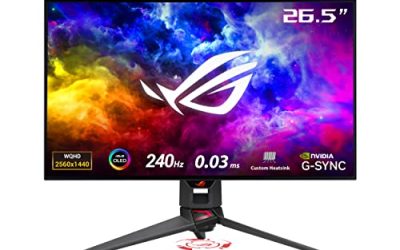
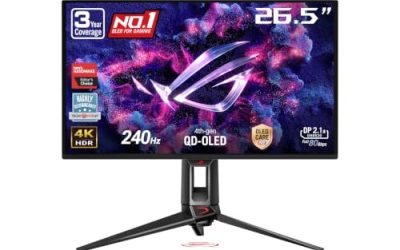
The PG27AQDP is the premium pick for players who chase frame-perfect inputs. Its 26.5-inch WOLED panel pairs 2560 x 1440 resolution with a 480Hz refresh rate, the highest in this roundup, and OLED pixel response of 0.03ms gray-to-gray. In practice that means a scrolling level stays sharp edge to edge: spikes, saw blades and moving platforms keep defined outlines instead of trailing ghosts, which is exactly what a precision platformer asks of a display during a fast retry loop.
OLED contrast is the second advantage. Platformers lean on dark scenes, from Hollow Knight’s Deepnest to the shadowed caves of Ori and the Blind Forest, and per-pixel lighting keeps those areas genuinely black while small bright details stay readable. ASUS fits a custom heatsink and its OLED Care+ protection features, and the panel covers 99 percent of the DCI-P3 gamut with DisplayHDR 400 True Black certification. The honest cautions: static HUD elements held on screen for very long sessions are the classic OLED burn-in scenario, and this is a premium-tier product in every sense.
Specs
- Screen size: 26.5 inches, flat
- Resolution: 2560 x 1440 (QHD)
- Panel type: WOLED
- Refresh rate: 480Hz
- Response time: 0.03ms GtG
- HDR: DisplayHDR 400 True Black
- Color gamut: 99 percent DCI-P3
- Adaptive sync: NVIDIA G-SYNC Compatible
- Ports: 2x HDMI 2.1, 1x DisplayPort 1.4, USB hub
- Extras: custom heatsink, OLED Care+ features
MSI MAG 274QP QD-OLED X24

The MAG 274QP QD-OLED X24 delivers the same OLED motion advantage at 240Hz, the refresh rate most gaming PCs can actually feed in demanding titles and far beyond what any platformer needs. Its 27-inch class QD-OLED panel runs at 2560 x 1440 with a 0.03ms gray-to-gray response, so dash trails, particle effects and fast camera pans render without the smear that LCD panels can show at the same refresh rate.
QD-OLED color is a genuine fit for the genre’s art styles. Saturated 2D artwork, from the hand-painted look of Cuphead to the neon palettes of modern indie platformers, benefits from the wide gamut and the perfect black levels behind it. MSI includes Adaptive-Sync support for tear-free variable refresh, built-in speakers for a clean desk setup, and a height-adjustable stand with VESA mounting. As with any OLED, the static-HUD burn-in caution applies to marathon sessions, and MSI’s OLED Care features are there to mitigate it.
Specs
- Screen size: 27 inches (26.5-inch viewable), flat
- Resolution: 2560 x 1440 (QHD)
- Panel type: QD-OLED
- Refresh rate: 240Hz
- Response time: 0.03ms GtG
- Adaptive sync: Adaptive-Sync (FreeSync Premium Pro)
- Ports: HDMI 2.1, DisplayPort, headphone output
- Stand: height and tilt adjustment, VESA mountable
- Extras: built-in speakers, OLED Care features
Alienware AW2723DF

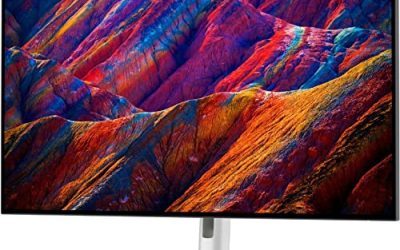
The AW2723DF is the fastest LCD in this roundup. Its 27-inch Fast IPS panel runs 240Hz natively at 2560 x 1440 and overclocks to 280Hz over DisplayPort, with a 1ms gray-to-gray rating in its extreme mode. For platformer players who also play competitive 3D games, that combination keeps one desk setup honest across genres, and the Nano Color backlight delivers 95 percent DCI-P3 coverage so 2D art stays vivid rather than washed out.
Dell’s published figures include VESA DisplayHDR 600, a step above the basic HDR400 tier, which helps bright effects against dark backgrounds. Both NVIDIA G-SYNC Compatible and AMD FreeSync Premium Pro variable refresh are supported, so unlocked frame rates in PC platformers stay tear-free. One connection note: the HDMI inputs are the 2.0 standard and cap at 144Hz, so DisplayPort is the cable to use for the full refresh rate. The Lunar Light finish and fully adjustable stand round out a premium-tier package.
Specs
- Screen size: 27 inches, flat
- Resolution: 2560 x 1440 (QHD)
- Panel type: Fast IPS (Nano Color)
- Refresh rate: 240Hz native, 280Hz overclocked via DisplayPort
- Response time: 1ms GtG (extreme mode)
- HDR: VESA DisplayHDR 600
- Color gamut: 95 percent DCI-P3
- Adaptive sync: NVIDIA G-SYNC Compatible, AMD FreeSync Premium Pro
- Ports: 2x HDMI 2.0, 1x DisplayPort 1.4, USB hub
- Stand: height, tilt, swivel and pivot adjustment
GIGABYTE GS27Q X

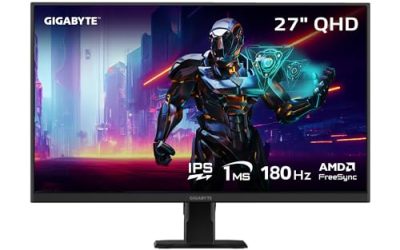
The GS27Q X is the value route to 240Hz at 1440p. Its 27-inch SS IPS panel runs 240Hz natively and overclocks to 250Hz, with a 1ms MPRT rating and AMD FreeSync Premium variable refresh. That spec set covers everything a platformer can ask for: most 2D titles are light enough that a mid-range graphics card can hold very high frame rates at 1440p, and the panel keeps scrolling backgrounds clean while it does.
Gigabyte keeps the feature list focused. There is HDR10 support, a frameless design on three sides and the usual OSD gaming aids such as a crosshair overlay and timer, which speedrunners may appreciate for practice sessions. Brightness is a modest 300 nits typical, so it suits a normally lit room rather than a sun-facing desk. The stand is tilt-only, so budget for a VESA arm if you need height adjustment. Within its mid-range tier, though, the panel speed per specification is hard to argue with.
Specs
- Screen size: 27 inches, flat
- Resolution: 2560 x 1440 (QHD)
- Panel type: SS IPS
- Refresh rate: 240Hz, 250Hz overclocked
- Response time: 1ms MPRT
- HDR: HDR10
- Brightness: 300 nits (typical)
- Adaptive sync: AMD FreeSync Premium
- Ports: 2x HDMI 2.0, 1x DisplayPort 1.4
- Stand: tilt adjustment, VESA mountable
ASUS TUF Gaming VG249QL3A

The VG249QL3A is the budget-tier pick, and it is built around the one feature budget screens often skip: blur reduction. Its 23.8-inch Fast IPS panel runs at 180Hz in 1920 x 1080, and ASUS ELMB strobing sharpens moving images, which matters in a genre defined by constant horizontal scrolling. At 1080p, even a modest graphics card can hold 180 frames per second in virtually any 2D platformer, so the full refresh rate is usable rather than theoretical.
The rest of the specification is sensible for the tier: a 1ms gray-to-gray rating, FreeSync Premium with G-SYNC Compatible support, 99 percent sRGB coverage for accurate 2D color, built-in speakers and a height-adjustable stand that many budget rivals omit. The trade-offs are resolution and screen size; text and pixel art are less crisp than on the 1440p picks, and the smaller panel suits a compact desk. For a dedicated platformer and retro setup, that is a reasonable exchange.
Specs
- Screen size: 23.8 inches, flat
- Resolution: 1920 x 1080 (Full HD)
- Panel type: Fast IPS
- Refresh rate: 180Hz
- Response time: 1ms GtG
- Motion clarity: ELMB (Extreme Low Motion Blur)
- Color gamut: 99 percent sRGB
- Adaptive sync: FreeSync Premium, NVIDIA G-SYNC Compatible
- Ports: 1x DisplayPort, 2x HDMI, headphone output
- Stand: height and tilt adjustment
- Extras: built-in speakers
How to Choose
Start with response and lag, not resolution. Platformers are won and lost on input timing, so prioritize a fast panel: OLED at 0.03ms, or a Fast IPS screen rated at 1ms. A high refresh rate lowers input lag further and smooths scrolling, but only if your hardware can feed it; most 2D platformers are light, so 180Hz to 240Hz is realistic on mid-range PCs, while 480Hz is a premium-tier luxury.
Next, match the panel to the art style. Dark, atmospheric games benefit most from OLED contrast. Bright, saturated 2D art looks great on any wide-gamut IPS here. Consider blur reduction, such as ELMB or OLED’s native clarity, if you play fast auto-scrollers or speedrun; note that strobing usually disables variable refresh and lowers brightness. Finally, check the ports: use DisplayPort for full refresh rates on PC, and pick HDMI 2.1 models if a current console shares the desk, since consoles cap at 120Hz and need the newer port to reach it at 1440p.
Who Should Skip
Skip the premium OLED picks if your platformer sessions run many hours daily with fixed HUD elements and you do not want to manage burn-in habits at all; a Fast IPS panel removes that worry. Skip 1440p entirely if your graphics card is entry-level and you also play demanding 3D games, since the 1080p TUF will hold its refresh rate more easily. And if you play platformers mainly on a TV-sized screen from a couch, none of these desk monitors fits; look at a television instead.
FAQ
Do platformer games need a high refresh rate monitor?
Not strictly, since many platformers are locked to 60 frames per second by design. A higher refresh rate still reduces input lag and display latency even at 60fps, and PC versions with unlocked frame rates look noticeably smoother at 144Hz or above. It is a quality-of-life upgrade rather than a requirement.
Is OLED or IPS better for 2D platformers?
OLED offers faster pixel response and perfect blacks, which suits dark games and eliminates ghosting on scrolling backgrounds. IPS counters with no burn-in risk from static HUD elements, strong brightness and lower tiers of pricing. Both are good; the choice turns on how long your sessions run and how much you value contrast.
Does variable refresh rate matter for platformers?
Yes, when a game’s frame rate is unlocked or uneven. FreeSync and G-SYNC support keep the panel synced to the game, removing tearing during fast horizontal scrolls without the added lag of traditional V-Sync. For a game locked to a perfectly steady 60fps, the benefit is smaller but still present.
What size monitor is best for platformer games?
A 24 to 27-inch screen is the practical range. Smaller panels keep the whole level in view without head movement, which helps in precision platformers, while 27-inch 1440p screens add sharpness for pixel art and text. Larger displays can push HUD elements to the edges of your vision during fast play.
Final Verdict
For the sharpest, lowest-lag platformer experience, the ASUS ROG Swift OLED PG27AQDP is the standout: 480Hz, near-instant response and true blacks in one panel. The MSI MAG 274QP QD-OLED X24 covers the same OLED strengths at 240Hz in a lower tier. LCD buyers should take the Alienware AW2723DF for speed with HDR600, or the GIGABYTE GS27Q X for 240Hz 1440p value, while the ASUS TUF VG249QL3A proves a budget-tier screen with ELMB can still serve precision play well.
Product and ASIN Reference
| Product | ASIN |
|---|---|
| ASUS ROG Swift OLED PG27AQDP | B0D7NXSQ44 |
| MSI MAG 274QP QD-OLED X24 | B0G4P697M8 |
| Alienware AW2723DF | B0BCXJ7XXM |
| GIGABYTE GS27Q X | B0CYK4DQD7 |
| ASUS TUF Gaming VG249QL3A | B0CHN4JZT8 |