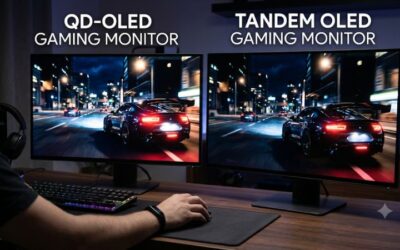
🛒 Best Price Today on Amazon
Prime members get fast, free shipping on everything above, plus member-only deals. New members get a 30-day free trial — cancel anytime.
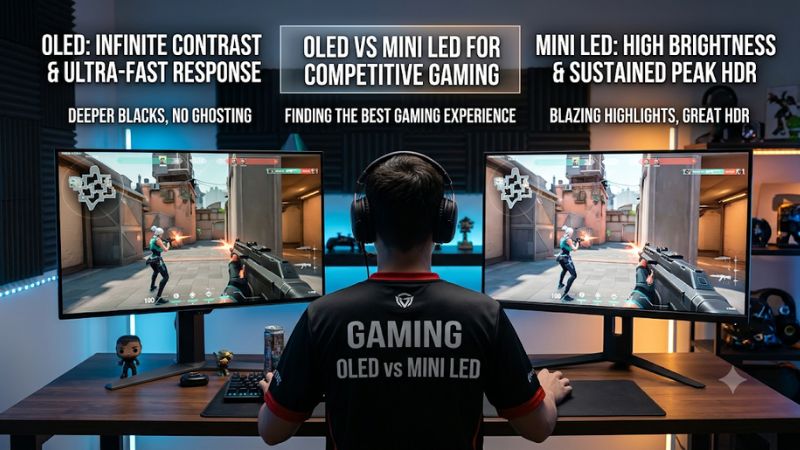
Choosing between OLED vs Mini LED for competitive gaming comes down to motion clarity, refresh rate, input lag, and playing conditions. OLED generally offers sharper motion and better dark-scene visibility, while Mini LED delivers higher brightness and avoids permanent OLED burn-in. The right choice depends on your games, room, and priorities.
How to Choose a Gaming Monitor for Competitive Play
Competitive gaming places different demands on a monitor than cinematic single-player games. Fast movement, readable targets, consistent brightness, and responsive controls matter more than impressive HDR effects alone. Before choosing OLED or Mini LED, consider the monitor’s actual refresh rate, measured input lag, pixel response, and how its panel performs in your gaming environment.
1. Refresh Rate and Motion Clarity
Refresh rate determines how frequently a monitor can display a new frame. A 240Hz display refreshes approximately every 4.17 milliseconds, while a 360Hz display refreshes approximately every 2.78 milliseconds. Higher refresh rates can make aiming and tracking feel smoother, provided your PC can deliver sufficiently high frame rates.
OLED has an advantage in pixel response because individual pixels can change brightness extremely quickly. This reduces visible trailing behind moving objects and helps preserve detail when tracking opponents. Mini LED monitors use LCD panels, so their response characteristics depend on whether the underlying panel is IPS or VA and how well its overdrive settings are implemented.
2. Input Lag and Competitive Responsiveness
Input lag is the delay between a player’s action and the corresponding visual response. It is influenced by the monitor’s processing, refresh rate, signal path, and operating mode. OLED’s fast pixel transitions should not be confused with total input lag: a monitor can have excellent response time without automatically having the lowest input latency.
For competitive shooters such as Counter-Strike 2, Valorant, and Apex Legends, compare independent input-lag measurements at the refresh rate you intend to use. Check whether measurements cover both lower-refresh and maximum-refresh operation. A monitor’s advertised response-time figure alone is insufficient to establish its competitive performance.
3. Brightness, Contrast, and Visibility
OLED produces light independently at each pixel, allowing it to switch individual pixels completely off. This creates exceptionally deep blacks and prevents the glowing halos that can appear around bright objects on local-dimming LCD displays. In darker gaming environments, this can make high-contrast scenes look particularly clean.
Mini LED uses many small LEDs behind an LCD panel to control brightness across separate dimming zones. It can produce brighter full-screen images and powerful highlights, which helps in brightly lit rooms. However, its local-dimming algorithm can create blooming around bright objects, potentially affecting the visibility of small details against dark backgrounds.
4. Durability, Desktop Use, and Budget
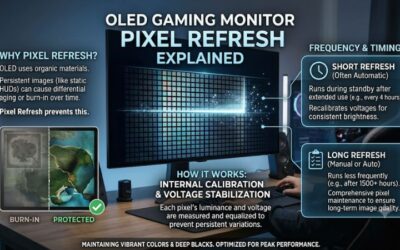
OLED introduces a long-term image-retention consideration because repeated exposure to static elements can contribute to permanent burn-in. Gaming HUDs, minimaps, taskbars, and fixed desktop interfaces are examples of content that may remain in the same position for extended periods. Modern OLED monitors include protective features, but these do not make the risk disappear.
Mini LED does not have the same organic-pixel burn-in concern, making it attractive for users who combine gaming with long desktop sessions. It can also be available at more accessible prices, although premium Mini LED models can be expensive. Compare warranty coverage, resolution, connectivity, and actual monitor performance rather than assuming one technology always costs less.
OLED vs Mini LED: Competitive Gaming Comparison
The practical difference between these technologies becomes clearer when comparing how they handle fast movement, dark environments, bright scenes, and extended gaming sessions. OLED has an inherent advantage in pixel-level lighting and response, but Mini LED remains competitive when its LCD panel offers a high refresh rate and well-tuned motion handling.
| Category | OLED | Mini LED |
| Motion clarity | Excellent pixel response | Depends on LCD panel |
| Refresh rate | Available at high refresh rates | Also available at high refresh rates |
| Input lag | Model-dependent | Model-dependent |
| Black levels | True black | Depends on local dimming |
| Blooming | No backlight blooming | Possible around bright objects |
| Full-screen brightness | Generally lower | Generally higher |
| HDR contrast | Excellent pixel-level contrast | Depends on dimming zones |
| Bright-room performance | Model and coating-dependent | Generally stronger |
| Burn-in risk | Possible over time | No OLED-style burn-in |
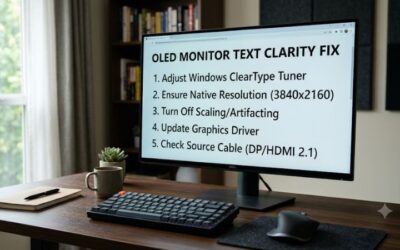
| Text clarity | Depends on subpixel layout | Often better with RGB layouts |
| Best environment | Controlled or darker rooms | Bright rooms |
1. Which Technology Gives You Better Competitive Performance?
OLED is generally the stronger choice when motion clarity is a priority. Its fast pixel transitions help reduce visible ghosting and trailing, particularly when tracking opponents moving quickly across the screen. This can be useful in Valorant, Counter-Strike 2, Overwatch 2, and other games where small visual details matter.
However, the difference between OLED and Mini LED should not be exaggerated. A well-designed high-refresh-rate IPS Mini LED monitor can still deliver responsive gameplay. Independent PC Gamer comparisons also show that the practical speed difference between individual models can be less dramatic than their advertised response-time specifications suggest.
PC Gamer+1
2. Which Display Handles Dark Scenes Better?
OLED has a clear advantage in dark environments because each pixel produces its own light. When a section of the screen needs to display black, its pixels can switch off independently. This preserves contrast without relying on neighboring lighting zones to reproduce dark areas.
Mini LED improves traditional LCD contrast through local dimming, but each zone controls multiple pixels. A bright object against a dark background can therefore create a visible halo. For competitive games with dark maps, shadows, and small illuminated targets, this difference can affect the overall image experience.
RTINGS.com+1
3. Does Mini LED Have an Advantage in Bright Rooms?
Mini LED is often the more practical option when gaming in a room with strong daylight or overhead lighting. Its backlight can produce substantial full-screen brightness, helping the image remain visible when sunlight or reflections affect the display. This also benefits games with large, bright outdoor environments.
OLED can still work well in bright rooms, but its brightness behavior varies by model and panel technology. QD-OLED displays can also show raised black levels or a color tint under strong ambient lighting. If your desk sits beside a large window, examine the monitor’s coating and bright-room performance before choosing.
4. Which Technology Is Better for Long Gaming Sessions?
Mini LED has an advantage for people who leave the same desktop elements visible for many hours. Since it uses an LCD panel rather than organic self-emitting pixels, it does not carry the same permanent burn-in concern associated with OLED displays. Static HUDs, browser windows, and taskbars are therefore less of a concern.
OLED remains suitable for extended gaming when its protective features and recommended maintenance are used. Pixel-refresh routines, screen dimming, and automatic standby can help manage image-retention risk. Nevertheless, these features do not remove the underlying risk, so buyers should examine the manufacturer’s warranty terms before purchasing.
Which Should You Buy for Competitive Gaming?
The choice between these technologies should reflect the games you play, the hardware powering your monitor, and how much time you spend outside competitive matches. Rather than choosing based on panel specifications alone, consider whether you prioritize motion clarity, maximum refresh rate, brightness, or long-term desktop usability.
Choose OLED If Motion Clarity Is Your Priority
OLED is the better starting point for competitive players who want fast pixel transitions and clean motion. Its individual-pixel lighting also makes dark scenes easier to appreciate without local-dimming halos. Players who regularly switch between competitive shooters and visually demanding single-player games can benefit from this combination.
Look for a monitor with a suitable refresh rate, low measured input lag, and a resolution your GPU can handle. A 1440p high-refresh-rate OLED is a practical middle ground for many PC gaming setups. However, competitive players should still compare maximum-refresh input lag and available motion settings between individual models.
Choose Mini LED If Brightness Matters More
Mini LED makes sense when you play in a bright room, prefer punchy HDR highlights, or regularly use your monitor for productivity. Its ability to illuminate larger portions of the screen at high brightness is a meaningful advantage, particularly in colorful games with bright outdoor environments.
For competitive play, prioritize an IPS Mini LED model with strong response behavior and a high native refresh rate. VA-based options can offer attractive contrast, but some models exhibit dark-level smearing during fast movement. Check independent motion measurements instead of relying on the number of local-dimming zones.
Consider Refresh Rate Before Paying for OLED
A premium OLED monitor is not automatically the best competitive gaming purchase. If your main game runs at very high frame rates, a monitor with a higher refresh rate may be more useful than one offering better HDR contrast. This is particularly relevant to players who prioritize esports performance over cinematic visuals.
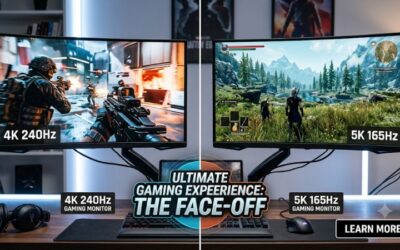
For example, compare a 360Hz display against a 240Hz alternative using actual input-lag and motion measurements. Also consider whether your CPU and GPU can consistently produce the frame rates required to benefit from the faster panel. A monitor upgrade cannot compensate for insufficient system performance.
Don’t Ignore Resolution, GPU Performance, and Connectivity
Resolution and refresh rate should match your gaming hardware. Running demanding games at 4K and high refresh rates requires substantially more GPU performance than playing at 1080p or 1440p. Competitive players may prefer lower resolutions when they help maintain consistently high frame rates.
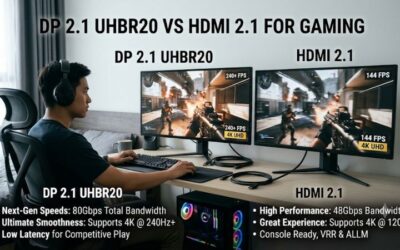
Check DisplayPort and HDMI capabilities before buying. Confirm that the monitor supports your intended resolution and refresh rate through the connection you plan to use. Adaptive-sync support, compatible GPU outputs, and the availability of appropriate cables also matter. These practical details can influence the experience more than the OLED or Mini LED label.
FAQ
1. Is OLED or Mini LED better for competitive gaming?
OLED is generally better for competitive gaming because its pixel response is faster, helping reduce motion blur and visible ghosting. However, a high-refresh-rate Mini LED monitor with a responsive IPS panel can still be a strong option. Compare actual input lag and motion performance before choosing.
2. Does OLED have lower input lag than Mini LED?
Not necessarily. OLED generally has faster pixel response, but total input lag depends on the monitor’s processing, refresh rate, and firmware. Check independent input-lag measurements at the refresh rate you intend to use rather than relying on advertised response times.
3. Is Mini LED better than OLED for FPS games?
Not universally. OLED is usually preferable for motion clarity and dark-scene contrast, while Mini LED can be attractive for bright environments and users who want to avoid burn-in concerns. For serious esports, prioritize refresh rate, input lag, and consistent frame delivery.
4. Is OLED burn-in a serious concern for competitive gamers?
Burn-in is a potential long-term concern, particularly when static elements remain visible for extended periods. Modern OLED monitors include protective features, but buyers should follow manufacturer maintenance recommendations and check whether their warranty explicitly covers burn-in.
Final Thoughts
The choice between OLED vs Mini LED for competitive gaming ultimately depends on your priorities. OLED is the stronger overall choice for motion clarity and contrast, while Mini LED offers brightness and freedom from OLED-style burn-in. Compare refresh rates, measured input lag, and panel performance before making your purchase.