🛒 Best Price Today on Amazon
Prime members get fast, free shipping on everything above, plus member-only deals. New members get a 30-day free trial — cancel anytime.
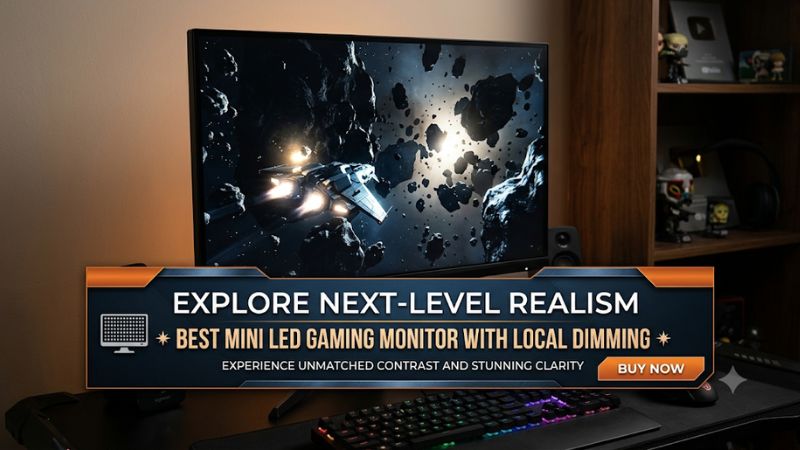
Choosing the best mini led gaming monitor with local dimming means balancing HDR picture quality, refresh rate, resolution, and backlight control. Mini LED displays can produce brighter highlights and deeper blacks than conventional LCD monitors, but their dimming performance varies significantly. Here are the options worth considering in 2026.
How to Choose a Mini LED Gaming Monitor
A good Mini LED gaming monitor needs more than a high advertised brightness rating or an impressive number of dimming zones. The quality of its local dimming algorithm, panel characteristics, and gaming specifications determines whether it delivers convincing HDR images without distracting visual artifacts.
1. Evaluate Local Dimming Performance
Local dimming divides the backlight into independently controlled sections. When a game displays a bright object against a dark background, the monitor can illuminate the relevant zones while reducing brightness elsewhere. This improves perceived contrast and makes HDR highlights more noticeable.
However, more zones do not automatically mean better image quality. The algorithm must respond appropriately to changing scenes without creating excessive blooming around subtitles, stars, weapon effects, or other bright objects. Look for independent measurements of black levels, haloing, and shadow detail rather than relying exclusively on zone counts.
2. Choose the Right Resolution and Screen Size
Resolution should match your preferred screen size and available GPU performance. A 27-inch 1440p monitor is a practical choice for high-refresh-rate gaming, while 27-inch or 32-inch 4K displays provide greater image detail for visually demanding single-player games.
Remember that 4K requires considerably more GPU rendering power than 1440p at comparable settings. If you play demanding games such as Cyberpunk 2077 or Alan Wake 2, consider whether your graphics card can maintain your preferred frame rate before choosing a high-resolution display.
3. Match Refresh Rate to Your Games
Refresh rate determines how frequently the display can update its image. A 160Hz or 180Hz monitor provides a good balance between smooth gameplay and hardware requirements, while higher-refresh-rate options can benefit competitive players.
For shooters and esports titles, prioritize motion clarity and response behavior alongside the advertised refresh rate. VA panels can exhibit dark-level smearing, while IPS panels may have lower native contrast. Neither panel technology is automatically better for every gaming scenario.
4. Check HDR, Connectivity, and Compatibility
Look beyond the HDR label when comparing displays. VESA DisplayHDR certification provides useful information about display capabilities, but actual HDR quality also depends on local dimming, brightness consistency, color reproduction, and tone mapping.
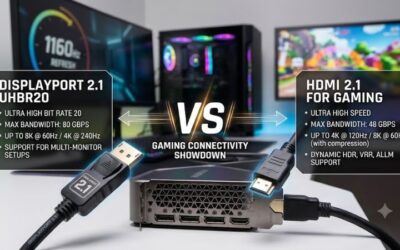
Check HDMI 2.1, DisplayPort bandwidth, Adaptive-Sync support, and the number of available inputs. For PC gaming, confirm that your GPU can deliver the desired resolution and refresh rate through the selected connection. Also check whether local dimming works in both SDR and HDR, as implementations differ between monitors.
Top Mini LED Gaming Monitor Picks
The following four monitors cover different budgets and gaming priorities, from premium 5K gaming to affordable 1440p HDR. The recommendations consider independent picture-quality findings, local dimming behavior, refresh rates, connectivity, and practical limitations rather than treating the highest zone count as an automatic winner.
1. LG UltraGear 27GM950B-B – Best Overall
Premium 5K Mini LED gaming
The LG UltraGear 27GM950B-B is the strongest overall choice for gamers who want high pixel density alongside advanced local dimming. Its 27-inch IPS display combines a native 5120 × 2880 resolution with a 165Hz refresh rate, while its Dual Mode feature switches to 2560 × 1440 at 330Hz for faster-paced games.
Its 2,304 local dimming zones help produce deep blacks and bright HDR highlights with relatively little blooming. RTINGS also reports good shadow detail, although brightness decreases after approximately three minutes with local dimming enabled. Its DisplayPort 2.1 and HDMI connectivity make it attractive for modern gaming systems, but the premium specifications demand a powerful GPU.
RTINGS.com+2
Who should buy it: Gamers who want premium HDR, detailed 5K images, and the flexibility to switch to a high-refresh-rate QHD mode.
Watch out for: Its brightness behavior with local dimming enabled and the GPU requirements of native 5K gaming. Consider the TCL 32R84 if you prefer a larger 4K screen at a lower price.
2. TCL 32R84 – Best Upper Mid-Range
32-inch 4K HDR gaming
The TCL 32R84 is a compelling alternative for gamers who prefer a larger display without moving into the most expensive monitor category. It features a 32-inch 4K VA panel, a 165Hz refresh rate, and 1,400 local dimming zones. Its DisplayHDR 1400 specification and quantum-dot color technology make it particularly interesting for HDR gaming.
Connectivity is another advantage. The monitor includes two HDMI 2.1 ports, DisplayPort 1.4, USB-C with 90W power delivery, and FreeSync Premium. Independent reviews report effective local dimming and strong contrast, although bright objects can produce visible halos. Dark-scene smearing and VRR flickering are additional considerations for players sensitive to motion artifacts.
TCL USA – TCL North America+2
Who should buy it: Gamers who want a large 4K screen, strong HDR brightness, and useful connectivity for multiple devices.
Watch out for: Dark-scene smearing, VRR flickering, and the relatively large desk footprint. Choose the LG if you prioritize pixel density and dual-mode refresh rates instead.
3. Acer Nitro XV275K P5biipruzx – Best 4K Gaming Versatility
Dual-mode 4K and high-refresh gaming
The Acer Nitro XV275K P5biipruzx targets gamers who want to switch between detailed graphics and faster competitive gameplay. Its 27-inch IPS panel provides 3840 × 2160 resolution at 160Hz, with a dual-mode option that increases the refresh rate to 320Hz at 1920 × 1080.
The monitor includes 1,152 local dimming zones and HDMI 2.1 connectivity. Its USB-C connection supports DisplayPort Alt Mode, while the integrated KVM functionality helps manage multiple connected systems. Independent findings show that HDR local dimming improves black levels, but blooming and black crush remain visible in certain scenes. Another important limitation is that local dimming is unavailable in SDR mode.
RTINGS.com+2
Who should buy it: Players who alternate between demanding 4K games and competitive titles where a 320Hz mode is useful.
Watch out for: The 1080p dual mode sacrifices image sharpness, and SDR picture quality is less impressive without local dimming. Consider the AOC if HDR contrast in dark scenes matters more than 4K resolution.
4. AOC Q27G3XMN – Best Budget Mini LED
Affordable 1440p HDR gaming
The AOC Q27G3XMN is an appealing entry point for gamers who want Mini LED backlighting without paying for a premium 4K display. Its 27-inch VA panel runs at 2560 × 1440 resolution with a maximum 180Hz refresh rate. It also uses 336 local dimming zones to improve contrast and HDR image quality.
One of its biggest strengths is that local dimming works in both SDR and HDR, making it more flexible than some higher-priced alternatives. RTINGS reports good dark-room picture quality, deep blacks, and relatively effective local dimming. However, the VA panel can show black smearing during fast movement, and VRR flickering can become distracting when frame rates fluctuate.
RTINGS.com+2
Who should buy it: Budget-conscious PC gamers who prioritize HDR contrast and 180Hz gameplay over 4K resolution.
Watch out for: It lacks HDMI 2.1 bandwidth, and its VA panel has some dark-level smearing. Choose the Acer or TCL if 4K resolution and newer connectivity standards are more important.
Quick Comparison: Which Monitor Fits Your Setup?
| Product | Best For | Key Spec | Compatibility | Watch Out For |
| LG 27GM950B-B | Best Overall | 5K, 165Hz, 2,304 zones | HDMI, DP 2.1, modern GPUs | High GPU demands |
| TCL 32R84 | Best Upper Mid-Range | 4K, 165Hz, 1,400 zones | HDMI 2.1, DP 1.4, USB-C | VRR flicker, smearing |
| Acer XV275K P5 | Best Versatility | 4K 160Hz / 1080p 320Hz, 1,152 zones | HDMI 2.1, DP 1.4, USB-C | HDR-only local dimming |
| AOC Q27G3XMN | Best Budget | 1440p, 180Hz, 336 zones | HDMI, DP, FreeSync | VA smearing, no HDMI 2.1 |
Specifications are based on the identified model variants. Check the exact regional model and supported input timings before purchasing.
FAQ
1. Is Mini LED local dimming worth it for gaming?
Yes, Mini LED local dimming is worthwhile if you play HDR games and want brighter highlights with deeper blacks. It provides better backlight control than conventional edge-lit LCD monitors. However, blooming can still appear around small bright objects, particularly against completely dark backgrounds.
2. How many local dimming zones should a gaming monitor have?
There is no universal minimum, but 336 or more zones can already deliver worthwhile HDR improvements when the implementation is effective. Higher-end displays may offer more than 1,000 zones. However, the quality of the dimming algorithm, panel contrast, and response behavior matters more than zone count alone.
3. Is Mini LED better than OLED for gaming?
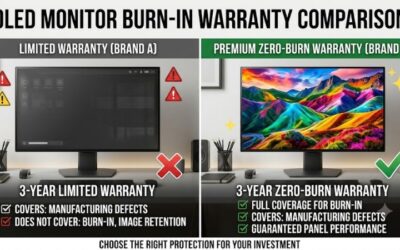
Neither technology is universally better. Mini LED generally offers higher sustained brightness in many implementations and avoids OLED burn-in concerns associated with static elements. OLED provides individually controlled pixels and near-perfect black levels without traditional backlight blooming. Choose Mini LED for bright HDR gaming and OLED if pixel-level contrast is your priority.
4. Does local dimming reduce gaming performance?
Local dimming does not inherently reduce GPU performance or frame rates because it controls the monitor’s backlight rather than changing the game’s rendering workload. However, certain implementations can introduce visible flickering, blooming, or brightness fluctuations. Check independent reviews for these behaviors before choosing a display.
Final Thoughts
The best mini led gaming monitor with local dimming depends on your GPU, preferred resolution, and HDR expectations. The LG 27GM950B-B leads in versatility, the TCL 32R84 offers an attractive large-screen option, and the AOC Q27G3XMN provides accessible HDR gaming. Compare local dimming quality before making your purchase.