
- Top Pick: Dell 27 Monitor S2725QS, 4K UHD IPS, 120Hz, 5ms, FreeSync Premium
- Best Value: ZZA 34 Inch Ultrawide Curved Monitor Built in Speakers 4K Gaming Computer Monitor 100Hz, WQHD(3440x1440P) Curved 3800R 21:9 Ultra Wide PC Display, 130% sRGB, HDMI &DP, VESA Mount Compatible-White
- Premium Choice: Samsung 27" Odyssey G5 (G51F) Series QHD (1440P) Gaming Monitor
4K gaming monitors have finally hit their stride. With modern GPUs able to push high frame rates at 3840×2160 and panel prices falling, a 4K display now delivers the pin-sharp clarity and immersive detail that once felt out of reach. The catch is that not all 4K monitors are equal; refresh rate, panel type, and connectivity separate a great gaming screen from a merely pretty one.
Below I’ve gathered the best 4K gaming monitors for 2026, from high-refresh flagships to value ultrawide alternatives. A buying guide and FAQ follow to help you find the right pixel-dense display.


As an Amazon Associate we earn from qualifying purchases at no extra cost to you.




🎮 Get More From Your Setup — Free
Prime Gaming gives you free PC games every month, in-game loot, and a free Twitch channel sub — plus fast free shipping on all the gear above. New members get a 30-day free trial.
Watch: Best 4K Computer Monitor For Gaming — Video Review
How to Choose a 4K Gaming Monitor
- GPU requirements: 4K gaming is demanding, so ensure your graphics card can drive it before buying.
- Refresh rate: Aim for at least 120-144Hz; higher refresh 4K panels deliver both sharpness and smoothness.
- Panel type: IPS offers excellent color and viewing angles, the standard for premium 4K gaming displays.
- Connectivity: DisplayPort 1.4 or HDMI 2.1 is needed to run 4K at high refresh rates.
- Adaptive sync: FreeSync or G-Sync compatibility keeps the image tear-free at variable frame rates.
The Best 4K Gaming Monitors Reviewed
Acer Nitro 27″ 4K 160Hz (VG270K V4)
This Nitro panel delivers 4K at up to 160Hz with HDMI 2.1 and FreeSync Premium. Its high refresh and modern connectivity make it the standout 4K gaming choice here.
Dell 27″ S2725QS 4K 120Hz
The Dell S2725QS pairs a crisp 4K IPS panel with 120Hz and FreeSync Premium. It’s a well-rounded, reliable pick for both gaming and productivity.
CRUA 27″ 4K 144Hz
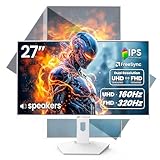
With a 144Hz IPS panel and a pivot-and-tilt stand, the CRUA offers high-refresh 4K in a flexible package. Its white finish and adjustability suit tidy, versatile setups.
Acer Nitro 27″ 4K 72Hz (VG270K L1)
A more affordable Nitro, this model runs 4K at 72Hz with a dynamic feature that drops to FHD 144Hz. It’s a value entry point for players who prioritize resolution over refresh.
ZZA 34″ Ultrawide 4K-Class
For an immersive alternative, this 34-inch curved WQHD ultrawide offers sweeping width and built-in speakers. It’s the pick for players who value immersion over strict 4K pixel density.
Related Guides
- Best 1440p 240Hz Gaming Monitor (2026)
- Multi Screen Monitor (2026)
- 720 Hertz Monitor (2026)
- Best Standing Desk For Multiple Monitors (2026)
Frequently Asked Questions
Can my GPU handle 4K gaming?
You’ll want a high-end card like an RTX 5070 or better for smooth 4K. Upscaling technologies help lighter GPUs cope.
Is 4K worth it over 1440p for gaming?
4K offers stunning clarity but demands more GPU power. If your card can drive it, the detail is a genuine upgrade.
Do I need HDMI 2.1 or DisplayPort?
Either can drive 4K at high refresh, but HDMI 2.1 or DisplayPort 1.4 is required for the fastest frame rates.
What refresh rate should a 4K gaming monitor have?
Aim for 120Hz or more. A 144-160Hz 4K panel delivers the best mix of sharpness and smooth motion.
Final Thoughts
For high-refresh 4K gaming, the Acer Nitro 27″ 160Hz is the standout, while the Dell S2725QS is a superb all-round pick. Players craving immersion on a budget should consider the ZZA 34″ ultrawide as a compelling alternative.












