
- Top Pick: Dell 27 Monitor S2725QS, 4K UHD IPS, 120Hz, 5ms, FreeSync Premium
- Best Value: Samsung 43” M7 (M70F) Series 4K UHD Smart Monitor
- Premium Choice: LG 32UR500K-B Ultrafine 32-inch 4K UHD (3840×2160) Computer Monitor HDR10 Built-in Speaker x2 OnScreen Control Reader Mode Flicker Safe Borderless Design HDMIx2 DisplayPort Black
Black Friday is the moment 4K monitors finally become impulse-buy affordable, with high-resolution panels that hover at premium prices most of the year dropping to genuine bargain territory. For gamers, creators, and anyone who wants crisper text and more screen real estate, the holiday sale is the ideal window to make the jump to Ultra HD.
This guide explains how to shop Black Friday 4K monitor deals without getting burned, using real contenders like the Dell S2725QS, Samsung’s M7 smart monitor, and the LG 32UR500K as reference points. The aim is to help you match resolution, refresh rate, and features so your discount lands on a display you will love for years.
As an Amazon Associate we earn from qualifying purchases at no extra cost to you.







🎮 Get More From Your Setup — Free
Prime Gaming gives you free PC games every month, in-game loot, and a free Twitch channel sub — plus fast free shipping on all the gear above. New members get a 30-day free trial.
Watch: Black Friday Deals 4k Monitor: Review & Buyer’s Guide — Video Review
Design & Build
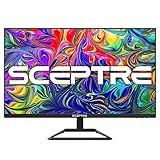
Black Friday 4K monitors span a wide range of sizes and styles, so the right build depends on your desk and use. The Dell S2725QS and S2725QC at 27 inches offer clean, borderless IPS designs with adjustable stands, ideal for a focused workspace. Larger options like the Samsung 43” M7 smart monitor and the LG 32UR500K-B 32-inch double as media hubs, with built-in speakers and smart features that blur the line between monitor and TV. The Sceptre 32-inch keeps things affordable with dual HDMI and DisplayPort inputs and built-in speakers, while the Samsung ViewFinity S7 32” targets high-resolution productivity. Across the board, expect solid connectivity and, on the IPS models, wide viewing angles.
Performance
The key trade-off in this category is refresh rate versus screen size and price. The Dell S2725QS and S2725QC stand out for gaming with a 120Hz refresh, FreeSync Premium, and 99% sRGB coverage on the QC model, making them the sharpest picks for fast-paced play at 4K. The larger Samsung M7, LG 32UR500K, and Sceptre U325W prioritize resolution and immersive size over high refresh, which suits productivity, streaming, and creative work beautifully. The Samsung ViewFinity S7 rounds out the productivity-focused options with strong color and a high-resolution panel. Just remember that driving 4K, especially at 120Hz, demands a capable GPU, so pair your monitor choice with your system’s horsepower.
Pros & Cons
- Genuine Black Friday discounts on normally pricey 4K panels.
- Crisp Ultra HD resolution for sharp text and detailed visuals.
- Gaming-ready options like the 120Hz Dell models with FreeSync.
- Large smart displays that double as media and streaming hubs.
- 4K demands a strong GPU, especially for high-refresh gaming.
- Larger panels can overwhelm smaller desks and viewing distances.
Alternatives to Consider
If gaming is your priority, the 120Hz Dell S2725QS or S2725QC with FreeSync Premium are the sharpest picks to target during the sale. Buyers who want an immersive media and productivity hub should look at the 43” Samsung M7 or 32” LG 32UR500K, which bring smart features and generous size. For pure color-accurate work, the Samsung ViewFinity S7 is a strong choice, while the Sceptre offers the most affordable route into 32-inch 4K.
Frequently Asked Questions
Are Black Friday 4K monitor deals worth it?
Yes. 4K panels see some of their deepest discounts of the year during Black Friday, making it the best time to upgrade from 1080p or 1440p to Ultra HD.
Do I need a powerful PC for a 4K monitor?
For general use and media, most modern systems handle 4K fine. But for gaming, especially at the 120Hz the Dell models offer, you will want a capable graphics card.
Should I get a 27-inch or a larger 4K monitor?
A 27-inch like the Dell S2725QS suits a focused desk, while 32 to 43-inch models like the LG and Samsung work better for immersive media and multitasking at a greater viewing distance.
Is 60Hz enough for a 4K monitor?
For productivity, streaming, and creative work, 60Hz is perfectly smooth. Gamers who want fluid motion should prioritize the 120Hz Dell models instead.
Verdict
The best Black Friday 4K monitor for most gamers is the Dell S2725QS or S2725QC, blending 120Hz gaming performance with holiday pricing. Those after a big, immersive media hub should consider the 43” Samsung M7 or 32” LG 32UR500K, while creators will appreciate the ViewFinity S7. Match the panel to your GPU and desk, and the savings will be well worth it.












