🛒 Best Price Today on Amazon
Prime members get fast, free shipping on everything above, plus member-only deals. New members get a 30-day free trial — cancel anytime.
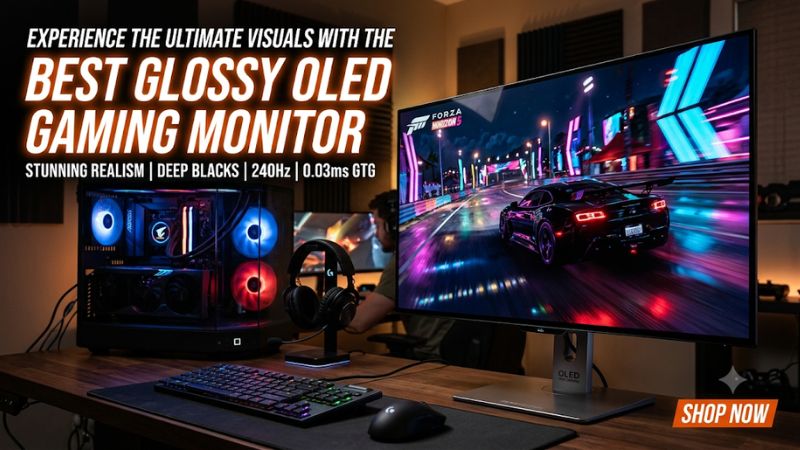
Choosing the best glossy oled gaming monitor means balancing deep blacks, vibrant colors, reflection handling, and gaming speed. Glossy OLED displays can deliver exceptional image clarity, but WOLED and QD-OLED coatings behave differently under room lighting. This guide compares leading options and explains which display suits each setup.
How to Choose a Glossy OLED Gaming Monitor
A glossy finish is not automatically better in every environment. It can preserve a clean, vibrant image, but windows, lamps, and other bright objects may become distracting reflections. The right purchase depends on panel technology, coating, resolution, refresh rate, and how much ambient light reaches your desk.
1. Understand WOLED and QD-OLED
WOLED and QD-OLED use different pixel structures and light-emitting technologies. Glossy WOLED models can preserve darker-looking blacks in brighter environments when they use an appropriate reflection-control layer. QD-OLED generally offers particularly vibrant color volume, but its black appearance can be affected by ambient light.
For buyers prioritizing a reflective-glass appearance, the coating matters as much as the OLED label. ASUS’s ROG Strix XG32UCWMG is a notable example because its TrueBlack Glossy WOLED implementation targets improved black appearance while retaining a high-refresh gaming format.
2. Check the Actual Screen Coating
Not every OLED monitor has a glossy surface. Some use matte anti-glare treatments, while others have semi-gloss or specialized glossy finishes. Manufacturers also use different names for their coating technologies, so check the exact model specification rather than relying on a product family’s appearance.
If your desk faces a window, compare reflection handling before choosing. A glossy display can look excellent in a controlled room but become uncomfortable when direct sunlight reaches the panel. Matte alternatives may be more practical for brightly lit offices.
3. Match Resolution and Refresh Rate
A 4K OLED monitor is attractive for visually detailed games, cinematic experiences, and desktop work. However, driving modern games at 3840 × 2160 and very high refresh rates requires substantial GPU performance. A 1440p model may be more practical if competitive gaming and consistently high frame rates matter more.
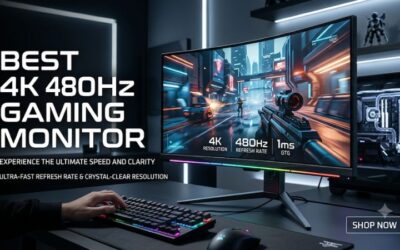
Refresh rate should also reflect the games you play. A 240Hz monitor is a strong combination of responsiveness and image quality, while dual-mode displays can provide an additional high-refresh option at reduced resolution.
4. Consider Burn-In Protection and Connectivity
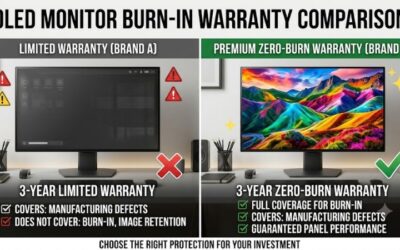
OLED pixels can experience uneven wear when static elements remain visible for extended periods. Look for pixel-refresh functions, panel-care features, and a clearly documented warranty that addresses burn-in. These protections reduce ownership concerns but do not make OLED immune to image retention.
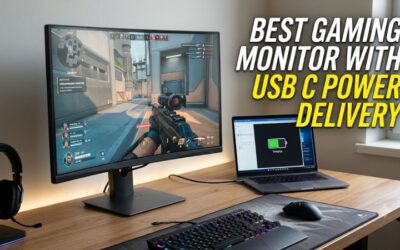
Connectivity is equally important. Check for HDMI 2.1, DisplayPort bandwidth, USB-C power delivery if needed, and VRR support. Make sure your graphics card can provide the resolution and refresh rate through the selected input without unwanted compromises.
Top Glossy OLED Gaming Monitor Picks
The strongest options are not interchangeable: some prioritize a genuinely glossy WOLED surface, while others use QD-OLED with anti-reflection treatments. The distinction matters because a buyer looking for deep blacks in a room with ambient light may prefer a different panel from someone prioritizing saturated HDR colors.
| Product | Best For | Key Spec | Compatibility | Watch Out For |
| ASUS ROG Strix XG32UCWMG | Best Overall | 32-inch 4K, 240Hz, 1080p 480Hz | HDMI 2.1, DP 1.4 DSC, USB-C | Limited USB-C power |
| ASUS ROG Swift OLED PG32UCWM | Premium alternative | 32-inch 4K, 240Hz, dual mode | Check GPU and input bandwidth | Higher-end pricing |
| MSI MPG 321URX QD-OLED | Color-focused alternative | 31.5-inch 4K, 240Hz | HDMI 2.1, DP 1.4a, USB-C | Anti-reflection rather than TrueBlack Glossy |
| Alienware AW3225QF | Curved gaming | 31.6-inch 4K, 240Hz | HDMI 2.1, DP 1.4 DSC | Anti-reflective surface and curved design |
1. ASUS ROG Strix OLED XG32UCWMG – Best Overall
Best for glossy WOLED and competitive gaming
The ASUS ROG Strix XG32UCWMG is the clearest recommendation when a genuinely glossy OLED surface is the priority. Its 31.5-inch WOLED panel combines 3840 × 2160 resolution, a 240Hz refresh rate, and ASUS TrueBlack Glossy treatment. The coating is designed to control ambient reflections while preserving the clarity associated with glossy displays.
Its dual-mode feature switches between 4K at 240Hz and Full HD at 480Hz. That makes it particularly appealing to players who alternate between visually demanding single-player games and competitive shooters. It also supports FreeSync Premium Pro and G-SYNC Compatible, with a 0.03ms GtG response specification.
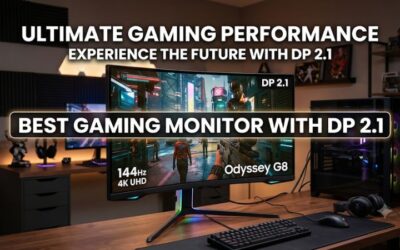
The main limitation is connectivity: DisplayPort 1.4 uses DSC rather than DisplayPort 2.1, and USB-C power delivery is limited to 15W. Its 3-year warranty includes panel burn-in coverage. Buyers who want a modern DisplayPort 2.1 connection should consider the newer premium ASUS alternatives instead.
2. ASUS ROG Swift OLED PG32UCWM – Best Premium Alternative
Best for newer glossy WOLED technology
The PG32UCWM is worth considering if you want to move beyond the older XG32UCWMG platform. Independent monitor comparisons identify its newer Tandem WOLED panel, RGB subpixel arrangement, and DisplayPort 2.1 connectivity as important advantages. It retains the 4K 240Hz and 1080p 480Hz dual-mode format.
Its glossy coating also makes it relevant to buyers who specifically dislike matte OLED displays. The RGB subpixel arrangement is particularly interesting for mixed gaming and desktop use because it can reduce colored text fringing compared with some older OLED subpixel layouts.
The trade-off is cost and availability. It is a premium option, and buyers should confirm the exact regional model, warranty, and input specifications before ordering. If the older XG32UCWMG is substantially cheaper, the newer model’s improvements may not justify the price difference for every gaming setup.
3. MSI MPG 321URX QD-OLED – Best Color-Focused Alternative
Best for vibrant QD-OLED visuals and connectivity
The MSI MPG 321URX is a 31.5-inch 4K QD-OLED monitor with a 240Hz refresh rate, 0.03ms GtG response specification, and DisplayHDR True Black 400 certification. MSI lists 99% DCI-P3 coverage, making it an appealing option for players who prioritize vivid color reproduction and HDR presentation.
Connectivity is a major advantage. It includes two HDMI 2.1 ports, DisplayPort 1.4a, and USB-C with up to 90W power delivery. The monitor also includes a KVM function and MSI OLED Care 2.0. MSI specifies a three-year warranty that includes OLED burn-in coverage.
However, this is not the same glossy treatment as ASUS TrueBlack Glossy. MSI specifies an anti-reflection surface treatment. Choose it for its QD-OLED characteristics, useful ports, and USB-C charging rather than assuming it delivers the exact reflective appearance of a glossy WOLED panel.
4. Alienware AW3225QF – Best Curved Alternative
Best for immersive curved QD-OLED gaming
The Alienware AW3225QF combines a 31.6-inch curved QD-OLED panel with 3840 × 2160 resolution and a 240Hz refresh rate. Its 1700R curvature provides a more enveloping viewing experience than a conventional flat monitor, particularly in games with expansive environments.
Dell specifies a 0.03ms GtG response time, Dolby Vision support, HDMI 2.1, and DisplayPort 1.4 with DSC. Its 4K 240Hz input capability makes it suitable for high-end gaming PCs and compatible consoles. The display also supports adaptive synchronization for smoother gameplay.
Its limitation is the curved screen and anti-reflective surface treatment. It is not the closest match if your main requirement is a specialized glossy coating. Choose it when curved-screen immersion matters more than matching the appearance of TrueBlack Glossy WOLED.
FAQ
1. Is a glossy OLED gaming monitor better than a matte OLED monitor?
A glossy OLED gaming monitor can deliver a clearer-looking image and more vibrant perceived contrast in a controlled lighting environment. Its reflective surface can also make bright objects more noticeable, so it is not automatically the better choice for every room.
Matte OLED monitors are generally more practical when your desk receives strong daylight or overhead lighting. Consider your room before choosing a coating, rather than assuming glossy always produces a superior gaming experience.
2. Is WOLED or QD-OLED better for glossy gaming?
WOLED is a strong choice if maintaining dark-looking blacks under ambient lighting is your priority, particularly with specialized glossy coatings. QD-OLED is attractive for its wide color volume and vivid HDR presentation.
Neither technology wins every category. Compare the actual coating, subpixel arrangement, HDR performance, and independent measurements of the individual monitor before purchasing.
3. Do you need a powerful GPU for a 4K 240Hz OLED monitor?
Yes, a powerful GPU is recommended if you want to approach 240 FPS in demanding games at native 4K resolution. The monitor can display up to 240 frames per second, but your actual frame rate depends on your graphics card, game, and graphics settings.
You do not need to reach 240 FPS to use the display. Lower frame rates remain compatible with adaptive synchronization, provided your hardware and settings support it.
4. Can glossy OLED gaming monitors suffer from burn-in?
Yes, glossy OLED gaming monitors can suffer from permanent image retention after prolonged uneven pixel wear. Static desktop elements, taskbars, and persistent interface elements can contribute to the risk over time.
Use the manufacturer’s OLED-care functions, allow automatic pixel-maintenance cycles to complete, and enable screen-off timers when appropriate. Check the warranty carefully because burn-in coverage, exclusions, and regional terms vary between manufacturers.
Final Thoughts
The best glossy oled gaming monitor depends on whether you prioritize deep blacks, vibrant HDR, or competitive refresh rates. The ASUS XG32UCWMG is an excellent starting point for glossy WOLED, while newer ASUS models offer additional refinements. Compare regional pricing, warranty coverage, and GPU compatibility before buying.