
- Top Pick: Samsung 27" Odyssey G5 (G51F) Series QHD (1440P) Gaming Monitor
- Best Value: Samsung 32” Odyssey G5 (G50F) Series QHD Gaming Monitor
- Premium Choice: Sceptre Curved 24.5-inch Prime Gaming Monitor up to 240Hz 1080p R1500 1ms DisplayPort x2 HDMI x2 Blue Light Shift Build-in Speakers, Machine Black 2025 (C255B-FWT240 Series)
Resolution is one of the most consequential choices in building a gaming setup, and it is rarely as simple as “higher is better.” The right resolution balances visual sharpness against the frame rates your GPU can deliver, and the sweet spot shifts depending on whether you value competitive speed or cinematic detail.
- Watch: Best Monitor Resolution For Gaming — Video Review
- How to Choose the Right Gaming Resolution
- The Best Monitors by Resolution Reviewed
- What to Look For
- Which One Should You Buy?
- Common Mistakes When Buying a Gaming Monitor
- Related Guides
- Related Guides
- Frequently Asked Questions
- Final Thoughts
- Related Articles
To make the decision concrete, we have paired the discussion with real monitors that exemplify each resolution tier, from fast 1080p esports panels to sharp 1440p all-rounders and immersive ultrawides. Below we break down which resolution fits which player, and highlight standout screens to match.


As an Amazon Associate we earn from qualifying purchases at no extra cost to you.







🎮 Get More From Your Setup — Free
Prime Gaming gives you free PC games every month, in-game loot, and a free Twitch channel sub — plus fast free shipping on all the gear above. New members get a 30-day free trial.
Watch: Best Monitor Resolution For Gaming — Video Review
How to Choose the Right Gaming Resolution
- 1080p for speed: The easiest resolution to drive at high frame rates, ideal for competitive players and budget builds.
- 1440p for balance: The current sweet spot, offering a clear sharpness boost over 1080p while remaining manageable for mid-to-high-end GPUs.
- Ultrawide for immersion: A 3440×1440 panel wraps you in the action and doubles as a productivity powerhouse.
- Match your GPU: Choose a resolution your graphics card can consistently feed at your monitor’s refresh rate for smooth gameplay.
- Consider screen size: Larger panels benefit from higher resolutions to maintain a crisp, dense image up close.
The Best Monitors by Resolution Reviewed
Samsung Odyssey G5 G51F 27″ (1440p)
This 27-inch QHD panel at 180Hz represents the ideal 1440p sweet spot, balancing sharpness and speed. It is the resolution most players should target for the best all-round experience.
Samsung Odyssey G5 G50F 32″ (1440p)
The 32-inch G50F shows how well 1440p scales up to a larger screen, delivering immersive size without the GPU demands of 4K. It is excellent for players who want a big, sharp display.
SANSUI 34″ UWQHD (Ultrawide)
The SANSUI 34-inch 3440×1440 ultrawide pushes up to 200Hz with a 1500R curve, showcasing the immersive appeal of the 21:9 aspect ratio for both gaming and multitasking.
Sceptre 24.5″ Prime (1080p)
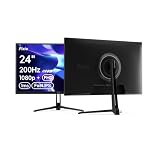
Running up to 240Hz at 1080p, this Sceptre panel is the classic high-refresh esports resolution. It is the easiest to drive for maximum frame rates in competitive titles.
Acer KB272 27″ (1080p)
The Acer KB272 offers 1080p at up to 120Hz with 99% sRGB, a solid choice for casual gaming and everyday use on a budget where sharpness demands are modest.
What to Look For
Pixel Density at Your Screen Size
Resolution only means something relative to panel size. Pixel density is the diagonal pixel count divided by the diagonal inches, and the numbers below follow directly from that formula. As a rough reference, a pixel stops being individually visible to a 20/20 eye at about one arcminute, which works out to the distances shown in the last column.
| Panel | Pixels per inch | Distance where pixels blend |
|---|---|---|
| 24.5 in, 1080p | about 90 | about 38 in |
| 27 in, 1080p | about 82 | about 42 in |
| 27 in, 1440p | about 109 | about 32 in |
| 32 in, 1440p | about 92 | about 37 in |
| 34 in, 3440×1440 | about 110 | about 31 in |
| 27 in, 4K | about 163 | about 21 in |
Most desks put your eyes roughly an arm’s length from the screen, so 1080p on a 27 inch panel will show visible pixel structure in text, while 1440p at the same size sits close to the threshold. That is why 1080p holds up on 24 to 25 inch esports monitors and starts to look soft once the diagonal grows.
GPU Load Scales With Pixel Count
A 1080p frame holds about 2.07 million pixels, 1440p holds about 3.69 million, and 4K holds about 8.29 million. That makes 1440p roughly 1.8 times the work of 1080p and 4K exactly four times. Frame rates do not fall in perfect proportion, but a card that comfortably drives a 180Hz 1080p panel can land far below its refresh ceiling at 4K. Match the panel to the lowest frame rate you will accept in your heaviest games, not to the card’s best-case benchmark.
Refresh Rate and Input Bandwidth
High refresh rates only pay off when the GPU can feed them. A 240Hz 4K panel such as the Odyssey OLED G8 needs a modern card and a cable that carries the signal; its DisplayPort 2.1 input exists for that reason. A panel with HDMI 2.0 and DisplayPort 1.2, like the BenQ MOBIUZ EX271, is fine at 1080p but would be limiting at higher resolutions. Read the port list before assuming the headline spec works on your PC.
Ultrawide Counts Differently
The Odyssey G7 G75F is listed as WUHD, which is 5120×2160. That is about 11 million pixels, roughly 33 percent more than a 16:9 4K frame, so it demands more from the GPU than the “4K” label suggests.
Scaling and Text Sharpness
Very dense panels shrink interface elements, so operating systems apply scaling. A 27 inch 4K screen is often run at 150 percent scaling, which keeps text readable and gives crisp edges but leaves less usable workspace than the pixel count implies. A 27 inch 1440p screen is usually comfortable at 100 percent, which suits players who also work or browse on the same display.
Which One Should You Buy?
| If you… | Choose… |
|---|---|
| Play competitive shooters and want the highest frame rates on a modest GPU | BenQ Zowie XL2540X+ (1080p, 280Hz) |
| Want a 1080p panel with extras like a USB hub and built-in speakers | BenQ MOBIUZ EX271 |
| Want a lean 1080p screen at a small size | Sceptre 24.5 inch Prime or Acer KB272 |
| Want the 1440p sweet spot at 27 inches | Samsung Odyssey G5 G50F or G5 G51F (27 inch) |
| Want more screen at 1440p and sit farther back | Samsung Odyssey G5 G50F 32 inch |
| Prefer immersion over precision and have a strong GPU | SANSUI 34 inch UWQHD or Samsung Odyssey G7 G75F 40 inch |
| Play cinematic games and also want high pixel density | Samsung Odyssey OLED G8 (27 inch 4K, 240Hz) |
Common Mistakes When Buying a Gaming Monitor
- Buying 4K without the GPU for it. Four times the pixels of 1080p means dropping settings or relying on upscaling in demanding titles.
- Ignoring panel size. Stretching 1440p across 32 inches drops pixel density to about 92, close to a 24 inch 1080p screen, so text looks softer than on a 27 inch 1440p panel.
- Chasing refresh rate you cannot reach. A 280Hz panel gains little if the game runs at 120 frames per second.
- Skipping the port check. The advertised resolution and refresh rate may only be available over one specific input.
- Treating “4K” and “WUHD” as the same thing. Ultrawide formats carry extra pixels and need extra GPU headroom.
- Forgetting the desk. A 34 inch ultrawide or 40 inch panel needs depth to sit back from; on a shallow desk the edges fall outside your comfortable field of view.
Related Guides
- Best In-ear Monitor For Gaming (2026)
- Best 4K Monitor For Productivity And Gaming (2026)
- Curved Monitor Dual (2026)
- 480hz Monitor OLED (2026)
- Dual 4K Monitor (2026)
Frequently Asked Questions
What is the best resolution for gaming overall?
For most players, 1440p is the current sweet spot, delivering a clear sharpness upgrade over 1080p while staying much easier to run than 4K.
Is 4K worth it for gaming?
4K looks stunning but demands a top-tier GPU to run at high frame rates. It suits cinematic single-player fans more than competitive players chasing frames.
Does resolution or refresh rate matter more?
For competitive gaming, refresh rate wins. For immersive single-player experiences, resolution and detail take priority. Ideally you balance both to your GPU’s ability.
Is ultrawide a resolution or an aspect ratio?
Ultrawide refers to the 21:9 aspect ratio, most commonly at 3440×1440 resolution. It offers immersion and extra desktop width rather than simply more pixels vertically.
Final Thoughts
For the best all-round experience, we recommend targeting 1440p with a panel like the Samsung Odyssey G5 G51F, while competitive players are better served by a fast 1080p Sceptre Prime. Those craving immersion should experience the SANSUI 34-inch ultrawide.











