Hockey games are the hardest test a sports title can give a monitor. The puck is small, dark and faster than any ball, the camera pans laterally at full speed on every rush, and the playing surface is a huge sheet of bright white ice that exposes weak brightness and poor glare control. At the same time, dekes, one-timers and shootout moves are timing plays, so input lag and motion clarity decide whether the puck stays readable or smears into the ice.
This roundup covers both halves of that problem. The five picks span a 360Hz QD-OLED built for puck tracking, a 32-inch 4K OLED for the broadcast look, a 360Hz TN esports panel with backlight strobing, a 4K 144Hz IPS all-rounder, and a bright Mini-LED with the contrast to keep a black puck separated from white ice. Every pick is judged on published specifications: refresh rate, response time, panel type, HDR rating, brightness behavior and connectivity.
As an Amazon Associate, we earn from qualifying purchases.
Quick Answer
For most players, a 27-inch 4K 144Hz IPS monitor like the GIGABYTE M32U class of screens is the sweet spot for hockey games: sharp enough for franchise menus, fast enough for rushes. Competitive players should pick a 360Hz panel such as the Alienware AW2725DF or BenQ ZOWIE XL2566K, while the Samsung Odyssey OLED G8 leads for HDR night-arena presentation.
Table of Contents
- Alienware AW2725DF
- Samsung Odyssey OLED G8
- BenQ ZOWIE XL2566K
- GIGABYTE M32U
- AOC Q27G3XMN
- How to Choose
- Who Should Skip
- FAQ
- Final Verdict
Alienware AW2725DF

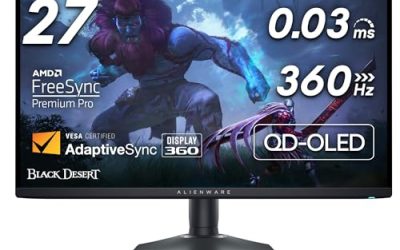
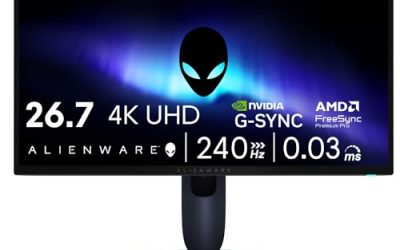
The AW2725DF is the puck-tracking specialist. Its 26.7-inch QD-OLED panel runs 2560 x 1440 at 360Hz with a 0.03ms gray-to-gray response, so on a cross-ice pass or a slap shot from the point the puck stays a distinct dark object instead of a fading trail. That combination of refresh rate and near-instant pixel response is exactly what hockey’s lateral camera pans punish on slower panels.
Color is the other strength: Alienware rates the panel at 99.3 percent of DCI-P3, which keeps home and away jerseys separated against the ice and makes the red line and blue lines easy reference points during a rush. FreeSync Premium Pro handles variable refresh, and the 1440p resolution is a sensible match for the frame rates hockey titles can actually sustain. The trade-offs are OLED’s static-image considerations, covered in the FAQ, and brightness that trails the Mini-LED pick on full-screen white scenes.
Specs
- Screen size: 26.7 inches
- Resolution: 2560 x 1440 (QHD)
- Panel type: QD-OLED
- Refresh rate: 360Hz
- Response time: 0.03ms GtG
- Color gamut: 99.3 percent DCI-P3
- Adaptive sync: FreeSync Premium Pro
- Extras: AlienFX lighting, height/tilt/swivel/pivot stand
Samsung Odyssey OLED G8

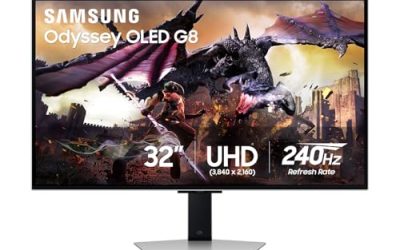
The Odyssey OLED G8 (G80SD) is the premium pick for players who want hockey to look like a national broadcast. Its 32-inch QD-OLED panel runs 3840 x 2160 at 240Hz, and the glare-free coating matters more in this genre than most: arena scenes are dominated by bright ice, and a glossy screen turns that into room reflections. Per-pixel dimming keeps the dark boards, benches and crowd in shadow while the ice stays bright.
Samsung’s OLED Safeguard Plus adds a dynamic cooling system and brightness adjustments aimed at reducing image retention, relevant for a genre with a persistent score bug. The 0.03ms response keeps end-to-end rushes clean, and the larger 32-inch canvas makes the far-side winger easier to pick out on the default camera. The limits are the ones shared by every OLED here: static HUD elements need sensible habits, and 4K at 240Hz asks a lot of a GPU in other genres, even if hockey titles are comparatively light.
Specs
- Screen size: 32 inches
- Resolution: 3840 x 2160 (4K UHD)
- Panel type: QD-OLED
- Refresh rate: 240Hz
- Response time: 0.03ms GtG
- HDR: HDR10+ Gaming
- Finish: glare-free matte coating
- Extras: OLED Safeguard Plus, Core Lighting+
BenQ ZOWIE XL2566K

The XL2566K is the motion-clarity purist’s pick. Its 24.5-inch Fast TN panel runs 1920 x 1080 at 360Hz, and BenQ’s DyAc+ backlight strobing cuts the blur that lateral pans create, so a puck crossing the frame stays sharp enough to one-time. For ranked and competitive hockey play, where reading the puck carrier’s stick matters more than scenery, this is the most direct tool in the roundup.
BenQ’s Black eQualizer lifts dark areas without washing out the ice, which helps spot a puck lost against the shadowed boards, and Color Vibrance gives quick control over jersey separation. The honest trade-offs are the 1080p resolution, which leaves franchise-mode text and menus softer than the 1440p and 4K picks, and TN viewing angles and color that trail the OLED and IPS models. This is a competition screen first and a general-purpose screen second.
Specs
- Screen size: 24.5 inches
- Resolution: 1920 x 1080 (Full HD)
- Panel type: Fast TN
- Refresh rate: 360Hz
- Motion clarity: DyAc+ backlight strobing
- Extras: Black eQualizer, Color Vibrance, S Switch controller
- Stand: height, tilt, swivel and pivot adjustment
GIGABYTE M32U

For most hockey players, the M32U is the balanced pick. Its 31.5-inch Super Speed IPS panel runs 3840 x 2160 at 144Hz with a 1ms gray-to-gray response, fast enough that a breakout pass stays readable, while the 4K pixel density keeps Be a Pro and Franchise menus, trade screens and player cards crisp without scaling workarounds. That mix suits a genre split between fast periods and long menu sessions.
Two HDMI 2.1 ports handle 4K at 120Hz from a console, DisplayPort covers full 4K 144Hz on PC, and the built-in KVM switch is genuinely useful if the same desk runs a work laptop between games. DisplayHDR 400 is modest next to the Mini-LED and OLED picks, and IPS contrast renders the dark arena crowd as dark gray rather than true black, but as an all-round screen for hockey and everything else, it gives up the least.
Specs
- Screen size: 31.5 inches
- Resolution: 3840 x 2160 (4K UHD)
- Panel type: Super Speed IPS
- Refresh rate: 144Hz
- Response time: 1ms GtG
- HDR: DisplayHDR 400
- Ports: 2x HDMI 2.1, 1x DisplayPort 1.4, USB-C
- Extras: KVM switch, FreeSync Premium Pro
AOC Q27G3XMN
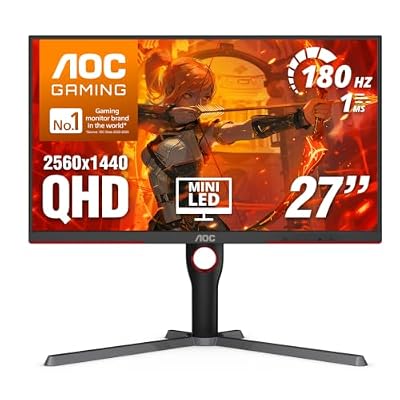
The Q27G3XMN answers hockey’s brightness problem directly. Its 27-inch VA panel uses a 336-zone Mini-LED backlight rated for DisplayHDR 1000, so a full-screen sheet of ice can be driven brightly without the whole image flattening, while the VA panel’s 4000:1 native contrast keeps the black puck, dark skates and shadowed creases separated from that bright surface. Few combinations suit this genre’s extremes of white and black as well.
The panel runs 2560 x 1440 at 180Hz overclocked, with a 1ms gray-to-gray response and 96 percent DCI-P3 coverage, so rushes stay smooth and jersey colors stay distinct. It sits in the budget tier of this roundup while offering the strongest HDR hardware here. The caveats are VA viewing angles, which are narrower than the IPS pick, and some haloing possible around a small dark puck on bright ice when local dimming works hardest, the classic Mini-LED compromise.
Specs
- Screen size: 27 inches
- Resolution: 2560 x 1440 (QHD)
- Panel type: VA with 336-zone Mini-LED backlight
- Refresh rate: 180Hz (overclocked)
- Response time: 1ms GtG
- HDR: DisplayHDR 1000
- Contrast ratio: 4000:1
- Color gamut: 96 percent DCI-P3
How to Choose
Start with the puck. Hockey’s small, fast target rewards refresh rate and response time more than raw resolution: 240Hz or 360Hz panels with sub-1ms response keep the puck readable on lateral pans, while 144Hz is the sensible floor for anyone playing competitively. If your hockey time is mostly Franchise or Be a Pro menus between periods, weight resolution higher instead, because 4K makes dense text noticeably easier on the eyes.
Next, judge the ice. The playing surface is a near-full-screen white, so look at sustained brightness and finish: a matte or glare-free coating prevents the bright ice from mirroring your room, and Mini-LED or OLED panels hold the contrast that separates a black puck from white ice at the extremes. VA and OLED panels lead on that contrast; IPS counters with wider viewing angles for a shared couch setup.
Finally, match the port and the platform. Console players need HDMI 2.1 for 4K at 120Hz; PC players should confirm DisplayPort support for their panel’s full refresh rate. Adaptive sync, FreeSync or G-SYNC compatibility, smooths the frame pacing when a crowded crease scene dips the frame rate.
Who Should Skip
Skip the 360Hz specialists if you play hockey casually on a mid-range GPU or a console capped at 120Hz; the extra refresh headroom goes unused and the money serves you better in resolution or HDR. Skip OLED if your screen doubles as an all-day work monitor with static windows, or if you routinely leave the game paused on a static screen for long stretches. Skip the 1080p XL2566K if franchise menus and text clarity matter as much as gameplay. And skip every pick here if your real bottleneck is the TV-style living room setup; a large television suits couch hockey better than any desk monitor in this roundup.
FAQ
Is 240Hz or 360Hz worth it for hockey games?
For competitive play, yes. The puck crosses the screen faster than the target in most sports titles, and higher refresh rates with fast response times keep it readable during pans and slap shots. Casual players on 144Hz still get a smooth game; the jump matters most in ranked and online play.
Can an OLED burn in from the score bug in hockey games?
The score bug, team logos and period clock are static elements, so the risk is real over long sessions. Modern OLEDs include pixel refresh cycles, logo detection and brightness limiting, and the Odyssey OLED G8 adds a dedicated safeguard system. Vary your content, let the panel run its refresh cycles, and avoid leaving a paused game up for hours.
Is 1440p or 4K better for hockey games?
1440p at high refresh is the better pure-gameplay choice, because hockey titles can hold very high frame rates there and the puck stays sharp in motion. 4K wins if you spend heavily in menus and franchise modes, or share the screen with slower games and media, and your hardware can drive it.
Do hockey games need HDMI 2.1?
Only console players chasing 4K at 120Hz need HDMI 2.1. At 1440p or 1080p, or on PC over DisplayPort, older connections cover the required bandwidth. Check the individual pick: the M32U includes HDMI 2.1, while the esports panels prioritize DisplayPort for their full refresh rates.
Final Verdict
Hockey asks a monitor to track the smallest, fastest target in sports gaming against the brightest surface in sports gaming. Competitive players should take the Alienware AW2725DF for 360Hz QD-OLED puck tracking, or the BenQ ZOWIE XL2566K if DyAc+ strobing and 1080p focus fit better. Players who want the broadcast look should take the Samsung Odyssey OLED G8. The GIGABYTE M32U is the all-round recommendation for mixed play and menus, and the AOC Q27G3XMN is the value pick, pairing genuine HDR brightness with the contrast this genre’s black-on-white problem demands.
Product and ASIN Reference
| Product | ASIN |
|---|---|
| Alienware AW2725DF | B0CZSGWLD5 |
| Samsung Odyssey OLED G8 (G80SD) | B0DHJ8B7TP |
| BenQ ZOWIE XL2566K | B0B434LTLF |
| GIGABYTE M32U | B083GRVFXN |
| AOC Q27G3XMN | B0C8ZJKPWC |