🛒 Best Price Today on Amazon
Prime members get fast, free shipping on everything above, plus member-only deals. New members get a 30-day free trial — cancel anytime.
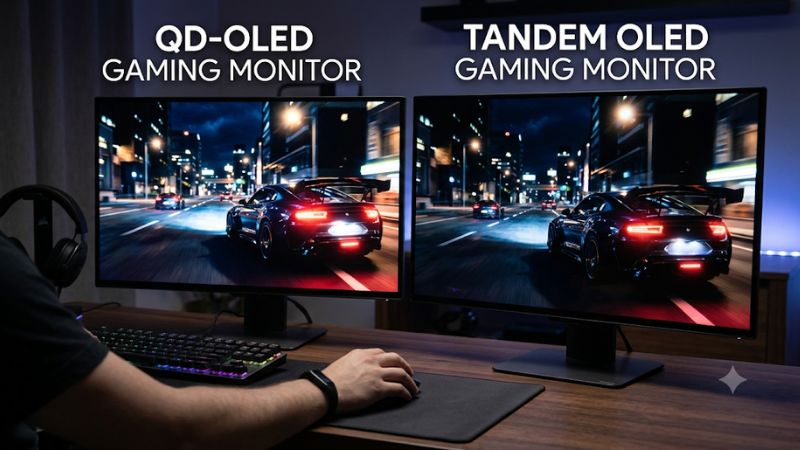
Choosing a QD-OLED vs tandem OLED gaming monitor comes down to color performance, HDR brightness, room lighting, and panel generation. Both deliver deep blacks and fast pixel response, but their display structures create different advantages. This comparison explains what matters for competitive gaming, immersive HDR titles, and everyday desktop use.
1. QD-OLED vs Tandem OLED: Understanding the Differences
QD-OLED and Tandem OLED are not simply two generations of the same technology. They use different approaches to producing light and color, and newer tandem designs can also incorporate quantum dots. Understanding this distinction helps gamers avoid choosing a monitor based on marketing terminology rather than its actual specifications.
How QD-OLED Technology Works
QD-OLED combines a blue OLED light source with quantum dots that produce red and green light, alongside blue output. Each pixel generates its own light, allowing individual pixels to switch off completely. This creates deep blacks and excellent contrast without the backlight blooming associated with conventional LCD monitors.
Its major strength is color volume. Bright, saturated colors remain particularly vivid in HDR scenes, making explosions, neon lighting, and colorful game environments visually striking. However, earlier QD-OLED panels can show raised-looking blacks under strong ambient lighting because external light interacts with the panel’s quantum-dot structure.
How Tandem OLED Technology Works
Tandem OLED generally refers to a multi-layer OLED emitter design. LG Display’s fourth-generation Primary RGB Tandem technology uses four stacked emitting layers, separating red and green emission to improve brightness and color performance compared with earlier WOLED designs.
These panels retain OLED’s pixel-level lighting and deep blacks while targeting higher brightness and improved efficiency. Some implementations also use a white subpixel and color filters, meaning their color characteristics differ from QD-OLED. The exact subpixel arrangement and generation matter when evaluating a particular gaming monitor.
Tandem OLED and Tandem QD-OLED Are Different
One important distinction is that tandem describes the stacked emitter architecture, while QD-OLED describes a quantum-dot-based color-generation approach. These terms are not mutually exclusive. A display can combine tandem construction with quantum-dot technology rather than belonging exclusively to one category.
Consequently, a comparison between QD-OLED and Tandem OLED should identify the actual panel generation. A newer Tandem QD-OLED panel may combine characteristics associated with both technologies. Check the manufacturer’s technical documentation instead of assuming every tandem display uses LG’s WOLED architecture.
Which Technology Offers Better Gaming Image Quality?
For HDR gaming, QD-OLED generally has an advantage in bright, saturated color reproduction. Tandem OLED has made substantial progress in brightness and color volume, narrowing the gap while offering advantages in certain bright-room conditions.
Both technologies provide excellent contrast and pixel-level lighting. Neither automatically produces better-looking images in every game. HDR implementation, panel coating, calibration, brightness behavior, and the monitor’s processing electronics can matter as much as the underlying panel category.
2. QD-OLED vs Tandem OLED: Gaming Performance Compared
For gaming, the most important differences are not limited to image quality. Competitive players should consider motion clarity, refresh rate, input latency, and visibility in different lighting conditions. Meanwhile, players who prioritize single-player games should pay closer attention to HDR brightness, color volume, and dark-scene uniformity.
HDR Brightness and Color Volume
QD-OLED is particularly attractive for games with bright, saturated HDR effects. Its quantum-dot color conversion allows it to reproduce vivid colors without relying on a conventional white subpixel to increase brightness. This helps preserve colorful highlights in visually demanding titles.
Tandem OLED counters with improved emitter efficiency and higher brightness potential. Independent comparisons published by RTINGS in March 2026 found that its tested Tandem OLED monitors generally achieved higher HDR brightness, while QD-OLED retained an advantage in bright-color purity. These findings apply to the tested displays, not every future panel.
Black Levels and Bright-Room Gaming
Both technologies can produce extremely deep blacks in dark environments because individual OLED pixels can switch off independently. The difference becomes more noticeable when ambient light enters the room. Some QD-OLED panels develop a purple or gray-looking appearance in bright surroundings rather than maintaining the same perceived black level.
Tandem WOLED generally handles this situation better in the RTINGS comparison. However, screen coatings also influence reflections and perceived contrast. A glossy display may produce more distracting reflections near windows, while an anti-reflective finish can improve usability under overhead lighting.
Motion Clarity, Refresh Rate, and Input Lag
Both panel technologies offer extremely fast pixel transitions compared with conventional LCD gaming monitors. This helps reduce visible motion trails during rapid camera movements, making them suitable for competitive shooters, racing games, and fast-paced action titles.
However, panel technology alone does not determine input lag or maximum refresh rate. A 500Hz QD-OLED monitor can be a better esports purchase than a 240Hz Tandem OLED display if your priority is maximum refresh rate. Compare actual monitor specifications and independent input-lag measurements rather than relying on OLED branding.
Dark-Scene Uniformity and Text Clarity
Dark-scene uniformity deserves attention when comparing newer Tandem OLED displays. RTINGS has reported vertical banding on some Tandem OLED samples, particularly with dark gray content at low brightness. The visibility varies between individual units, so this should be treated as a potential limitation rather than an issue affecting every monitor.
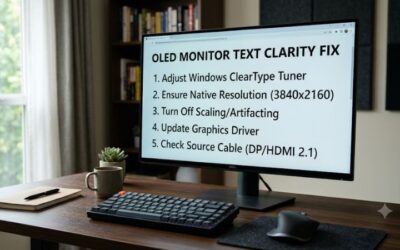
Text clarity also depends on subpixel geometry. Older QD-OLED designs use a triangular subpixel arrangement that can create colored fringing around small text. Newer RGB Stripe implementations address this concern. Tandem OLED models also vary in layout, so checking the exact panel arrangement is more useful than assuming one technology always produces sharper text.
Side-by-Side Comparison
| Gaming factor | QD-OLED | Tandem OLED |
| Black levels | Excellent in dark rooms | Excellent in dark rooms |
| HDR color volume | Generally stronger bright-color purity | Improved, but varies by generation |
| HDR brightness | Depends on model and generation | Strong potential, with advantages in tested comparisons |
| Bright-room blacks | Some models show raised or purple-looking blacks | Generally better in tested Tandem WOLED comparisons |
| Pixel response | Extremely fast | Extremely fast |
| Refresh rate | Available up to very high esports specifications | Also available at very high refresh rates |
| Dark-gray uniformity | Generally fewer reported banding concerns | Some models show vertical banding |
| Text clarity | Depends on subpixel arrangement | Depends on subpixel arrangement |
| Product selection | Broad range of established options | Newer technology with a growing selection |
3. How to Choose the Right OLED Gaming Monitor
The best purchase depends on your gaming habits, room environment, PC hardware, and budget. Rather than choosing the newest panel automatically, compare the complete monitor specification sheet. A well-priced QD-OLED display may offer better value than an expensive Tandem OLED model if its refresh rate and image quality already meet your requirements.
Match Resolution and Refresh Rate to Your GPU
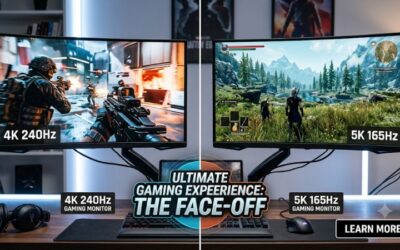
A 1440p OLED monitor with a high refresh rate is a practical choice for competitive gaming. It places less rendering demand on your graphics card than 4K while maintaining excellent image sharpness at common desktop gaming sizes. Players focused on esports may prefer refresh rates of 360Hz or higher.
For cinematic games, a 4K OLED monitor can deliver more detailed visuals, especially on larger screens. However, running demanding games at 4K and high refresh rates requires substantial GPU performance. Check your graphics card’s capabilities before paying extra for a display whose maximum refresh rate you cannot regularly use.
Consider Your Gaming Environment
Room lighting should influence your panel choice. If you regularly play in a dark room, QD-OLED’s saturated HDR colors can be particularly appealing. Its ability to reproduce vivid highlights makes colorful game environments stand out without sacrificing OLED contrast.
If your setup sits near windows or strong overhead lighting, Tandem WOLED deserves consideration because of its stronger bright-room black performance in independent comparisons. Nevertheless, compare the actual coating and reflection handling of each monitor. No OLED panel can compensate completely for poorly positioned lighting.
Check Connectivity and Gaming Features
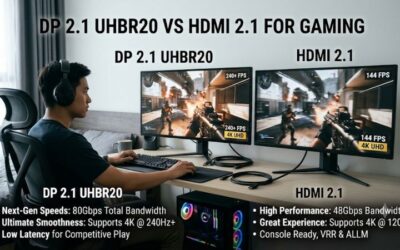
DisplayPort and HDMI specifications determine which resolutions and refresh rates your PC or console can use. Check the monitor’s supported refresh rate for each input rather than assuming every port supports the maximum advertised mode. Adaptive-Sync, NVIDIA G-SYNC compatibility, and AMD FreeSync support are also worth checking.
For PC gaming, confirm that your GPU has the appropriate output and bandwidth for your intended resolution and refresh rate. Display Stream Compression (DSC) may be necessary for some high-bandwidth display modes. It is also worth checking whether the monitor supports firmware updates and offers useful OLED protection features.
Understand OLED Burn-In and Warranty Coverage
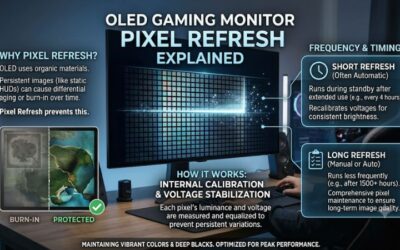
OLED monitors can experience permanent image retention when static elements remain displayed for extended periods. Gaming HUDs, taskbars, and desktop interfaces are examples of content that may contribute to uneven pixel wear over time. Neither QD-OLED nor Tandem OLED should be considered immune to this risk.
Look for automatic pixel refresh, panel maintenance options, screen movement, and logo-detection features where supported. Read the manufacturer’s warranty carefully because burn-in coverage differs between brands, models, and regions. A longer warranty with explicit burn-in coverage can be more valuable than a small brightness advantage.
4. Frequently Asked Questions
Is QD-OLED or Tandem OLED better for competitive gaming?
Neither technology is automatically better for competitive gaming because refresh rate, input lag, and motion performance depend on the complete monitor design. A high-refresh-rate QD-OLED can be preferable for esports, while a Tandem OLED with similar specifications can offer an equally compelling experience.
Prioritize refresh rates, independently measured input lag, variable refresh rate support, and the resolution your GPU can handle. For competitive games such as Counter-Strike 2 and Valorant, these characteristics matter more than small differences in HDR color reproduction.
Does Tandem OLED have better HDR than QD-OLED?
Tandem OLED can offer higher HDR brightness, while QD-OLED generally maintains an advantage in bright, saturated color reproduction. Independent RTINGS comparisons have found advantages for both technologies, depending on the HDR characteristic being measured.
For HDR-heavy games, examine real-world measurements of highlight brightness, sustained brightness, and color volume. Manufacturer peak-brightness figures alone do not establish which monitor produces the better HDR experience.
Does QD-OLED or Tandem OLED have better text clarity?
Neither technology universally produces sharper text because subpixel arrangement and monitor resolution influence text rendering. Older QD-OLED triangular layouts can show colored fringing, while newer RGB Stripe designs offer a more conventional arrangement.
If you use your gaming monitor for programming, browsing, or office work, inspect independent text-clarity measurements. A 4K panel with an appropriate RGB layout may be a better desktop choice than a higher-refresh-rate 1440p model.
Is Tandem OLED worth upgrading from QD-OLED?
Upgrading from QD-OLED to Tandem OLED is worthwhile only when the newer monitor offers a meaningful improvement in brightness, room-light performance, resolution, refresh rate, or other features you actually need. The panel label alone is not a compelling reason to replace an otherwise excellent display.
If your existing QD-OLED already delivers the refresh rate and HDR quality you want, keeping it may provide better value. Consider upgrading when a particular Tandem OLED model solves a limitation in your current setup rather than simply because it uses newer panel technology.
Final Thoughts
Choosing a QD-OLED vs tandem OLED gaming monitor means balancing HDR color, brightness, room lighting, and refresh rate. QD-OLED remains attractive for vivid colors, while Tandem OLED offers compelling brightness improvements. Compare individual panel generations and independent measurements before deciding which display deserves your money.