
🛒 Best Price Today on Amazon
Prime members get fast, free shipping on everything above, plus member-only deals. New members get a 30-day free trial — cancel anytime.
For a best motherboard for a first time builder, focus on CPU socket, DDR5 support, case size, storage, and useful troubleshooting features rather than chasing the most expensive chipset. Current AMD B850 boards support Ryzen 7000, 8000, and 9000 processors on AM5, making them a practical starting point for a new gaming PC.
How to Choose a Motherboard for a First Build
The right board should make the rest of the build easier to assemble and verify. For a first-time system, four areas matter most: CPU and memory compatibility, physical fit, storage and expansion, and diagnostic or firmware features. B850 is particularly relevant for new AM5 systems because it combines DDR5 and PCIe 5.0 storage support without requiring an X870-class board.
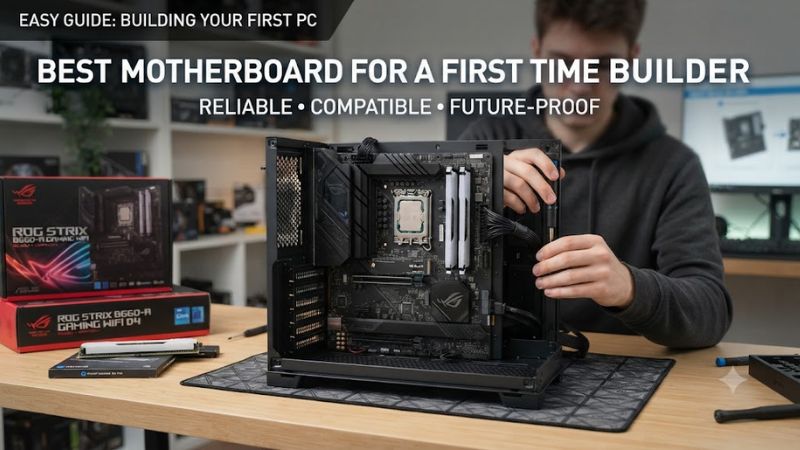
Check CPU and Memory Compatibility First
CPU compatibility is the first filter when choosing a best motherboard for a first time builder. B850 uses AMD’s AM5 socket and supports Ryzen 7000, 8000, and 9000 desktop processors. Every board listed here uses DDR5, so an older DDR4 kit cannot be transferred into these systems.
Memory speed also depends on the processor, DIMM configuration, and memory kit. ASUS lists up to DDR5-8000+ on the TUF B850-Plus WiFi, while MSI lists higher overclocked memory support on its Tomahawk. Those figures are not guaranteed operating speeds, so a first build should prioritize a compatible QVL-listed kit.
Match the Board to Your Case
Form factor is an easy detail to overlook because motherboard names emphasize chipsets more than dimensions. ATX boards such as the MSI MAG B850 Tomahawk Max WiFi II measure 243.84 × 304.8 mm, while an ATX-compatible case is required for that physical layout. Check the case specification before ordering.
A best motherboard for a first time builder should also leave enough room around the graphics card, CPU cooler, and storage area. Motherboard compatibility does not automatically mean cooler or GPU clearance will work in every case, so verify CPU-cooler height, GPU length, radiator position, and available PCIe slots separately.
Count Storage and Expansion Needs
Modern B850 boards provide PCIe 5.0 support, but the number and connection type of M.2 slots differ. The MSI Tomahawk provides four M.2 sockets, including two PCIe 5.0 x4 connections, while the ASUS TUF B850-Plus WiFi provides three M.2 slots.
For a first build, one NVMe SSD is enough for the initial system, but extra M.2 capacity can simplify future expansion. Also check lane sharing before filling every slot: ASUS states that its third M.2 slot shares bandwidth with a secondary PCIe slot, while MSI documents similar sharing involving one M.2 and expansion slot.
Look for Useful DIY Features
Troubleshooting features can matter more to a beginner than another theoretical performance setting. BIOS Flashback, POST indicators, clear labeling, and accessible component-release mechanisms can make installation or recovery less frustrating. MSI includes EZ Debug LEDs and a Flash BIOS button, while ASUS includes BIOS FlashBack on the TUF B850-Plus WiFi.
Independent benchmarks also show why motherboard buying should focus on features rather than expecting large gaming gains. Tom’s Hardware used 1920×1080 Ultra settings for Cyberpunk 2077 and F1 2024 when comparing boards, and its MSI B850 Tomahawk results showed only small differences between boards.
Top Picks for First-Time PC Builders
The four boards below target different priorities rather than one universal specification. All are current B850 ATX models for AM5 and DDR5 systems, but their storage, networking, audio, and expansion layouts differ. Prices move frequently, so the table avoids treating a temporary retailer price as a permanent product characteristic.
| Product | Best For | Key Spec | Compatibility | Watch Out For |
| MSI MAG B850 Tomahawk Max WiFi II | Best Overall | 4 M.2; 5GbE | AM5, DDR5, ATX | No USB4 |
| Gigabyte B850 Aorus Elite WiFi7 | Best Value | 3 M.2; Wi-Fi 7 | AM5, DDR5, ATX | Basic audio |
| ASRock B850 Steel Legend WiFi | Best For White Builds | 4 M.2; Wi-Fi 7 | AM5, DDR5, ATX | One M.2 lacks heatsink |
| ASUS TUF Gaming B850-Plus WiFi | Best For Expansion | 3 M.2; 4 PCIe slots | AM5, DDR5, ATX | M.2/PCIe sharing |
MSI MAG B850 Tomahawk Max WiFi II — Best Overall
The MSI MAG B850 Tomahawk Max WiFi II suits a builder who wants broad connectivity without moving to an X870-class motherboard. It supports Ryzen 7000/8000/9000 CPUs, four DDR5 DIMMs up to 256GB, four M.2 sockets, 5Gb Ethernet, Wi-Fi 7, and a PCIe 5.0 x16 graphics slot.
For a best motherboard for a first time builder, its practical features are useful: EZ Debug LEDs, Flash BIOS, multiple fan headers, and four M.2 sockets reduce the need for add-on hardware later. Its real weakness is connectivity at the premium end, because MSI does not include USB4, while one M.2 socket is limited to PCIe 4.0 x2.
Gigabyte B850 Aorus Elite WiFi7 — Best Value
The Gigabyte B850 Aorus Elite WiFi7 is aimed at builders who want the current AM5 platform without paying for every premium feature. It supports Ryzen 7000, 8000, and 9000 processors, four DDR5 DIMMs up to 256GB, one PCIe 5.0 M.2 slot, two PCIe 4.0 M.2 slots, and Wi-Fi 7.
Its independent review record supports its role as a value-oriented board: Tom’s Hardware found strong general performance and DIY-friendly features while noting limited PCIe bandwidth and a basic audio solution. A best motherboard for a first time builder should not require premium audio hardware, but buyers with demanding headphone or speaker setups may prefer another board.
ASRock B850 Steel Legend WiFi — Best For White Builds
The ASRock B850 Steel Legend WiFi is a useful choice for builders whose case design matters alongside functionality. It uses an ATX layout, supports AM5 Ryzen processors and DDR5, provides four M.2 sockets, Wi-Fi 7, 2.5Gb Ethernet, and a Realtek ALC4082 audio codec.
Its weakness is more specific: Tom’s Hardware encountered compatibility problems with its standard DDR5-6000 test kit and had to use another kit with different timings. The board still performed normally in many workloads, but that experience reinforces checking the memory QVL before buying rather than assuming every high-speed kit behaves identically.
ASUS TUF Gaming B850-Plus WiFi — Best For Expansion
The ASUS TUF Gaming B850-Plus WiFi targets builders who want several expansion possibilities. It supports Ryzen 7000, 8000, and 9000 CPUs, four DDR5 DIMMs up to 256GB, three M.2 slots, four SATA ports, Wi-Fi 7, 2.5Gb Ethernet, and a PCIe 5.0 x16 slot with Ryzen 9000 or 7000 processors.
For a best motherboard for a first time builder, BIOS FlashBack and clearly documented storage connections are useful safeguards. Its real limitation is lane sharing: ASUS states that the third M.2 slot shares bandwidth with a secondary PCIe slot and disables that slot when the M.2 connection is active.
FAQ
The key buying question is not which motherboard has the largest specification sheet, but which layout matches the CPU, memory, case, storage, and expansion cards you actually plan to install. Independent motherboard testing also indicates that gaming performance differences are generally small when the CPU, GPU, memory, resolution, and settings remain comparable.
Is B850 good for a first-time gaming PC?
Yes, B850 is a current mainstream AM5 platform for Ryzen 7000, 8000, and 9000 desktop processors. AMD lists DDR5 memory and PCIe 5.0 NVMe support among the platform’s features, giving new builders access to current-generation storage and memory standards without requiring an X870E motherboard.
A best motherboard for a first time builder therefore does not need the highest chipset tier. B850 boards already cover common gaming requirements such as a full-length GPU slot, NVMe storage, DDR5, fast networking, and CPU and memory overclocking support, while individual models add different levels of USB, M.2, audio, and Wi-Fi connectivity.
Do I need DDR5-8000 memory with these motherboards?
No, DDR5-8000 is not required simply because a B850 motherboard lists support for it. ASUS, Gigabyte, and MSI publish high overclocked memory limits, but actual supported speeds depend on the CPU, DIMM configuration, memory kit, and motherboard firmware.
For a first build, check the motherboard’s memory support list and choose a compatible two-DIMM kit rather than selecting memory solely from its advertised maximum speed. ASRock’s documented DDR5 compatibility issue during independent testing also shows why the QVL can be useful when selecting a particular memory kit.
Does the motherboard increase gaming FPS?
Usually, changing between similarly capable motherboards does not produce a large gaming FPS difference when the rest of the system is held constant. Tom’s Hardware specifically ran Cyberpunk 2077 at 1920×1080 Ultra with DLSS Balanced and F1 2024 at 1920×1080 Ultra High, noting that board-to-board differences were expected to be minor.
That means a best motherboard for a first time builder should be selected around compatibility, expansion, firmware features, networking, and storage rather than an expectation of substantially higher FPS. Spending more on the motherboard makes more sense when its additional ports or storage connections solve a specific build requirement.
Which motherboard should I avoid overbuying for?
Avoid paying for features that your build cannot use, such as excessive M.2 capacity, premium USB connectivity, or expansion hardware you have no plan to install. The B850 platform already provides modern CPU, DDR5, and PCIe 5.0 support, so moving upward should be tied to a specific requirement.
The practical choice depends on your parts list. MSI offers four M.2 sockets and 5GbE, Gigabyte emphasizes a balanced feature set, ASRock adds four M.2 sockets and higher-end onboard audio, while ASUS provides broad expansion and BIOS FlashBack. Match those differences to the parts you will actually install rather than buying unused capacity.
Final Thoughts
The best motherboard for a first time builder is one that fits the CPU, DDR5 kit, case, storage plan, and expansion cards without unnecessary extras. Current B850 models provide a straightforward AM5 starting point, while MSI, Gigabyte, ASRock, and ASUS each emphasize different connectivity and expansion priorities.









