
🛒 Best Price Today on Amazon
Prime members get fast, free shipping on everything above, plus member-only deals. New members get a 30-day free trial — cancel anytime.
For a new Intel gaming PC in 2026, best intel motherboard for gaming usually means choosing an LGA1851 board for Core Ultra Series 2, then matching Z890 or B860 to your tuning and expansion needs. The key is platform fit, not chasing small motherboard FPS differences. That keeps the recommendation practical for a new build.
How to Choose an Intel Gaming Motherboard
Start with checks: CPU and socket, memory type, expansion needs, and power or case fit. Current Core Ultra Series 2 desktop chips use LGA1851 and DDR5, while Z890 adds CPU and BCLK tuning options that B860 does not. They cover the main buying risks.
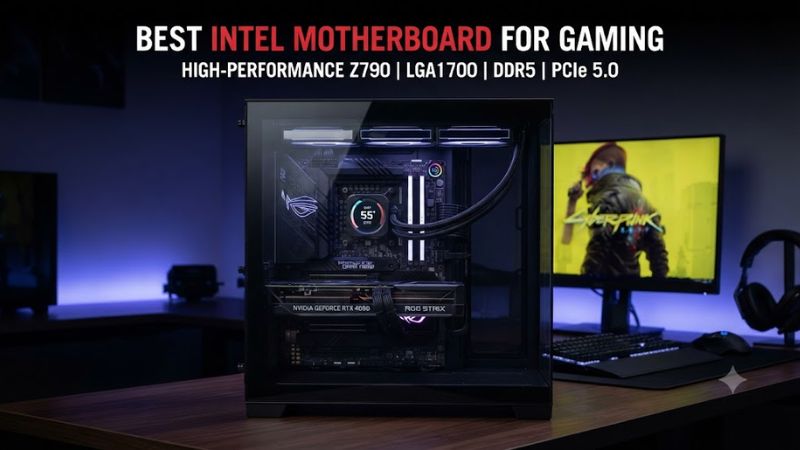
Check Socket and CPU Compatibility
Socket compatibility comes first because an LGA1851 CPU cannot use an LGA1700 board. For a new Core Ultra Series 2 build, the best intel motherboard for gaming should therefore use LGA1851; this points toward the MSI MAG Z890 Tomahawk WiFi or ASRock B860 Steel Legend WiFi rather than older Z790 models.
For case fit, ATX is the common target for these boards, but the exact chassis still matters. A board can support the right CPU and GPU while creating clearance issues around radiator mounts, cable routing, or M.2 heatsinks, so confirm the case specification and board dimensions before placing the order.
Match DDR5 to the Board
Memory choice is the second filter: these current boards use DDR5, with four DIMM slots on the MSI Tomahawk and ASRock Steel Legend. High advertised speeds are overclocked memory targets, so the actual ceiling depends on the CPU, DIMM layout, and kit; check the board’s memory support list before buying.
For a practical gaming configuration, prioritize a memory kit on the motherboard QVL when possible rather than selecting solely from the headline MT/s figure. The best intel motherboard for gaming still depends on the CPU, DIMM layout, and kit; verify the board’s support list before buying high-speed DDR5.
Decide Whether CPU Tuning Matters
Chipset features determine manual options. Z890 supports CPU, BCLK, and memory overclocking, while B860 supports memory overclocking but not the same CPU and BCLK controls. That makes Z890 more relevant for K-series tuning. It matters for manual overclocking today.
If you plan to use a K-series Core Ultra chip, Z890 gives you more control over CPU and BCLK settings, but that does not make every Z890 model necessary. A midrange board can provide the required tuning controls while avoiding the extra storage and I/O costs of flagship designs.
Match Expansion to the Rest of the PC
Expansion should match the PC, not the board name. Look at GPU slot layout, M.2 count, SATA ports, rear USB, networking, and case size. Hero targets six M.2 sockets and dual Thunderbolt 4; Steel Legend supplies four M.2 sockets. Compare slot spacing, storage lanes, and chassis clearance before ordering.
Power delivery is another compatibility check, especially with higher-power processors. The best intel motherboard for gaming needs the appropriate CPU power connectors, while the PSU must provide the required CPU and GPU connectors. Confirm both before assembly. This is especially important when the CPU and graphics card are high-power parts.
Top Picks
The shortlist below focuses on current LGA1851 boards with independent review coverage and manufacturer specifications. Motherboard gaming differences are generally small, so the picks emphasize platform features, connectivity, expansion, and documented drawbacks instead of claiming a universal FPS advantage.
| Product | Best For | Key Spec | Compatibility | Watch Out For |
| MSI MAG Z890 Tomahawk WiFi | Best Overall | Z890, 16+1+1+1 90A, 4 M.2 | LGA1851, Core Ultra 200S, DDR5, ATX | B860 can cost less; Gen5 SSD thermals |
| ASRock B860 Steel Legend WiFi | Best Value | B860, 4 M.2, Thunderbolt 4 | LGA1851, Core Ultra 200S, DDR5, ATX | No CPU overclocking; Wi-Fi 6E |
| ASUS ROG Maximus Z890 Hero | Best For Expansion | 6 M.2, 3 PCIe 5.0 M.2, dual TB4 | LGA1851, Core Ultra 200S, DDR5, ATX | High price; heavy board |
| ASUS Prime Z890-P WiFi | Best For Lower-Cost Z890 | Z890, Wi-Fi 7, 14+1+2+1 stages | LGA1851, Core Ultra 200S, DDR5, ATX | Less I/O and storage depth |
MSI MAG Z890 Tomahawk WiFi — Best Overall
MSI MAG Z890 Tomahawk WiFi — Best Overall. Buy it if you want a balanced ATX Z890 platform with Wi-Fi 7, 5GbE, Thunderbolt 4, and one PCIe 5.0 M.2 slot. Its 16+1+1+1 power design and dual 8-pin CPU inputs suit higher-power Core Ultra builds. It remains a strong midrange fit.
Its main weakness is that some cheaper B860 boards provide enough features for a stock gaming system at lower cost, while its PCIe 5.0 SSD cooling can run relatively warm under sustained load. Do not buy it solely for FPS gains: independent reviews show motherboard gaming margins are generally narrow.
ASRock B860 Steel Legend WiFi — Best Value
ASRock B860 Steel Legend WiFi — Best Value. Buy it if you want an ATX LGA1851 board for a stock Core Ultra system without paying for Z890 CPU or BCLK tuning. It provides four M.2 sockets, four SATA ports, Thunderbolt 4, 2.5GbE, Wi-Fi 6E, and DDR5 support. That covers mainstream storage and networking.
The real trade-off is the B860 chipset: CPU overclocking is unavailable, and Wi-Fi 6E is behind newer Wi-Fi 7 boards. PC Gamer and TechPowerUp both report strong board-level cooling, while TechPowerUp’s gaming tests used XMP-enabled DDR5-8200 with default motherboard settings. That makes it a value-oriented choice for stock-focused builds.
ASUS ROG Maximus Z890 Hero — Best For Expansion
ASUS ROG Maximus Z890 Hero — Best For Expansion. Buy it if the build needs six M.2 sockets, dual Thunderbolt 4, Wi-Fi 7, and extensive rear I/O. ASUS lists LGA1851, DDR5, three PCIe 5.0 M.2 slots, and a PCIe 5.0 x16 graphics slot for feature-heavy ATX systems. It suits expansion-heavy systems.
Its weakness is cost and size: reviews put its launch-era price near the high end, while the board is physically heavy and feature-dense. Judge the best intel motherboard for gaming by features, not FPS claims. PC Gamer’s comparison used a Core Ultra 9 285K, DDR5-6000, Windows 11 23H2, and an Acer XB280HK display.
ASUS Prime Z890-P WiFi — Best For Lower-Cost Z890
ASUS Prime Z890-P WiFi — Best For Lower-Cost Z890. Buy it if you want Z890 tuning and modern connectivity without Hero-class pricing. ASUS specifies LGA1851 support, DDR5, Wi-Fi 7, and a 14+1+2+1 power-stage design for an ATX gaming build. It is intended for buyers who want Z890 features without a flagship-class board.
Its weakness is feature depth: buyers needing six M.2 drives, dual Thunderbolt 4, or premium networking have clearer reasons to move up. Tom’s Hardware identifies this board as a lower-cost Z890 option, with an observed price snapshot of $199.99 in its 2026 guide. Treat it as a dated reference.
FAQ
These answers avoid mixing platform generations. They cover the compatibility decisions that matter before ordering and stay focused on current desktop buyers. LGA1851 and DDR5 are the key starting points for the Core Ultra Series 2 boards covered here.
What is the best Intel motherboard for gaming?
The best intel motherboard for gaming depends on your CPU, tuning plans, storage, and connectivity needs rather than a universal board. For Core Ultra Series 2, start with LGA1851 and DDR5, then choose Z890 if CPU or BCLK tuning matters or B860 if memory tuning is enough. The final choice is about features and budget.
For a balanced ATX build, MSI MAG Z890 Tomahawk WiFi combines Z890 tuning with Wi-Fi 7, 5GbE, Thunderbolt 4, and four M.2 sockets. If those extras are unnecessary, a B860 board can reduce platform cost without changing the CPU socket or memory generation. The key distinction is how much Z890 your build uses.
Is Z890 worth it over B860 for gaming?
Z890 is worth considering when you want CPU or BCLK overclocking, more expansion, or a higher-end I/O package. B860 is the simpler choice when the CPU runs without those Z-series tuning controls and the board still supplies the storage and networking you need. That distinction matters more than the chipset name.
Do not assume Z890 automatically raises gaming FPS, because independent motherboard comparisons generally show small gaming differences when CPU, memory, GPU, and software settings are held consistent. The extra money is mainly buying tuning and platform features rather than a frame-rate increase now.
Does an Intel gaming motherboard need DDR5?
The best intel motherboard for gaming should use DDR5 when paired with a current Core Ultra Series 2 desktop CPU. Current LGA1851 boards in this roundup support DDR5, but advertised overclocked speeds vary by model and depend on the CPU and memory configuration for current Core Ultra systems. Verify the memory kit against board support.
MSI lists DDR5 support up to 9200+ MT/s OC for the Z890 Tomahawk, while ASRock lists up to 8666+ MT/s OC for the B860 Steel Legend under specified configurations. Those figures are maximum targets, not a promise that every kit will reach them. Check the QVL first.
Does the GPU brand matter when choosing an Intel motherboard?
The best intel motherboard for gaming does not need to match the GPU brand, because PCIe graphics slots are standardized; key checks are socket, memory, slot layout, case size, and power connections. Current Z890 boards provide a PCIe 5.0 x16 graphics slot. GPU brand is not the constraint now.
Also check the PSU, CPU cooler, and case before ordering. Motherboard compatibility does not confirm physical clearance for a large cooler or graphics card, and high-end boards can use more space around M.2 heatsinks and power connectors. Verify the case’s ATX or E-ATX support. Physical fit should be checked alongside electrical compatibility.
Final Thoughts
For a Core Ultra Series 2 gaming PC, the best intel motherboard for gaming is a platform decision: Z890 suits CPU or BCLK tuning and heavier expansion, while B860 suits stock-focused builds. Match the board to DDR5, case size, storage, networking, and PSU requirements, then compare current prices before buying before purchase.









