🛒 Best Price Today on Amazon
Prime members get fast, free shipping on everything above, plus member-only deals. New members get a 30-day free trial — cancel anytime.
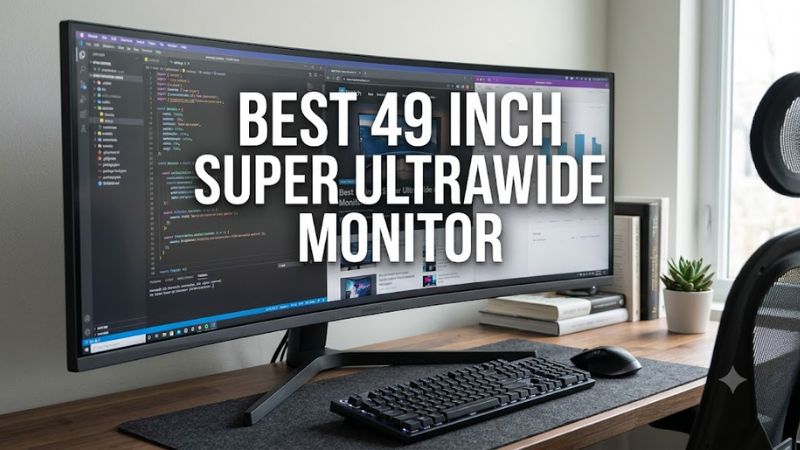
A best 49 inch super ultrawide monitor choice depends on panel type, refresh rate, GPU connection, desk space, and game support. Current 49-inch models mainly use 5120×1440 at 32:9, while OLED options prioritize contrast and response. The right model therefore depends on whether gaming, multitasking, or both dominate your setup.
How to Choose a 49-Inch Super Ultrawide Monitor
For a best 49 inch super ultrawide monitor, start with the panel and refresh rate, then check the graphics connection and physical clearance. At 5120×1440, these displays require considerably more GPU output than 2560×1440, while 240Hz models need a suitable high-bandwidth connection. A 32:9 game also needs compatible rendering support.
Panel type and image priorities
OLED and VA serve different priorities. QD-OLED models such as the MSI MPG 491CQPX and Samsung Odyssey OLED G9 G95SD use self-emissive pixels, while the Samsung Odyssey G9 G91F and AOC AG493UCX2 use VA LCD panels. OLED offers pixel-level black control; VA generally avoids OLED-specific static-image concerns.
For a best 49 inch super ultrawide monitor, also consider text use. Independent reporting on the MSI MPG 491CQPX notes that its 49-inch QD-OLED panel can still show some text fringing during extended reading, while the AOC’s 109 PPI density is less suited to users seeking especially crisp desktop text.
Refresh rate and GPU load
Refresh rate should match the games and graphics hardware you actually use. The current MSI MPG 491CQPX and Samsung OLED G9 G95SD reach 240Hz at 5120×1440, while the Samsung G91F reaches 144Hz and the AOC AG493UCX2 reaches 165Hz. A higher refresh ceiling does not create additional frames when the GPU cannot render them.
Independent testing of the MSI MPG 491CQPX covered games including Cyberpunk 2077, DOOM Eternal, Age of Empires IV, and Black Myth: Wukong; the reviewer noted that native 32:9 support varies substantially between games. For a best 49 inch super ultrawide monitor, game compatibility matters alongside frame rate.
Connection and platform compatibility
For high-refresh 5120×1440 gaming, check the GPU output before buying. MSI specifies DisplayPort 1.4a and HDMI 2.1 for 5120×1440 at 240Hz on the MPG 491CQPX, while Samsung specifies DisplayPort 1.4 and HDMI 2.1 on the G95SD. The graphics card must support the required output mode and, where applicable, Display Stream Compression.
The AOC AG493UCX2 reaches 5120×1440 at 165Hz through DisplayPort 1.4 with DSC, while USB-C reaches 120Hz under the manufacturer’s stated conditions. Its 65W USB-C power delivery can suit a laptop-oriented desk, but that does not replace the GPU requirement for demanding PC gaming.
Desk size, curve, and game support
A 49-inch 32:9 monitor is physically wide, so desk depth and viewing distance matter before considering refresh rate. The Samsung G91F uses a 1000R curve, while the MSI MPG 491CQPX uses 1800R. The AOC also uses 1800R, giving it a gentler curve that may suit users who move between gaming and conventional desktop applications.
Game support is equally important. Independent coverage of both the MSI MPG 491CQPX and AOC AG493UCX2 notes that some games do not properly support 32:9, particularly certain competitive or older titles. Check the games you play most before choosing a best 49 inch super ultrawide monitor around its maximum refresh rate.
Top Picks
The table below separates four current 49-inch options by use case rather than treating their specifications as interchangeable. All four use 32:9 panels at 5120×1440, but refresh rate, panel technology, connectivity, and practical compromises differ. Manufacturer specifications are used for the hardware details, while independent sources provide the noted weaknesses.
| Product | Best For | Key Spec | Compatibility | Watch Out For |
| MSI MPG 491CQPX QD-OLED | Best Overall | 49-inch QD-OLED, 5120×1440, 240Hz | DP 1.4a, HDMI 2.1, USB-C DP Alt Mode | OLED text fringing and 32:9 game support |
| Samsung Odyssey G9 G91F | Best Value | 49-inch VA, 5120×1440, 144Hz | DP 1.4, HDMI 2.1 | No USB-C and large 1000R footprint |
| Samsung Odyssey OLED G9 G95SD | Best For OLED HDR | 49-inch OLED, 5120×1440, 240Hz | DP 1.4, HDMI 2.1 | Premium positioning and OLED care |
| AOC AG493UCX2 | Best For Connectivity | 49-inch VA, 5120×1440, 165Hz | DP 1.4 with DSC, HDMI 2.0, USB-C | HDR limitations and older platform |
MSI MPG 491CQPX QD-OLED
The MSI MPG 491CQPX is the best 49 inch super ultrawide monitor pick for buyers who want a 240Hz QD-OLED without moving to a different screen size. MSI lists 5120×1440 resolution, 1800R curvature, 0.03ms GtG response time, DisplayHDR True Black 400, KVM, and 98W USB-C power delivery. Its video inputs can all handle DQHD at 240Hz.
The weakness is not raw display capability but the 32:9 ecosystem. TweakTown’s review found native support in titles such as Cyberpunk 2077 and DOOM Eternal, while other games did not handle the aspect ratio as well. Buyers who should skip it are those whose main games require 16:9 presentation or who spend most of their day reading dense text.
Samsung Odyssey G9 G91F
The Samsung Odyssey G9 G91F is the best 49 inch super ultrawide monitor choice for buyers who prefer a VA panel and 144Hz rather than paying for OLED. Samsung lists a 49-inch 5120×1440 VA panel, 1000R curvature, 144Hz maximum refresh, 1ms GtG response, DisplayHDR 600, and FreeSync Premium Pro. Its current model is part of Samsung’s 2025 G9 lineup.
Its main limitation is connectivity for laptop-focused desks: independent coverage identifies the lack of USB-C as a drawback. The 1000R curve and large footprint also require careful desk planning. Buyers who should skip it are those specifically seeking OLED black levels, USB-C charging, or a less aggressive curve for mixed office use.
Samsung Odyssey OLED G9 G95SD
The Samsung Odyssey OLED G9 G95SD targets buyers who want 240Hz OLED with Samsung’s integrated smart features. Samsung lists 5120×1440 resolution, a 32:9 aspect ratio, 1800R curvature, 0.03ms GtG response, FreeSync Premium Pro, HDMI 2.1, DisplayPort 1.4, and Gaming Hub support. The OLED panel is also paired with Samsung’s Glare Free treatment.
The real weakness is its premium feature set may be unnecessary if your PC already handles display switching and streaming elsewhere. Its 250-cd/m² typical brightness is also a different proposition from a bright VA LCD. Buyers who should skip this model are those who want maximum LCD brightness or simply do not need OLED and smart-monitor functions.
AOC AG493UCX2
The AOC AG493UCX2 is the best 49 inch super ultrawide monitor option for buyers who value connectivity and a 165Hz VA platform. AOC specifies 5120×1440, 32:9, 165Hz, DisplayHDR 400, FreeSync Premium, DisplayPort 1.4, three HDMI 2.0 inputs, USB-C DisplayPort Alt Mode, and up to 65W USB-C power delivery.
Its weakness is HDR rather than connectivity. TechRadar reported subdued HDR performance and noted that the single-backlight design lacks local dimming; independent testing also identified slower VA transitions in darker scenes. Buyers who should skip it are those prioritizing OLED HDR contrast, 240Hz gaming, or the newest display platform rather than broad input options.
FAQ
Is 5120×1440 enough for a 49-inch monitor?
Yes, 5120×1440 is the standard resolution used by the four monitors compared here, and it provides the horizontal workspace associated with a 32:9 dual-QHD design. The tradeoff is density: a 49-inch 5120×1440 panel is around 109 PPI, so it does not match a 4K monitor for pixel density.
For gaming, that resolution also creates a substantial rendering workload. A best 49 inch super ultrawide monitor running at 240Hz can require significantly more graphics performance than a conventional 2560×1440 display. The exact GPU needed varies by game, settings, upscaling, and frame-rate target, so there is no universal minimum GPU.
Do all PC games support 32:9?
No, 32:9 support varies by game, and unsupported titles may use black bars, a narrower rendering area, or stretching depending on the software. Independent reviews of the MSI MPG 491CQPX specifically found that some tested RPG and FPS titles lacked native 32:9 support, while several other games rendered the format correctly.
This matters more than a specification sheet suggests. If your library includes racing, simulation, strategy, and selected modern PC releases, native 32:9 support can be common enough to matter; if your library centers on competitive titles with restricted aspect ratios, check each game’s current support before choosing a best 49 inch super ultrawide monitor.
Can a laptop drive a 49-inch super ultrawide?
Yes, provided the laptop’s graphics output supports the monitor’s required resolution and refresh combination. The AOC AG493UCX2 supports USB-C DisplayPort Alt Mode up to 5120×1440 at 120Hz under its stated USB configuration, while the MSI MPG 491CQPX supports 5120×1440 at 240Hz over USB-C DisplayPort Alt Mode with 98W power delivery.
Power delivery should not be confused with graphics capability. A 98W or 65W USB-C connection can charge a compatible laptop while carrying video, but the laptop GPU still has to render the game. For high-refresh gaming, verify the laptop’s USB-C or HDMI implementation and the monitor’s supported input mode before purchase.
Is OLED worth considering for a 49-inch gaming monitor?
OLED is worth considering when black-level performance, fast pixel response, and high refresh rates are priorities, but it brings different ownership considerations from VA LCD. The MSI MPG 491CQPX and Samsung G95SD both use OLED technology, while Samsung and AOC offer VA alternatives at lower refresh rates and without OLED’s static-image management requirements.
For a best 49 inch super ultrawide monitor, the practical decision is therefore about workload rather than a universal panel hierarchy. Heavy gaming and video can favor OLED characteristics, while long productivity sessions may make VA’s conventional pixel structure preferable. MSI and Samsung both include OLED protection features, but those features do not remove the need to consider static desktop content.
Final Thoughts
The best 49 inch super ultrawide monitor depends on the balance between OLED, VA, refresh rate, connectivity, and game compatibility. MSI’s 240Hz QD-OLED and Samsung’s OLED G9 target high-refresh gaming, while the G91F and AOC offer VA alternatives. Check GPU outputs, desk clearance, and 32:9 support before choosing.