Affiliate disclosure: As an Amazon Associate we earn from qualifying purchases. This post contains affiliate links — we may earn a small commission at no extra cost to you. This never affects our picks. Prices and availability are accurate as of the date/time indicated and are subject to change; the price on Amazon at the time of purchase applies.
- Quick Comparison Table
- 1. ASUS Prime RTX 5060 Ti 16GB: Best for Entry 16GB at 1080p-1440p
- 2. MSI RTX 5070 Ti Gaming Trio OC: Best for High-refresh 1440p and entry 4K
- 3. Gigabyte RTX 5080 Windforce OC SFF: Best for Compact cases and 4K
- 4. NVIDIA RTX 5080 Founders Edition: Best for Reference-style 4K builds
- 5. MSI RTX 5080 16G Inspire 3X OC: Best for Quiet 4K gaming
- How to Choose
- Frequently Asked Questions
- About the Author
- Related Articles
Quick answer: The best 16GB GPUs start with the ASUS Prime RTX 5060 Ti 16GB as the entry point to a 16GB card. The MSI RTX 5070 Ti Gaming Trio suits 1440p high-refresh players, the Gigabyte 5080 Windforce SFF fits small cases, and the NVIDIA and MSI RTX 5080 cards suit 4K.
A 16GB graphics card gives textures, ray tracing and creative apps far more headroom than the 8GB cards still common in prebuilts. This guide compares five 16GB GPUs across the RTX 5060 Ti, 5070 Ti and 5080 tiers so you can match memory size to your resolution and power budget. Comparisons use each listing’s published specs only; we did not run our own benchmarks, so treat tier statements as general class guidance.
Quick Comparison Table
| # | Model | Key specs (per listing) | Best for |
|---|---|---|---|
| 1 | ASUS Prime RTX 5060 Ti 16GB | 16GB GDDR7, PCIe 5.0, 2.5-slot, dual BIOS | Entry 16GB at 1080p-1440p |
| 2 | MSI RTX 5070 Ti Gaming Trio OC | 16GB GDDR7, 256-bit, 2580 MHz boost, 3x DP 2.1a | High-refresh 1440p and entry 4K |
| 3 | Gigabyte RTX 5080 Windforce OC SFF | 16GB GDDR7, 256-bit, 2670 MHz, DLSS 4 | Compact cases and 4K |
| 4 | NVIDIA RTX 5080 Founders Edition | RTX 5080 Founders Edition; other specs not listed | Reference-style 4K builds |
| 5 | MSI RTX 5080 16G Inspire 3X OC | 16GB GDDR7, 256-bit, 30Gbps, 2640 MHz boost | Quiet 4K gaming |
1. ASUS Prime RTX 5060 Ti 16GB: Best for Entry 16GB at 1080p-1440p
Specs per the listing: GeForce RTX 5060 Ti, 16GB GDDR7, PCIe 5.0, HDMI/DP 2.1, 2.5-slot cooler with Axial-tech fans, Dual BIOS. Boost clock and power connector: not listed, check the maker page.
This is the way into 16GB on the current generation. The RTX 5060 Ti class is aimed at 1080p and 1440p play, and the 16GB frame buffer is the real draw: it keeps newer texture packs and ray-traced titles from spilling out of video memory, which is where 8GB cards start to stutter.
The Prime design is a restrained, dual-fan cooler with a Dual BIOS switch, so you can pick a quieter profile if your case is cramped. A 2.5-slot body is still wide, so measure clearance before ordering. Expect to pair it with a mainstream six or eight core CPU and a 1440p monitor rather than a 4K panel.
- Pros: 16GB GDDR7 memory at the lowest tier here; Dual BIOS for a quiet or performance profile; PCIe 5.0 and modern display outputs
- Cons: Not built for native 4K at high settings; 2.5-slot width needs case clearance

ASUS PRIME GeForce RTX 5060 Ti 16GB GDDR7 Gaming Graphics Card | PCIe 5.0, HDMI/DP 2.1, 2.5-slot, Axial-tech Fans, Dual BIOS
Included for 'Best 16GB GPUs: RTX 5060 Ti to RTX 5080 Picks' as a representative home product in this roundup; selection reflects the product set returned for this topic.
View on Amazon2. MSI RTX 5070 Ti Gaming Trio OC: Best for High-refresh 1440p and entry 4K
Specs per the listing: GeForce RTX 5070 Ti, 16GB GDDR7, 256-bit bus, listed boost 2580 MHz, three DisplayPort 2.1a plus HDMI 2.1b, Blackwell architecture, triple-fan Gaming Trio cooler.
The 5070 Ti class sits in the sweet spot for people who want 1440p at high refresh rates and the option of 4K with upscaling. The 256-bit bus is a clear step up from the narrower buses on the 5060 Ti tier, which helps with high-resolution textures.
MSI’s Trio cooler uses three fans, which generally means lower fan speed for the same heat load than a dual-fan card. The listing shows three DisplayPort outputs, handy for multi-monitor desks. Card length and power connector details are not in the title, so confirm both on the maker page against your case and power supply before buying.
- Pros: 256-bit bus with 16GB GDDR7; Three DisplayPort 2.1a outputs; Triple-fan cooler suits quiet builds
- Cons: Large card; check case length; Power supply requirement not listed in the title

msi Gaming RTX 5070 Ti 16G Gaming Trio OC Graphics Card (16GB GDDR7, 256-bit, Extreme Performance: 2580, DisplayPort x 3 2.1a, HDMI 2.1b, NVIDIA Blackwell Architecture)
Included for 'Best 16GB GPUs: RTX 5060 Ti to RTX 5080 Picks' as a representative home product in this roundup; selection reflects the product set returned for this topic.
View on Amazon3. Gigabyte RTX 5080 Windforce OC SFF: Best for Compact cases and 4K
Specs per the listing: GeForce RTX 5080 Windforce OC SFF, 16GB GDDR7, 256-bit, PCI-E 5.0, 2670 MHz core clock, 3x DP 2.1b, 1x HDMI 2.1b, DLSS 4.
The SFF label is the main story. Most RTX 5080 cards are oversized, and this one is built for builders with small or mid-size cases who still want the 5080 tier and its 16GB of memory. That makes it a sensible pick for a compact 4K living-room or desk build.
The 5080 class targets high-frame-rate 4K, and the listing highlights DLSS 4 for upscaling and frame generation. Because a compact cooler has less metal to work with, check that your case has good front-to-back airflow. Exact dimensions are not in the title, so measure your case against the maker’s spec sheet.
- Pros: Small-form-factor design on a top-tier GPU; 3x DisplayPort 2.1b plus HDMI 2.1b; 16GB GDDR7 on a 256-bit bus
- Cons: Compact cooler leans on case airflow; Still 16GB, not more, at this tier

Gigabyte GeForce RTX 5080 WINDFORCE OC SFF 16G - Graphics Card, 16GB GDDR7, 256bit, PCI-E 5.0, 2670MHz Core Clock, 3 × DP 2.1b, 1 × HDMI 2.1b, DLSS 4, GV-N5080WF3OCV2-16GD
Included for 'Best 16GB GPUs: RTX 5060 Ti to RTX 5080 Picks' as a representative home product in this roundup; selection reflects the product set returned for this topic.
View on Amazon4. NVIDIA RTX 5080 Founders Edition: Best for Reference-style 4K builds
Specs per the listing: GeForce RTX 5080 Founders Edition. The title lists no further specs; memory size and clocks are not listed in the title, so check the maker page.
The Founders Edition is NVIDIA’s own reference-style card, usually chosen for its tidy industrial design and predictable dimensions. It sits in the same RTX 5080 tier as the Gigabyte and MSI boards here, so the main trade-off is cooler design, appearance and board layout rather than a different class of GPU.
Because the listing gives almost no detail, treat it as a known quantity: look up the official spec sheet for clock speeds, power connector and slot width before you commit. It suits anyone who wants an in-house design without third-party branding and plans a 4K or high-refresh ultrawide display.
- Pros: Reference design from the GPU maker; Same RTX 5080 tier as the other 5080 picks; Clean look without extra branding
- Cons: Listing title shows almost no specs; Fewer cooler options than partner boards

NVIDIA GeForce RTX 5080 Founders Edition
Included for 'Best 16GB GPUs: RTX 5060 Ti to RTX 5080 Picks' as a representative home product in this roundup; selection reflects the product set returned for this topic.
View on Amazon5. MSI RTX 5080 16G Inspire 3X OC: Best for Quiet 4K gaming
Specs per the listing: GeForce RTX 5080 16G Inspire 3X OC Black, 16GB GDDR7 (30Gbps, 256-bit), PCIe 5, boost 2640 MHz, HDMI 2.1b, DisplayPort 2.1b, DLSS 4.5.
The Inspire 3X is MSI’s triple-fan 5080 option, and the listing shows a boost clock of 2640 MHz with the full 256-bit GDDR7 configuration. It is the pick for someone who wants a 5080 with a conventional triple-fan cooler instead of a compact or reference layout.
The 5080 tier is aimed at 4K gaming with high settings, and DLSS 4.5 is called out in the title for upscaling. Triple fans usually allow lower rotation speeds under load, which helps with noise. As with every 5080, plan on a strong power supply and a roomy case; exact length and connector requirements are not listed.
- Pros: Triple-fan cooler for lower noise potential; 16GB GDDR7 on a 256-bit bus; DLSS 4.5 noted in the listing
- Cons: Needs a roomy case and strong PSU; Sits at the top of the 16GB range

MSI GeForce RTX 5080 16G Inspire 3X OC Black Gaming Graphics Card | 16GB GDDR7 (30Gbps/256-bit), PCIe 5, Boost: 2640 MHz, HDMI 2.1b, DisplayPort 2.1b DLSS 4.5
Included for 'Best 16GB GPUs: RTX 5060 Ti to RTX 5080 Picks' as a representative home product in this roundup; selection reflects the product set returned for this topic.
View on AmazonHow to Choose
Check the tier, not just the memory
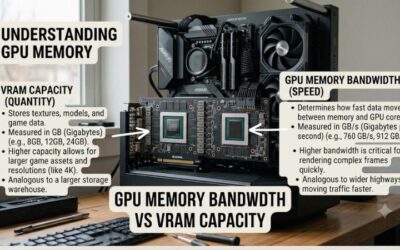
16GB is a capacity, not a speed rating. A 5060 Ti 16GB and a 5080 16GB hold the same amount of memory but sit in very different performance classes. Pick the tier from your monitor first: 1080p or 1440p suits the 5060 Ti class, high-refresh 1440p fits the 5070 Ti class, and 4K points to the 5080 class.
Match the memory bus and resolution
Memory bandwidth matters more as resolution climbs. The 256-bit cards in this list cope with 4K textures better than narrower designs. If you stay at 1080p, 16GB is a future-proofing choice rather than a need today, so do not overspend on the top tier.
Measure the case and the power supply
Modern cards are wide and long. Measure available length and slot space, and read the maker’s recommended power supply wattage and connector type. Listings often omit these in the title, so the maker page is the source of truth. SFF-style boards solve the clearance problem but need good airflow.
What to skip
Skip any 8GB variant if your goal is 16GB, because several families have both versions with near-identical names. Read the memory size in the full product name, and avoid listings where it is not stated clearly.
Frequently Asked Questions
Is 16GB of VRAM necessary for gaming?
Not for every game, but it removes memory as a bottleneck for high texture settings, ray tracing and 4K. At 1080p, 8GB to 12GB still works for many titles, while 16GB gives breathing room as new releases grow heavier.
Which of these is the best for 1440p?
The RTX 5070 Ti class card from MSI is the natural 1440p high-refresh choice. The 5060 Ti 16GB from ASUS also handles 1440p at more modest settings and frame rates.
Do I need PCIe 5.0 to use these cards?
No. PCIe 5.0 cards work in older slots at the slower link speed, and the performance difference is usually small for gaming. Confirm the slot is x16 and that your case and power supply fit.
Which suits a small case?
The Gigabyte 5080 Windforce SFF is the one built with compact cases in mind. Always compare its dimensions with your case limits, since the title does not list exact length.
Should I buy a 5080 for productivity work?
If you edit video, render or run AI tools, 16GB and the 5080 tier help. Check software support for your tasks first, since benefits depend on the application.