🛒 Best Price Today on Amazon
Prime members get fast, free shipping on everything above, plus member-only deals. New members get a 30-day free trial — cancel anytime.
A gpu with 24gb vram for gaming and productivity gives demanding games, creative applications, and local AI workloads more memory to work with. However, memory capacity alone does not determine performance. This guide compares four options based on gaming capability, compute support, power requirements, and practical value.
How to Choose a 24GB VRAM Graphics Card
Choosing a 24GB graphics card requires looking beyond the memory specification. The RTX 4090, RX 7900 XTX, RTX 3090, and RTX A5000 serve different audiences, even though they share the same memory capacity. Your ideal choice depends on gaming resolution, software compatibility, rendering requirements, and the amount you can spend.
1. Gaming Performance and Graphics Architecture
For gaming, GPU architecture, processing resources, memory bandwidth, and ray-tracing capabilities matter more than VRAM capacity alone. A 24GB graphics card can provide room for demanding texture packs and high-resolution assets, but it does not automatically deliver higher frame rates than a newer GPU with less memory.
The RTX 4090 is particularly attractive for demanding 4K gaming because of its Ada Lovelace architecture, 16,384 CUDA cores, and third-generation RT cores. The RX 7900 XTX offers a different balance with AMD’s RDNA 3 architecture and 96 compute units. Your choice should reflect the games and graphics settings you actually use.
2. Productivity Software and Compute Compatibility
Productivity workloads introduce another important consideration: software support. Applications using NVIDIA CUDA, OptiX, and TensorRT can benefit from GeForce hardware, while AMD cards rely on supported Radeon technologies and software frameworks. Compatibility should be checked before purchasing, especially for specialized rendering and AI applications.
For example, Blender supports multiple rendering backends, but GPU performance differs considerably between them. NVIDIA’s CUDA and OptiX ecosystem is an important advantage for many GPU rendering workflows. Meanwhile, the RX 7900 XTX can perform well in supported video editing tasks, particularly certain H.264 and HEVC workflows.
3. Memory Bandwidth and Actual VRAM Requirements
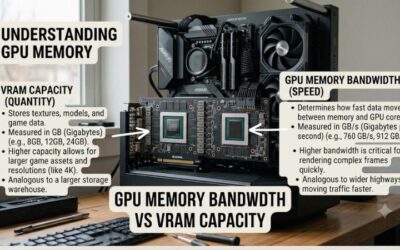
Twenty-four gigabytes of VRAM can accommodate large textures, complex 3D scenes, high-resolution video projects, and certain local AI models. However, applications also consume system RAM, storage bandwidth, and GPU processing resources. A project that fits into 24GB is not necessarily going to run quickly on every 24GB graphics card.
Memory bandwidth also affects how quickly the GPU accesses stored data. The RTX 4090 features a 384-bit GDDR6X memory interface, while the RX 7900 XTX uses a 384-bit GDDR6 interface. These specifications are useful, but actual performance depends on the architecture and workload.
4. Power Supply, Case Clearance, and Cooling
A high-end graphics card requires a compatible PC platform. The RTX 4090 Founders Edition has a 450W total graphics power rating and an 850W recommended system power supply. AMD recommends at least an 800W PSU for the reference RX 7900 XTX, which has a typical board power of 355W.
Check the exact dimensions of the graphics card before ordering because aftermarket models can be larger than reference designs. Also verify the power connectors, available PCIe expansion space, airflow, and motherboard clearance. A suitable power supply and properly ventilated case are essential for a reliable high-performance system.
Top Picks: Best 24GB VRAM GPUs for Gaming and Productivity
The following graphics cards represent four different approaches to combining gaming and professional workloads. The RTX 4090 prioritizes high-end performance, the RX 7900 XTX provides a strong AMD alternative, the RTX 3090 offers an older-generation entry point, and the RTX A5000 targets professional workstation users. Availability and used-market pricing should be checked before purchasing.
1. NVIDIA GeForce RTX 4090 – Best Overall
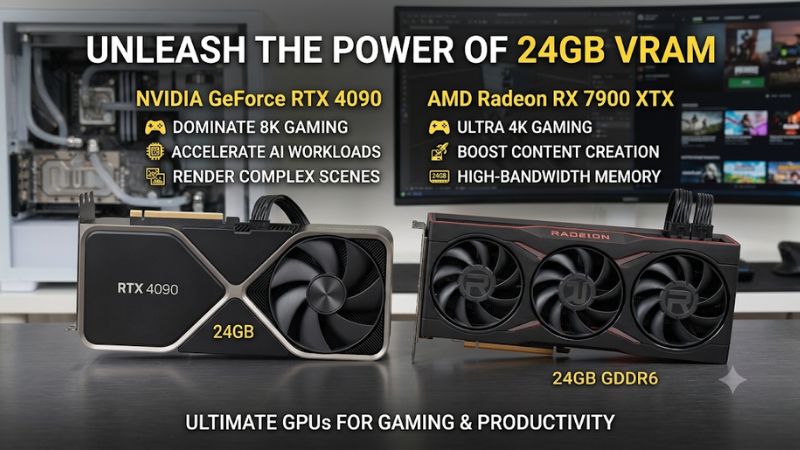
The NVIDIA GeForce RTX 4090 is the strongest all-around recommendation among these four options for buyers who prioritize gaming performance and NVIDIA-compatible productivity software. It features 24GB of GDDR6X memory, 16,384 CUDA cores, a 384-bit memory interface, and Ada Lovelace architecture. These specifications make it suitable for demanding 4K gaming and GPU-intensive creative applications.
Its productivity advantages include CUDA support, fourth-generation Tensor cores, third-generation RT cores, and dual eighth-generation NVENC encoders. These features make it attractive for GPU rendering, supported AI workloads, video production, and streaming. However, the 450W power rating and substantial physical dimensions mean that upgrading may require a suitable PSU and larger case. Buyers who do not need NVIDIA’s software ecosystem should also consider the RX 7900 XTX.
2. AMD Radeon RX 7900 XTX – Best AMD Alternative
The AMD Radeon RX 7900 XTX is a compelling choice for gamers who want 24GB of VRAM without committing to NVIDIA hardware. It features 24GB of GDDR6 memory, a 384-bit interface, 96 compute units, and up to 960GB/s of memory bandwidth. Its 355W typical board power is lower than the RTX 4090’s 450W rating.
For gaming, it delivers strong performance at 1440p and 4K, particularly in conventional rasterized workloads. It also supports DisplayPort 2.1, HDMI 2.1, and AV1 encoding. Productivity performance depends heavily on application support. Puget Systems’ content-creation analysis found strong results in selected video workflows but weaker performance in GPU rendering compared with NVIDIA alternatives. Therefore, choose this card when gaming and compatible creative applications are your priorities.
3. NVIDIA GeForce RTX 3090 – Best Used-Market Option
The GeForce RTX 3090 remains worth considering for buyers who need 24GB of NVIDIA GPU memory but cannot justify paying for an RTX 4090. Its Ampere architecture, CUDA ecosystem, and 24GB GDDR6X configuration make it relevant for older rendering projects, local AI experimentation, and demanding creative applications.
Its main advantage is memory capacity combined with broad CUDA software support. However, its older architecture means it does not provide the same gaming performance or newer-generation features as the RTX 4090. It also has a 350W reference board power rating, so power requirements remain substantial. Used cards require careful inspection for cooling problems, previous mining use, damaged connectors, and unstable operation. A card with a transferable warranty is preferable when available.
4. NVIDIA RTX A5000 – Best for Professional Workstations
The NVIDIA RTX A5000 is designed for professional workloads rather than maximum gaming performance. It includes 24GB of ECC GDDR6 memory, Ampere architecture, PCIe 4.0 x16 connectivity, and professional workstation features. Its 230W maximum power consumption is considerably lower than the GeForce RTX 4090’s reference rating.
Its professional advantages include ECC memory, workstation software support, and compatibility with NVIDIA’s virtual GPU solutions. It can be appropriate for CAD, visualization, and professional graphics workflows that benefit from certified software configurations. However, its older architecture and workstation-focused design make it less attractive as a dedicated gaming purchase. Buyers primarily interested in high frame rates should consider a GeForce gaming card instead.
GPU Comparison Table
| Product | Best For | Key Spec | Compatibility | Watch Out For |
| RTX 4090 | Overall gaming and productivity | 24GB GDDR6X, 450W | PCIe 4.0, CUDA, DLSS | High power and purchase cost |
| RX 7900 XTX | AMD gaming and creative workloads | 24GB GDDR6, 355W | PCIe platform, Radeon software | Application-specific compute support |
| RTX 3090 | Used-market productivity | 24GB GDDR6X, 350W | CUDA, PCIe platform | Older architecture and used-card condition |
| RTX A5000 | Professional workstation tasks | 24GB ECC GDDR6, 230W | PCIe 4.0 x16, professional drivers | Less gaming-focused architecture |
Reference specifications are not universal for every aftermarket card. Check the manufacturer’s documentation for the exact model.
FAQ: Buying a 24GB Graphics Card
1. Is 24GB VRAM Enough for 4K Gaming?
Yes, 24GB of VRAM is more than sufficient for most 4K gaming workloads, although actual performance depends on the GPU and game. High-resolution textures, ray tracing, and demanding modifications can increase memory consumption. However, VRAM capacity alone does not determine whether a graphics card can maintain high frame rates. GPU processing power, game optimization, and upscaling support remain important.
2. Is the RTX 4090 Better Than the RX 7900 XTX?
The RTX 4090 is generally the stronger choice for high-end gaming with ray tracing and many CUDA-dependent productivity applications. The RX 7900 XTX remains competitive in conventional gaming and selected video production workloads. Independent testing by TechSpot found the RTX 4090 ahead by an average of 21% at 4K across its tested rasterization game suite. Results vary by title, settings, and test configuration.
3. Can a 24GB GPU Run Local AI Models?
Yes, a 24GB GPU can run many local AI models, provided the model weights and associated workloads fit within available memory. Quantization can reduce memory requirements, but context length, batch size, and runtime overhead also matter. NVIDIA cards generally offer broader compatibility with CUDA-based AI applications. AMD hardware can run supported frameworks, but buyers should verify operating-system and software requirements first.
4. Should I Buy a Used RTX 3090 Instead of a New GPU?
A used RTX 3090 can make sense when its price is attractive and your applications benefit from 24GB of CUDA-compatible memory. However, its age, power consumption, cooling condition, and remaining warranty deserve attention. Compare the complete cost against a newer graphics card with less VRAM. If your main priority is gaming rather than memory-intensive productivity, a newer and more efficient GPU may be a better investment.
Final Thoughts
Choosing a gpu with 24gb vram for gaming and productivity means balancing memory capacity, graphics performance, software compatibility, and power requirements. The RTX 4090 is the strongest overall choice, while the RX 7900 XTX offers a compelling AMD alternative. Compare your actual applications, verify system compatibility, and check current US-market availability before buying.