🛒 Best Price Today on Amazon
Prime members get fast, free shipping on everything above, plus member-only deals. New members get a 30-day free trial — cancel anytime.
Choosing the best GPU for local AI image generation means balancing VRAM, processing performance, software compatibility, and price. NVIDIA remains the safest starting point for most Stable Diffusion and FLUX workflows, but the right card depends on model size, image resolution, quantization, and whether you plan to run multiple AI tools simultaneously.
How to Choose a GPU for Local AI Image Generation
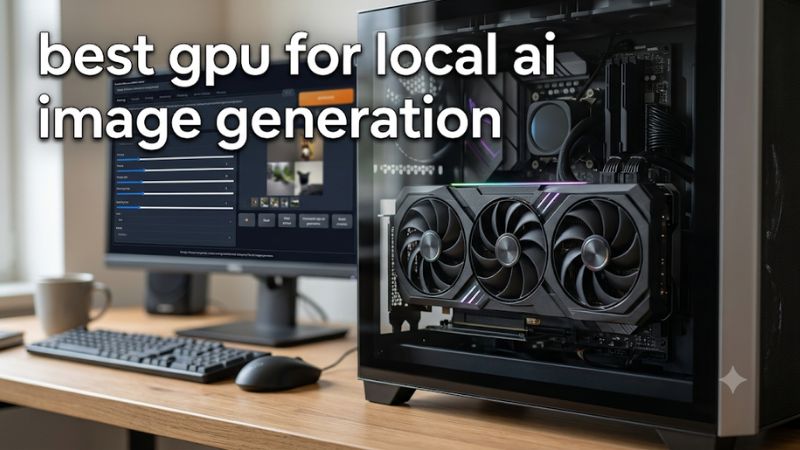
The most important buying decision is how much model data your graphics card can hold, not simply how expensive or powerful it is. A card with insufficient VRAM may require CPU offloading, reduced precision, or smaller workloads. Consider these four factors before choosing a GPU.
1. VRAM Capacity and Model Requirements
VRAM determines which image-generation models and workflows can run comfortably. Stable Diffusion 1.5 is relatively manageable, while SDXL, Stable Diffusion 3.5, and FLUX can require substantially more memory, particularly when using additional components.
For a new desktop build, 12GB is a reasonable starting point for lighter workflows, while 16GB provides more flexibility. A 24GB or 32GB GPU makes more sense for larger models, high-resolution generation, multiple ControlNets, and less aggressive memory optimization.
2. GPU Compute and Generation Speed
Once a model fits into available memory, GPU processing capability becomes important. Diffusion models repeatedly perform substantial tensor calculations during denoising, making GPU compute performance a major factor in generation speed.
NVIDIA’s Tensor Cores and CUDA ecosystem are particularly relevant because many popular image-generation applications and acceleration libraries are optimized for NVIDIA hardware. However, specifications alone cannot establish how quickly a particular model will generate an image. Model architecture, precision, sampler, resolution, and software implementation all influence results.
3. Software Compatibility and AI Framework Support
The best GPU for local AI image generation should work with the software you actually intend to use. ComfyUI, Stable Diffusion WebUI, Forge, and InvokeAI offer different installation methods and hardware support.
NVIDIA generally provides the broadest compatibility through CUDA and established PyTorch workflows. AMD Radeon cards can also support local generation through ROCm-compatible software configurations, but operating-system and framework requirements deserve closer attention.
Check the current compatibility documentation for your chosen application before purchasing. A theoretically capable GPU is less useful if your preferred workflow does not support its architecture or software stack.
4. Power Consumption, Cooling, and Upgrade Costs
A high-performance GPU can require a substantial power supply, adequate cooling, and sufficient case clearance. These considerations become particularly important with flagship cards.
Check the manufacturer’s recommended PSU capacity, power connectors, card dimensions, and cooling requirements. Also consider system RAM and SSD capacity because model downloads, checkpoints, LoRAs, and cached files can occupy considerable storage.
For a dedicated AI workstation, spending more on VRAM may be more useful than choosing a gaming-focused model with slightly higher clock speeds but less memory.
Top GPUs for Local AI Image Generation
The strongest options serve different budgets and workloads. The RTX 5090 targets demanding model configurations, the RTX 5070 Ti offers a more balanced combination of compute and memory, and the RTX 5060 Ti provides an accessible 16GB entry point. A used RTX 3090 is worth considering when memory capacity matters more than buying a newer architecture.
1. NVIDIA GeForce RTX 5090 – Best Overall
Best for demanding FLUX workflows and large local models
The GeForce RTX 5090 is the strongest overall choice for buyers who want substantial VRAM headroom and high processing capability. Its 32GB of GDDR7 memory makes it particularly attractive for larger checkpoints, high-resolution workflows, and combinations of ControlNet, LoRAs, and other model components.
NVIDIA specifies 21,760 CUDA cores, fifth-generation Tensor Cores, a 512-bit memory interface, and 1,792GB/s of memory bandwidth. These specifications make it a compelling workstation GPU, although the benefits depend on application support and the precision used by each model.
NVIDIA+1
Advantages
- 32GB VRAM provides the most capacity among these consumer recommendations.
- Strong compute resources for demanding diffusion workloads.
- CUDA compatibility supports a broad AI software ecosystem.
Limitations: Its 575W total graphics power and 1,000W recommended system power make it a demanding upgrade. Its launch starting price was $1,999, but that is not a verified November 2026 retail price.
NVIDIA
Choose this GPU if you regularly generate with larger models or want to minimize memory-related compromises. Buyers primarily running SDXL or optimized 16GB workflows should consider a less expensive alternative.
2. NVIDIA GeForce RTX 5070 Ti – Best Value for Serious AI Work
Best for regular SDXL and optimized FLUX generation
The RTX 5070 Ti is a sensible middle ground for users who generate images frequently but do not need the capacity of a flagship GPU. Its 16GB GDDR7 memory gives it considerably more flexibility than entry-level 8GB cards, while its Blackwell architecture provides modern Tensor Core acceleration.
NVIDIA lists 8,960 CUDA cores, fifth-generation Tensor Cores, and a 16GB memory configuration. It is suitable for SDXL, many Stable Diffusion 3.5 workflows, and optimized FLUX configurations, subject to model precision and additional memory requirements.
NVIDIA+1
Advantages
- 16GB GDDR7 memory.
- Strong CUDA and PyTorch ecosystem compatibility.
- More processing capacity than the RTX 5060 Ti.
Limitations: Its 16GB capacity cannot accommodate every large model at full precision without memory optimization or offloading. It also offers less headroom for multiple simultaneous model components than 24GB and 32GB alternatives.
Choose it if local AI generation is a regular activity and you also want a capable gaming GPU. If your primary requirement is fitting larger models rather than generating images quickly, consider an RTX 3090 or RTX 5090.
3. NVIDIA GeForce RTX 5060 Ti 16GB – Best Budget New GPU
Best for beginners and cost-conscious local AI builds
The RTX 5060 Ti 16GB is a practical entry point for users building a local image-generation computer without paying flagship prices. Its biggest advantage is memory capacity: the 16GB version provides more room for SDXL, optimized FLUX, and additional workflow components than many less expensive 8GB alternatives.
NVIDIA lists 4,608 CUDA cores and fifth-generation Tensor Cores for this Blackwell GPU. Importantly, the RTX 5060 Ti is available in both 8GB and 16GB configurations, so buyers should verify the exact memory variant before purchasing.
NVIDIA
Advantages
- 16GB GDDR7 option.
- Modern NVIDIA CUDA and Tensor Core support.
- More accessible starting point than flagship GPUs.
Limitations: Its lower processing capacity makes it less attractive for users prioritizing generation throughput. The 16GB memory limit also restricts demanding full-precision models and complicated multi-component workflows.
Choose this GPU for occasional generation, SDXL projects, and optimized models. Avoid accidentally buying the 8GB version when local AI image generation is the main reason for the upgrade.
4. NVIDIA GeForce RTX 3090 24GB – Best Used GPU for VRAM Capacity
Best for buyers comfortable with secondhand hardware
The RTX 3090 remains interesting because its 24GB of GDDR6X memory provides more capacity than many newer midrange GPUs. This makes it a particularly relevant option for larger FLUX configurations and users who prioritize memory capacity over the latest generation of Tensor Cores.
Its Ampere architecture provides CUDA support and an established software ecosystem. A 24GB card can accommodate workloads that exceed a 16GB GPU’s practical memory budget, although actual compatibility still depends on precision, model architecture, and available system memory.
Advantages
- 24GB GDDR6X VRAM.
- Established CUDA and PyTorch compatibility.
- More memory capacity than the RTX 5070 Ti and RTX 5060 Ti.
Limitations: It is an older, power-hungry generation, and secondhand condition varies considerably. Buyers should inspect cooling, fan operation, memory stability, warranty status, and previous usage before committing.
Choose it when a properly priced, healthy used card provides a meaningful saving over newer 24GB alternatives. If warranty coverage, efficiency, and newer acceleration features matter more, consider a current-generation GPU.
GPU Comparison: Which One Should You Buy?
The right choice depends on whether you prioritize model capacity, generation speed, or upfront cost. The following comparison highlights the practical differences between four NVIDIA options. Specifications refer to desktop GPU configurations; individual partner cards can differ in cooling, dimensions, and power requirements.
| Product | Best For | Key Spec | Compatibility | Watch Out For |
| RTX 5090 | Best overall | 32GB GDDR7 | CUDA, PyTorch | 575W GPU power |
| RTX 5070 Ti | Best value | 16GB GDDR7 | CUDA, PyTorch | Large models may need optimization |
| RTX 5060 Ti 16GB | Best budget | 16GB GDDR7 | CUDA, PyTorch | Lower compute capacity |
| RTX 3090 | Best used option | 24GB GDDR6X | CUDA, PyTorch | Age, power, used condition |
Should You Consider AMD Radeon GPUs?
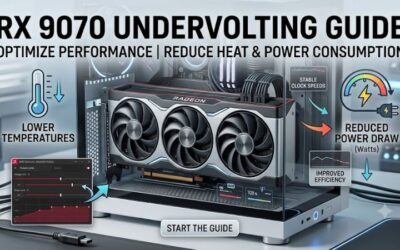
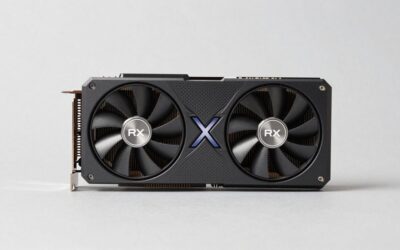
AMD Radeon graphics cards can be alternatives for users willing to work with a different software environment. The Radeon RX 9070 XT, for example, offers 16GB of GDDR6 memory, 64 compute units, and 128 AI accelerators.
AMD lists a 304W typical board power and a 750W minimum PSU recommendation. Its ROCm platform supports selected Radeon hardware, but compatibility depends on the GPU, operating system, framework, and software version.
AMD+2
The main consideration is software support rather than raw hardware specifications. Before buying, confirm that your intended ComfyUI or Stable Diffusion installation supports the exact Radeon configuration. NVIDIA remains the simpler recommendation for users who want broad compatibility with established CUDA-based workflows.
How Much VRAM Do Different AI Models Need?
There is no universal VRAM requirement for every image-generation model. Memory usage changes with checkpoint size, numerical precision, resolution, batch size, text encoders, and additional workflow components.
A useful purchasing guide is:
| Workload | Practical GPU Memory Target |
| Stable Diffusion 1.5 | 8GB |
| SDXL generation | 12GB–16GB |
| Stable Diffusion 3.5 | 16GB or more, depending on variant |
| FLUX.1 optimized workflows | 16GB or more |
| FLUX.1 Dev at FP16 | Approximately 24GB or more |
| Complex multi-model workflows | 24GB–32GB or more |
These are planning targets, not guaranteed minimum requirements. NVIDIA has highlighted that FLUX.1 Dev in FP16 requires more than 23GB of GPU memory, illustrating why a 24GB or 32GB card can be valuable for less constrained workflows. Quantization and offloading can reduce memory requirements, but may introduce performance or quality trade-offs.
iTechGuides+2
Other Hardware Requirements for a Local AI Workstation
A capable graphics card is only one part of the system. CPU performance, system memory, storage, and power delivery also influence installation, loading, and day-to-day operation.
For a balanced desktop configuration, consider:
- CPU: A modern multi-core desktop processor is suitable for managing applications, preprocessing, and general workstation tasks.
- System RAM: 32GB is a reasonable starting point; 64GB provides more flexibility for complex workflows and CPU offloading.
- Storage: A 1TB NVMe SSD is a practical starting point for operating systems, applications, checkpoints, and generated files.
- Power supply: Follow the exact graphics card manufacturer’s recommendation rather than relying on a generic wattage estimate.
- Cooling: Ensure sufficient case airflow and clearance for the specific graphics card.
- Operating system: Check the installation requirements of your selected AI framework before choosing Windows or Linux.
The RTX 5090 is particularly important to plan around: NVIDIA specifies a 1,000W recommended system power for its Founders Edition configuration. Partner models can have different requirements.
NVIDIA
FAQ: Buying a GPU for Local AI Image Generation
Is NVIDIA better than AMD for local AI image generation?
NVIDIA is generally the easier choice because CUDA has broad support across popular AI frameworks and image-generation applications. AMD can work through ROCm-compatible configurations, but software and operating-system compatibility require more careful checking.
Is 16GB VRAM enough for Stable Diffusion and FLUX?
Yes, 16GB is sufficient for many SDXL and optimized FLUX workflows. However, larger models, full-precision configurations, high resolutions, and multiple additional components may require quantization, CPU offloading, or a GPU with more VRAM.
Is an RTX 3090 still worth buying for AI image generation?
Yes, a healthy RTX 3090 can remain attractive because its 24GB VRAM provides useful capacity for larger local models. However, compare its used price, power consumption, condition, and remaining warranty against newer alternatives before purchasing.
Should I buy an RTX 5090 or RTX 5070 Ti?
Choose the RTX 5090 if you need 32GB VRAM and frequently run demanding models or complex workflows. Choose the RTX 5070 Ti if 16GB is sufficient and you want a more affordable balance of compute performance and memory capacity.
Final Thoughts
The best GPU for local AI image generation depends on the models you run and how much memory your workflows consume. For most buyers, start with a 16GB NVIDIA card; choose an RTX 3090 or RTX 5090 when larger models justify the extra capacity. Check software support and PSU requirements before upgrading.