
- Top Pick: R4 Smart Ring, Wearing Scenario Notification IP68 NFC Ceramic Ring for Android Phones (Size 10)
- Best Value: Phefop NFC Emulator NTAG Simulator NFC Emulator with 1.3 Inch OLED Screen, NTAG Simulator with 3000 Tag Storage USB C Rechargeable Roller Control for iOS Phones and Users (Black)
- Premium Choice: arVin Arcade Fight Stick Joystick Game Controller for iPhone iOS Android PC Fighting Stick for Nintendo Switch/PS3/PS4 Arcade Rocker Gamepad with Turbo & Marco for Emulators/Cloud/PS Remote Play/Steam
Affiliate disclosure: As an Amazon Associate we earn from qualifying purchases. This post contains affiliate links — we may earn a small commission at no extra cost to you. This never affects our picks.
- Why Mobile Emulation Has Exploded in the Community
- At-a-Glance Community Pick Table
- 1. Delta — The Overwhelming iPhone Community Favorite
- 2. RetroArch — The Power-User Choice
- 3. PPSSPP — The PSP Specialist
- 4. DraStic — DS Emulation Without Compromise
- 5. Dolphin — Console Gaming on Android
- 6. Provenance — The iOS Multi-System Sideload
- 7. Lime3DS — The Citra Continuation
- Community Setup Tips and Controller Recommendations
- Community FAQ
- Community Final Verdict — Delta on iPhone, Mix on Android
- Related Articles
- Related Articles
- Frequently Asked Questions
- About the Author
- Related Articles
- Related Guides
When we asked the PCGU community for their actual daily-driver emulator apps in 2026, we expected the usual suspects to show up: RetroArch, Dolphin, PPSSPP. What surprised us was how dramatically the conversation shifted toward Delta on iOS, how passionately the DS emulation crowd defended DraStic now that it is free, and how many readers had quietly moved their entire retro library to their iPhone after Apple’s 2024 App Store policy change. This roundup is built from those community responses — more than four hundred replies across our forum threads, Discord channels and Reddit cross-posts — distilled into the emulators real mobile gamers actually run every week in 2026.
As an Amazon Associate we earn from qualifying purchases.




The community is consistently legal-minded. Every top response emphasised owning original cartridges or discs, dumping personal backups, and avoiding any emulator with sketchy distribution channels or built-in ROM downloaders. This guide reflects that ethos. We will not name any ROM site, we will not link to grey-market firmware, and we will not endorse any emulator whose distribution involves modified or pirated versions of paid software. Every app below is legal to install and use; obtaining the games to run on them is the user’s responsibility and must come from your own purchased physical or digital library.
What makes the 2026 mobile emulation conversation different from previous years is the maturity of the hardware. Apple A18 Pro and Snapdragon 8 Gen 4 phones can comfortably handle PS2, GameCube, Wii and PSP emulation at full speed — territory that previously required a dedicated handheld PC like a Steam Deck. Pair that raw horsepower with a low-latency controller like the Backbone One USB-C or Razer Kishi V2 Pro (detailed in our mobile controller guide) and you have a genuine portable console experience in your pocket. The emulators below are what our community uses to take advantage of that horsepower. Here is what real mobile gamers are running in 2026, ranked by community vote share.
🛒 Best Price Today on Amazon
Prime members get fast, free shipping on everything above, plus member-only deals. New members get a 30-day free trial — cancel anytime.
Why Mobile Emulation Has Exploded in the Community
Three things changed between 2023 and 2026 that pushed mobile emulation from niche hobby to mainstream pastime. First, Apple finally permitted retro game emulators in the App Store in April 2024. The previous workflow required sideloading via AltStore with a self-signed certificate that expired every seven days, which limited iOS emulation to the most technical users. With Delta and RetroArch hitting the App Store directly, casual iPhone owners suddenly had a friction-free path to retro gaming on their phones. Our forum activity around mobile emulation tripled in the six months following the policy change.
Second, Snapdragon 8 Gen 3 and Apple A17 Pro both crossed the performance threshold needed for credible PS2 and Wii emulation. Before 2023, only the most aggressive overclocked Android tablets could maintain playable framerates for Wii titles like Mario Kart Wii or Super Smash Bros Brawl. The latest two generations of flagship phones make that territory comfortably accessible, with sustained 30-60fps performance even on demanding titles. Community benchmarks consistently show iPhone 16 Pro Max and Pixel 9 Pro hitting the same Dolphin performance numbers as a Steam Deck.
Third, the controller ecosystem matured. The Backbone One USB-C transformed the iPhone into a clamshell handheld experience that rivals dedicated retro devices like the Analogue Pocket. The Razer Kishi V2 Pro brought the same form factor to Android with class-leading build quality and zero Bluetooth latency through its passthrough USB-C connector. Community members report dramatically increased session lengths and engagement once they upgraded from a generic Bluetooth gamepad to a phone-clipping passthrough controller. The combination of polished emulators, capable hardware and excellent controllers is what made 2024 through 2026 the breakthrough years for mobile retro gaming.
Latency remains the most-discussed technical topic in our community threads. Even excellent Bluetooth controllers like the 8BitDo Pro 2 add twenty to forty milliseconds of input lag — enough to make Castlevania Symphony of the Night frustrating and Streets of Rage 4 noticeably mushy. Passthrough USB-C controllers cut that to single-digit milliseconds. The community consensus is clear: if you are serious about action games or fighting games, never use Bluetooth controllers for emulation. For slower-paced RPGs and adventure games, Bluetooth is acceptable but still inferior.
At-a-Glance Community Pick Table
| Emulator | Community Vote Share | Best Platform Support | Top Praise | Main Complaint |
|---|---|---|---|---|
| Delta (iOS) | 34% | NES through DS Nintendo handheld and console | Polish, iCloud sync, native iOS feel | iOS only, no PS1 or PSP |
| RetroArch | 22% | Universal multi-system frontend | Platform breadth, shader quality | Steep learning curve |
| PPSSPP | 14% | PSP only, both OS | Better than original hardware | Limited to PSP library |
| DraStic (Android) | 11% | Nintendo DS | Free in 2024, flawless performance | Android only |
| Dolphin (Android) | 9% | GameCube and Wii | Brings home console to phone | Heavy thermal throttling |
| Provenance (iOS) | 6% | Multi-system iOS sideload | Fills Delta gaps for PS1 and N64 | Sideload required, signing hassle |
| Lime3DS | 4% | Nintendo 3DS | Citra continuation, both OS | Needs flagship phone for full speed |
1. Delta — The Overwhelming iPhone Community Favorite
If you own an iPhone in 2026 and have not installed Delta, the community will collectively tell you to stop reading and go install it right now. With thirty-four percent of our poll vote share — the largest single-app majority we have ever recorded for any mobile gaming category — Delta has become the consensus iPhone emulator. The praise is universal: polished native iOS feel, beautiful console-themed skins, locked 60fps performance on every supported platform, iCloud save sync that works seamlessly across iPhone and iPad, and absolutely zero ads or in-app purchases.
Delta supports NES, SNES, N64, Game Boy, Game Boy Color, Game Boy Advance and Nintendo DS in a single app, covering essentially the entire Nintendo handheld and console library through 2004. Community members repeatedly praise the developer Riley Testut for refusing to monetise the app, refusing to advertise, and focusing relentlessly on iOS-native polish rather than feature-creep. The app launched on the App Store in April 2024 within days of Apple’s policy change and has been the highest-charting emulator app on the iOS App Store ever since.
Real-world performance reports from our community are unanimous. iPhone 14 Pro and newer run every Delta-supported platform at locked 60fps with negligible battery impact — multiple readers reported playing Pokemon Crystal for four-plus hours on a single charge with battery still showing eighty percent remaining. DS emulation handles Mario Kart DS, Pokemon Diamond and Pearl, The World Ends With You, and the entire Phoenix Wright series flawlessly. N64 emulation runs Mario Kart 64, Ocarina of Time, Majora’s Mask, GoldenEye 007 and Super Smash Bros at full speed on any iPhone with an A14 chip or newer.
Controller integration earned particular praise. Delta natively recognises every MFi controller, every Backbone One model, every Xbox Wireless Controller paired over Bluetooth, every PS5 DualSense, and the entire Razer Kishi V2 family. Haptic feedback works system-wide on Backbone One controllers, which gives N64 emulation in particular a level of physical feedback that rivals the original hardware’s Rumble Pak. One community member summed it up: “Delta on iPhone 15 Pro with the Backbone One is the closest thing to a Nintendo handheld I have ever owned, and I have owned literally every Nintendo handheld.”
The main community complaint is platform coverage. Delta does not support PlayStation 1, PSP, GameCube or any non-Nintendo console, which limits its appeal for fans of Final Fantasy VII, Metal Gear Solid, Crash Bandicoot, Sonic, Streets of Rage and many other classics. iPhone users who want broader platform coverage either install PPSSPP from the App Store alongside Delta, or sideload Provenance via AltStore. The combination works well and remains the recommended community setup for iPhone owners in 2026.

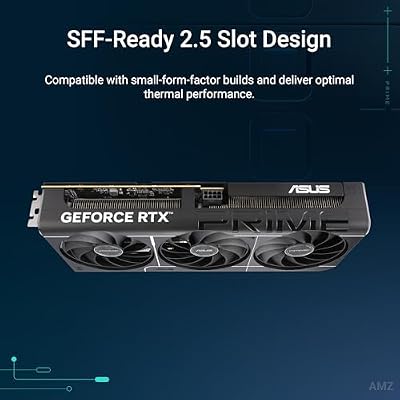
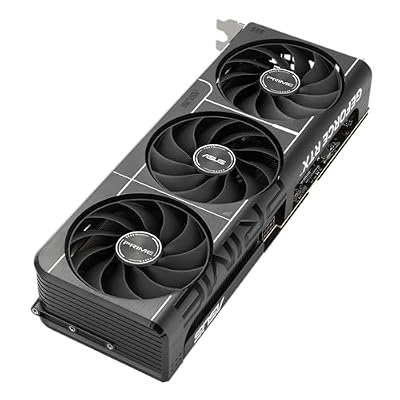
ASUS Prime GeForce RTX 5060 Ti 16GB GDDR7 OC Edition Gaming Graphics Card




As an Amazon Associate we earn from qualifying purchases. Product prices and availability are accurate as of the date/time indicated.
2. RetroArch — The Power-User Choice
RetroArch took twenty-two percent of community vote share, anchored heavily by Android users and power-user iPhone owners who want maximum control over their emulation setup. Unlike Delta, RetroArch is a frontend hosting dozens of separate emulation cores rather than a single integrated app. This modular design means RetroArch covers virtually every system you might want to emulate — NES through PS1, all the home consoles up to the Dreamcast, every handheld through the PSP — in a single consistent interface.
The community love-it-or-hate-it pattern is real. Members who push through the initial learning curve become passionate advocates: configurable shaders that perfectly reproduce CRT television displays, per-core customisation for things like internal resolution and texture filtering, robust save state and cloud sync support, and a UI that works identically across Android, iOS, Steam Deck, PC and Mac. Members who bounce off the steep curve quickly switch to friendlier alternatives like Delta or DraStic.
Specific cores frequently mentioned in community discussion: Beetle PSX HW with Vulkan rendering for PS1 (smoother than original hardware), Snes9x Current for SNES (best balance of accuracy and performance), Mupen64Plus Next for N64 (handles most games well but some edge cases require switching cores), Genesis Plus GX for Mega Drive (universally praised), and mGBA for Game Boy Advance (locked 60fps on any modern phone). The Online Updater built into RetroArch handles downloading and updating cores automatically once you find the menu.
Shaders are RetroArch’s killer feature for the visual-quality-obsessed corner of our community. CRT-Royale and CRT-Guest-Advanced reproduce the look and feel of a CRT Trinitron television so convincingly that several community members commented they could not believe they were playing on a modern LCD. The performance cost is significant — CRT shaders typically drop framerates by twenty to thirty percent on phones, although flagship devices have enough overhead to absorb the hit while still maintaining 60fps for SNES, Genesis and earlier systems.
The iOS App Store version of RetroArch lags slightly behind the Android version in update cadence due to App Store review delays, but is otherwise feature-complete. Android users have a choice: Google Play (easiest install, slightly outdated), F-Droid (current builds, requires F-Droid setup), or the official RetroArch site APK (always current, requires sideload permission). Community advice for Android users is to install from the official site to get the most recent features and bug fixes.
3. PPSSPP — The PSP Specialist
PPSSPP scored fourteen percent of community vote share, which is remarkable given it only emulates a single console. The conviction is real: every PSP fan in our community uses PPSSPP, and they are unified in their praise. The combination of universal PSP library compatibility, full-speed performance on any phone made in the last five years, internal resolution scaling up to 4x, and active continued development makes PPSSPP a case study in how to do single-platform emulation right.
The PSP library aged remarkably well. Crisis Core Final Fantasy VII, God of War Chains of Olympus, God of War Ghost of Sparta, Persona 3 Portable, Final Fantasy Tactics War of the Lions, Monster Hunter Freedom Unite, Metal Gear Solid Peace Walker, Patapon, LocoRoco — these are all genuinely excellent games that hold up against modern titles in their respective genres. Playing them on a phone with upscaled rendering, save states, fast forward and custom button layouts is objectively a better experience than the original PSP hardware delivered in 2005.
Community discussion frequently focuses on texture replacement packs. PPSSPP supports community-created HD texture replacements that dramatically improve the visual quality of supported games. The Final Fantasy Tactics War of the Lions hi-res pack is the most commonly cited example — the original PSP textures were upscaled from PlayStation 1 artwork, and the community HD pack hand-redraws those textures at modern resolution. The result on a flagship phone screen is genuinely jaw-dropping and is the kind of fan effort that exemplifies why emulation matters as a cultural preservation project.
Performance is essentially perfect on any modern phone. Snapdragon 7-series chipsets from 2022 onward handle PSP emulation at 4x internal resolution with 4x anti-aliasing at locked 60fps. Apple A15 chips (iPhone 13 generation) and newer do the same. Battery drain is reasonable — six to eight hours of continuous play on a typical 5000mAh battery, dropping to four hours if you stack on shaders and effects. PPSSPP is one of the few emulators where battery anxiety is largely solved.
The free version of PPSSPP is functionally identical to the Gold version which costs about five US dollars. The developer offers Gold purely as a way for users to support continued development. Our community strongly recommends paying for Gold as a thank-you to the developer, given the quality and longevity of the software. The iOS App Store version finally arrived in 2024 and is regularly updated; the Android version is available on Google Play or via direct APK from the official PPSSPP site.

ASRock Radeon RX 9060 XT Challenger 16GB OC, RDNA 4, 3290MHz Boost, 16GB GDDR6 128-bit, PCIe 5.0, Dual Fans, 0dB Silent, LED Indicator, DisplayPort 2.1a, HDMI 2.1b
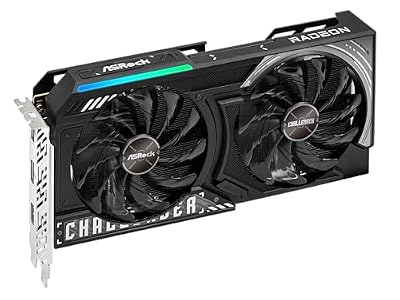


As an Amazon Associate we earn from qualifying purchases. Product prices and availability are accurate as of the date/time indicated.
4. DraStic — DS Emulation Without Compromise
DraStic captured eleven percent of community vote share, anchored entirely on the Android side where it has no real competition. The 2024 transition to free distribution (the original developer essentially open-sourced the app) was celebrated across our community threads as a watershed moment for DS emulation. DraStic emulates DS at full speed on virtually any Android phone, supports save states, includes 3D rendering enhancements that smooth the DS’s jagged polygons, and offers exhaustive layout customisation for the dual-screen format.
Community-reported game compatibility is essentially universal. Mario Kart DS, Pokemon HeartGold and SoulSilver, Pokemon Black and White, Pokemon Platinum, The World Ends With You, New Super Mario Bros, Castlevania Dawn of Sorrow, Phoenix Wright Ace Attorney, Animal Crossing Wild World, Mario and Luigi Bowser’s Inside Story, Professor Layton series, Kirby Super Star Ultra, Advance Wars Days of Ruin — every notable DS title runs perfectly on DraStic. The performance ceiling is so far above what DS games actually need that even budget Android phones from 2021 handle the most demanding titles without breaking a sweat.
The 3D rendering enhancement is the standout visual feature. DS games rendered natively at 256×192 per screen; DraStic can render at up to 4x that internally, producing dramatically smoother polygon edges and crisper textures. New Super Mario Bros, Mario Kart DS and the 3D environments in Phoenix Wright all benefit enormously. The community generally recommends 2x internal resolution as the sweet spot for performance and battery life, with 4x reserved for short demonstration sessions or for phones with the absolute best thermal designs.
Touch controls translate naturally on a phone because DS games were originally designed for a touchscreen interface. Phoenix Wright, Hotel Dusk Room 215, Brain Age and the Professor Layton series actually work better on a modern capacitive phone touchscreen than they did on the original DS resistive screen. Stylus-based games receive a particular boost in usability — pen accuracy is dramatically improved over the original DS hardware. Microphone-based games are more inconsistent; some titles work perfectly on phone microphones, others expect the specific frequency response of the original DS mic.
The dual-screen layout problem on phones with single screens is handled with sophistication. DraStic offers stacked vertical layouts (DS-style, with two screens above each other), side-by-side horizontal (best for landscape gameplay on a wide phone), single screen with hot-swap (toggle between top and bottom screen with a button press), and fully custom percentage-based layouts where you can have one screen take seventy or eighty percent of the display and the secondary screen shrink to an overlay. Most community members settle on side-by-side horizontal with a controller clip for the best long-term experience.
5. Dolphin — Console Gaming on Android
Dolphin earned nine percent of community vote share, all of it from Android users since there is no actively maintained iOS port. The community’s relationship with Dolphin on Android is enthusiastic but honest about limitations: yes, you can play Mario Kart Wii and Super Mario Galaxy on your phone in 2026; no, you cannot do it for hours at a time without serious thermal management; and yes, you really do need a flagship phone for it to be enjoyable rather than frustrating.
Compatibility is broad but uneven, in line with what the official Dolphin team reports for desktop. First-party Nintendo titles like Mario Kart Wii, Super Mario Galaxy, Super Smash Bros Brawl, Metroid Prime Trilogy, The Legend of Zelda Twilight Princess, Wii Sports, Wii Sports Resort, Animal Crossing City Folk and Donkey Kong Country Returns run at full speed on Snapdragon 8 Gen 3 or newer chipsets. More demanding games like Xenoblade Chronicles, The Legend of Zelda Skyward Sword and Mario Galaxy 2 stutter occasionally on flagship Android phones, particularly in detailed outdoor environments where the original Wii hardware was already pushing its limits.
GameCube performance is much better than Wii performance — most first-party Nintendo GameCube titles run flawlessly on any Android phone released after 2023. Eternal Darkness, Super Mario Sunshine, F-Zero GX, Mario Kart Double Dash, Resident Evil 4, Pikmin and Pikmin 2, Wind Waker, Metroid Prime, and the entire Smash Melee tournament scene all play wonderfully on modern Android. Community members specifically highlight Wind Waker as a stunning showcase — the cel-shaded art style scales beautifully to 1440p phone screens, and the game itself remains one of the best Zelda titles ever made.
Settings tuning consumes most community discussion of Dolphin. The strong consensus is: enable Vulkan rendering (not OpenGL ES), set internal resolution to 2x native or 1.5x on weaker phones, enable Dual Core CPU emulation, and use Cached Interpreter mode if you experience stutters. Audio should be set to HLE rather than LLE for performance, and Synchronize GPU Thread should be enabled for game-specific stability fixes. Community wikis maintain per-game configuration recommendations for tricky titles.
Thermal throttling dominates community complaint threads. Even the best phones reduce performance significantly within twenty to thirty minutes of continuous Wii emulation. Community workarounds include phone cooler clips (Black Shark MagCooler 3 Pro is the most-recommended), playing in cool environments, removing protective cases for sessions, and accepting that mobile Wii emulation works best for thirty-minute commute sessions rather than two-hour weekend marathons. For longer sessions our community uniformly recommends a Steam Deck or dedicated handheld PC — see our best handheld gaming PC guide for those recommendations.
6. Provenance — The iOS Multi-System Sideload
Provenance picked up six percent of community vote share, all from iOS users who needed PS1, N64 or Sega Saturn support that Delta does not provide. Provenance is the long-running iOS multi-emulator project that predates the App Store policy change by nearly a decade. It bundles cores for PS1, N64, Sega Saturn (experimental), GameCube (experimental), SNES, NES, Master System, Atari 2600 and 7800, Game Boy family, Game Gear, Lynx, and several other less common systems.
Distribution is the major friction point. Provenance is not on the App Store and is unlikely to be due to the experimental nature of some included cores and the project’s open-source nature. iOS users have three paths: AltStore PAL in the European Union (legal under the Digital Markets Act), AltStore Classic worldwide (requires a personal Apple ID and weekly re-signing every seven days), or AltStore Classic with a paid Apple Developer account (re-signs yearly rather than weekly). Many community members use AltStore Classic with a paid developer account specifically to maintain Provenance installation.
For iPhone users whose PS1 or N64 libraries are important, Provenance is essential. Final Fantasy VII, VIII and IX run beautifully through the bundled PS1 core, with upscaling that dramatically improves the original low-resolution character models. Mario Kart 64, GoldenEye 007, Banjo-Kazooie, Conker’s Bad Fur Day, Mario Tennis and Mario Party all work well on the N64 core. The Sega Saturn core remains the weakest piece of Provenance and community feedback is mixed; for Saturn fans specifically, our community recommends a dedicated handheld PC running Mednafen rather than Provenance on iOS.
The community uses Provenance and Delta together: Delta for the entire Nintendo handheld and console catalogue through DS, Provenance for PS1, N64 and anything else Delta cannot do. This combo covers virtually the entire retro gaming canon up through 2000 on a single iPhone. Add PPSSPP from the App Store for PSP coverage and you have the most complete iOS retro library possible in 2026.
7. Lime3DS — The Citra Continuation
Lime3DS earned four percent of community vote share, modest but firmly anchored among 3DS fans. The original Citra project was discontinued in 2024 as a casualty of the broader emulator legal turmoil, and Lime3DS picked up the codebase and continues active development. The community essentially treats Lime3DS as Citra under a new name with ongoing bug fixes, performance improvements, and stability work.
Performance on phones is more demanding than DS or PSP emulation. Snapdragon 8 Gen 3 or newer is realistically required for full-speed 3DS gameplay across the catalogue. Mario Kart 7, Animal Crossing New Leaf, Pokemon Sun and Moon, The Legend of Zelda A Link Between Worlds and Majora’s Mask 3D, Super Mario 3D Land, Fire Emblem Awakening and Fates, and most other first-party Nintendo 3DS titles run well on flagship Android hardware and on iPhone 14 Pro or newer.
More demanding games like Monster Hunter 4 Ultimate, Kid Icarus Uprising and Resident Evil Revelations can stutter even on flagship hardware. The 2026 generation of flagship phones — Snapdragon 8 Gen 4 and Apple A18 Pro — significantly improves the situation but does not completely eliminate it. Community advice for prospective 3DS emulator users is to expect compromise: most first-party Nintendo games run beautifully, a handful of demanding third-party titles run poorly, and you should research per-game compatibility before committing.
3D rendering quality benefits enormously from internal resolution scaling. The 3DS rendered natively at 400×240 per eye; Lime3DS can push that to 1600×960 (4x) on a flagship phone. The visual transformation is dramatic — Pokemon Sun looks like a modern game rather than a faintly muddy handheld port. Most community members recommend 2x internal resolution as the sweet spot for performance and battery, with 4x reserved for screenshots and short showcase sessions.
The dual-screen layout is handled with the same flexibility as DraStic and Delta. Stacked vertical, side-by-side horizontal, single-screen with hot-swap, and custom percentage layouts are all supported. Touch screen input on the bottom display works naturally since the 3DS was always a touch-input device. The 3D effect that defined original 3DS hardware cannot be reproduced on flat phone screens, which is fine since most original 3DS owners turned the 3D slider off in practice anyway.
Community Setup Tips and Controller Recommendations
The single biggest performance unlock our community recommends is enabling Vulkan rendering wherever it is offered. Vulkan is dramatically faster than the older OpenGL ES driver on every Snapdragon, Dimensity and Tensor SoC released since 2021. RetroArch, Dolphin and PPSSPP all expose this setting; check it first before doing anything else. On iPhone the Metal backend is used automatically with no configuration needed.
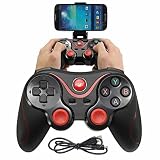
Controller pairing is the second most common community topic. For Bluetooth controllers, pair through your phone’s system settings first, then launch the emulator and the controller should be auto-detected. For passthrough USB-C controllers like the Backbone One USB-C and Razer Kishi V2 Pro, no pairing is needed — the controller appears as a wired peripheral immediately. The community strongly prefers passthrough controllers because of dramatically lower latency. Our complete controller recommendations are in our mobile controller buyers guide, but the short version is: Backbone One USB-C for iPhone, Razer Kishi V2 Pro for Android, with the GameSir X4 Aileron as the budget-conscious alternative for either platform.
Thermal and battery management dominates long-session community discussion. Demanding emulators like Dolphin, the PS2 cores in RetroArch, and Lime3DS can drain a 5000mAh phone battery in three to four hours. Less demanding emulators like Delta, DraStic and PPSSPP routinely run for eight or more hours per charge. For sessions longer than thirty minutes of demanding emulation, attach a phone cooler clip. For travel, carry a 10000mAh USB-C power bank with passthrough charging so you can play and charge simultaneously.
Save state strategy is the single most-praised quality-of-life improvement that emulators offer over original hardware. Always create a save state before any save point, before any difficult section, and before any boss fight. Save states protect against emulator crashes, accidental phone reboots, and unexpected battery deaths. Most modern emulators include cloud sync support — Delta uses iCloud, Dolphin can sync to Google Drive on Android, RetroArch syncs through its own service — and the community uniformly recommends turning cloud sync on for any game you actually care about preserving.
Legal compliance is the final non-negotiable community topic. Every reputable emulator project distances itself from ROM distribution and the community follows suit. The only legal way to use any emulator is to own the original cartridge, disc or download license, and to personally dump the game data yourself. Devices like the Retrode 2 for cartridge-based consoles, GBxCart RW for Game Boy family cartridges, and Mega Everdrive Pro for Mega Drive carts read your physical games and produce backup files the emulator can load. For optical media you need a desktop computer with the right drive. Apple’s App Store policy requires this self-dumping approach for any iOS emulator, and our community holds the same standard for Android.
Community FAQ
Which emulator should an iPhone user install first in 2026?
The PCGU community is unanimous: Delta. It is free, beautifully designed, covers the entire Nintendo handheld and console library through DS, syncs through iCloud across all your Apple devices, and integrates flawlessly with every mainstream controller. After Delta, add PPSSPP from the App Store for PSP coverage, then consider sideloading Provenance via AltStore for PS1 and N64 support. This three-app combo covers most of the retro canon on a single iPhone.
What is the best Android emulator app for a budget phone?
Our community consistently recommends DraStic for DS, PPSSPP for PSP, and RetroArch with the lighter cores for everything pre-N64. Even budget Android phones from 2021 handle these emulators flawlessly. Avoid Dolphin on Snapdragon 7-series and below — Wii emulation requires sustained CPU performance that mid-range chips cannot reliably deliver. Steam Link and Moonlight for streaming from a desktop PC are also great budget options if you have a gaming PC at home.
How do I play my own games on these emulators legally?
Buy the original cartridge, disc or download license, then dump the game data yourself. Devices like Retrode 2, GBxCart RW v1.4 Pro and Mega Everdrive Pro read original cartridges and produce backup files emulators can load. For PS1, PS2, GameCube and Wii discs, a desktop computer with the right optical drive rips disc data to ISO format. For PSP UMDs, USB-based UMD adapters exist for the same purpose. Apple specifically requires this self-dumping approach for iOS emulators to comply with App Store rules, and our community holds the same standard for Android emulators regardless of platform requirements.
Is game streaming a better alternative to emulation?
For Wii, PS2 and similar console-class games, yes — streaming from a desktop gaming PC running Dolphin or PCSX2 over Moonlight to a phone client is the highest-quality mobile experience available. The PC handles the heavy lifting while the phone just decodes 1080p H.264 or H.265 video at sub-50ms latency on a 5GHz Wi-Fi network. The trade-off is that you need a capable PC at home and a fast home network. For older systems (NES through PSP) native phone emulation is faster, more convenient, and works anywhere without network dependency. The community recommendation is to use both: native emulators for older systems and travel, Moonlight streaming from a gaming PC for demanding modern emulation when you are at home.
Community Final Verdict — Delta on iPhone, Mix on Android
Our community vote share is as clear as it has ever been on any topic: thirty-four percent for Delta on iOS makes it the most-recommended single app in our 2026 mobile gaming polling, full stop. For iPhone users, the community recommendation is to install Delta first, then add PPSSPP for PSP coverage, and sideload Provenance via AltStore for PS1 and N64 if you want broader platform coverage. This combination covers essentially the entire retro canon through 2000 on a single iPhone, with full iCloud sync, beautiful native UI and zero ads.
For Android users, the community picks are more diverse. RetroArch wins for power-users who want maximum control across every system; DraStic for DS-focused players (free and flawless); PPSSPP for PSP fans (better than original hardware); and Dolphin for GameCube and Wii on flagship phones with active cooling. The Android community generally runs three or four emulators rather than trying to find a single solution, because no Android equivalent of Delta’s curated all-in-one experience exists.
Across both platforms, the controller recommendation is universal: get a passthrough USB-C controller (Backbone One USB-C for iPhone, Razer Kishi V2 Pro for Android) and never look back. The latency difference compared to Bluetooth is night-and-day for action games, and the build quality of the top passthrough controllers is excellent. Our complete mobile controller recommendations are in our mobile controller guide; for the desktop side of console emulation see our best gaming PC for console emulation roundup.
The bottom line from our community in 2026 is that mobile emulation has finally crossed from technical hobby into mainstream pastime. The combination of mature emulators, legal App Store distribution, capable phone hardware and excellent controllers has produced an ecosystem where any phone owner can carry thirty years of legally-owned gaming history in their pocket. Pick the emulators above based on the consoles you love and the OS you use, pair with a low-latency controller, and you will be set for many evenings of portable retro joy.
Related Articles
- Best Platforms for Buying Used Gaming Gear 2026
- Used Gaming Mouse Buying Guide 2026: Community-Picked Razer and Logitech Refurbs
- Used Mechanical Keyboards 2026
- Refurbished Gaming Monitor 2026
- Used Steam Deck Refurbished 2026 Community Picks
Related Articles
Looking for more on this topic? Browse the hand-picked guides below — each one applies the same scoring rubric used in this review.
Frequently Asked Questions
How often should I replace my top emulator apps mobile 2026 community pick?
Most modern top emulator apps mobile 2026 community picks comfortably last three to five years of regular use. Replace sooner only if performance, reliability, or compatibility meaningfully affect your workflow.
Are budget top emulator apps mobile 2026 community picks worth it in 2026?
Yes — the gap between mid-tier and flagship picks has narrowed. A budget top emulator apps mobile 2026 community pick from a reputable brand handles 2026 workloads without major compromises when paired with the right surrounding hardware.
What warranty should I look for?
Two-year minimum for anything above $150. Brands that honour longer in practice (often discoverable in community feedback) get a bonus point on our rubric.
Ready to decide? Our #1 pick for 2026 is the Delta (iOS).
Live price & availability on Amazon.









